【git】ssh: connect to host github.com port 22: Connection refused fatal: Could not read from remote r
git 远程仓库两种协议:ssh,https。在解决问题之前,先要了解git远程仓库的两种协议连接。ssh协议连接github1.在git的命令行,输入然后就会在用户的.ssh下生成了两个SSH Key的秘钥对,id_rsa是私钥,不能泄露出去,id_rsa.pub是公钥。2.将公钥配置在github上设置里找到👇打开本地的id_rsa.pub(公钥),将内容复制进去即可。3.github端配置
ssh: connect to host github.com port 22: Connection refused fatal: Could not read from remote repository.之前github的ssh的公私钥已经配置好,并可以正常使用,可没过多久,有一天突然报错:
原因
git 远程仓库两种协议:ssh,https。
在解决问题之前,先要了解git远程仓库的两种协议连接。
ssh连接github方法
ssh协议连接github
1.在git的命令行,输入
$ ssh-keygen -t rsa -C "youremail@example.com"
然后就会在用户的.ssh下生成了两个SSH Key的秘钥对,
id_rsa是私钥,不能泄露出去,id_rsa.pub是公钥。
2.将公钥配置在github上
设置里找到👇
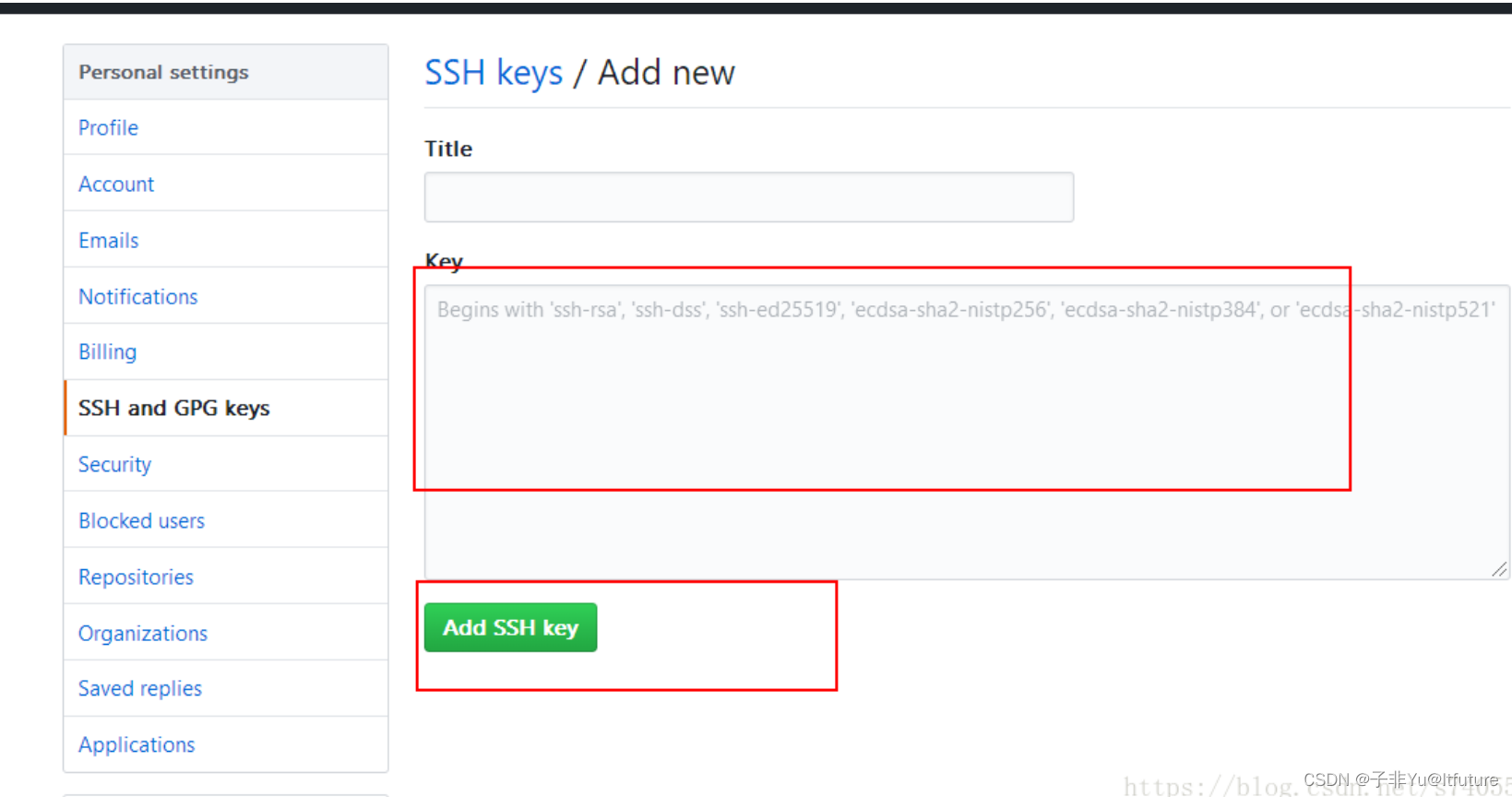
打开本地的id_rsa.pub(公钥),将内容复制进去即可。
3.github端配置完毕后,看本地的git 如何添加远程仓库:
第一步,查看当前git的远程仓库版本:
git remote -v
此时若什么都没有显示说明,git无远程仓库。
第二步,添加ssh协议的远程仓库:
git remote add origin git@github.com:Itfuture-zifeiYu/ZifeiChat.git
4.再次输入git remote -v 查看
$ git remote -v
origin  git@github.com:Itfuture-zifeiYu/ZifeiChat.git (fetch)
origin  git@github.com:Itfuture-zifeiYu/ZifeiChat.git (push)
说明连接成功!
问题解决方案
出现报错是使用ssh协议,很明显,ssh协议可能被禁掉了(原因可能是公私钥失效,泄露,或者当前所在网络限制等),只能换一种连接进行合并本地仓库了。继续往下看另一种协议。
切换成 https协议连接github
1.移除掉远程仓库的配置:
git remote rm origin
2.重新添加新的远程仓库,以https的形式:
git remote add originhttps://github.com/Itfuture-zifeiYu/ZifeiChat.git
再次查看:
$ git remote -v
origin  https://github.com/Itfuture-zifeiYu/ZifeiChat.git (fetch)
origin  https://github.com/Itfuture-zifeiYu/ZifeiChat.git (push)
再次尝试pull代码,成功!

腾讯云面向开发者汇聚海量精品云计算使用和开发经验,营造开放的云计算技术生态圈。
更多推荐
 6
6 0
0- 0


 已为社区贡献7条内容

所有评论(0)