vscode设置背景图片
·
1、安装background插件
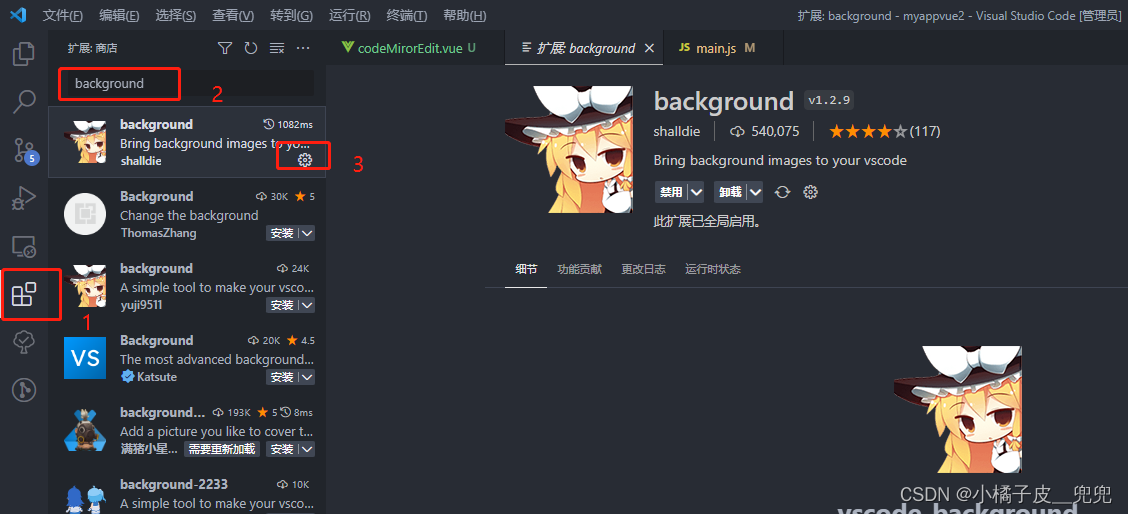
2、去vscode里找到setting.json文件,在里面配置
ctrl+shift+p 输入 setting.json
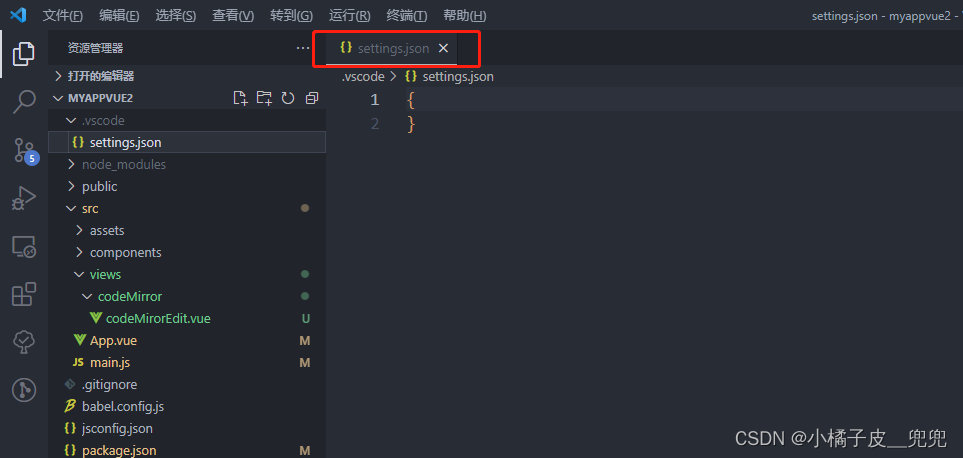
3、写背景配置
{

      // background相关配置 Start
      "background.useDefault": false, // 是否使用默认图片,改成false不默认,设置自己想要的
      "background.style": {
        "content": "''",
        "pointer-events": "none",
        "position": "absolute",
        "z-index": "99999",
        "width": "100%",
        "height": "100%",
        "background-position": "center",
        "background-size": "cover",
        "background-repeat": "no-repeat", //不重复
        "opacity": 0.2 //透明度
      },
      "background.customImages": [
        "file:///C:/Users/Administrator/Desktop/nv1.png", //图片的路径
      ],
      "workbench.colorTheme": "One Dark Pro", //这是我的vscode主题颜色
    }
最后:设置完后,ctrl+shift+p 输入 ReloadWindow 刷新窗口

腾讯云面向开发者汇聚海量精品云计算使用和开发经验,营造开放的云计算技术生态圈。
更多推荐
 1
1 0
0- 0


 已为社区贡献3条内容

所有评论(0)