2024 年最新 Linux 云服务器部署搭建微信公众平台机器人(详细教程)
为了识别用户,每个用户针对每个公众号会产生一个安全的OpenID,如果需要在多公众号、移动应用之间做用户共通,则需前往微信开放平台,将这些公众号和应用绑定到一个开放平台账号下,绑定后,一个用户虽然对多个公众号和应用有多个不同的OpenID,但他对所有这些同一开放平台账号下的公众号和应用,只有一个UnionID,可以在用户管理-获取用户基本信息(UnionID机制)文档了解详情。4)模板消息:在需要
注册微信公众平台
微信公众平台是运营者通过公众号为微信用户提供资讯和服务的平台,而公众平台开放接口则是提供服务的基础,开发者在公众平台网站中创建公众号、获取接口权限后,可以通过阅读本接口文档来帮助开发。如遇问题,可前往 #公众号社区 发帖交流。
为了识别用户,每个用户针对每个公众号会产生一个安全的OpenID,如果需要在多公众号、移动应用之间做用户共通,则需前往微信开放平台,将这些公众号和应用绑定到一个开放平台账号下,绑定后,一个用户虽然对多个公众号和应用有多个不同的OpenID,但他对所有这些同一开放平台账号下的公众号和应用,只有一个UnionID,可以在用户管理-获取用户基本信息(UnionID机制)文档了解详情。
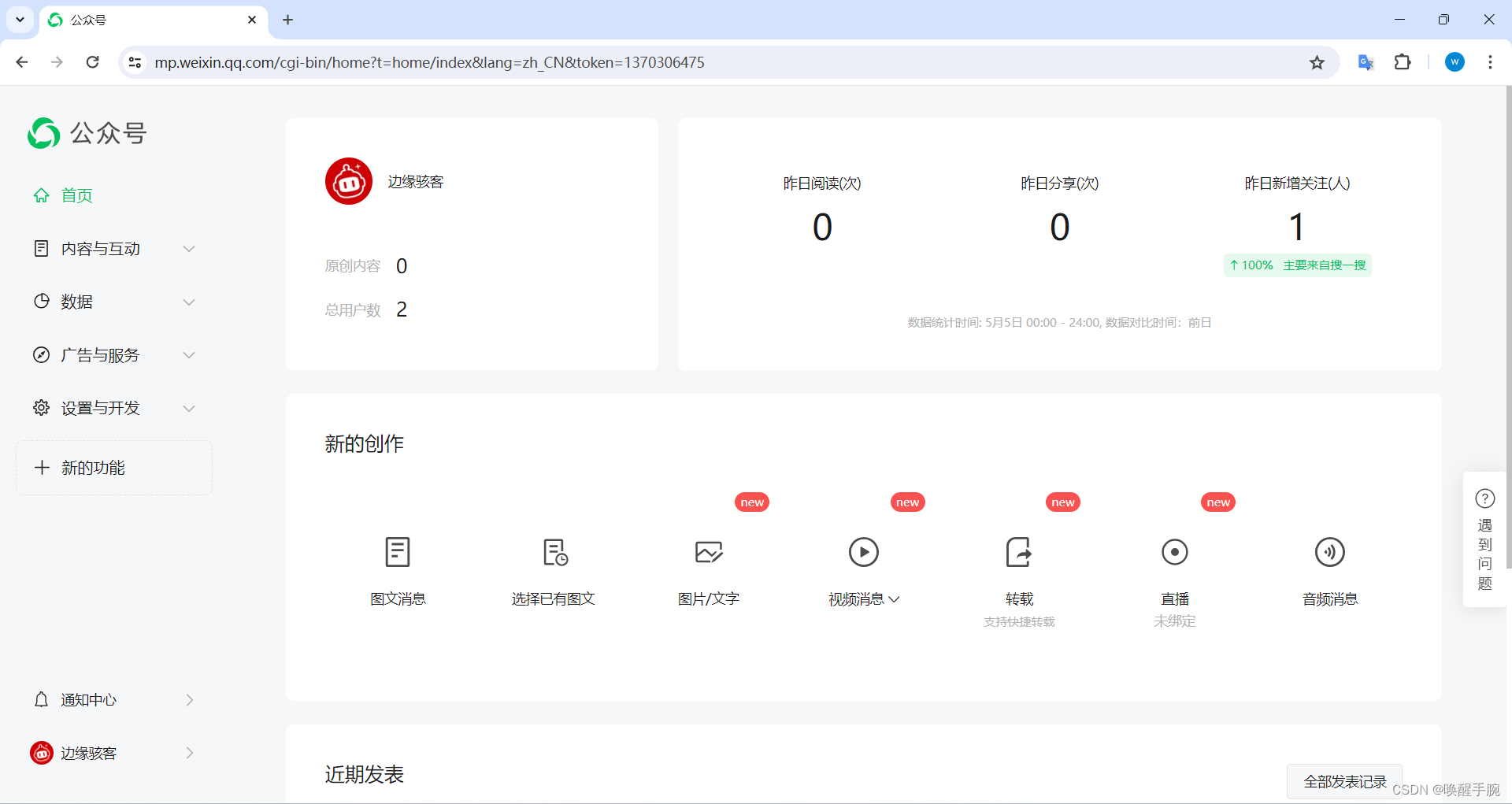
微信公众平台:https://mp.weixin.qq.com/
公众号消息会话
公众号是以微信用户的一个联系人形式存在的,消息会话是公众号与用户交互的基础。目前公众号内主要有这样几类消息服务的类型,分别用于不同的场景。
1)群发消息:公众号可以以一定频次(订阅号为每天1次,服务号为每月4次),向用户群发消息,包括文字消息、图文消息、图片、视频、语音等。
2)被动回复消息:在用户给公众号发消息后,微信服务器会将消息发到开发者预先在开发者中心设置的服务器地址(开发者需要进行消息真实性验证),公众号可以在5秒内做出回复,可以回复一个消息,也可以回复命令告诉微信服务器这条消息暂不回复。被动回复消息可以设置加密(在公众平台官网的开发者中心处设置,设置后,按照消息加解密文档来进行处理。其他3种消息的调用因为是API调用而不是对请求的返回,所以不需要加解密)。
3)客服消息:用户在公众号内发消息/触发特定行为后,公众号可以给用户发消息。具体发送规则见公众号客服消息文档:公众号客服消息文档
4)模板消息:在需要对用户发送服务通知(如刷卡提醒、服务预约成功通知等)时,公众号可以用特定内容模板,主动向用户发送消息。
werobot 消息监听处理
安装 werobot 库
pip install werobot
详细源码 robot.py
import json

from werobot import WeRoBot
import config as cfg

myrobot = WeRoBot(token=cfg.token)
myrobot.config["APP_ID"] = cfg.appid
myrobot.config['ENCODING_AES_KEY'] = cfg.aeskey


@myrobot.image
def image_repeat(message, session):
    return message.img


@myrobot.text
def test_repeat(message, session):
    return message.content
服务器域名设置
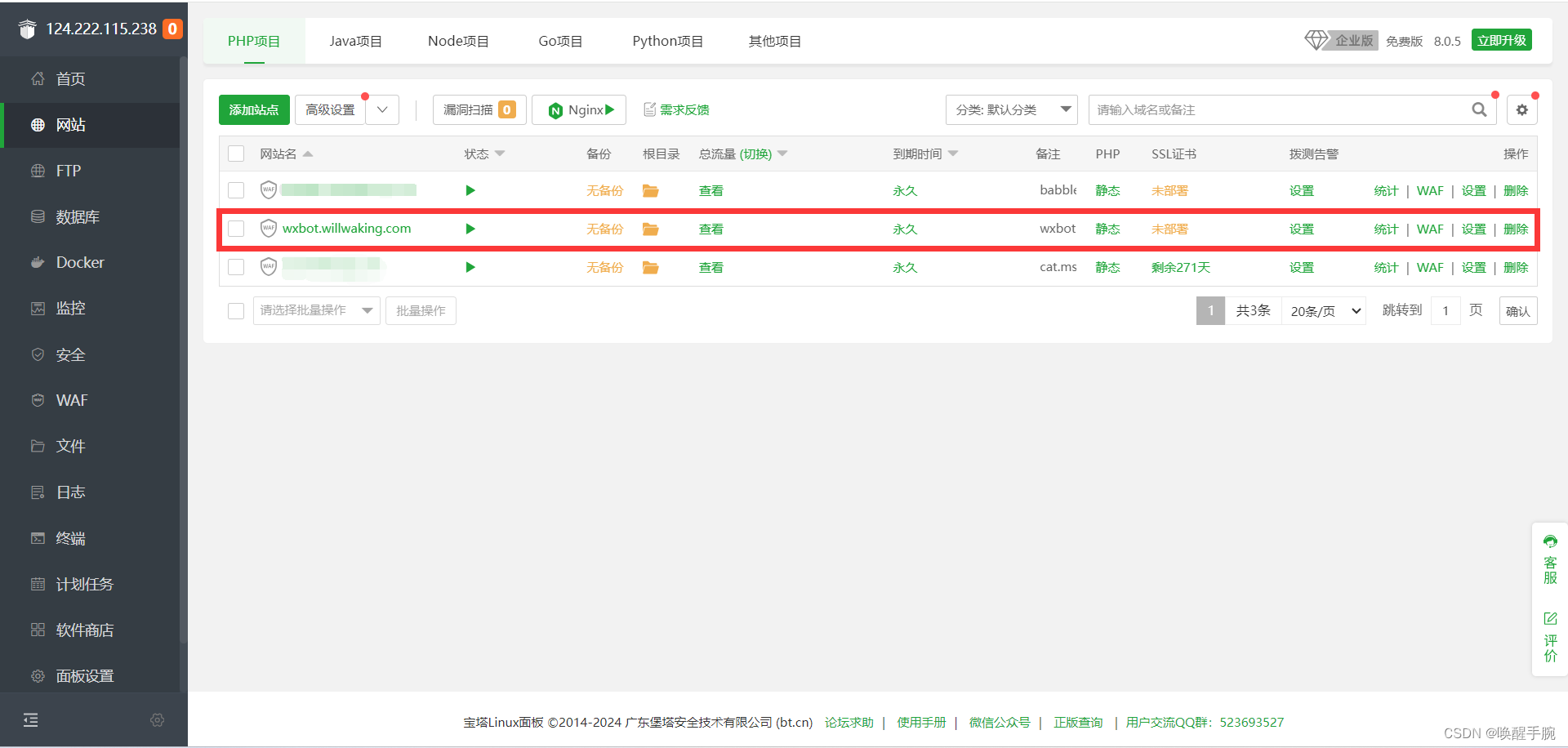
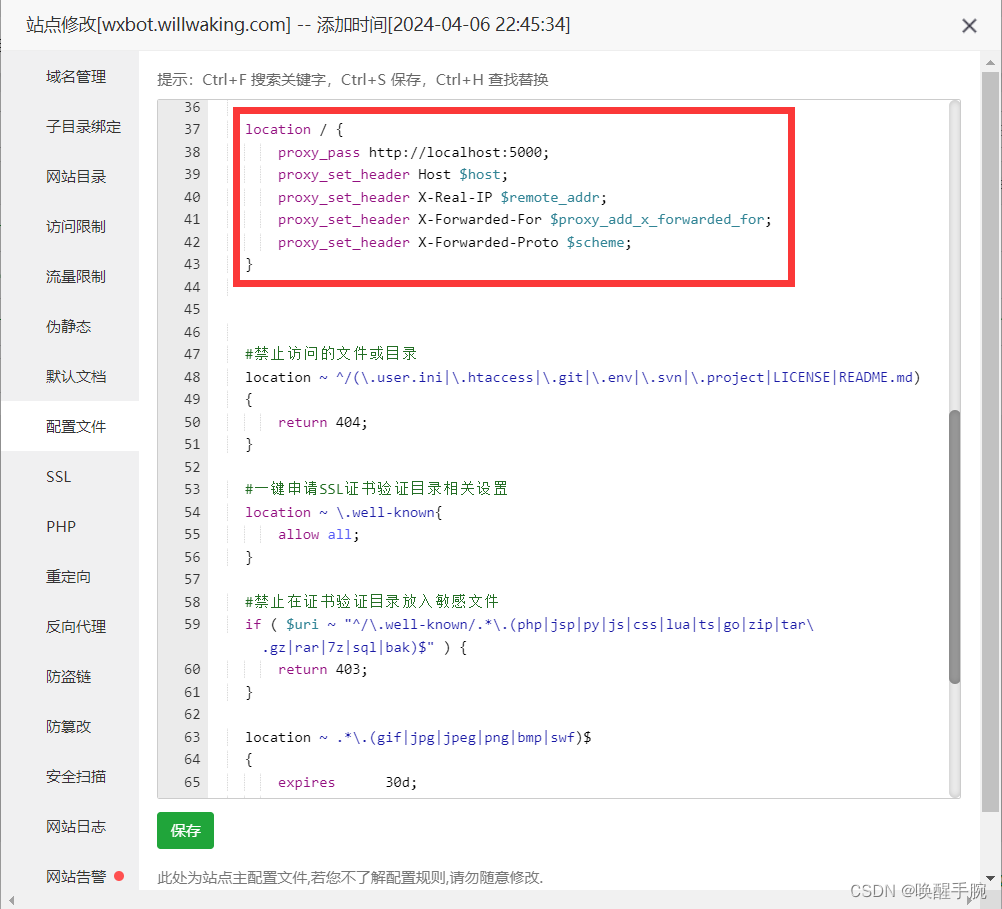
配置 nginx
location / {
    proxy_pass http://localhost:5000;
    proxy_set_header Host $host;
    proxy_set_header X-Real-IP $remote_addr;
    proxy_set_header X-Forwarded-For $proxy_add_x_forwarded_for;
    proxy_set_header X-Forwarded-Proto $scheme;
}
服务器搭建 Python 环境
更新 yum
sudo yum update
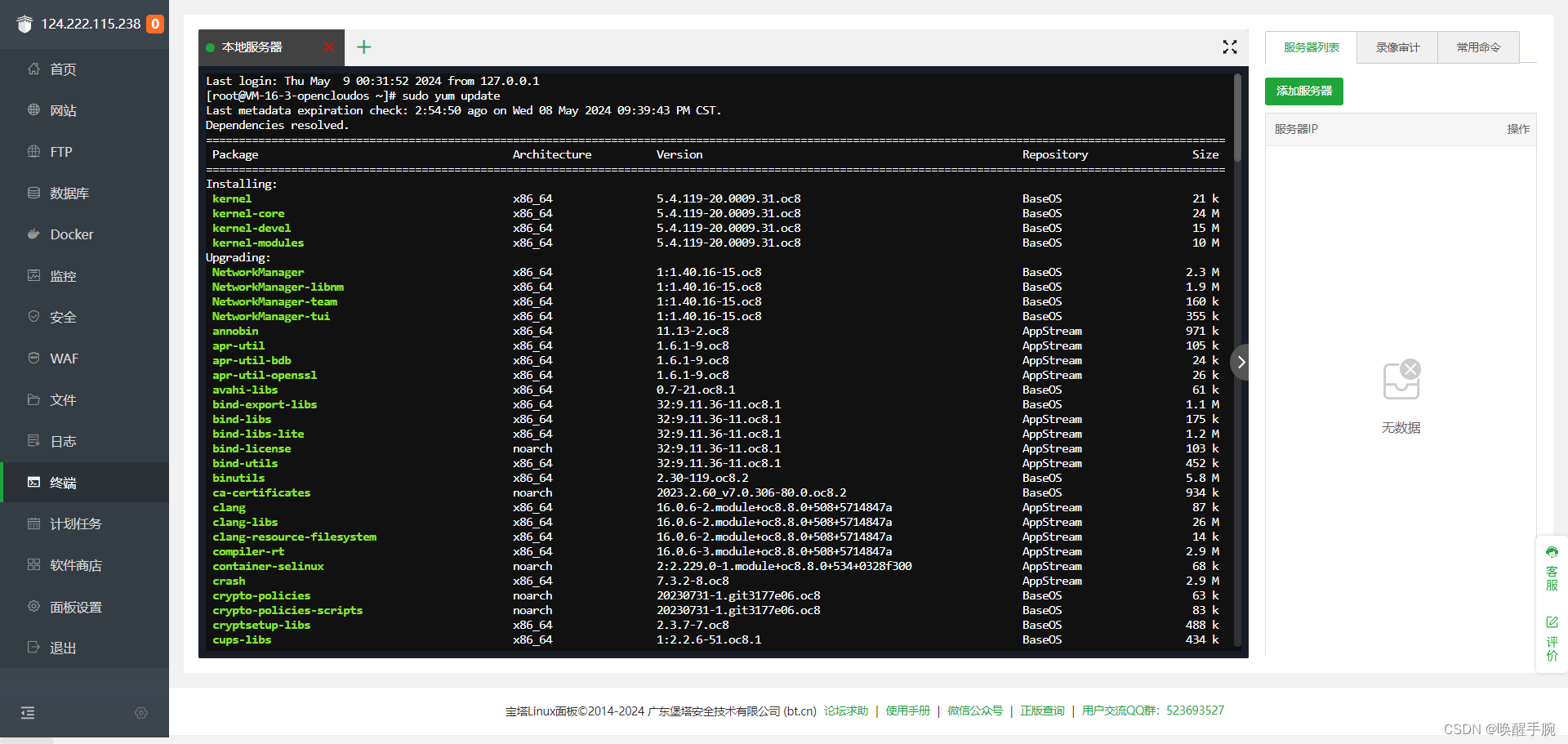
更新完成
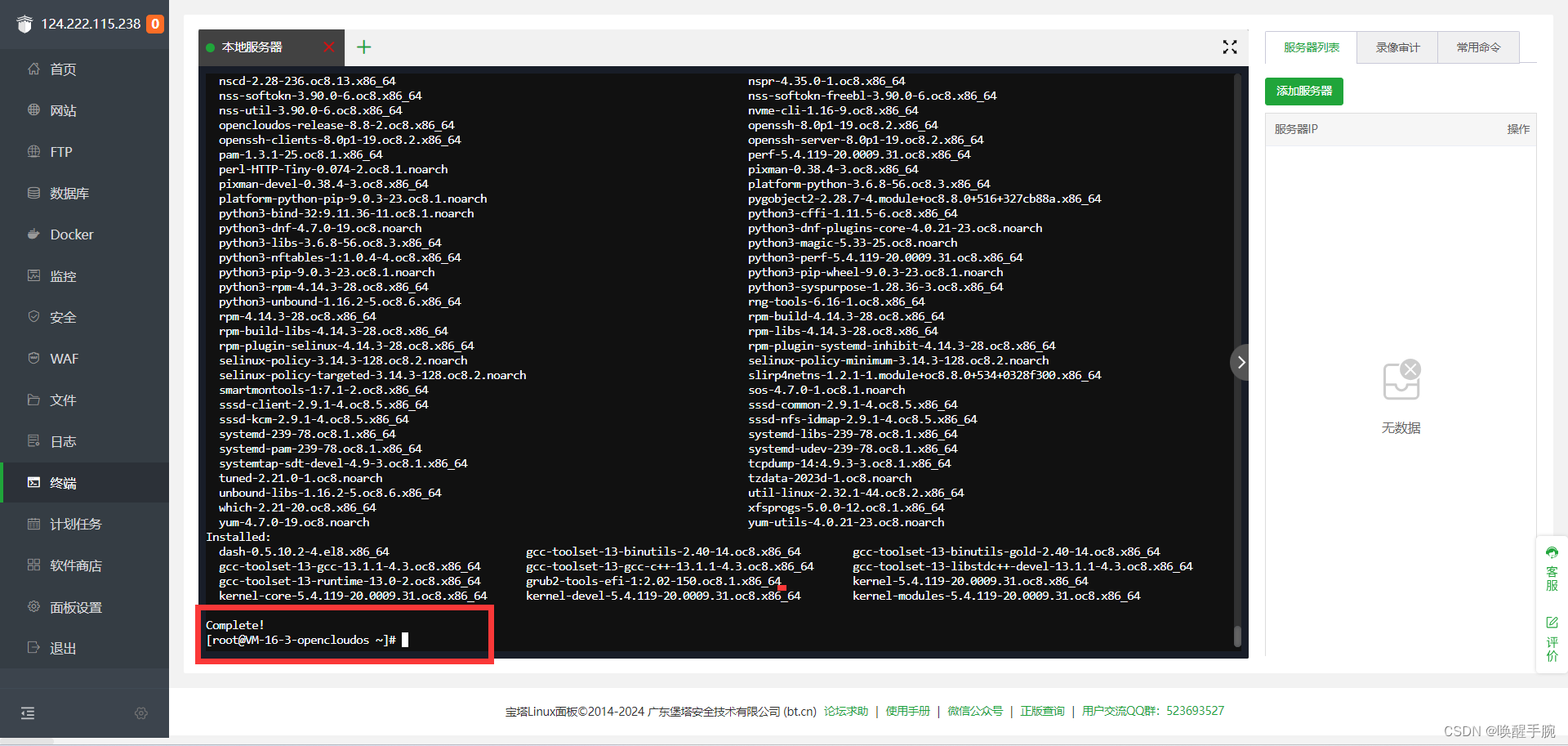
Python 3.x 运行命令
sudo yum install python3
运行主函数 (签名验证)
项目结构
config.py 配置文件
robot.py 消息监听业务逻辑
main.py 主函数
主函数 main.py
from robot import myrobot
from werobot.contrib.flask import make_view
from flask import Flask, request, abort
import hashlib
import config as cfg

app = Flask(__name__)
app.add_url_rule(rule='/',  # WeRoBot 挂载地址
                 endpoint='werobot',  # Flask 的 endpoint
                 view_func=make_view(myrobot),
                 methods=['GET', 'POST'])


@app.route('/', methods=['GET', 'POST'])
def wechat():
    '''对接微信公众号'''
    # 参数是在请求链接后携带的
    # 微信的签名
    signature = request.args.get("signature")
    # 我们签名所需的两个参数
    timestamp = request.args.get("timestamp")
    nonce = request.args.get("nonce")
    # 签名校验成功后需返回给微信的
    echostr = request.args.get("echostr")
    # 参数校验
    if not all([signature, timestamp, nonce]):
        abort(400)

    # 开始签名
    # 将数据添加进数组
    li = [cfg.token, timestamp, nonce]

    # 排序
    li.sort()

    # 拼接字符串
    # 不编码的话python会报错
    tmp_str = "".join(li).encode('utf-8')

    # 进行sha1加密
    sign = hashlib.sha1(tmp_str).hexdigest()

    # 将自己的签名与微信进行对比
    if signature != sign:
        abort(403)
    # 如果签名与微信的一致需返回echostr给微信
    else:
        return echostr


if (__name__ == "__main__"):
    app.run()
服务器端执行
python main.py
设置服务器配置
请填写接口配置信息,此信息需要你拥有自己的服务器资源。填写的URL需要正确响应微信发送的Token验证。
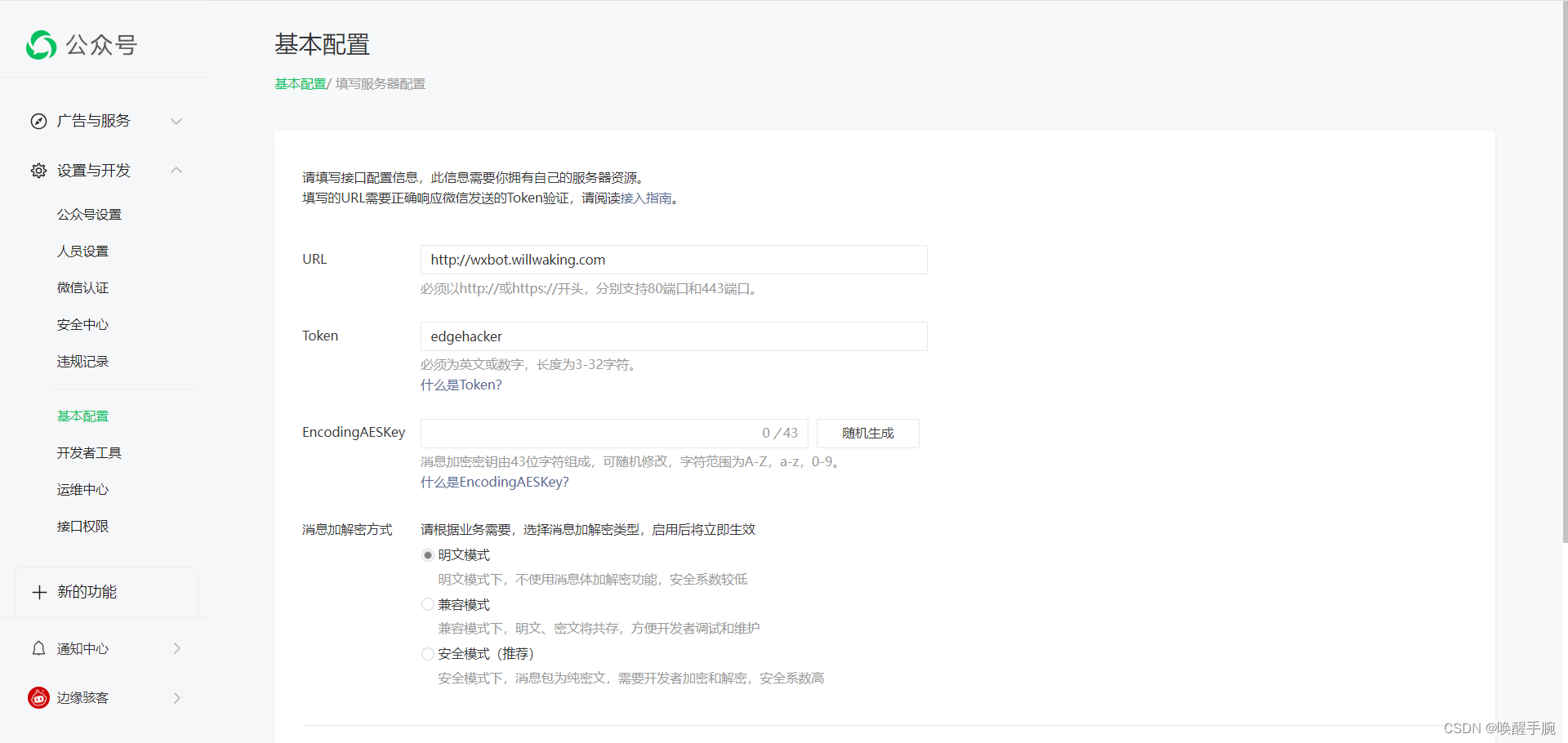
接入指南:https://developers.weixin.qq.com/doc/offiaccount/Getting_Started/Overview.html
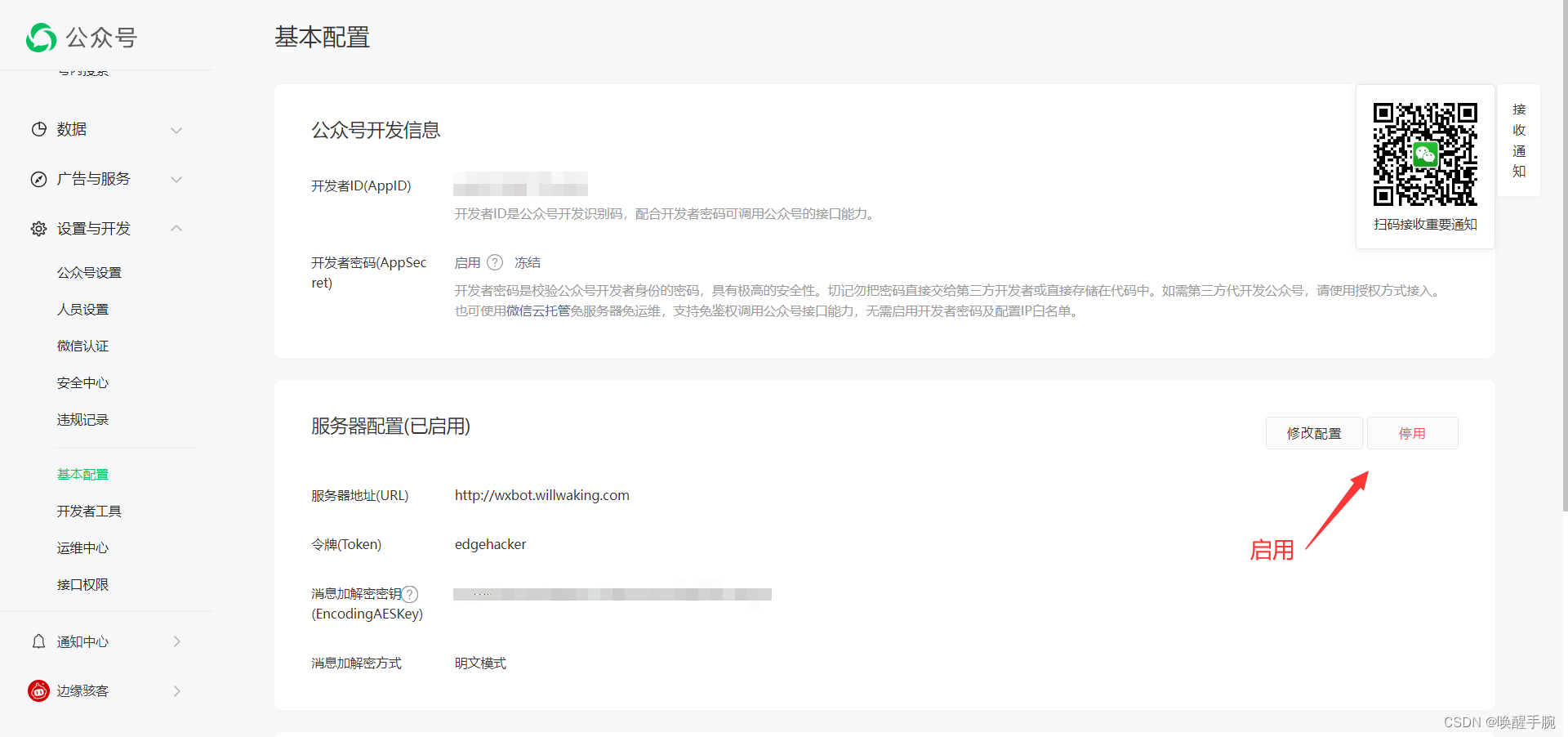
配置文件 config.py
token="令牌(Token)"
appid="开发者ID(AppID)"
aeskey='消息加解密密钥(EncodingAESKey)'
运行测试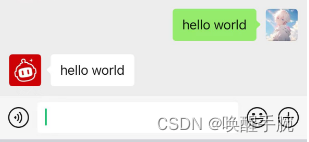
实现简单案例
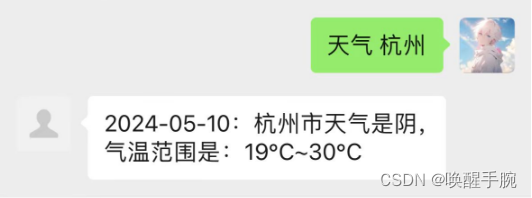
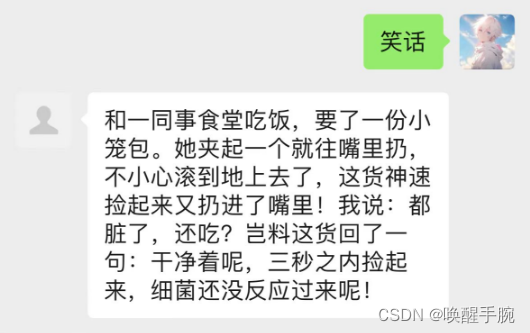
功能:查天气、随机笑话
import json

import requests
from werobot import WeRoBot
import config as cfg

myrobot = WeRoBot(token=cfg.token)
myrobot.config["APP_ID"] = cfg.appid
myrobot.config['ENCODING_AES_KEY'] = cfg.aeskey


@myrobot.image
def image_repeat(message, session):
    return message.img

@myrobot.text
def test_repeat(message, session):
    msg = message.content
    print(msg)
    if msg.startswith("笑话"):
        response = requests.get("https://api.vvhan.com/api/text/joke")
        data = response.text
        return data

    elif msg.startswith("天气"):
        city = msg.replace("天气", "").strip()
        response = requests.get(f"https://api.vvhan.com/api/weather?city={city}")
        data = json.loads(response.text)
        if data['success']:
            result = f"{data['data']['date']}:{data['city']}天气是{data['data']['type']},气温范围是:{data['data']['low']}~{data['data']['high']}"
            return result
        else:
            return "天气查询错误!"
    else:
        return msg
运行结果:查询天气
运行结果:查询笑话
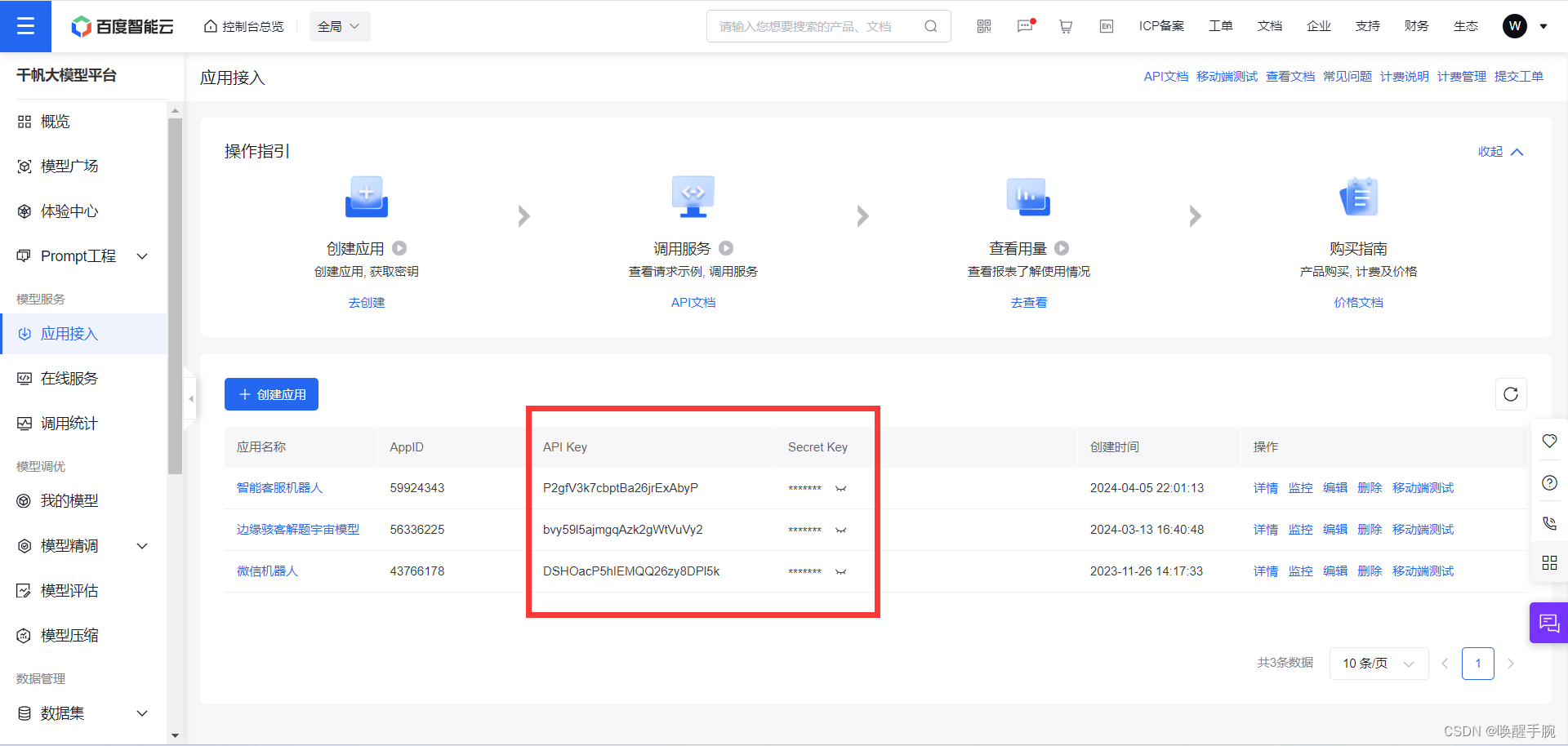
百度智能云 Ai 聊天
详细百度智能云 API 请求博客:https://blog.csdn.net/qq_47452807/article/details/134628415
配置文件 config.py
token="令牌(Token)"
appid="开发者ID(AppID)"
aeskey='消息加解密密钥(EncodingAESKey)'
CLIENT_API_KEY="百度智能云 API KEY"
CLIENT_SECRET_KEY="百度智能云 SECRET KEY"
POST 请求
import requests
import json
import config as cfg

CLIENT_API_KEY = cfg.CLIENT_API_KEY
CLIENT_SECRET_KEY = cfg.CLIENT_SECRET_KEY


def get_access_token():
    url = f"https://aip.baidubce.com/oauth/2.0/token?grant_type=client_credentials&client_id={CLIENT_API_KEY}&client_secret={CLIENT_SECRET_KEY}"

    payload = json.dumps("")
    headers = {
        'Content-Type': 'application/json',
        'Accept': 'application/json'
    }

    response = requests.request("POST", url, headers=headers, data=payload)
    return response.json().get("access_token")


def qianfan_chat_post(content):
    url = "https://aip.baidubce.com/rpc/2.0/ai_custom/v1/wenxinworkshop/chat/completions_pro?access_token=" + get_access_token()

    payload = json.dumps({
        "messages": [
            {
                "role": "user",
                "content": content
            }
        ]
    })
    headers = {
        'Content-Type': 'application/json'
    }

    response = requests.request("POST", url, headers=headers, data=payload)
    return response.json().get("result")
消息监听配置
from werobot import WeRoBot
import config as cfg
from qianfan_post import qianfan_chat_post

myrobot = WeRoBot(token=cfg.token)
myrobot.config["APP_ID"] = cfg.appid
myrobot.config['ENCODING_AES_KEY'] = cfg.aeskey


@myrobot.image
def image_repeat(message, session):
    return message.img

@myrobot.text
def test_repeat(message, session):
    msg = message.content
    return qianfan_chat_post(msg)
运行 main.py 若端口占用(8088 端口为例)
[root@VM-16-3-opencloudos edgehacker_official_bot]# sudo ss -tulnp | grep 8088
tcp   LISTEN 0      128        127.0.0.1:8088       0.0.0.0:*    users:(("python3",pid=750531,fd=3))
[root@VM-16-3-opencloudos edgehacker_official_bot]# kill 750531
nohup python main.py &
运行效果
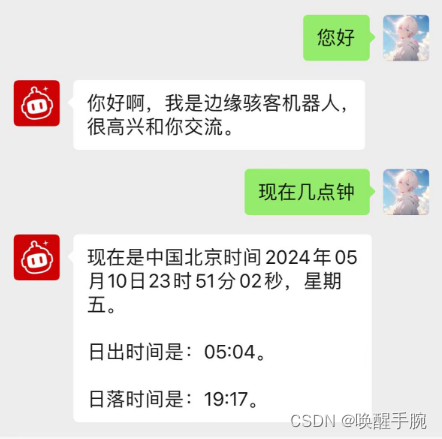

腾讯云面向开发者汇聚海量精品云计算使用和开发经验,营造开放的云计算技术生态圈。
更多推荐
 16
16 0
0- 0


 已为社区贡献8条内容

所有评论(0)