Python使用appium中出现Failed to establish a new connection: [WinError 10061] 由于目标计算机积极拒绝,无法连接。解决办法
目录
错误收集
D:\Program\Util\python.exe C:\Users\Administrator\PycharmProjects\Appium_Real\demo.py
Traceback (most recent call last):
File "D:\Program\Util\Lib\site-packages\urllib3\connection.py", line 198, in _new_conn
sock = connection.create_connection(
(self._dns_host, self.port),
...<2 lines>...
socket_options=self.socket_options,
)
File "D:\Program\Util\Lib\site-packages\urllib3\util\connection.py", line 85, in create_connection
raise err
File "D:\Program\Util\Lib\site-packages\urllib3\util\connection.py", line 73, in create_connection
sock.connect(sa)
~~~~~~~~~~~~^^^^
ConnectionRefusedError: [WinError 10061] 由于目标计算机积极拒绝,无法连接。The above exception was the direct cause of the following exception:
Traceback (most recent call last):
File "D:\Program\Util\Lib\site-packages\urllib3\connectionpool.py", line 787, in urlopen
response = self._make_request(
conn,
...<10 lines>...
**response_kw,
)
File "D:\Program\Util\Lib\site-packages\urllib3\connectionpool.py", line 493, in _make_request
conn.request(
~~~~~~~~~~~~^
method,
^^^^^^^
...<6 lines>...
enforce_content_length=enforce_content_length,
^^^^^^^^^^^^^^^^^^^^^^^^^^^^^^^^^^^^^^^^^^^^^^
)
^
File "D:\Program\Util\Lib\site-packages\urllib3\connection.py", line 494, in request
self.endheaders()
~~~~~~~~~~~~~~~^^
File "D:\Program\Util\Lib\http\client.py", line 1333, in endheaders
self._send_output(message_body, encode_chunked=encode_chunked)
~~~~~~~~~~~~~~~~~^^^^^^^^^^^^^^^^^^^^^^^^^^^^^^^^^^^^^^^^^^^^^
File "D:\Program\Util\Lib\http\client.py", line 1093, in _send_output
self.send(msg)
~~~~~~~~~^^^^^
File "D:\Program\Util\Lib\http\client.py", line 1037, in send
self.connect()
~~~~~~~~~~~~^^
File "D:\Program\Util\Lib\site-packages\urllib3\connection.py", line 325, in connect
self.sock = self._new_conn()
~~~~~~~~~~~~~~^^
File "D:\Program\Util\Lib\site-packages\urllib3\connection.py", line 213, in _new_conn
raise NewConnectionError(
self, f"Failed to establish a new connection: {e}"
) from e
urllib3.exceptions.NewConnectionError: <urllib3.connection.HTTPConnection object at 0x0000025F192903E0>: Failed to establish a new connection: [WinError 10061] 由于目标计算机积极拒绝,无法连接。The above exception was the direct cause of the following exception:
Traceback (most recent call last):
File "C:\Users\Administrator\PycharmProjects\Appium_Real\demo.py", line 12, in <module>
do_driver = webdriver.Remote('127.0.0.1:4723',options=UiAutomator2Options().load_capabilities(cap))
File "D:\Program\Util\Lib\site-packages\appium\webdriver\webdriver.py", line 253, in __init__
super().__init__(
~~~~~~~~~~~~~~~~^
command_executor=command_executor,
^^^^^^^^^^^^^^^^^^^^^^^^^^^^^^^^^^
...<3 lines>...
client_config=client_config,
^^^^^^^^^^^^^^^^^^^^^^^^^^^^
)
^
File "D:\Program\Util\Lib\site-packages\selenium\webdriver\remote\webdriver.py", line 261, in __init__
self.start_session(capabilities)
~~~~~~~~~~~~~~~~~~^^^^^^^^^^^^^^
File "D:\Program\Util\Lib\site-packages\appium\webdriver\webdriver.py", line 344, in start_session
response = self.execute(RemoteCommand.NEW_SESSION, w3c_caps)
File "D:\Program\Util\Lib\site-packages\selenium\webdriver\remote\webdriver.py", line 451, in execute
response = cast(RemoteConnection, self.command_executor).execute(driver_command, params)
File "D:\Program\Util\Lib\site-packages\selenium\webdriver\remote\remote_connection.py", line 404, in execute
return self._request(command_info[0], url, body=data)
~~~~~~~~~~~~~^^^^^^^^^^^^^^^^^^^^^^^^^^^^^^^^^
File "D:\Program\Util\Lib\site-packages\selenium\webdriver\remote\remote_connection.py", line 428, in _request
response = self._conn.request(method, url, body=body, headers=headers, timeout=self._client_config.timeout)
File "D:\Program\Util\Lib\site-packages\urllib3\_request_methods.py", line 143, in request
return self.request_encode_body(
~~~~~~~~~~~~~~~~~~~~~~~~^
method, url, fields=fields, headers=headers, **urlopen_kw
^^^^^^^^^^^^^^^^^^^^^^^^^^^^^^^^^^^^^^^^^^^^^^^^^^^^^^^^^
)
^
File "D:\Program\Util\Lib\site-packages\urllib3\_request_methods.py", line 278, in request_encode_body
return self.urlopen(method, url, **extra_kw)
~~~~~~~~~~~~^^^^^^^^^^^^^^^^^^^^^^^^^
File "D:\Program\Util\Lib\site-packages\urllib3\poolmanager.py", line 459, in urlopen
response = conn.urlopen(method, u.request_uri, **kw)
File "D:\Program\Util\Lib\site-packages\urllib3\connectionpool.py", line 871, in urlopen
return self.urlopen(
~~~~~~~~~~~~^
method,
^^^^^^^
...<13 lines>...
**response_kw,
^^^^^^^^^^^^^^
)
^
File "D:\Program\Util\Lib\site-packages\urllib3\connectionpool.py", line 871, in urlopen
return self.urlopen(
~~~~~~~~~~~~^
method,
^^^^^^^
...<13 lines>...
**response_kw,
^^^^^^^^^^^^^^
)
^
File "D:\Program\Util\Lib\site-packages\urllib3\connectionpool.py", line 871, in urlopen
return self.urlopen(
~~~~~~~~~~~~^
method,
^^^^^^^
...<13 lines>...
**response_kw,
^^^^^^^^^^^^^^
)
^
File "D:\Program\Util\Lib\site-packages\urllib3\connectionpool.py", line 841, in urlopen
retries = retries.increment(
method, url, error=new_e, _pool=self, _stacktrace=sys.exc_info()[2]
)
File "D:\Program\Util\Lib\site-packages\urllib3\util\retry.py", line 519, in increment
raise MaxRetryError(_pool, url, reason) from reason # type: ignore[arg-type]
^^^^^^^^^^^^^^^^^^^^^^^^^^^^^^^^^^^^^^^^^^^^^^^^^^^
urllib3.exceptions.MaxRetryError: HTTPConnectionPool(host='127.0.0.1', port=4723): Max retries exceeded with url: /session (Caused by NewConnectionError('<urllib3.connection.HTTPConnection object at 0x0000025F192903E0>: Failed to establish a new connection: [WinError 10061] 由于目标计算机积极拒绝,无法连接。'))Process finished with exit code 1
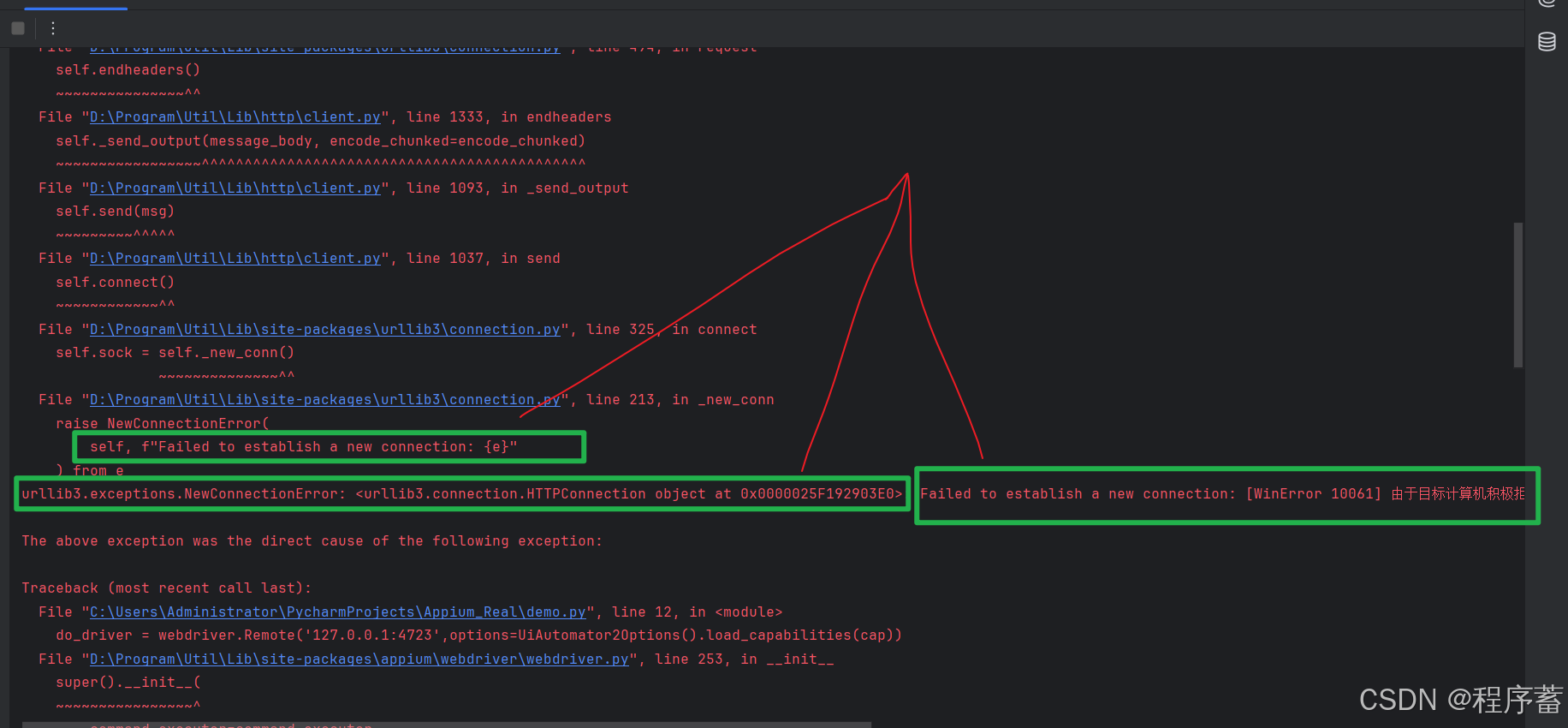
错误分析
Failed to establish a new connection: [WinError 10061] 由于目标计算机积极拒绝,无法连接。'))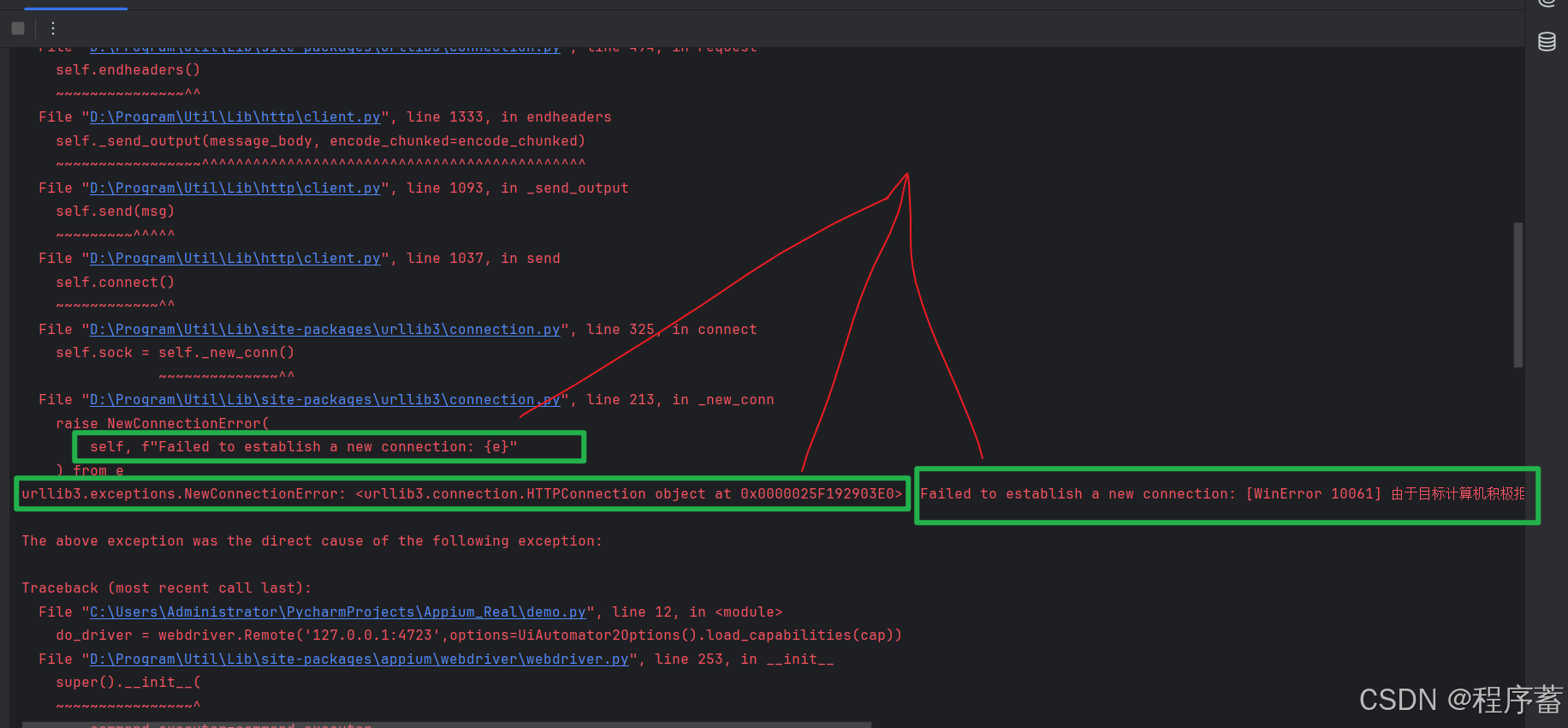
看一下这些信息
创建新的连接失败,这个有可能是是appium服务存在防火墙,没有办法访问。又有可能是appium没有启动。
因为自己的appium服务器是再本地,所以看一下自己的appium是否启动,如果appium不在本地,就看appium的服务器所在的防火墙,和自己电脑防火墙的设置
解决办法
- 检查自己的appium服务器是否启动
- 检查防火墙
经过查找发现,appium服务器没有启动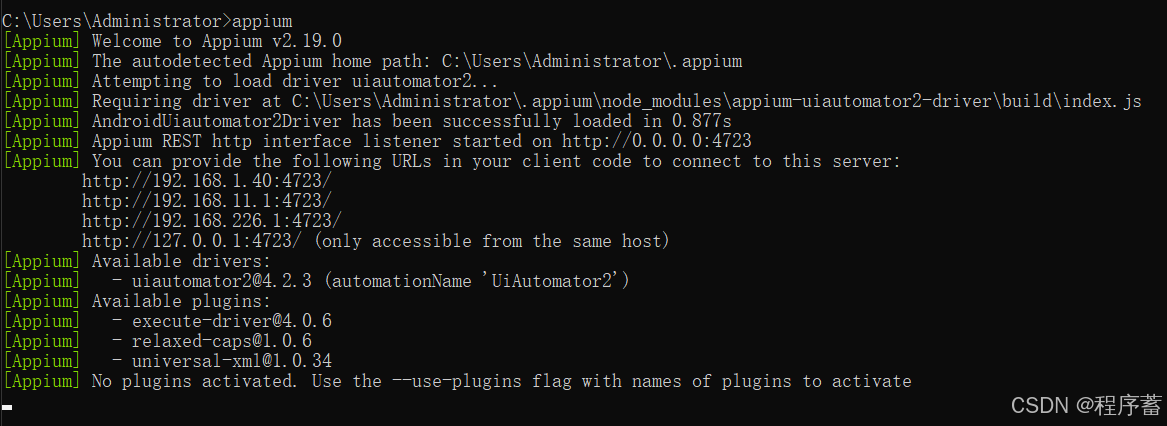
运行结果
发现已经可以正常的使用了


腾讯云面向开发者汇聚海量精品云计算使用和开发经验,营造开放的云计算技术生态圈。
更多推荐
 29
29 0
0- 0


 已为社区贡献6条内容

所有评论(0)