github使用教程(二)【保姆级】{github desktop教程,github desktop的安装和配置}
下载github desktop下载github desktop(不选择Git,因为这个对于我这个初学者还有点复杂)官方下载地址:GitHub Desktop | Simple collaboration from your desktopgithub desktop setup点击这个程序,登录你的github账号即可下载Git因为使用github desktop必须要下载并配置Git才行Git
·
下载github desktop
下载github desktop(不选择Git,因为这个对于我这个初学者还有点复杂)
官方下载地址:GitHub Desktop | Simple collaboration from your desktop
github desktop setup
点击这个程序,登录你的github账号即可
下载Git
因为使用github desktop必须要下载并配置Git才行
Git下载地址:Git - Downloads
配置Git用于github desktop
登录github网页
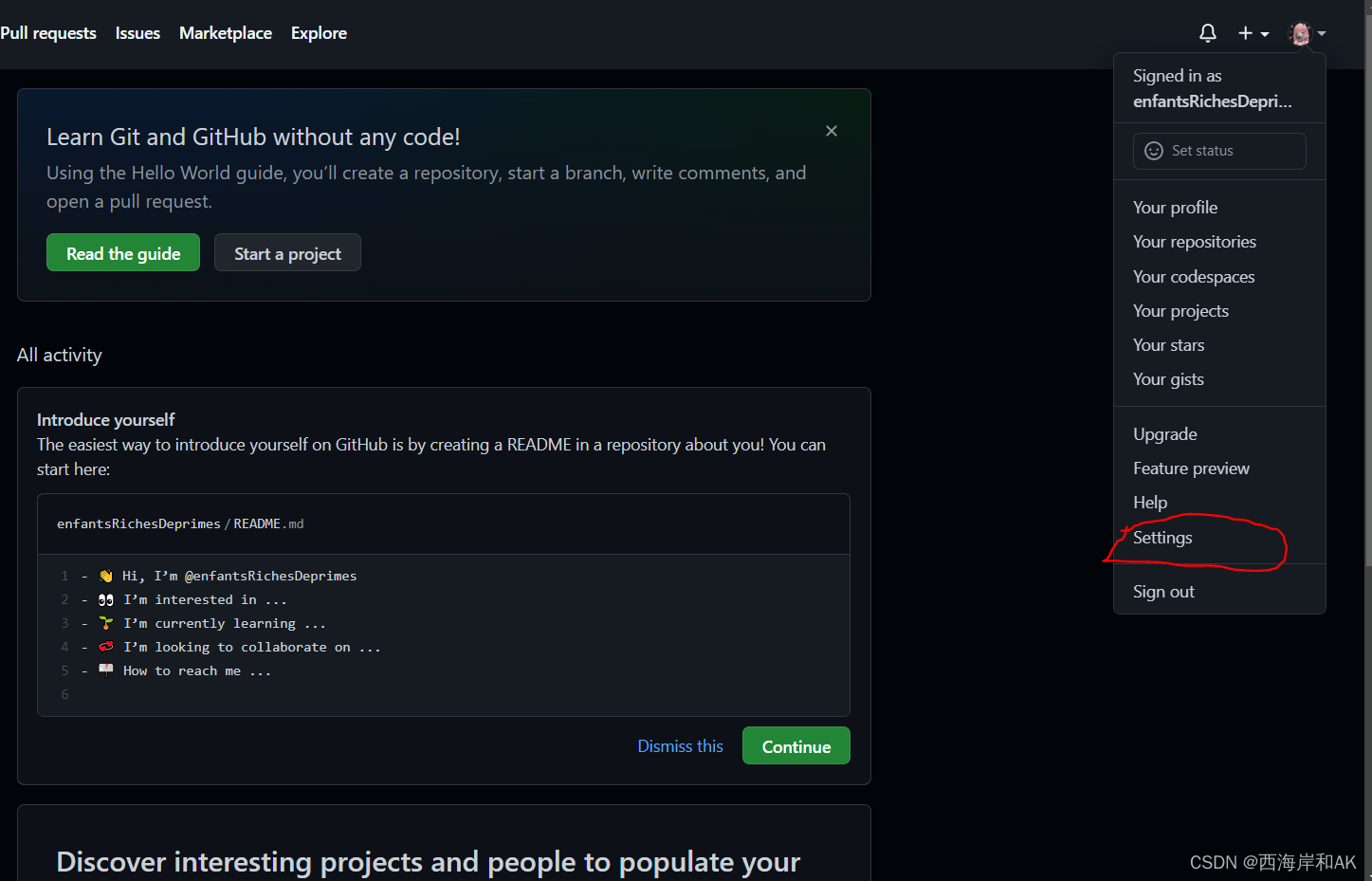
点击settings
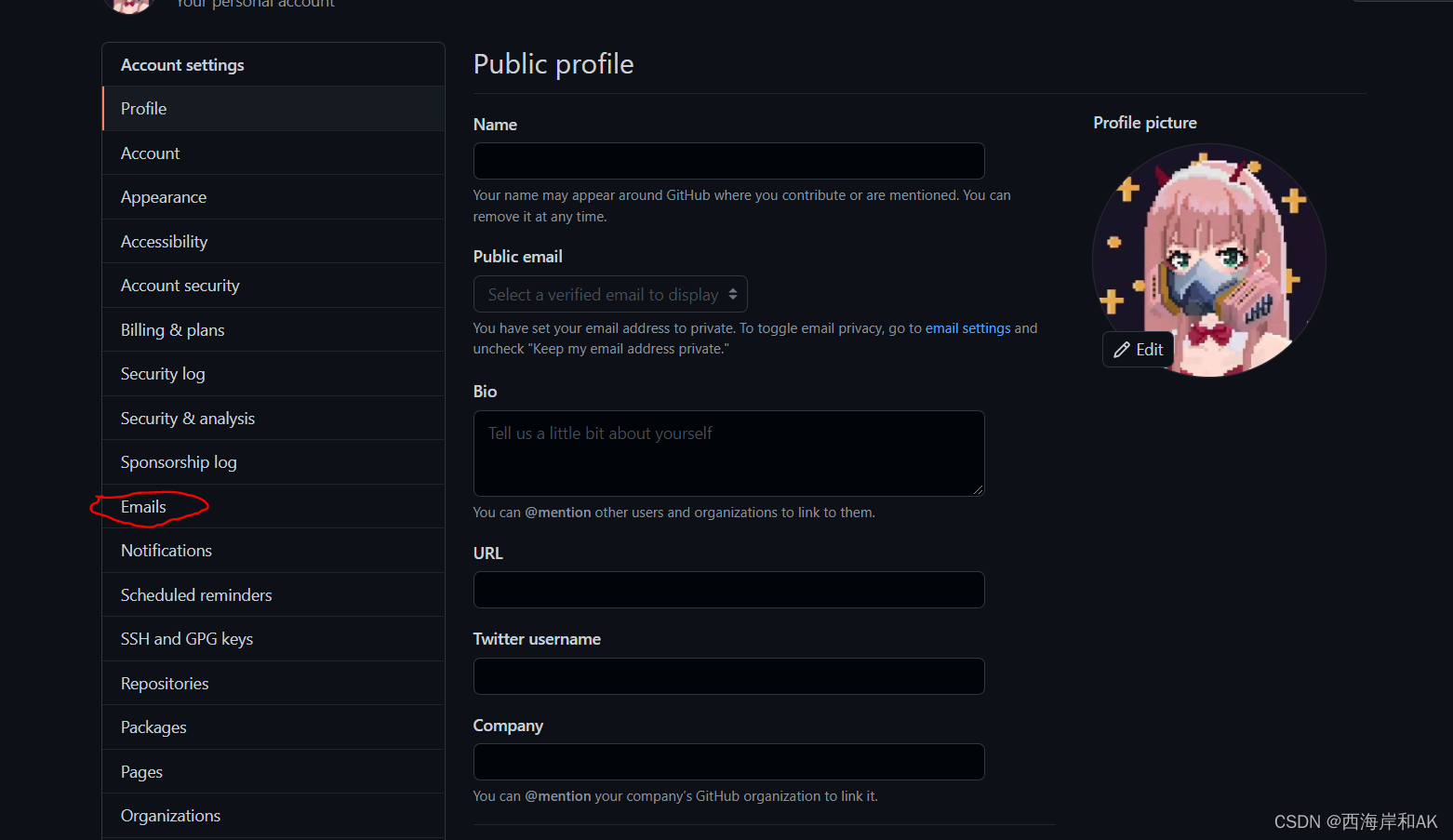 点击e-mails
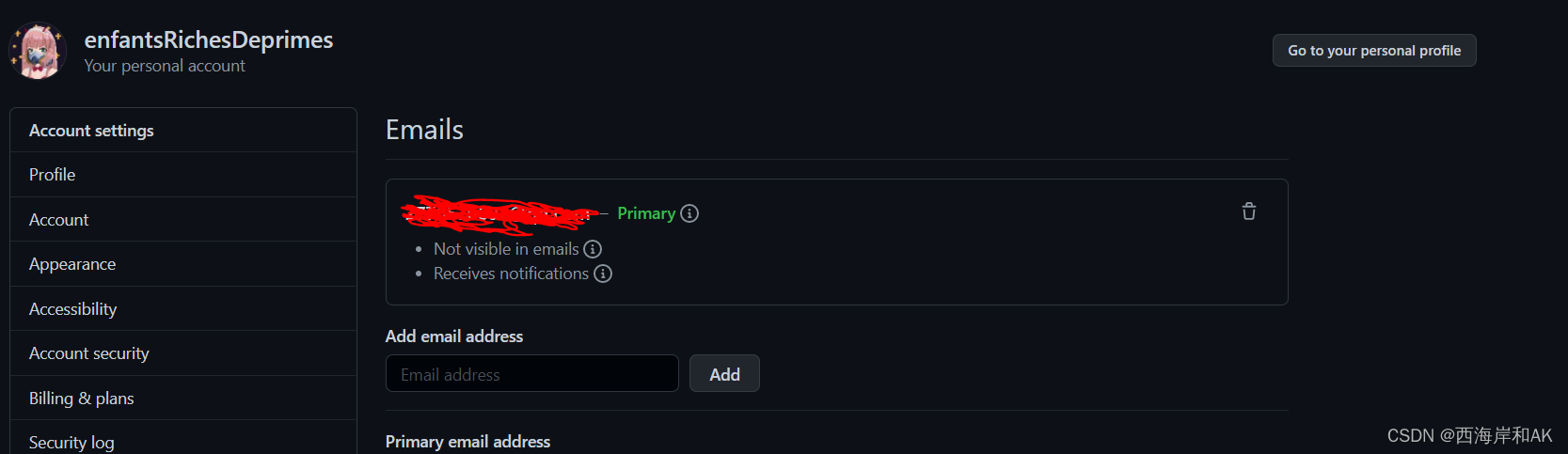 复制标记处的e-mail
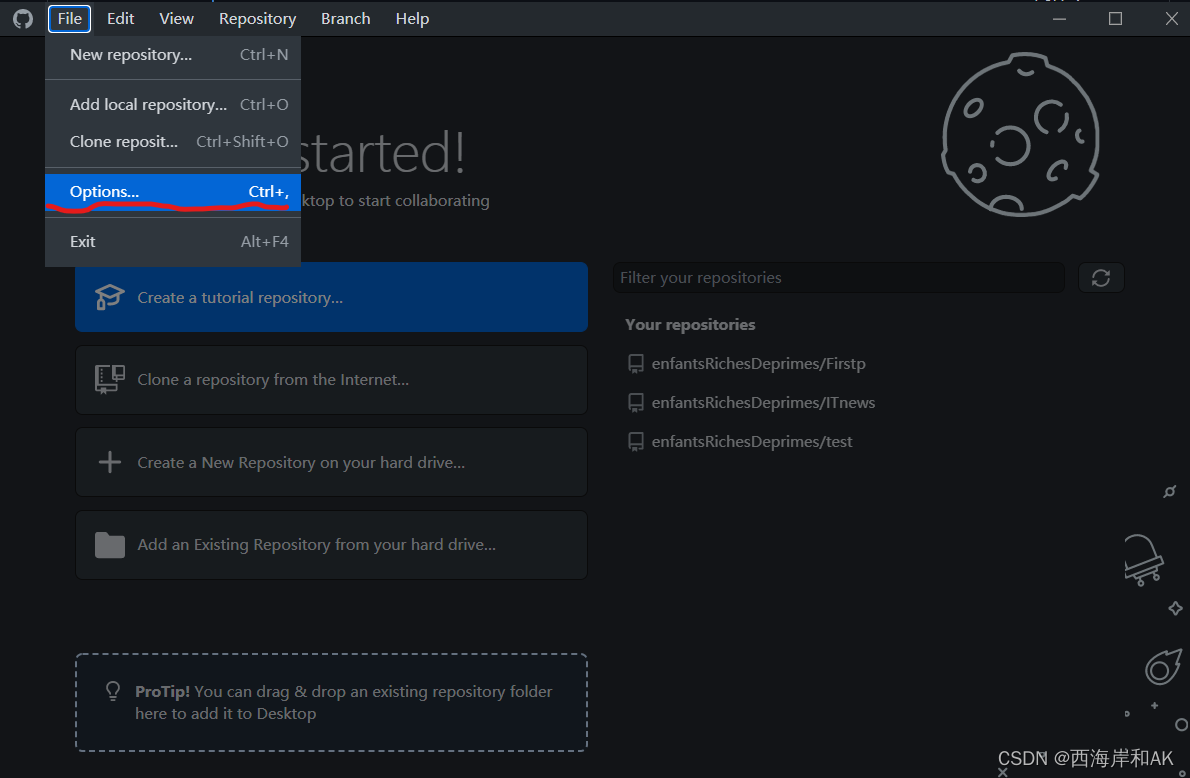 打开github desktop,点击右上角file,然后点击options
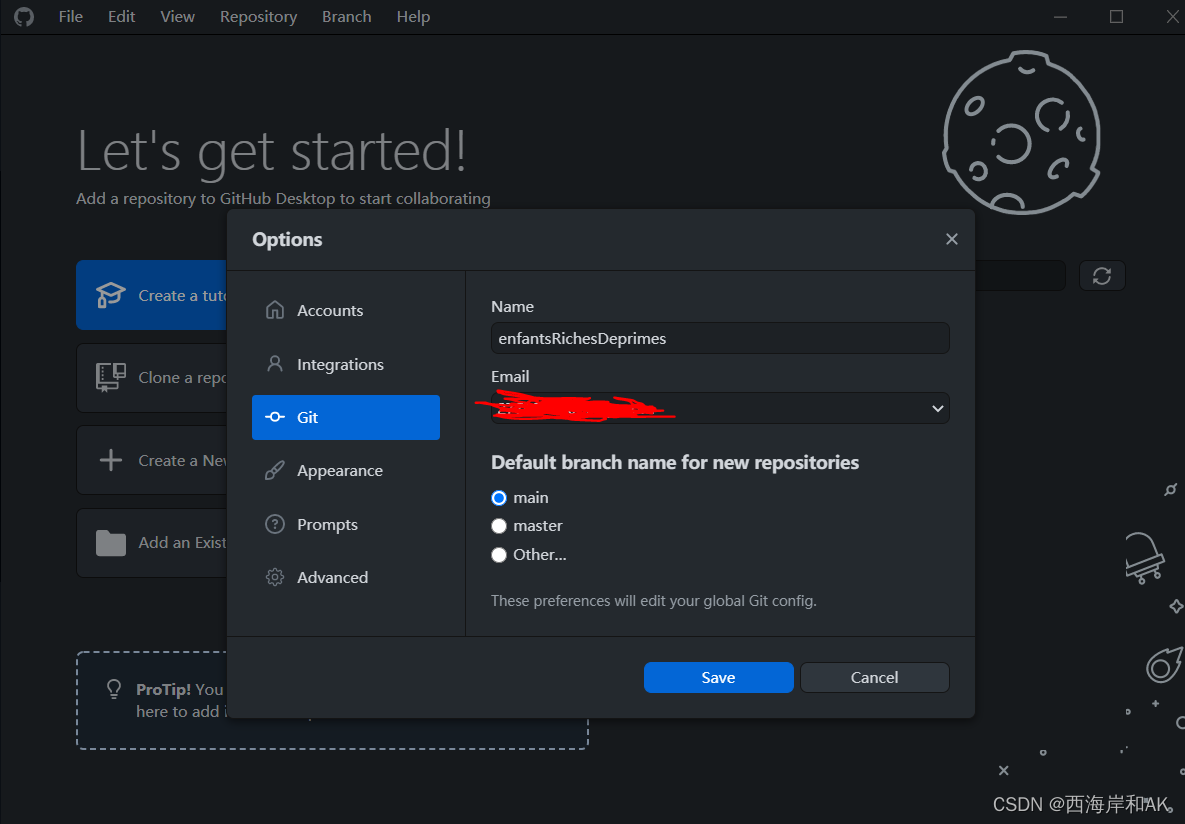
点击options,选择Git选项 , 确认name和e-mail(name是用于Git配置的名称,e-mail是上文复制的e-mail)。然后点击save
配置默认编辑器
首先,同上文,打开options
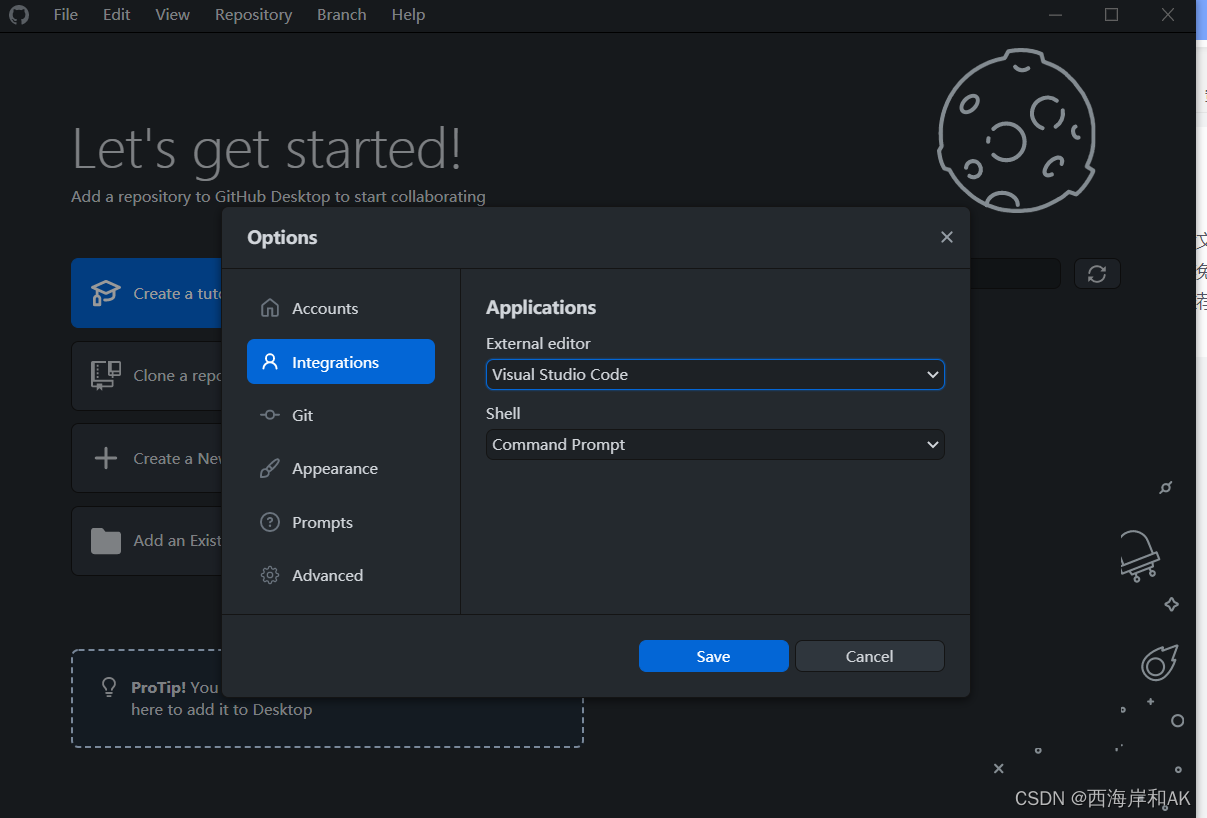
选择integrations,然后根据自己需要选择external editor和shell
github desktop的基本配置就完成了,可以正常使用了

腾讯云面向开发者汇聚海量精品云计算使用和开发经验,营造开放的云计算技术生态圈。
更多推荐
 4
4 0
0- 0


 已为社区贡献7条内容

所有评论(0)