OpenAi GPT http请求443 Failed to connect to api.openai.com port 443: Connection timed out
·
在请求openai的时候 ,http出现443错误 代码如下
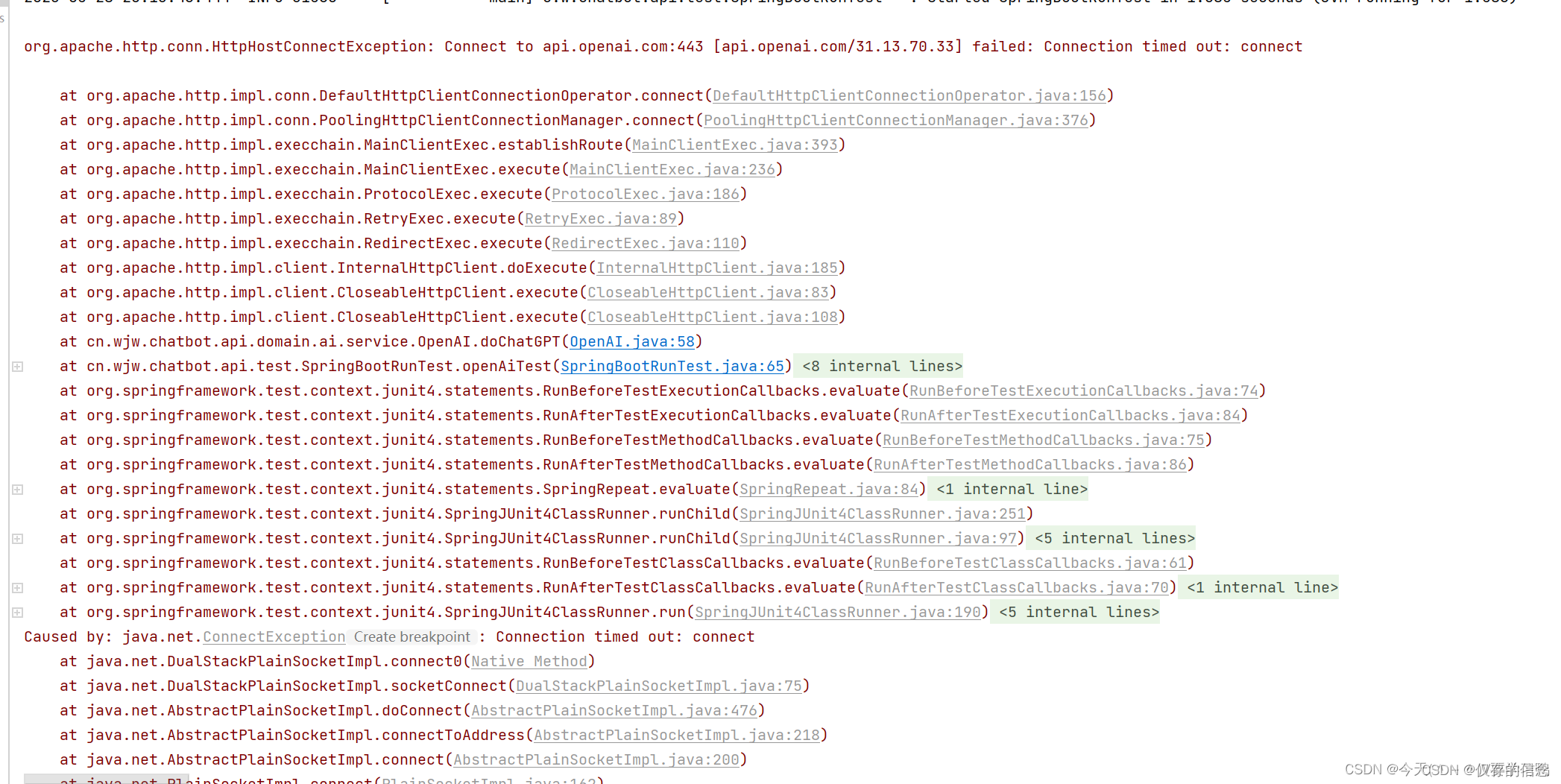
原代码:
public void test_chatGPT() throws IOException {
        CloseableHttpClient httpClient = HttpClientBuilder.create().build();

        HttpPost post = new HttpPost("https://api.openai.com/v1/completions");
        post.addHeader("Content-Type", "application/json");
        post.addHeader("Authorization", "Bearer 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");


        String paramJson = "{\"model\": \"text-davinci-003\", \"prompt\": \"帮我写一个java冒泡排序\", \"temperature\": 0, \"max_tokens\": 1024}";

        StringEntity stringEntity = new StringEntity(paramJson, ContentType.create("text/json", "UTF-8"));
        post.setEntity(stringEntity);

        CloseableHttpResponse response = httpClient.execute(post);
        if (response.getStatusLine().getStatusCode() == HttpStatus.SC_OK) {
            String res = EntityUtils.toString(response.getEntity());
            System.out.println(res);
        } else {
            System.out.println(response.getStatusLine().getStatusCode());

    }
解决办法:
1、查看本机代理设置:记住地址和端口号,如果没有代理请自行购买
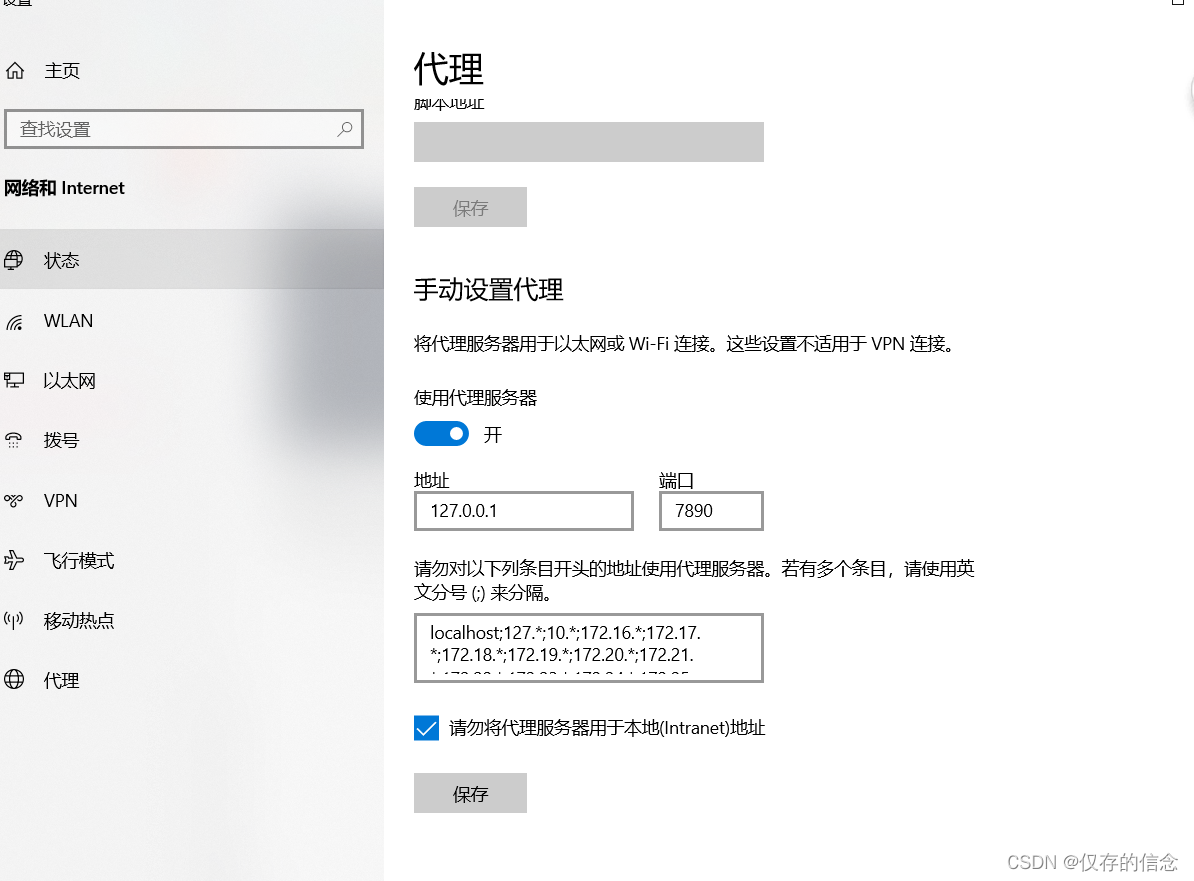
2、在原代码的基础上添加以下代码
 public void test_chatGPT() throws IOException {
        String pro = "127.0.0.1";//本机地址
        int pro1 = 7890; //代理端口号
        //创建一个 HttpHost 实例,这样就设置了代理服务器的主机和端口。
        HttpHost httpHost = new HttpHost(pro, pro1);
        //创建一个 RequestConfig 对象,然后使用 setProxy() 方法将代理 httpHost 设置进去。
        RequestConfig build = RequestConfig.custom().setProxy(httpHost).build();

        CloseableHttpClient httpClient = HttpClientBuilder.create().build();
        HttpPost post = new HttpPost("https://api.openai.com/v1/completions");
        post.addHeader("Content-Type", "application/json");
        post.addHeader("Authorization", "Bearer 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");
        //将 build 配置设置到 post 请求中包括先前指定的代理设置。
        post.setConfig(build);
        String paramJson = "{\"model\": \"text-davinci-003\", \"prompt\": \"帮我写一个java冒泡排序\", \"temperature\": 0, \"max_tokens\": 1024}";

        StringEntity stringEntity = new StringEntity(paramJson, ContentType.create("text/json", "UTF-8"));
        post.setEntity(stringEntity);

        CloseableHttpResponse response = httpClient.execute(post);
        if (response.getStatusLine().getStatusCode() == HttpStatus.SC_OK) {
            String res = EntityUtils.toString(response.getEntity());
            System.out.println(res);
        } else {
            System.out.println(response.getStatusLine().getStatusCode());
        }

    }
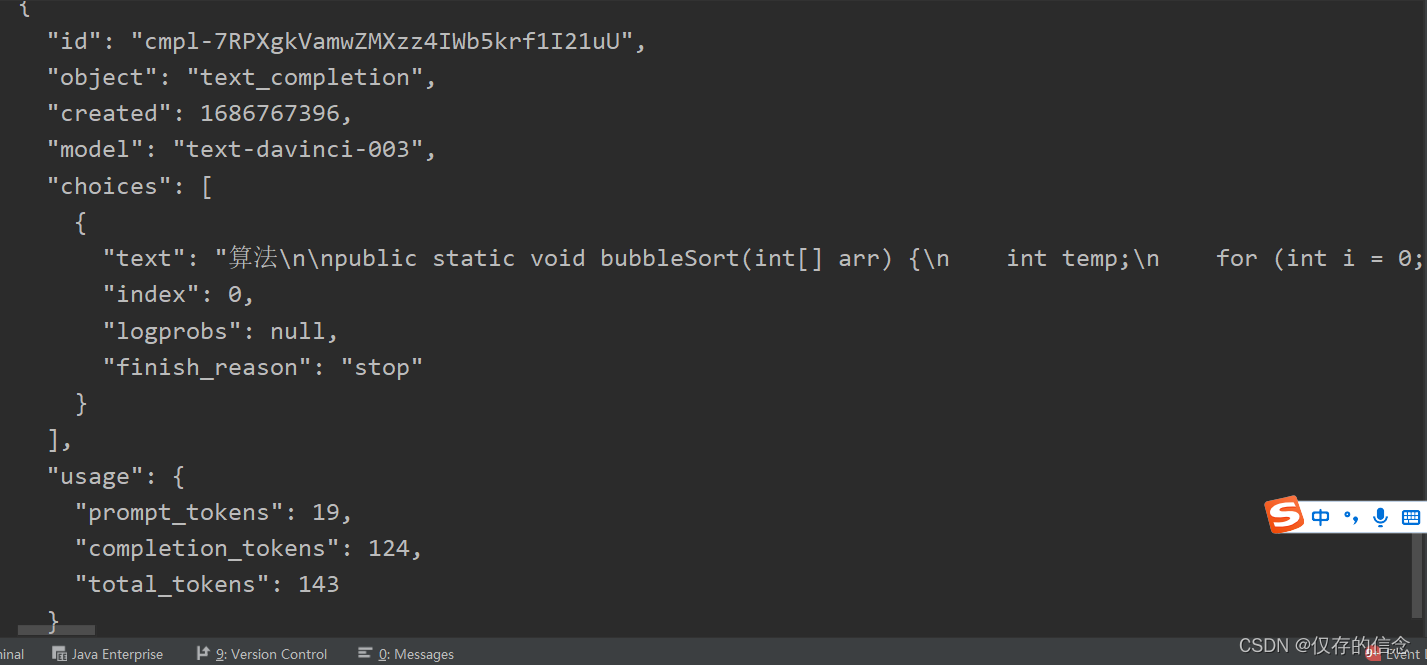
测试成功:

腾讯云面向开发者汇聚海量精品云计算使用和开发经验,营造开放的云计算技术生态圈。
更多推荐
 6
6 0
0- 0


 已为社区贡献1条内容

所有评论(0)