LangChain4j简介
langchain4j简介和示例
·
LangChain4j简介
官网地址:https://docs.langchain4j.dev/
中文文档地址:
https://docs.langchain4j.info/intro
支持的大模型平台
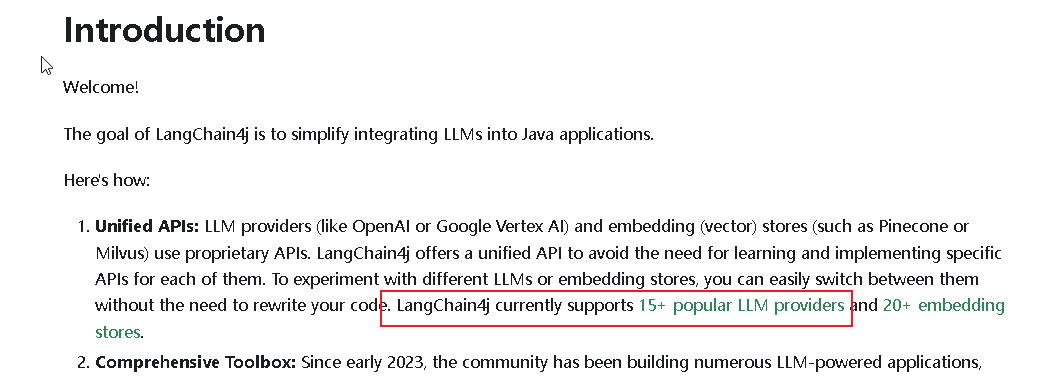
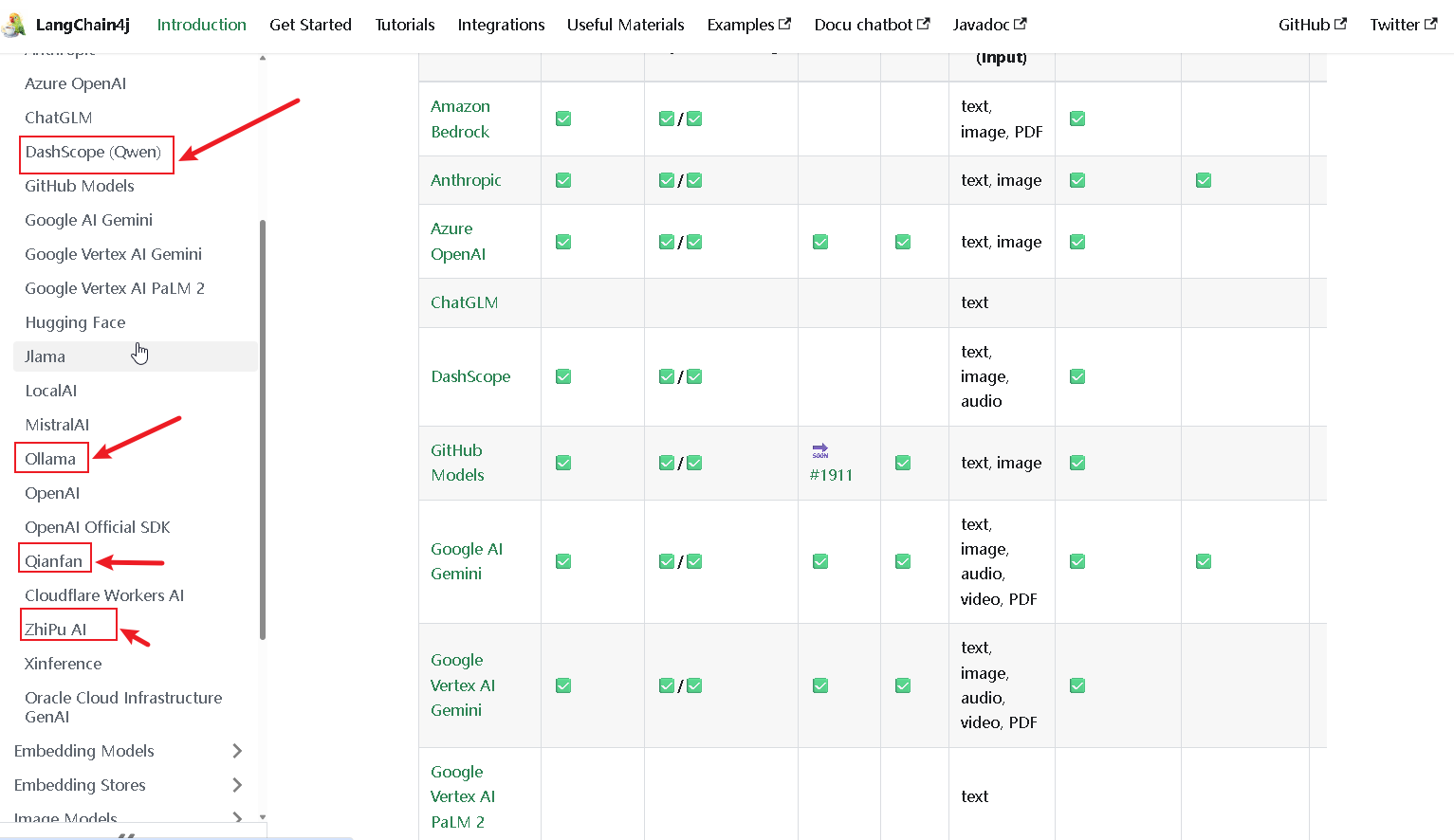
上面的DashScope是阿里百炼平台,Ollama本地搭建,然后还有百度的千帆,以及智谱大模型等。
阿里百炼模型调用地址
以DashScope为例:
获取API-key
登录后创建api-key
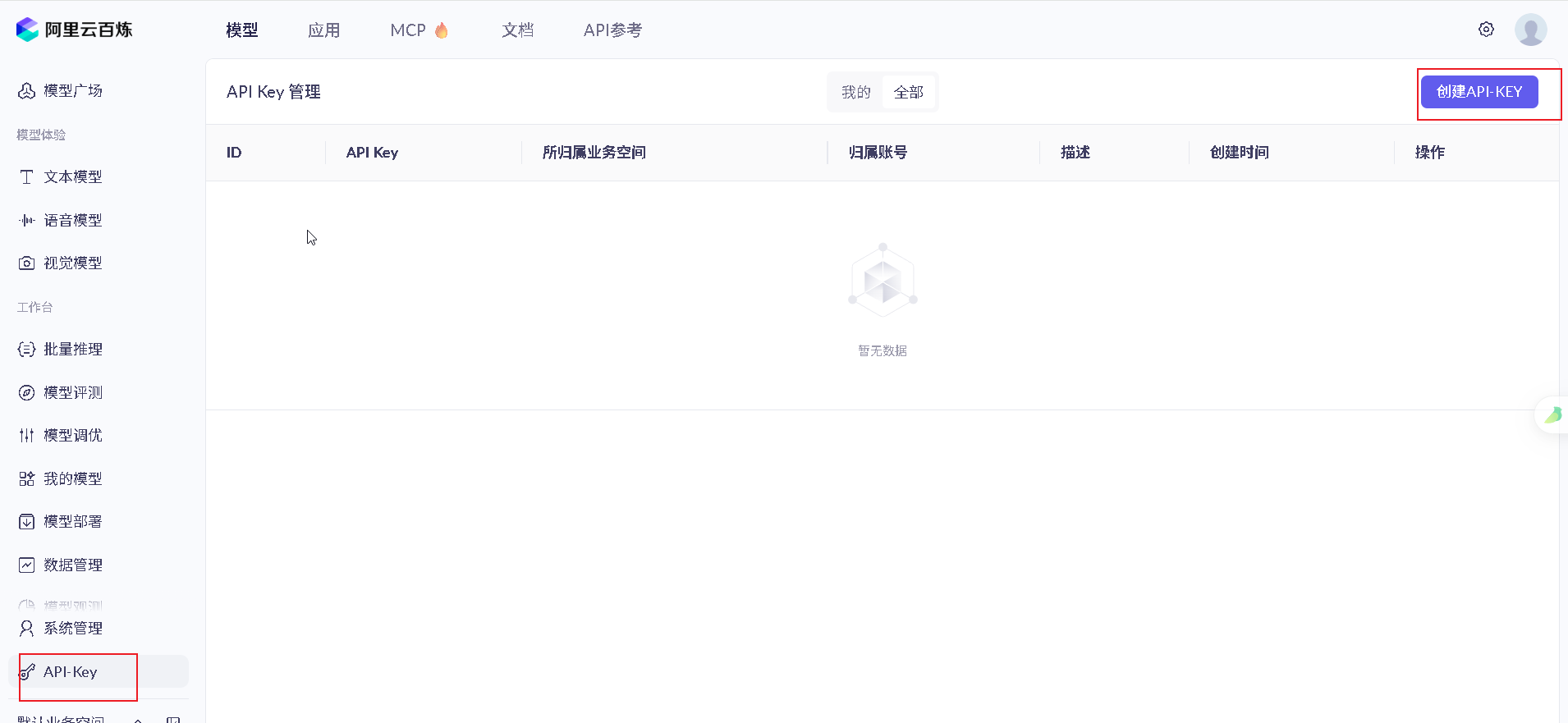

使用图中的api-key
模型code
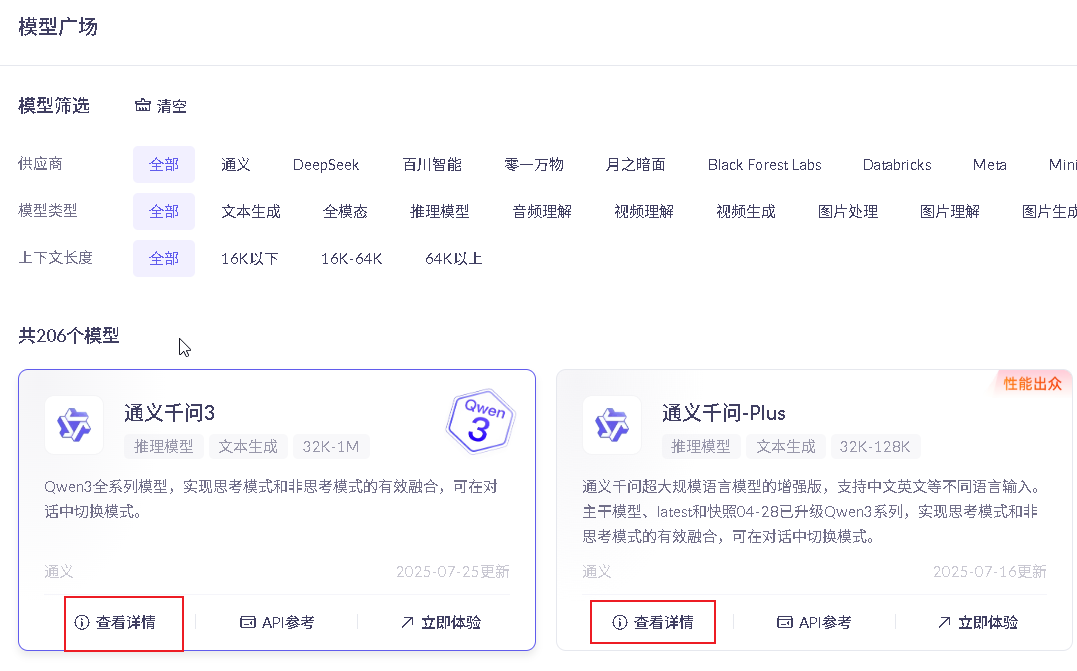
使用其中的code
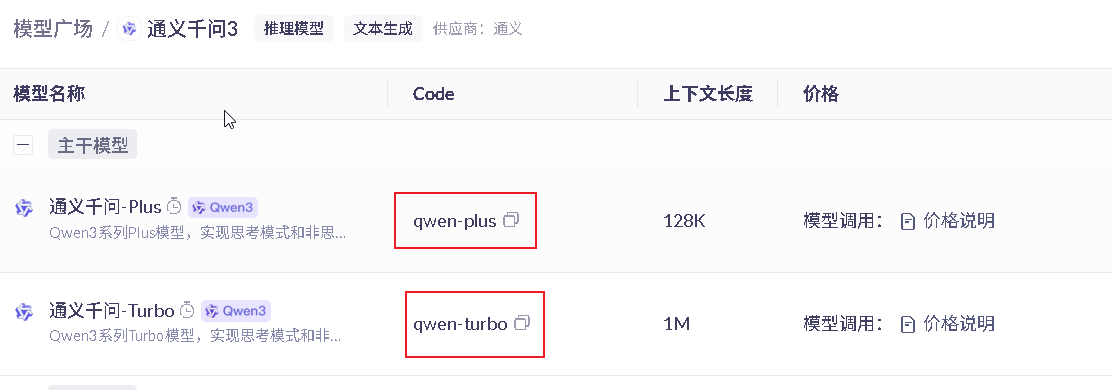
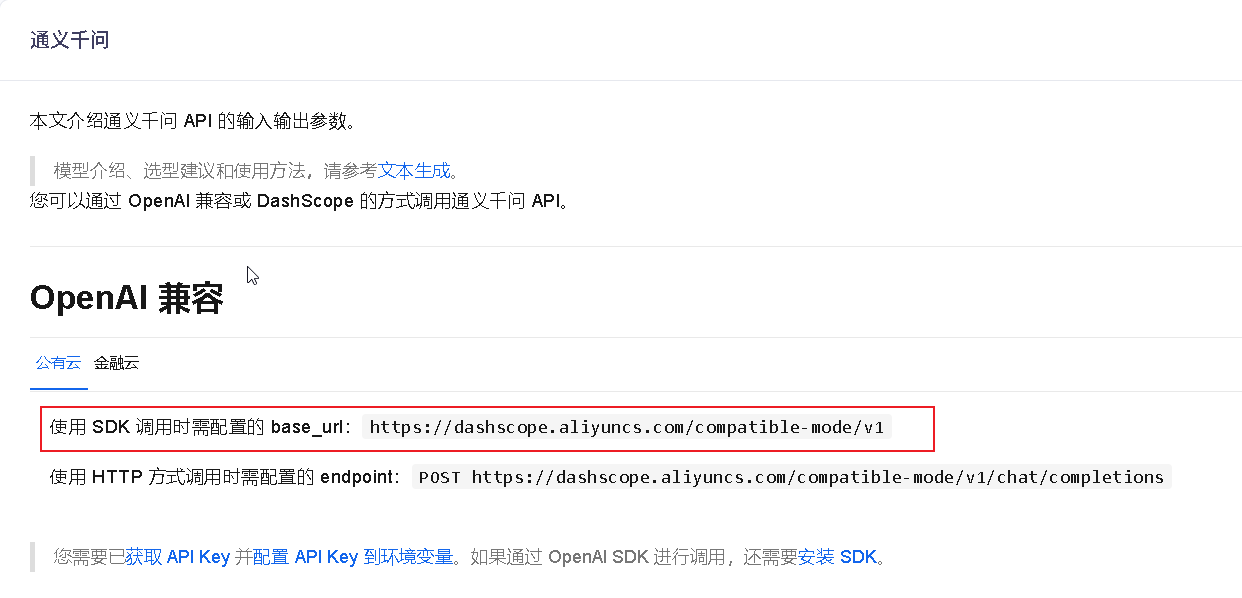
base_url
点击模型中的API参考
deepSeek大模型调用地址
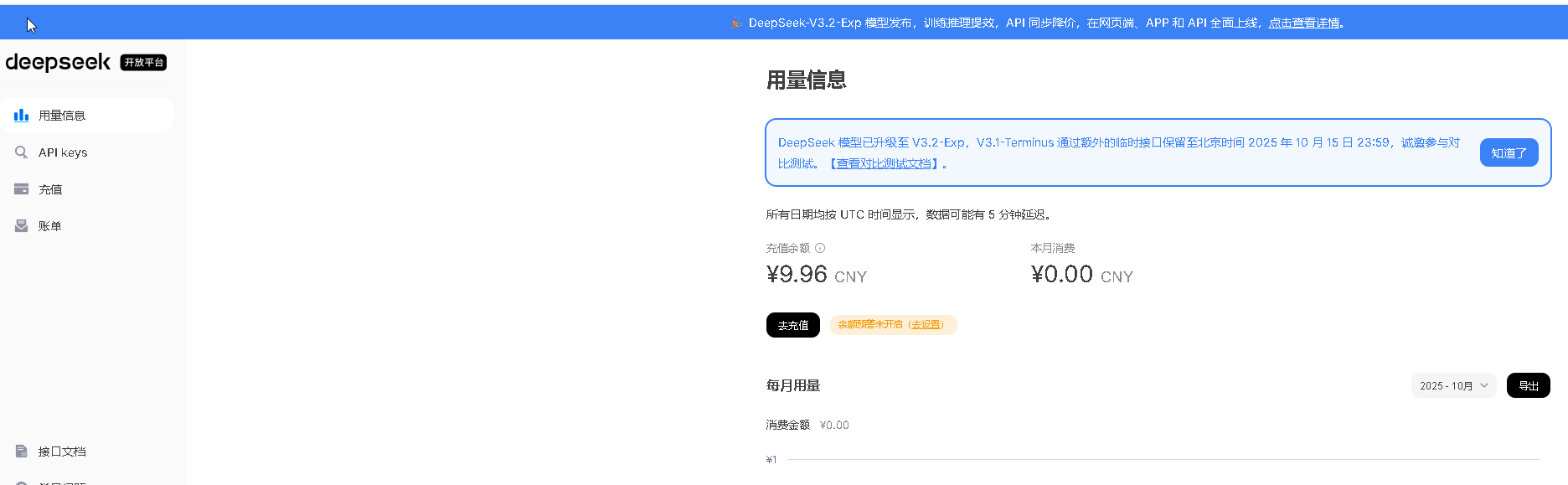
进入deepSeek平台
https://platform.deepseek.com/usage
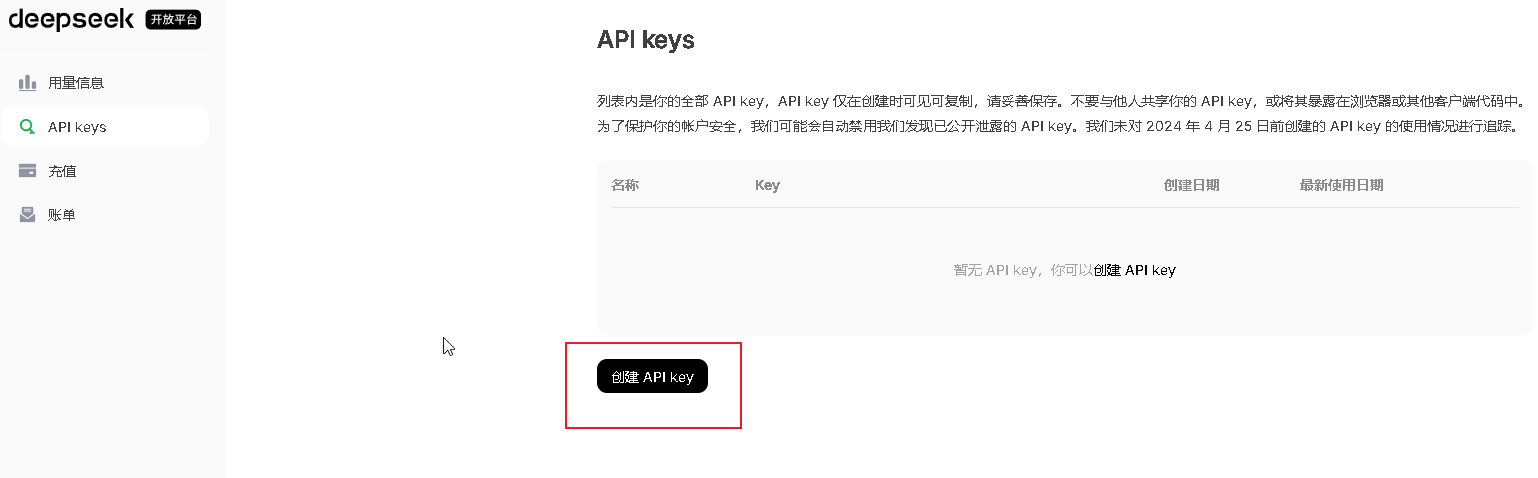
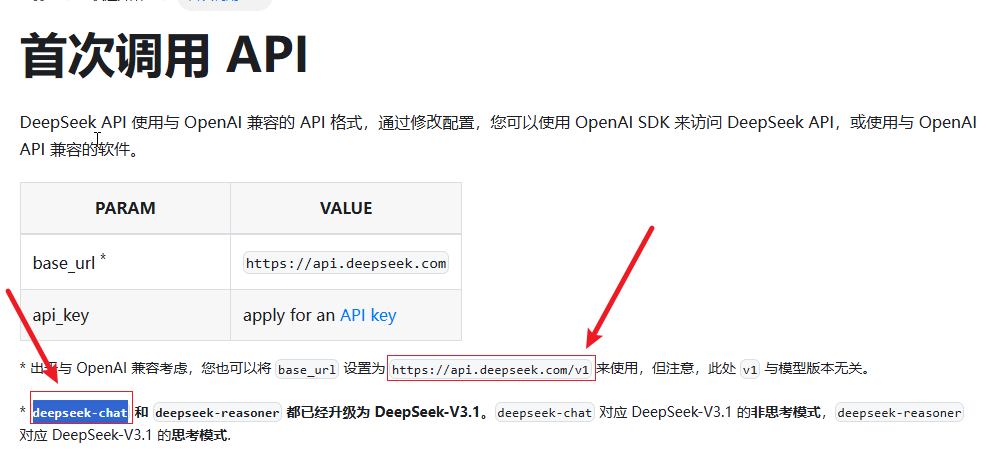
api-key
阿里大模型的helloWorld示例
新建helloworld模块
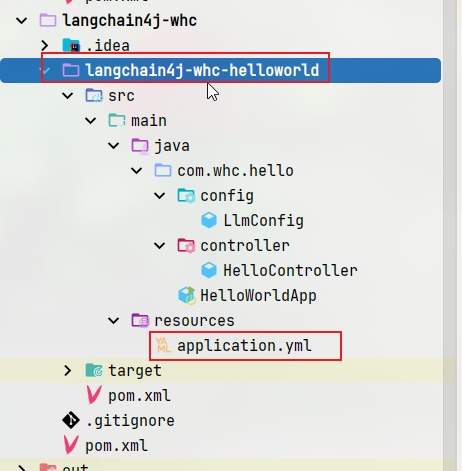
pom配置
<project xmlns="http://maven.apache.org/POM/4.0.0" xmlns:xsi="http://www.w3.org/2001/XMLSchema-instance"
  xsi:schemaLocation="http://maven.apache.org/POM/4.0.0 http://maven.apache.org/maven-v4_0_0.xsd">
  <modelVersion>4.0.0</modelVersion>
  <parent>
    <groupId>com.whc</groupId>
    <artifactId>langChain4j-whc</artifactId>
    <version>1.0-SNAPSHOT</version>
  </parent>
  <artifactId>langchain4j-whc-helloworld</artifactId>
  <name>langchain4j-whc-helloworld</name>


  <properties>
    <maven.compiler.source>17</maven.compiler.source>
    <maven.compiler.target>17</maven.compiler.target>
    <project.build.sourceEncoding>UTF-8</project.build.sourceEncoding>
  </properties>


  <dependencies>
    <dependency>
      <groupId>org.springframework.boot</groupId>
      <artifactId>spring-boot-starter-web</artifactId>
    </dependency>
    <dependency>
      <groupId>dev.langchain4j</groupId>
      <artifactId>langchain4j-open-ai</artifactId>
    </dependency>
    <!--langchain4j 高阶-->
    <dependency>
      <groupId>dev.langchain4j</groupId>
      <artifactId>langchain4j</artifactId>
    </dependency>
    <!--lombok-->
    <dependency>
      <groupId>org.projectlombok</groupId>
      <artifactId>lombok</artifactId>
      <optional>true</optional>
    </dependency>
    <!--test-->
    <dependency>
      <groupId>org.springframework.boot</groupId>
      <artifactId>spring-boot-starter-test</artifactId>
      <scope>test</scope>
    </dependency>
  </dependencies>

  <build>
    <plugins>
      <plugin>
        <groupId>org.springframework.boot</groupId>
        <artifactId>spring-boot-maven-plugin</artifactId>
      </plugin>
    </plugins>
  </build>

</project>
application.yml
server:
  port: 9001

spring:
  application:
    name: langChain_whc_helloWord
上面的ai.dashScope中的三部分就是模型调用地址中的三个值填写。分别是apikey,模型名称和模型的baseUrl
HelloWorldApp
@SpringBootApplication
public class HelloWorldApp
{
    public static void main(String[] args)
    {
        SpringApplication.run(HelloWorldApp.class,args);
    }
}
配置大模型的config类:LlmConfig,配置主要是定义ChatModel的Bean对象
api.dashScope.apiKey等参数配置成环境变量。
@Slf4j
@Configuration
public class LlmConfig {


    @Value("${api.dashScope.apiKey}")
    private String apiKey;

    @Value("${api.dashScope.modelName}")
    private String modelName;

    @Value("${api.dashScope.baseUrl}")
    private String baseUrl;


    @Bean
    public ChatModel chatModel() {
        return OpenAiChatModel.builder()
                .apiKey(apiKey)
                .modelName(modelName)
                .baseUrl(baseUrl)
                .build();
    }
}
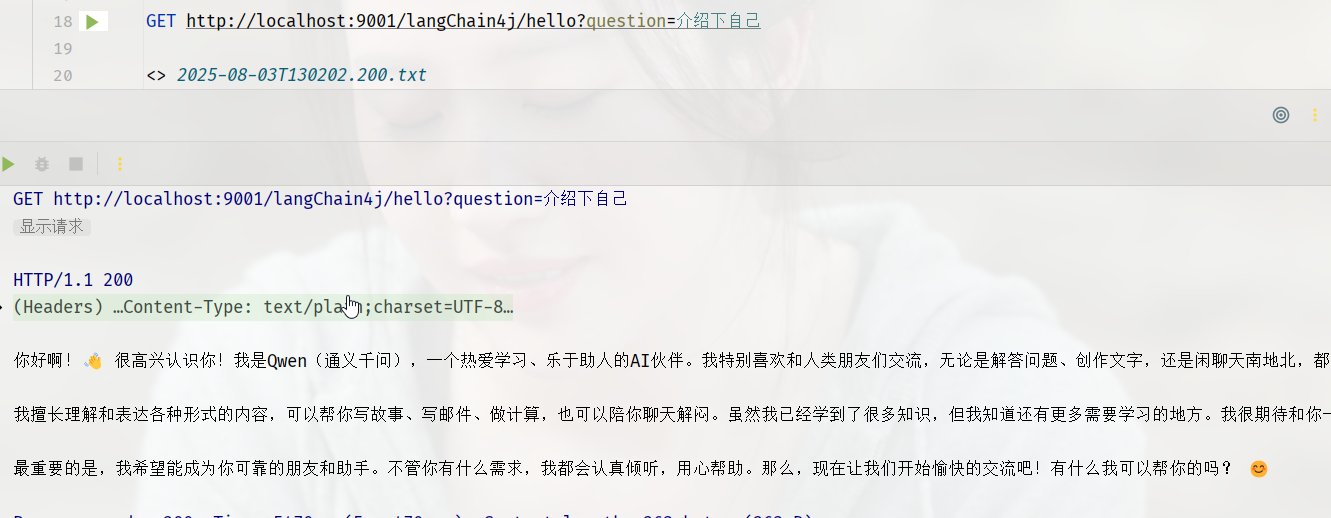
写一个接口,并使用刚刚的ChatModel来测试。
主要使用的是ChatModel的chat方法
@Slf4j
@RestController
public class HelloController {

    @Resource
    private ChatModel chatModel;

    @GetMapping(value = "langChain4j/hello")
    public String hello(@RequestParam(value = "question",defaultValue = "你是谁") String question)
    {
        String result = chatModel.chat(question);
        log.info("调用大模型回复: "+result);
        return result;
    }
}
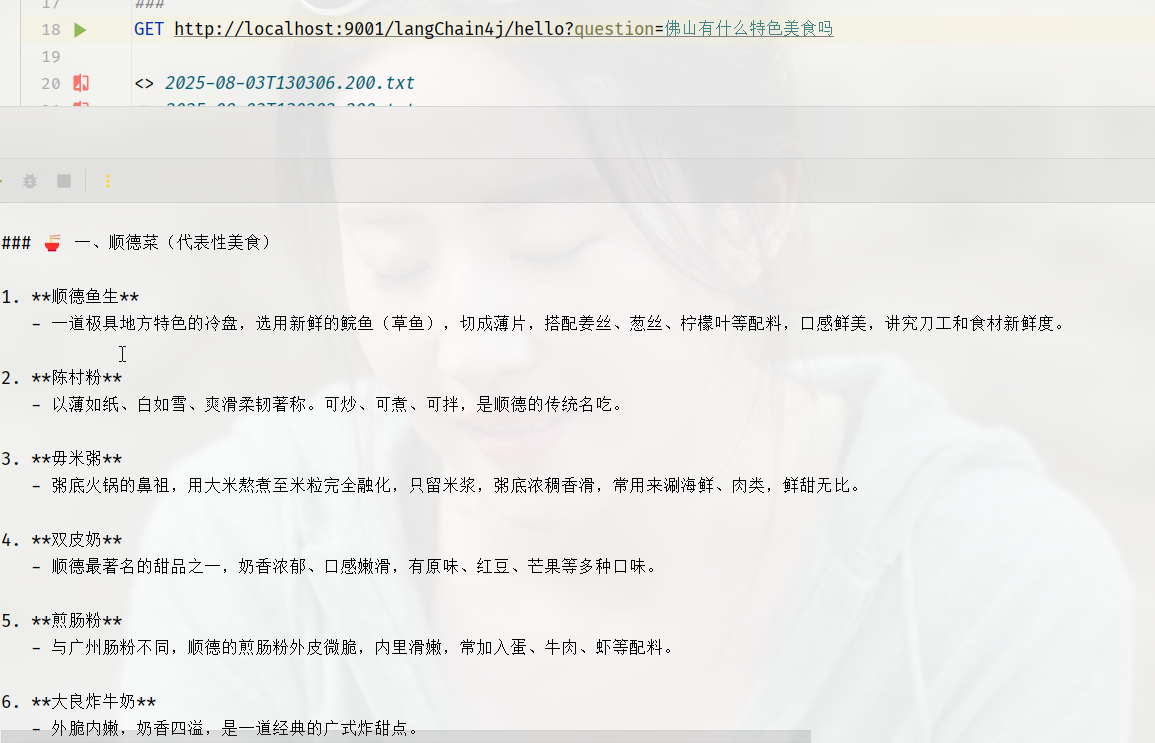
测试效果:
DeepSeek的大模型示例
application.yml
server:
  port: 9001

spring:
  application:
    name: langChain_whc_helloWord

ai:
  dashScope:
    # 配置dashScope
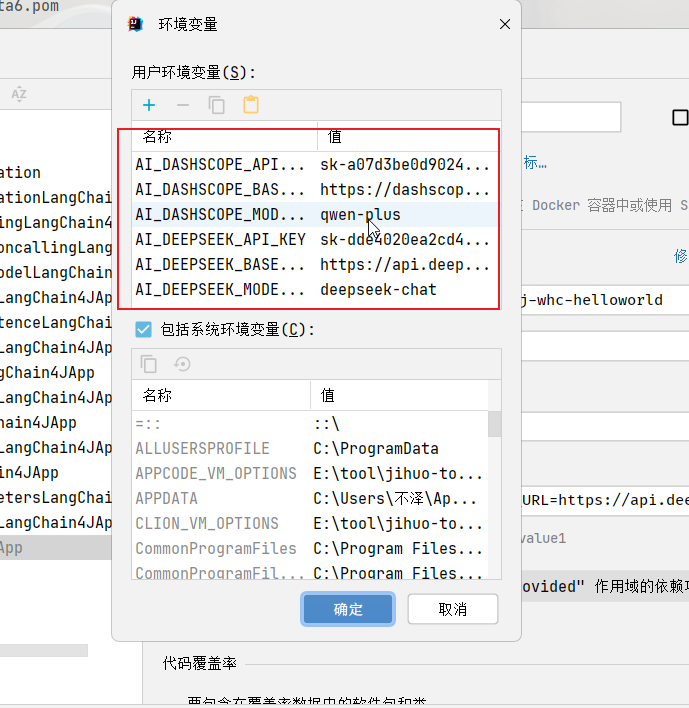
    apiKey: ${AI_DASHSCOPE_API_KEY}
    modelName: ${AI_DASHSCOPE_MODEL_NAME}
    baseUrl: ${AI_DASHSCOPE_BASE_URL}
  deepSeek:
    # 配置deepSeek
    apiKey: ${AI_DEEPSEEK_API_KEY}
    modelName: ${AI_DEEPSEEK_MODEL_NAME}
    baseUrl: ${AI_DEEPSEEK_BASE_URL}
配置环境变量
配置类:
@Slf4j
@Configuration
public class LlmConfig {


    @Value("${ai.dashScope.apiKey}")
    private String dashScopeApiKey;

    @Value("${ai.dashScope.modelName}")
    private String dashScopeModelName;

    @Value("${ai.dashScope.baseUrl}")
    private String dashScopeBaseUrl;

    @Value("${ai.deepSeek.apiKey}")
    private String deepSeekApiKey;

    @Value("${ai.deepSeek.modelName}")
    private String deepSeekModelName;

    @Value("${ai.deepSeek.baseUrl}")
    private String deepSeekBaseUrl;


    @Bean
    public ChatModel dashScopeChatModel() {
        return OpenAiChatModel.builder()
        .apiKey(dashScopeApiKey)
        .modelName(dashScopeModelName)
        .baseUrl(dashScopeBaseUrl)
        .build();
    }

    @Bean
    public ChatModel deepSeekChatModel() {
        return OpenAiChatModel.builder()
        .apiKey(deepSeekApiKey)
        .modelName(deepSeekModelName)
        .baseUrl(deepSeekBaseUrl)
        .build();
    }
}
接口类
@Slf4j
@RestController
@RequiredArgsConstructor
public class HelloController {

    private final ChatModel dashScopeChatModel;


    private final ChatModel deepSeekChatModel;

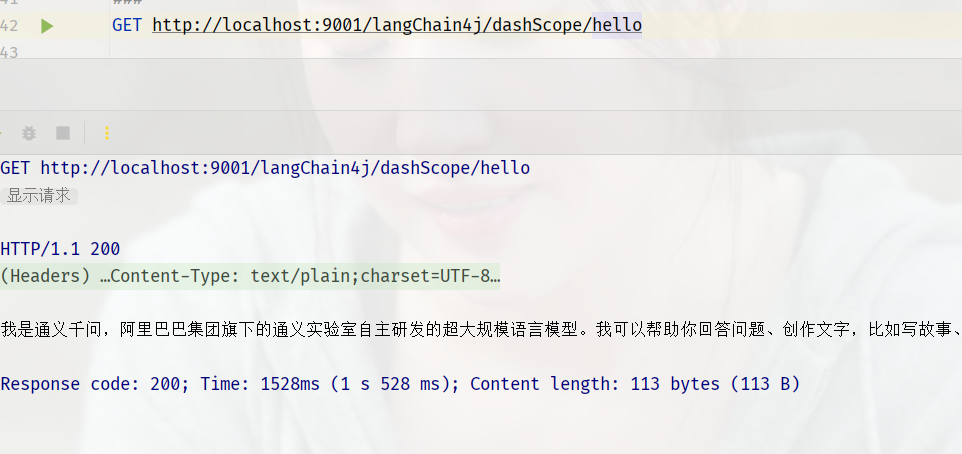
    @GetMapping(value = "langChain4j/dashScope/hello")
    public String dashScopeHello(@RequestParam(value = "question", defaultValue = "你是谁") String question) {
        String result = dashScopeChatModel.chat(question);
        log.info("调用dashScope大模型回复: " + result);
        return result;
    }

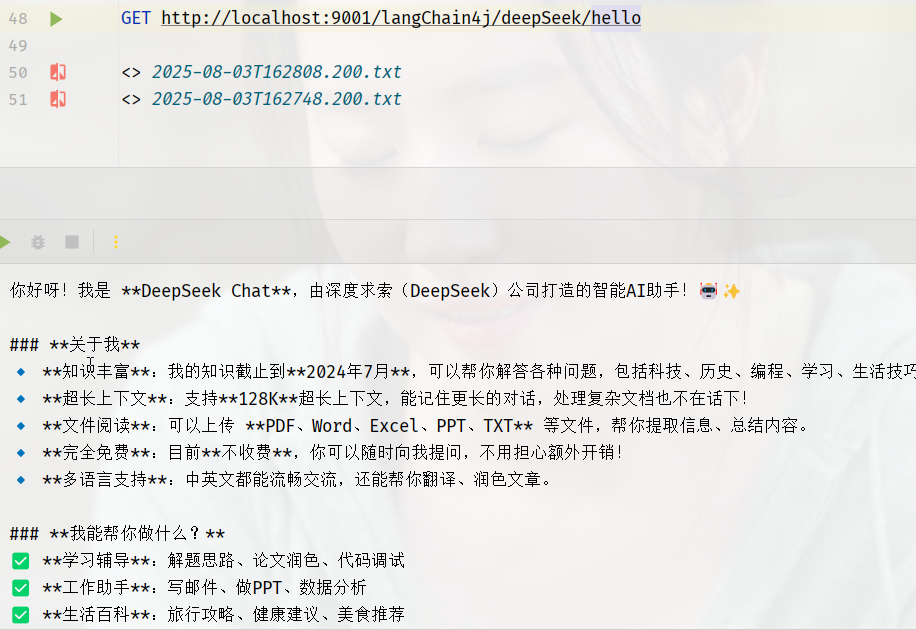
    @GetMapping(value = "langChain4j/deepSeek/hello")
    public String deepSeekHello(@RequestParam(value = "question", defaultValue = "介绍下自己") String question) {
        String result = deepSeekChatModel.chat(question);
        log.info("调用deepSeek大模型回复: " + result);
        return result;
    }

}
测试:

腾讯云面向开发者汇聚海量精品云计算使用和开发经验,营造开放的云计算技术生态圈。
更多推荐
 18
18 0
0- 0


 已为社区贡献1条内容

所有评论(0)