LangChain4j-会话功能-流式调用
·
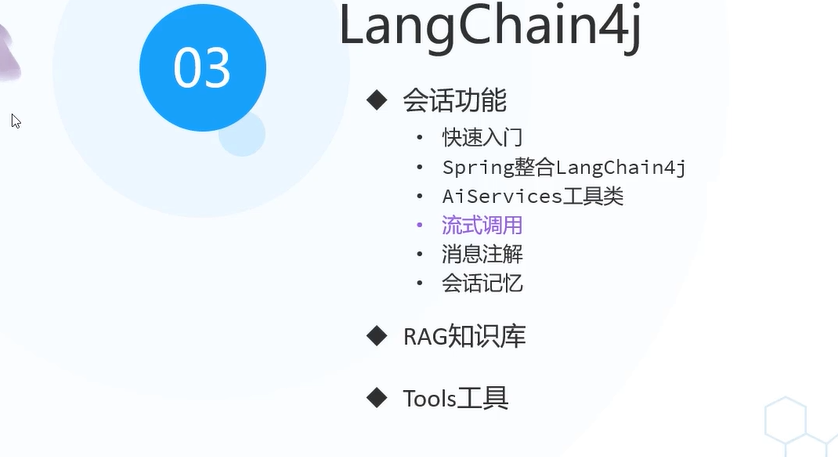
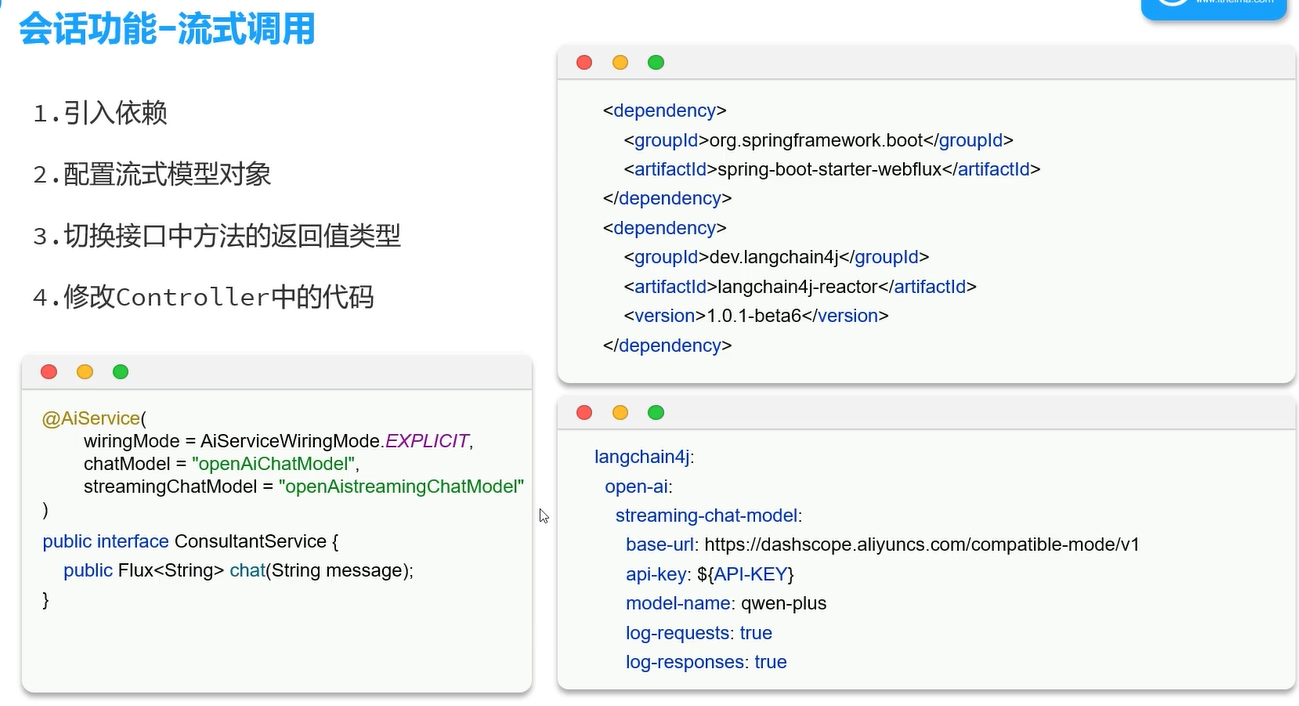
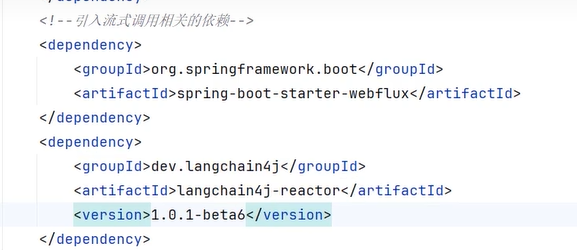
第一步:将以下依赖加入pom文件中
第二步:
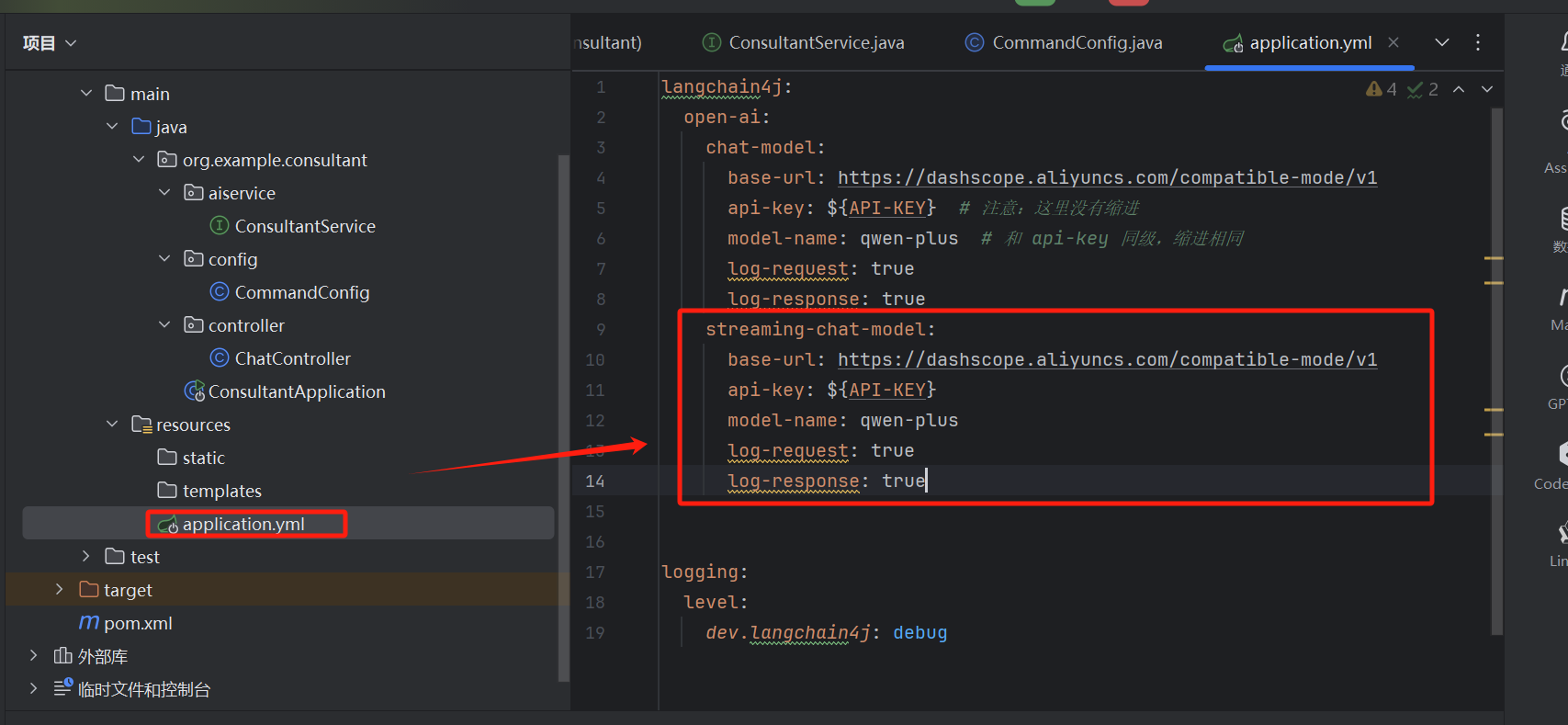
langchain4j:
  open-ai:
    chat-model:
      base-url: https://dashscope.aliyuncs.com/compatible-mode/v1
      api-key: ${API-KEY}  # 注意:这里没有缩进
      model-name: qwen-plus  # 和 api-key 同级,缩进相同
      log-request: true
      log-response: true
    streaming-chat-model:
      base-url: https://dashscope.aliyuncs.com/compatible-mode/v1
      api-key: ${API-KEY}
      model-name: qwen-plus
      log-request: true
      log-response: true


logging:
  level:
    dev.langchain4j: debug
第三步:
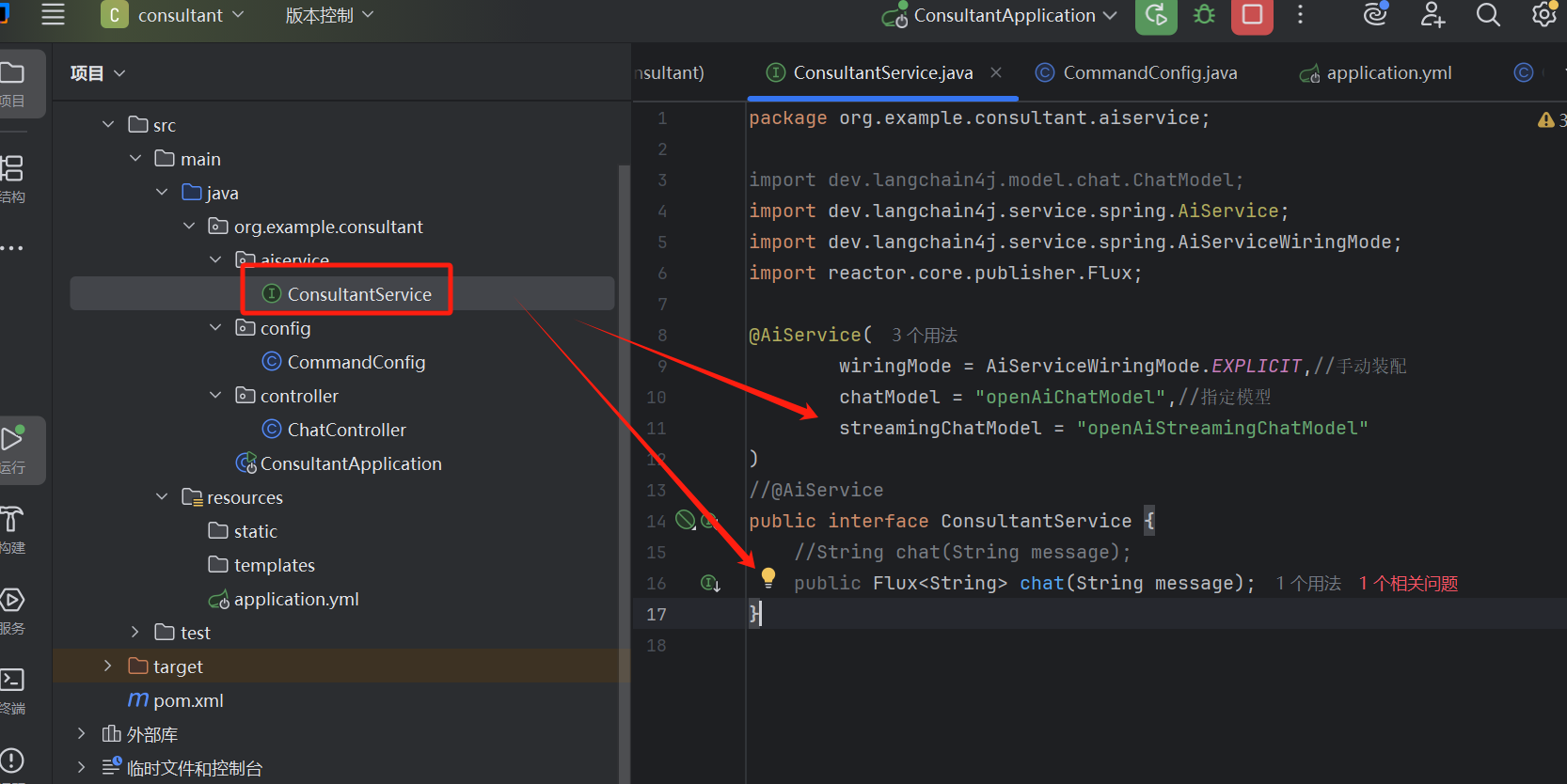
package org.example.consultant.aiservice;

import dev.langchain4j.model.chat.ChatModel;
import dev.langchain4j.service.spring.AiService;
import dev.langchain4j.service.spring.AiServiceWiringMode;
import reactor.core.publisher.Flux;

@AiService(
        wiringMode = AiServiceWiringMode.EXPLICIT,//手动装配
        chatModel = "openAiChatModel",//指定模型
        streamingChatModel = "openAiStreamingChatModel"
)
//@AiService
public interface ConsultantService {
    //String chat(String message);
    public Flux<String> chat(String message);
}
第四步:
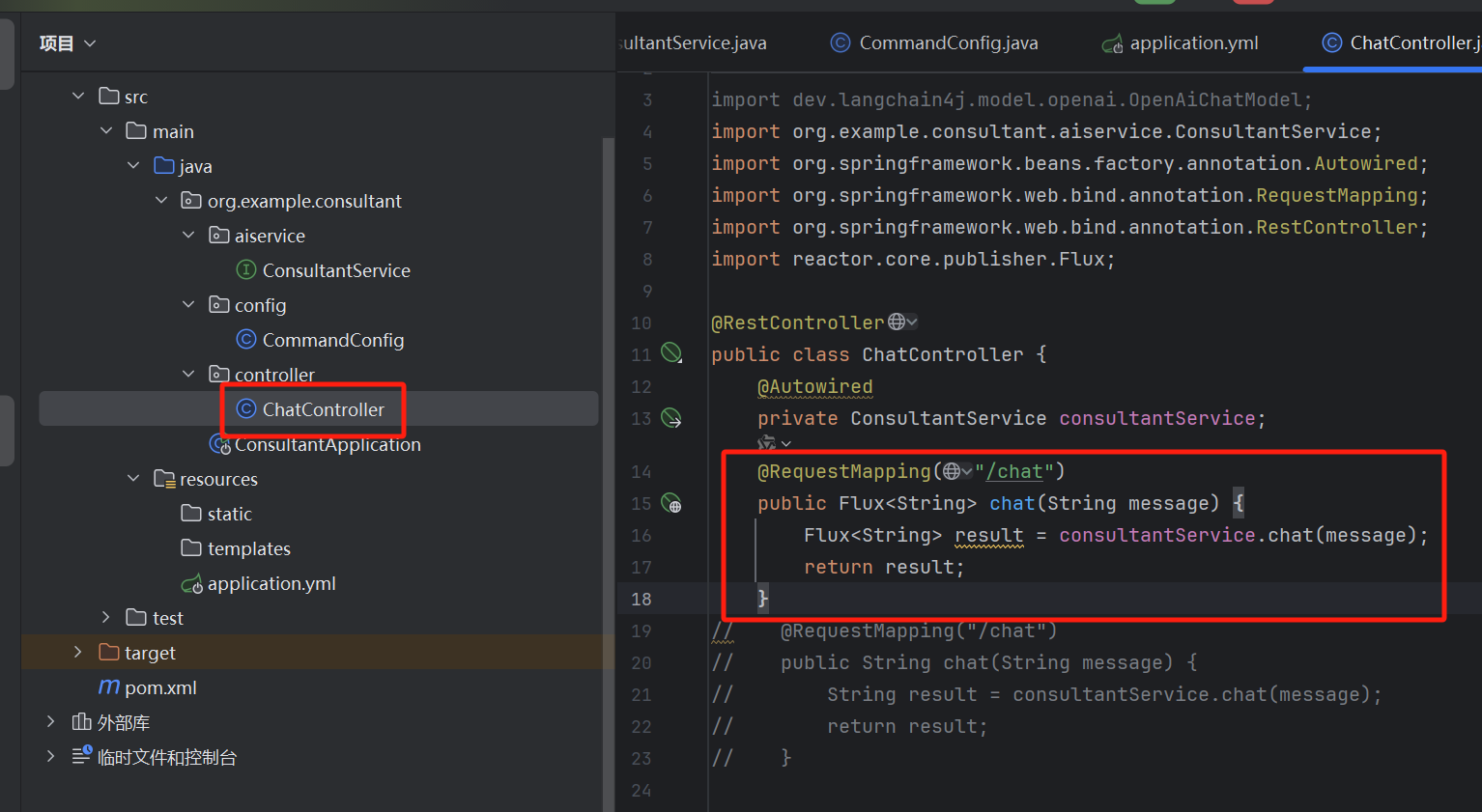
package org.example.consultant.controller;

import dev.langchain4j.model.openai.OpenAiChatModel;
import org.example.consultant.aiservice.ConsultantService;
import org.springframework.beans.factory.annotation.Autowired;
import org.springframework.web.bind.annotation.RequestMapping;
import org.springframework.web.bind.annotation.RestController;
import reactor.core.publisher.Flux;

@RestController
public class ChatController {
    @Autowired
    private ConsultantService consultantService;
    @RequestMapping(value = "/chat",produces = "text/html;charset=utf-8")
    public Flux<String> chat(String message) {
        Flux<String> result = consultantService.chat(message);
        return result;
    }
//    @RequestMapping("/chat")
//    public String chat(String message) {
//        String result = consultantService.chat(message);
//        return result;
//    }


//    @Autowired
//    private OpenAiChatModel model;
//    @RequestMapping("/chat")
//    public String chat(String message) {
//        String result = model.chat(message);
//        return result;
//    }

}
第五步:加上前端页面:
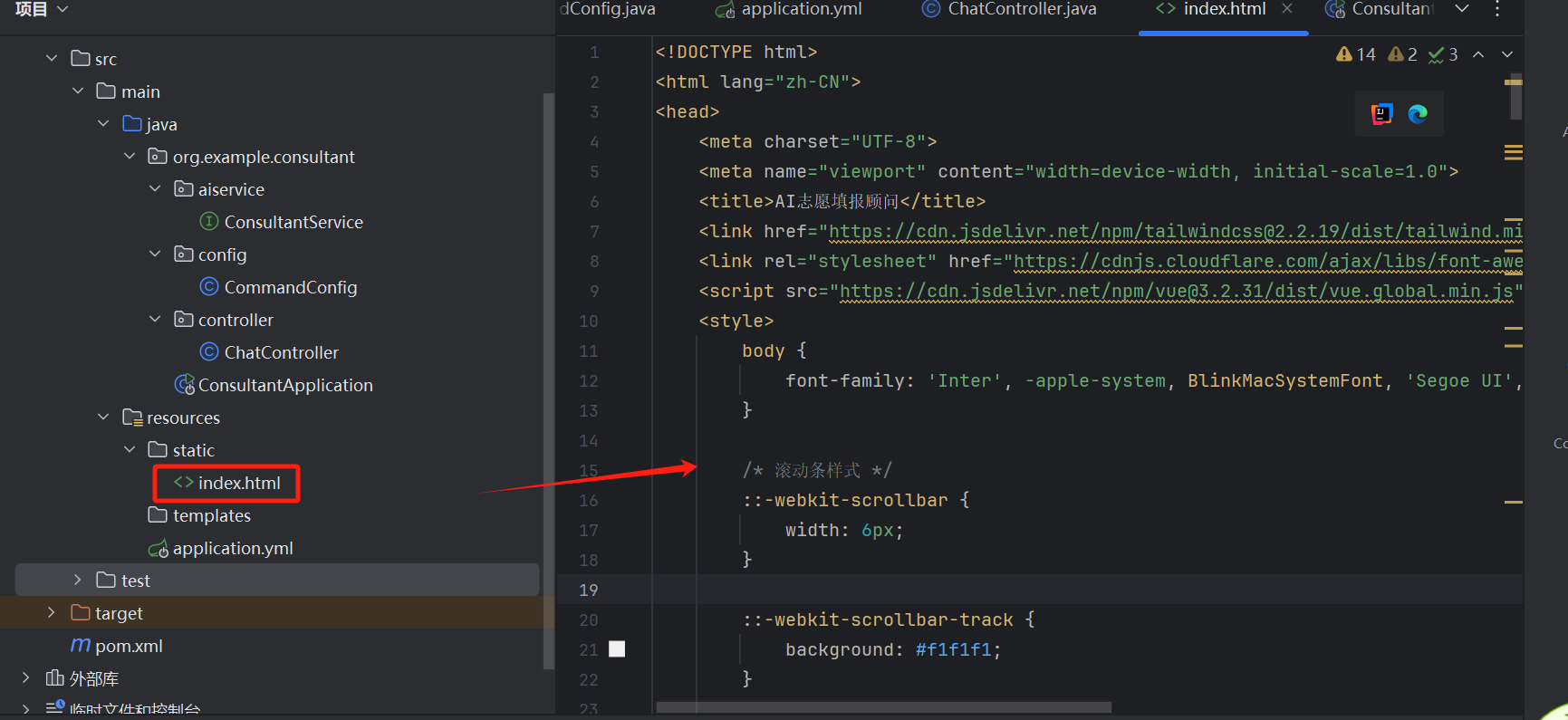
<!DOCTYPE html>
<html lang="zh-CN">
<head>
<meta charset="UTF-8">
<meta name="viewport" content="width=device-width, initial-scale=1.0">
<title>AI志愿填报顾问</title>
<link href="https://cdn.jsdelivr.net/npm/tailwindcss@2.2.19/dist/tailwind.min.css" rel="stylesheet">
<link rel="stylesheet" href="https://cdnjs.cloudflare.com/ajax/libs/font-awesome/6.0.0-beta3/css/all.min.css">
<script src="https://cdn.jsdelivr.net/npm/vue@3.2.31/dist/vue.global.min.js"></script>
<style>
body {
font-family: 'Inter', -apple-system, BlinkMacSystemFont, 'Segoe UI', Roboto, Oxygen, Ubuntu, Cantarell, sans-serif;
}
/* 滚动条样式 */
::-webkit-scrollbar {
width: 6px;
}
::-webkit-scrollbar-track {
background: #f1f1f1;
}
::-webkit-scrollbar-thumb {
background: #c1c1c1;
border-radius: 3px;
}
::-webkit-scrollbar-thumb:hover {
background: #a8a8a8;
}
/* 输入框自适应高度 */
textarea {
min-height: 44px;
max-height: 200px;
transition: height 0.2s;
}
/* 加载动画 */
@keyframes pulse {
0%, 100% {
opacity: 0.5;
}
50% {
opacity: 1;
}
}
.animate-pulse {
animation: pulse 1.5s infinite;
}
.delay-100 {
animation-delay: 0.1s;
}
.delay-200 {
animation-delay: 0.2s;
}
/* 打字机效果 */
.typing-cursor::after {
content: "|";
animation: blink 1s step-end infinite;
}
@keyframes blink {
from, to {
opacity: 1;
}
50% {
opacity: 0;
}
}
</style>
</head>
<body>
<div id="app" class="flex flex-col h-screen bg-gray-50">
<!-- 顶部导航栏 -->
<header class="bg-white shadow-sm py-3 px-4 flex items-center justify-between">
<div class="flex items-center">
<div class="text-xl font-bold text-blue-600">AI志愿填报顾问</div>
</div>
<div class="flex items-center space-x-3">
<button
@click="startNewConversation"
class="ml-2 p-3 rounded-lg bg-green-500 hover:bg-green-600 text-white" style="width: 50px">
<i class="fas fa-plus"></i>
</button>
<button @click="toggleDarkMode" class="p-2 rounded-full hover:bg-gray-100">
<i :class="darkMode ? 'fas fa-moon text-gray-600' : 'fas fa-sun text-gray-600'"></i>
</button>
</div>
</header>
<!-- 聊天内容区域 -->
<main class="flex-1 overflow-y-auto p-4 space-y-6" ref="chatContainer" :class="{ 'bg-gray-800': darkMode }">
<div v-for="(message, index) in messages" :key="index" class="max-w-3xl mx-auto">
<div :class="['flex', message.role === 'user' ? 'justify-end' : 'justify-start']">
<div :class="['flex items-start space-x-3', message.role === 'user' ? 'flex-row-reverse space-x-reverse' : '']">
<div :class="['w-8 h-8 rounded-full flex items-center justify-center',
message.role === 'user' ? 'bg-blue-100 text-blue-600' : 'bg-green-100 text-green-600',
darkMode && message.role === 'assistant' ? 'bg-gray-700 text-green-400' : '']">
<i :class="message.role === 'user' ? 'fas fa-user' : 'fas fa-robot'"></i>
</div>
<div :class="['p-3 rounded-lg max-w-lg',
message.role === 'user'
? 'bg-blue-500 text-white'
: darkMode
? 'bg-gray-700 text-gray-100 border-gray-600'
: 'bg-white shadow border border-gray-100']">
<div v-if="message.role === 'assistant' && message.isLoading" class="flex space-x-2">
<div :class="['w-2 h-2 rounded-full', darkMode ? 'bg-gray-400' : 'bg-gray-300', 'animate-pulse']"></div>
<div :class="['w-2 h-2 rounded-full', darkMode ? 'bg-gray-400' : 'bg-gray-300', 'animate-pulse delay-100']"></div>
<div :class="['w-2 h-2 rounded-full', darkMode ? 'bg-gray-400' : 'bg-gray-300', 'animate-pulse delay-200']"></div>
</div>
<div v-else class="whitespace-pre-wrap">
<span v-for="(char, charIndex) in message.content" :key="charIndex"
:class="{'opacity-0': charIndex >= message.visibleChars, 'fade-in': charIndex < message.visibleChars}">
{{ char }}
</span>
<span v-if="message.isStreaming" class="typing-cursor"></span>
</div>
</div>
</div>
</div>
</div>
</main>
<!-- 输入框区域 -->
<footer :class="['border-t p-4', darkMode ? 'bg-gray-800 border-gray-700' : 'bg-white border-gray-200']">
<div class="max-w-3xl mx-auto relative">
<div class="flex items-center">
<textarea
v-model="userInput"
@keydown.enter.exact.prevent="sendMessage"
@keydown.ctrl.enter.exact.prevent="sendMessage"
@keydown.esc.exact="stopResponse"
placeholder="输入您的问题..."
:class="['flex-1 border rounded-lg py-3 px-4 pr-12 focus:outline-none focus:ring-2 resize-none',
darkMode
? 'bg-gray-700 border-gray-600 text-white focus:ring-blue-400 placeholder-gray-400'
: 'border-gray-300 focus:ring-blue-500 focus:border-transparent']"
rows="1"
ref="textarea"
@input="adjustTextareaHeight"
></textarea>
<!-- 新建会话按钮 -->
<button
@click="isLoading ? stopResponse() : sendMessage()"
:disabled="!userInput.trim() && !isLoading"
:class="['ml-2 p-3 rounded-lg',
isLoading
? 'bg-red-500 hover:bg-red-600 text-white'
: 'bg-blue-500 hover:bg-blue-600 text-white',
'disabled:opacity-50 disabled:cursor-not-allowed']"
>
<i :class="isLoading ? 'fas fa-stop' : 'fas fa-paper-plane'"></i>
</button>
</div>
</div>
</footer>
</div>
<script>
const {createApp, ref, nextTick, onMounted, watch} = Vue;
createApp({
setup() {
const messages = ref([]);
const userInput = ref('');
const isLoading = ref(false);
const chatContainer = ref(null);
const textarea = ref(null);
const darkMode = ref(false);
const memoeryId = ref(Date.now().toString());
let controller = null;
let typingInterval = null;
let currentTypingIndex = 0;
// 调整文本区域高度
const adjustTextareaHeight = () => {
const textareaEl = textarea.value;
textareaEl.style.height = 'auto';
textareaEl.style.height = `${Math.min(textareaEl.scrollHeight, 200)}px`;
};
// 滚动到底部
const scrollToBottom = () => {
nextTick(() => {
if (chatContainer.value) {
chatContainer.value.scrollTop = chatContainer.value.scrollHeight;
}
});
};
// 切换暗黑模式
const toggleDarkMode = () => {
darkMode.value = !darkMode.value;
localStorage.setItem('darkMode', darkMode.value);
};
// 新建会话
const startNewConversation = () => {
// 清空聊天记录
messages.value = [];
// 生成新的 memoryId
memoeryId.value = Date.now().toString();
// 添加欢迎消息
messages.value.push({
role: 'assistant',
content: '你好!我是传智教育提供的AI志愿填报顾问,请问有什么能帮到您?',
isLoading: false,
visibleChars: 0,
isStreaming: false
});
// 确保欢迎消息完全可见
messages.value[0].visibleChars = messages.value[0].content.length;
// 滚动到底部
scrollToBottom();
// 聚焦输入框
nextTick(() => {
textarea.value.focus();
});
};
// 模拟逐字打印效果
const startTypingEffect = (messageIndex) => {
const message = messages.value[messageIndex];
if (!message || message.visibleChars >= message.content.length) {
clearInterval(typingInterval);
typingInterval = null;
messages.value[messageIndex].isStreaming = false;
return;
}
messages.value[messageIndex].visibleChars++;
scrollToBottom();
};
// 发送消息
const sendMessage = async () => {
if (!userInput.value.trim() || isLoading.value) return;
// 中止之前的请求
if (controller) {
controller.abort();
}
controller = new AbortController();
const userMessage = {
role: 'user',
content: userInput.value.trim(),
isLoading: false,
visibleChars: userInput.value.trim().length,
isStreaming: false
};
messages.value.push(userMessage);
const assistantMessage = {
role: 'assistant',
content: '',
isLoading: true,
visibleChars: 0,
isStreaming: true
};
messages.value.push(assistantMessage);
userInput.value = '';
adjustTextareaHeight();
scrollToBottom();
isLoading.value = true;
try {
const response = await fetch(`/chat?message=${encodeURIComponent(userMessage.content)}&memoryId=${memoeryId.value}`, {
signal: controller.signal
});
if (!response.ok) {
throw new Error(`HTTP error! status: ${response.status}`);
}
const reader = response.body.getReader();
const decoder = new TextDecoder('utf-8');
let buffer = '';
let messageIndex = messages.value.length - 1;
// 先清除之前的打字效果
if (typingInterval) {
clearInterval(typingInterval);
typingInterval = null;
}
// 开始流式处理
while (true) {
const {done, value} = await reader.read();
if (done) break;
const chunk = decoder.decode(value, {stream: true});
buffer += chunk;
// 直接更新内容
messages.value[messageIndex].content = buffer;
messages.value[messageIndex].isLoading = false;
// 启动打字效果
if (!typingInterval) {
typingInterval = setInterval(() => {
startTypingEffect(messageIndex);
}, 20); // 调整这个值可以改变打字速度
}
scrollToBottom();
}
} catch (error) {
if (error.name === 'AbortError') {
console.log('请求被用户中止');
} else {
console.error('请求出错:', error);
const lastMessage = messages.value[messages.value.length - 1];
lastMessage.content = '抱歉,请求过程中出现错误: ' + error.message;
lastMessage.visibleChars = lastMessage.content.length;
}
} finally {
const lastMessage = messages.value[messages.value.length - 1];
lastMessage.isLoading = false;
lastMessage.isStreaming = false;
// 确保所有字符都可见
if (lastMessage.visibleChars < lastMessage.content.length) {
lastMessage.visibleChars = lastMessage.content.length;
}
isLoading.value = false;
controller = null;
if (typingInterval) {
clearInterval(typingInterval);
typingInterval = null;
}
scrollToBottom();
}
};
// 停止响应
const stopResponse = () => {
if (controller) {
controller.abort();
const lastMessage = messages.value[messages.value.length - 1];
lastMessage.isLoading = false;
lastMessage.isStreaming = false;
if (lastMessage.visibleChars < lastMessage.content.length) {
lastMessage.visibleChars = lastMessage.content.length;
}
isLoading.value = false;
controller = null;
if (typingInterval) {
clearInterval(typingInterval);
typingInterval = null;
}
}
};
// 初始化
onMounted(() => {
// 检查暗黑模式偏好
darkMode.value = localStorage.getItem('darkMode') === 'true' ||
(window.matchMedia && window.matchMedia('(prefers-color-scheme: dark)').matches);
// 添加欢迎消息
messages.value.push({
role: 'assistant',
content: '你好!我是传智教育提供的AI志愿填报顾问,请问有什么能帮到您?',
isLoading: false,
visibleChars: 0,
isStreaming: false
});
// 确保欢迎消息完全可见
messages.value[0].visibleChars = messages.value[0].content.length;
scrollToBottom();
// 聚焦输入框
nextTick(() => {
textarea.value.focus();
});
});
// 监听消息变化自动滚动
watch(messages, scrollToBottom, {deep: true});
return {
messages,
userInput,
isLoading,
darkMode,
chatContainer,
textarea,
sendMessage,
stopResponse,
toggleDarkMode,
adjustTextareaHeight,
startNewConversation
};
}
}).mount('#app');
</script>
</body>
</html>
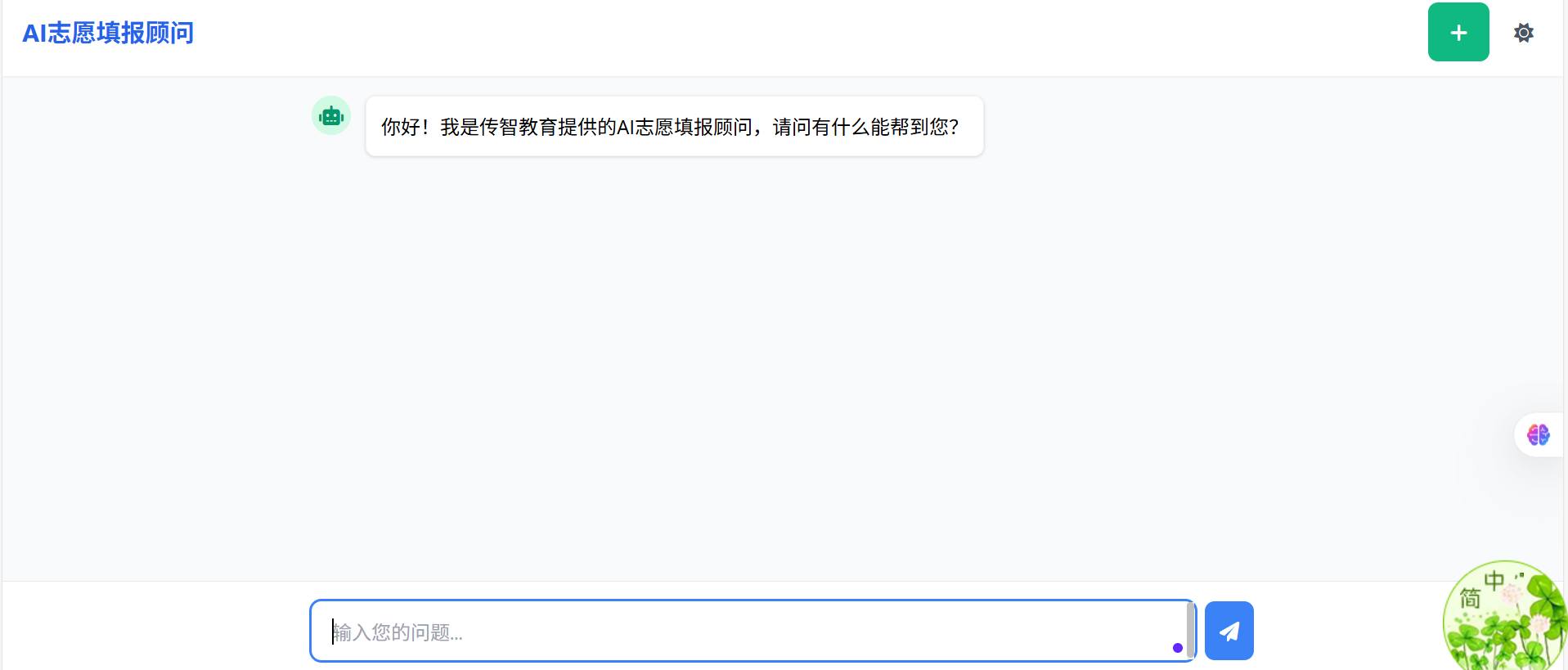
运行项目后,打开浏览器访问
localhost:8080/index.html页面
结果如下

腾讯云面向开发者汇聚海量精品云计算使用和开发经验,营造开放的云计算技术生态圈。
更多推荐
 2
2 0
0- 0


 已为社区贡献1条内容

所有评论(0)