YOLOv8+BoT-SORT多目标跟踪(行人车辆计数与越界识别) 代码运行 | 源码方式 安装 yolov8
·

文章目录
前言
- 2024年 8月版:yolo8 目标跟踪源码,运行验证,项目笔记,仅供参考
win11 安装 yolov8 环境搭建 - 运行成功
torch torchvision torchaudio 安装
conda create -n mypytorch python=3.9

conda activate mypytorch

# https://pytorch.org/
pip3 install torch torchvision torchaudio --index-url https://download.pytorch.org/whl/cu124
要检查 torch 是否是 cuda 版本
pip list

Package             Version      Editable project location
------------------- ------------ ------------------------------------
certifi             2024.7.4
charset-normalizer  3.3.2
colorama            0.4.6
contourpy           1.2.1
cycler              0.12.1
filelock            3.15.4
fonttools           4.53.1
fsspec              2024.6.1
idna                3.7
importlib_resources 6.4.0
Jinja2              3.1.4
kiwisolver          1.4.5
MarkupSafe          2.1.5
matplotlib          3.9.1.post1
mpmath              1.3.0
networkx            3.2.1
numpy               1.26.4
opencv-python       4.10.0.84
packaging           24.1
pandas              2.2.2
pillow              10.4.0
pip                 24.0
psutil              6.0.0
py-cpuinfo          9.0.0
pyparsing           3.1.2
python-dateutil     2.9.0.post0
pytz                2024.1
PyYAML              6.0.2
requests            2.32.3
scipy               1.13.1
seaborn             0.13.2
setuptools          72.1.0
six                 1.16.0
sympy               1.13.1
torch               2.4.0+cu124
torchaudio          2.4.0+cu124
torchvision         0.19.0+cu124
tqdm                4.66.5
typing_extensions   4.12.2
tzdata              2024.1
ultralytics         8.2.71       D:\yolo\ultralytics-main
ultralytics-thop    2.0.0
urllib3             2.2.2
wheel               0.43.0
zipp                3.19.2
源码方式 安装 ultralytics
可以选择 下载源码/解压源码

# Clone the ultralytics repository
git clone https://github.com/ultralytics/ultralytics

# Navigate to the cloned directory
cd ultralytics

# Install the package in editable mode for development
pip install -e .
运行代码遇到 ModuleNotFoundError: No module named ‘lap’
lap 库安装 遇到报错如下
pip install lap
# 报错如下:

error: Microsoft Visual C++ 14.0 or greater is required. Get it with "Microsoft C++ Build Tools": https://visualstudio.microsoft.com/visual-cpp-build-tools/


note: This error originates from a subprocess, and is likely not a problem with pip.
  ERROR: Failed building wheel for lap
  Running setup.py clean for lap
Failed to build lap
ERROR: Could not build wheels for lap, which is required to install pyproject.toml-based projects

# 解决方法是 给当前 win11 系统 安装 C++ GNU 编译的支持,参考链接如下

https://blog.csdn.net/sinat_28442665/article/details/113993261
conda install -c conda-forge lap 安装成功
最终 lap 库安装的解决方案 : conda install -c conda-forge lap
conda install -c conda-forge lap

Channels:
 - conda-forge
 - https://mirrors.ustc.edu.cn/anaconda/cloud/menpo
 - https://mirrors.ustc.edu.cn/anaconda/cloud/bioconda
 - https://mirrors.ustc.edu.cn/anaconda/cloud/msys2
 - https://mirrors.ustc.edu.cn/anaconda/cloud/conda-forge
 - https://mirrors.ustc.edu.cn/anaconda/pkgs/free
 - https://mirrors.ustc.edu.cn/anaconda/pkgs/main
 - https://mirrors.tuna.tsinghua.edu.cn/anaconda/cloud/msys2
 - https://mirrors.tuna.tsinghua.edu.cn/anaconda/cloud/conda-forge
 - https://mirrors.tuna.tsinghua.edu.cn/anaconda/pkgs/free
 - defaults
Platform: win-64
Collecting package metadata (repodata.json): done
Solving environment: done

## Package Plan ##

  environment location: D:\moli\soft\anconda\envs\mypytorch

  added / updated specs:
    - lap


The following packages will be downloaded:

    package                    |            build
    ---------------------------|-----------------
    ca-certificates-2024.7.4   |       h56e8100_0         151 KB  conda-forge
    intel-openmp-2024.2.0      |     h57928b3_980         1.8 MB  conda-forge
    lap-0.4.0                  |py39h2e25243_1005         1.4 MB  conda-forge
    libblas-3.9.0              |     23_win64_mkl         5.0 MB  conda-forge
    libcblas-3.9.0             |     23_win64_mkl         5.0 MB  conda-forge
    libhwloc-2.11.1            |default_h8125262_1000         2.3 MB  conda-forge
    libiconv-1.17              |       hcfcfb64_2         621 KB  conda-forge
    liblapack-3.9.0            |     23_win64_mkl         5.0 MB  conda-forge
    libxml2-2.12.7             |       h0f24e4e_4         1.6 MB  conda-forge
    libzlib-1.3.1              |       h2466b09_1          55 KB  conda-forge
    mkl-2024.1.0               |     h66d3029_694       104.3 MB  conda-forge
    numpy-1.26.4               |   py39hddb5d58_0         5.6 MB  conda-forge
    openssl-3.3.1              |       h2466b09_2         8.0 MB  conda-forge
    pthreads-win32-2.9.1       |       hfa6e2cd_3         141 KB  conda-forge
    python_abi-3.9             |           2_cp39           4 KB  conda-forge
    tbb-2021.12.0              |       hc790b64_3         157 KB  conda-forge
    ucrt-10.0.22621.0          |       h57928b3_0         1.2 MB  conda-forge
    vc14_runtime-14.40.33810   |      ha82c5b3_20         734 KB  conda-forge
    vs2015_runtime-14.40.33810 |      h3bf8584_20          17 KB  conda-forge
    ------------------------------------------------------------
                                           Total:       143.0 MB

The following NEW packages will be INSTALLED:

  intel-openmp       conda-forge/win-64::intel-openmp-2024.2.0-h57928b3_980
  lap                conda-forge/win-64::lap-0.4.0-py39h2e25243_1005
  libblas            conda-forge/win-64::libblas-3.9.0-23_win64_mkl
  libcblas           conda-forge/win-64::libcblas-3.9.0-23_win64_mkl
  libhwloc           conda-forge/win-64::libhwloc-2.11.1-default_h8125262_1000
  libiconv           conda-forge/win-64::libiconv-1.17-hcfcfb64_2
  liblapack          conda-forge/win-64::liblapack-3.9.0-23_win64_mkl
  libxml2            conda-forge/win-64::libxml2-2.12.7-h0f24e4e_4
  libzlib            conda-forge/win-64::libzlib-1.3.1-h2466b09_1
  mkl                conda-forge/win-64::mkl-2024.1.0-h66d3029_694
  numpy              conda-forge/win-64::numpy-1.26.4-py39hddb5d58_0
  pthreads-win32     conda-forge/win-64::pthreads-win32-2.9.1-hfa6e2cd_3
  python_abi         conda-forge/win-64::python_abi-3.9-2_cp39
  tbb                conda-forge/win-64::tbb-2021.12.0-hc790b64_3
  ucrt               conda-forge/win-64::ucrt-10.0.22621.0-h57928b3_0
  vc14_runtime       conda-forge/win-64::vc14_runtime-14.40.33810-ha82c5b3_20

The following packages will be UPDATED:

  ca-certificates    pkgs/main::ca-certificates-2024.7.2-h~ --> conda-forge::ca-certificates-2024.7.4-h56e8100_0
  openssl              pkgs/main::openssl-3.0.14-h827c3e9_0 --> conda-forge::openssl-3.3.1-h2466b09_2
  vs2015_runtime     pkgs/main::vs2015_runtime-14.29.30133~ --> conda-forge::vs2015_runtime-14.40.33810-h3bf8584_20


Proceed ([y]/n)? y


Downloading and Extracting Packages:

Preparing transaction: done
Verifying transaction: done
Executing transaction: done
人群密度数据集进行行人识别跟踪
D:\moli\project\yolo\ultralytics-main
跟着 YOLOv8+BoT-SORT多目标跟踪(行人车辆计数与越界识别)【623348】进行操作
单张测试
yolo predict model=./ultralytics/weights/yolov8s.pt source=./ultralytics/assets/bus.jpg
批量预测图片:
yolo predict model=./ultralytics/weights/yolov8s.pt source=./ultralytics/assets
保存推理结果
yolo predict model=./ultralytics/weights/yolov8s.pt source=./ultralytics/assets save_txt
摄像头预测【win11 可以运行成功】:
终止按 Ctrl + C
yolo predict model=./ultralytics/weights/yolov8s.pt source=0 show
运行成功输出如下:
yolo predict model=./ultralytics/weights/yolov8s.pt source=0 show
Ultralytics YOLOv8.2.71 🚀 Python-3.9.19 torch-2.4.0+cu124 CUDA:0 (NVIDIA GeForce RTX 4060 Laptop GPU, 8188MiB)
YOLOv8s summary (fused): 168 layers, 11,156,544 parameters, 0 gradients, 28.6 GFLOPs

1/1: 0... Success ✅ (inf frames of shape 640x480 at 30.00 FPS)

0: 480x640 1 person, 1610.5ms
0: 480x640 1 person, 1 cell phone, 7.4ms
0: 480x640 1 person, 5.3ms
0: 480x640 1 person, 4.2ms
0: 480x640 1 person, 5.3ms
0: 480x640 1 person, 1 cell phone, 6.7ms
0: 480x640 1 person, 5.3ms
0: 480x640 1 person, 1 cell phone, 3.2ms
0: 480x640 1 person, 1 cell phone, 4.5ms
0: 480x640 1 person, 1 cell phone, 7.7ms
0: 480x640 1 person, 1 cell phone, 4.1ms
0: 480x640 1 person, 1 cell phone, 5.7ms
0: 480x640 1 person, 1 cell phone, 6.0ms
0: 480x640 1 person, 1 cell phone, 10.0ms
0: 480x640 1 person, 7.1ms
WARNING ⚠️ Waiting for stream 0
0: 480x640 1 person, 5.6ms
0: 480x640 1 person, 1 cell phone, 7.7ms
0: 480x640 1 person, 4.1ms
0: 480x640 1 person, 6.5ms
0: 480x640 1 person, 1 cell phone, 4.1ms
0: 480x640 1 person, 4.7ms
行人多目标跟踪与计数演示【win11下可以弹窗无需修改代码】
可以修改的地方
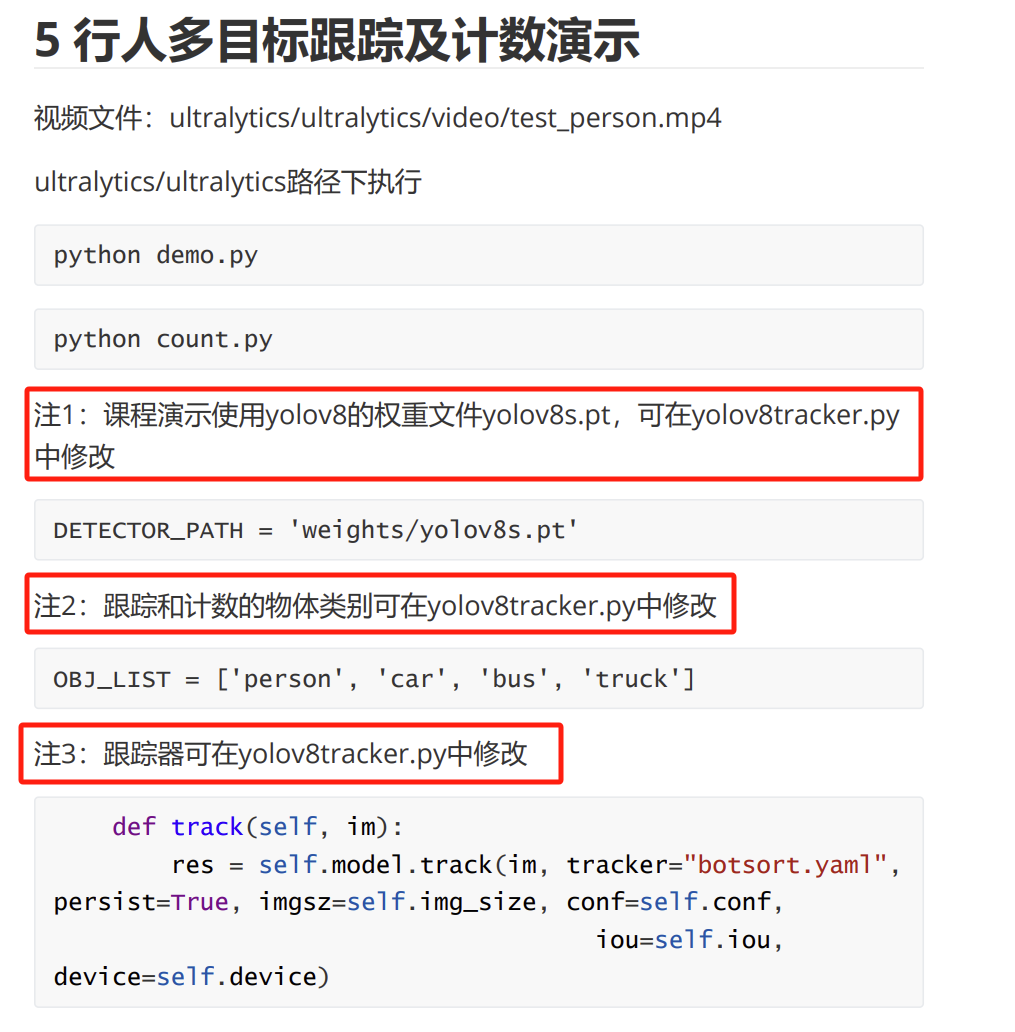
yolov8tracker.py 代码分析
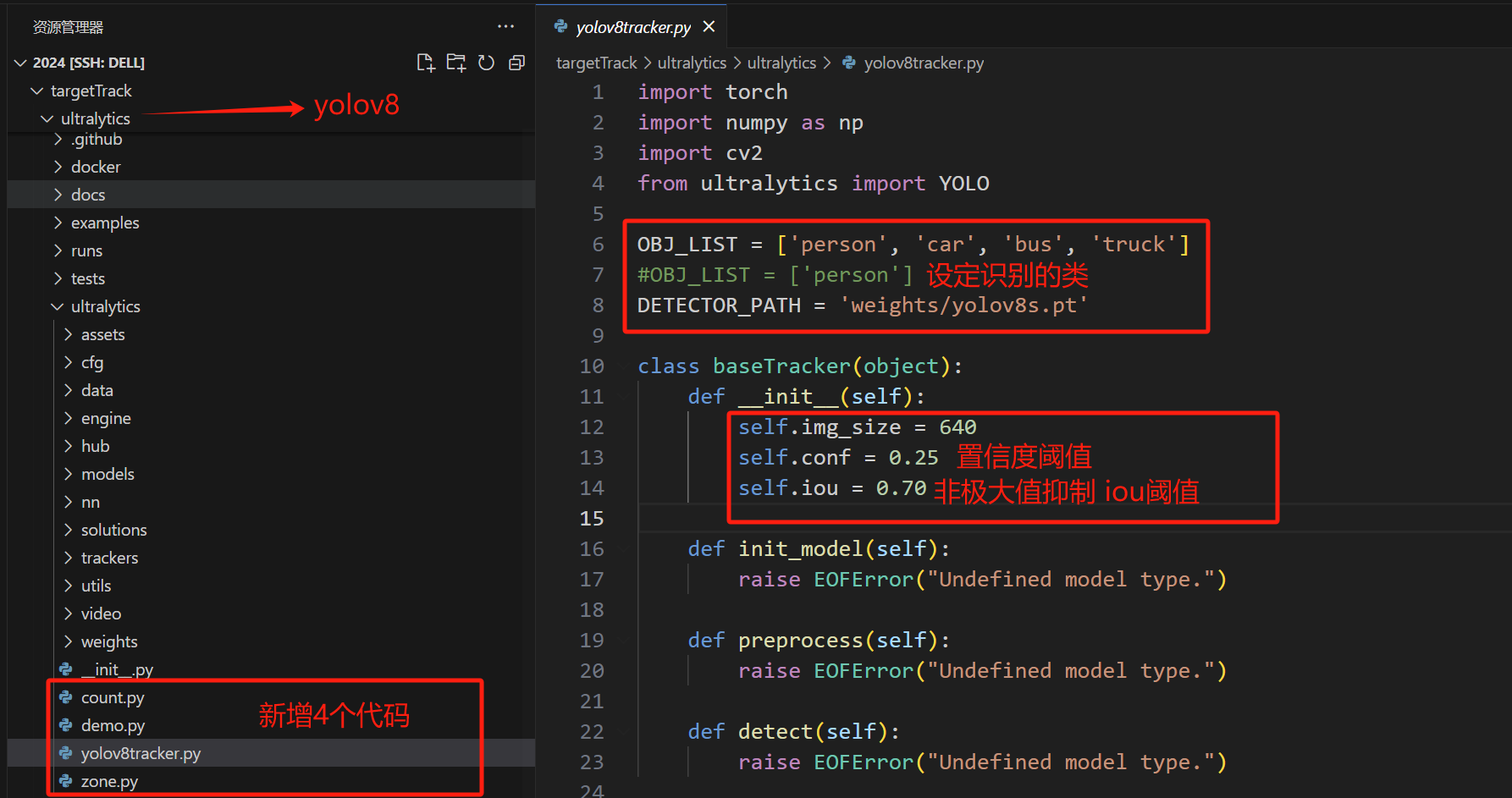
python demo.py - 行人跟踪
- 如果服务器不支持QT弹窗,那么需要注释掉弹窗的代码
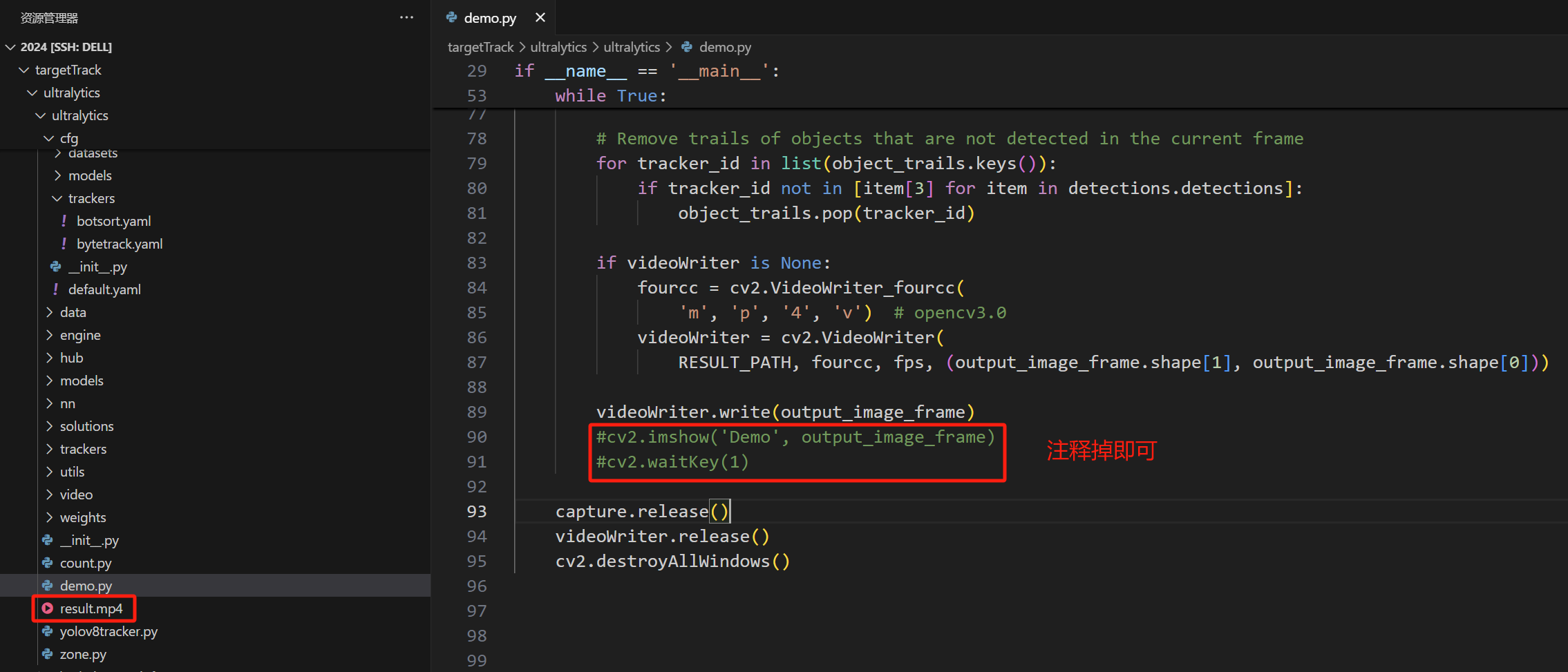
运行代码,输出如下
python demo.py
yolov8s.pt 视频推理时,GPU占用 470MiB
- 运行完毕 输出 如下:
0: 384x640 18 persons, 1 suitcase, 2.4ms
Speed: 0.7ms preprocess, 2.4ms inference, 0.5ms postprocess per image at shape (1, 3, 384, 640)
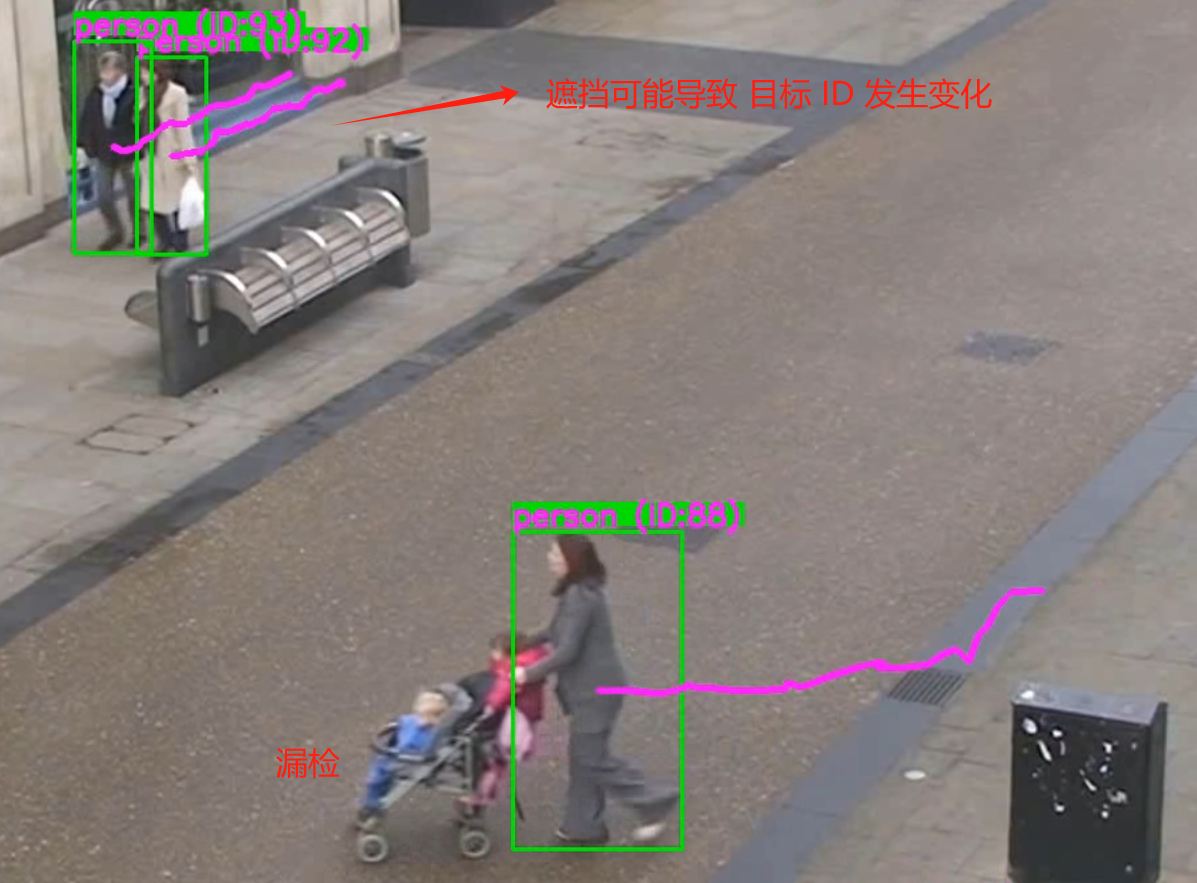
生成result.mp4 追踪效果截图如下:
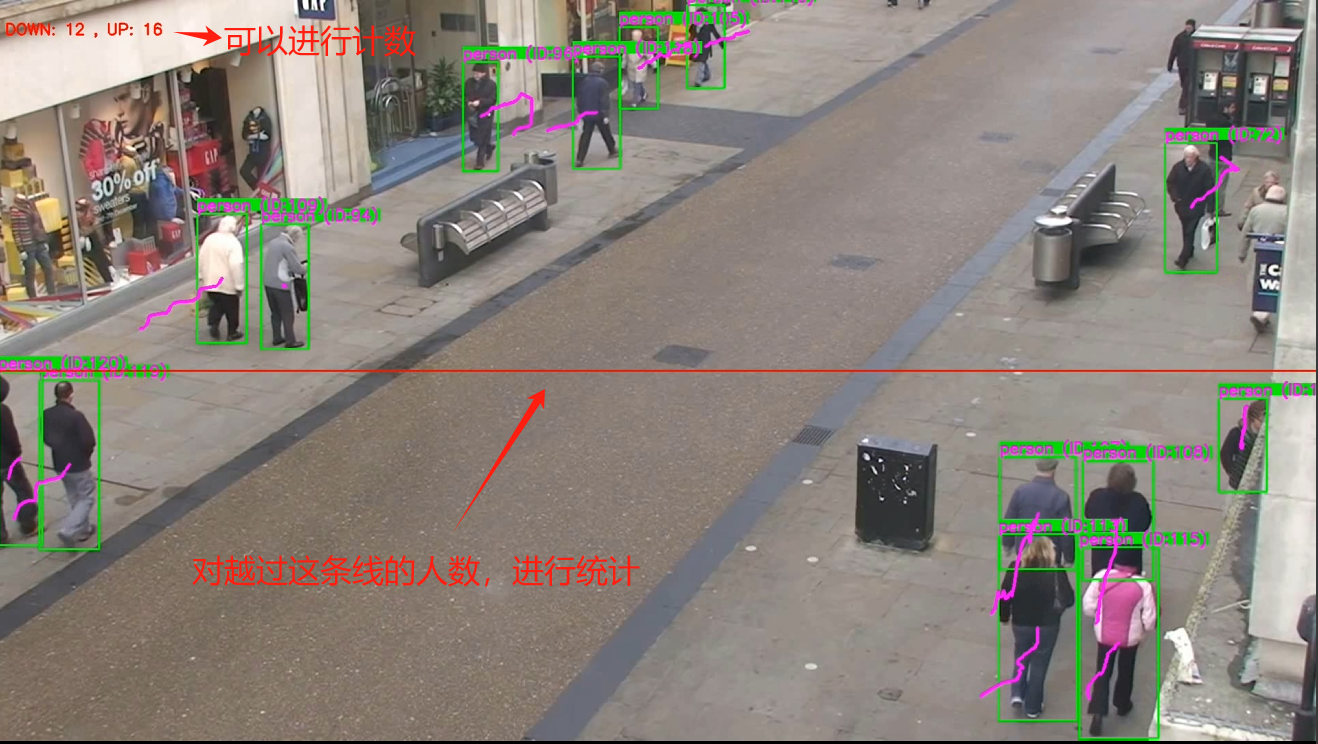
python count.py 对越线人数进行统计
python count.py 参考 demo.py 新增视频保存的代码,修改大致如下
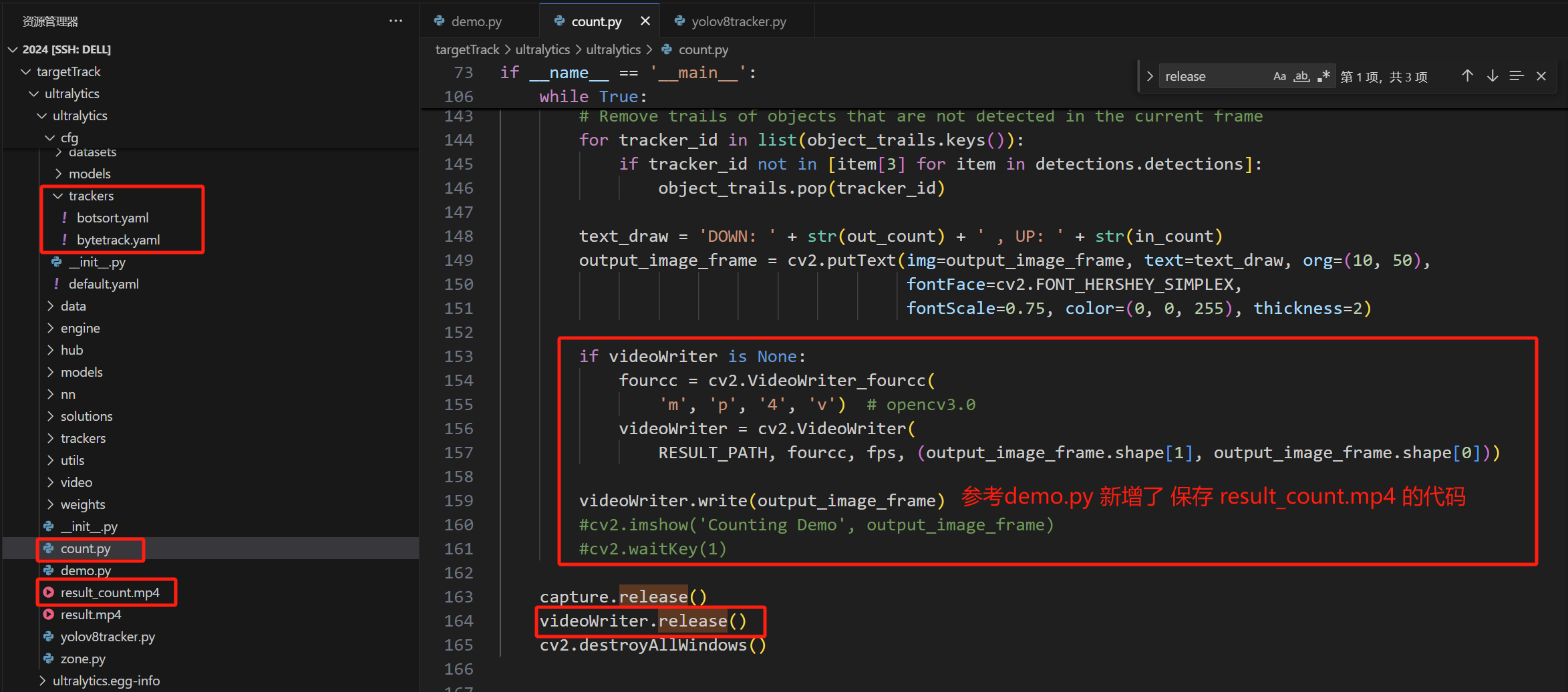
python count.py 运行输出效果如下
0: 384x640 18 persons, 2.5ms
Speed: 1.1ms preprocess, 2.5ms inference, 0.6ms postprocess per image at shape (1, 3, 384, 640)

0: 384x640 18 persons, 2.6ms
Speed: 1.1ms preprocess, 2.6ms inference, 0.6ms postprocess per image at shape (1, 3, 384, 640)

0: 384x640 18 persons, 1 suitcase, 2.5ms
Speed: 1.1ms preprocess, 2.5ms inference, 0.5ms postprocess per image at shape (1, 3, 384, 640)
打开生成的 result_count.mp4 视频,可以发现能够进行越线人数的统计
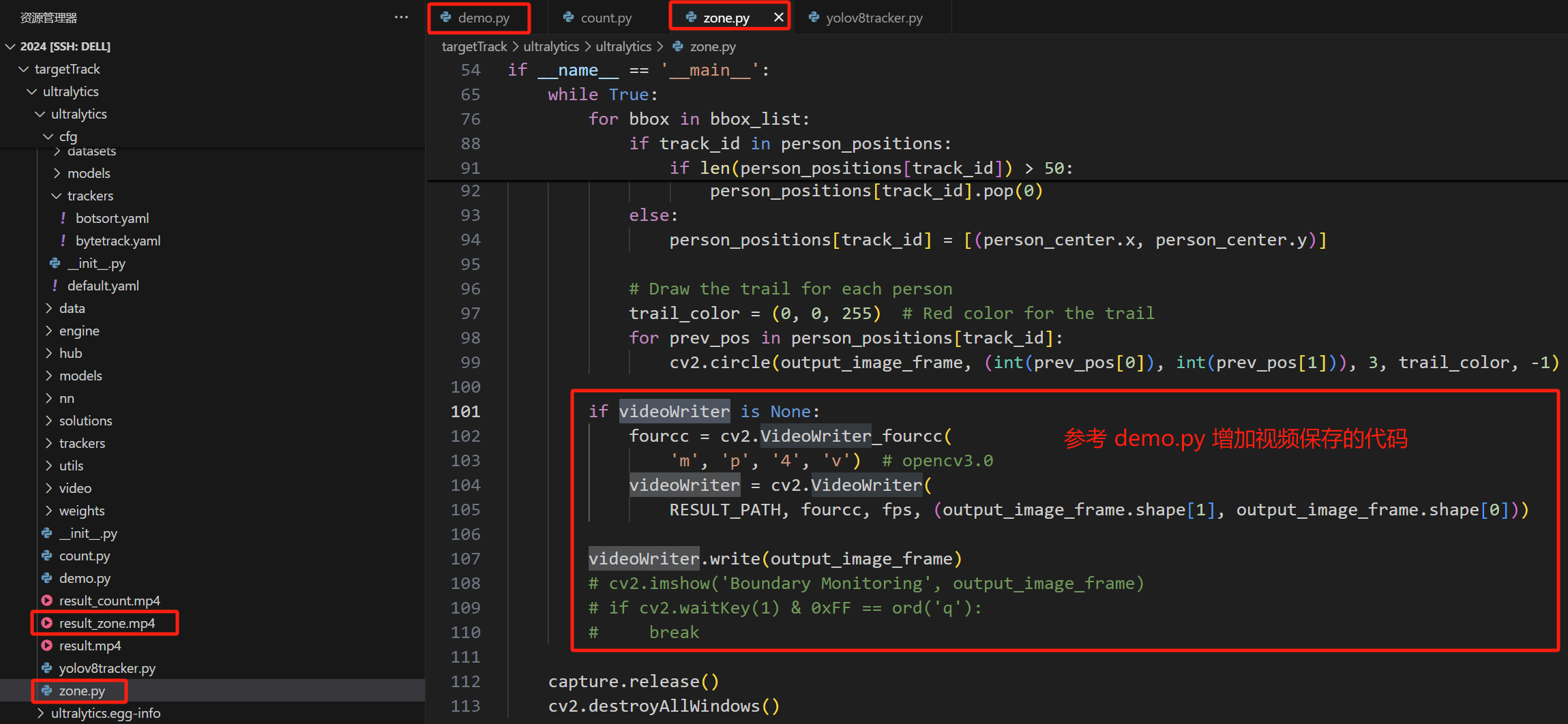
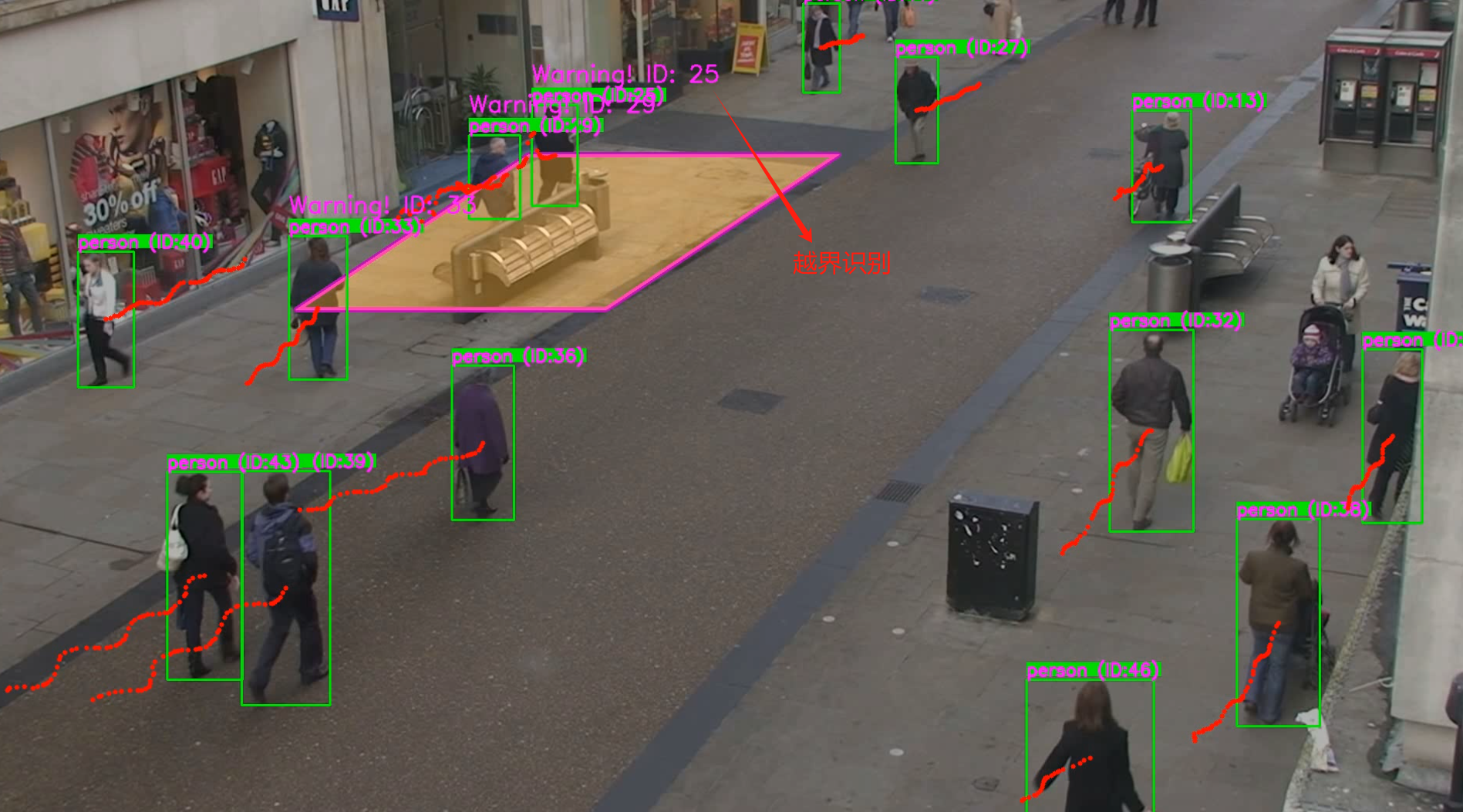
python zone.py 安防领域常用的越界识别
代码修改如下:
python zone.py
越界识别效果如下
❤️ 一起学AI
- ❤️ 如果文章对你有些许帮助、蟹蟹各位读者大大点赞、评论鼓励博主的每一分认真创作


腾讯云面向开发者汇聚海量精品云计算使用和开发经验,营造开放的云计算技术生态圈。
更多推荐
 12
12 0
0- 0


 已为社区贡献9条内容

所有评论(0)