gitlab解决传过大文件后删除导致pack过大问题
在 GitLab 中,即使删除了大文件,它们的历史记录仍会保留在仓库中,导致 .pack 文件过大,影响拉取代码的速度。要彻底删除这些大文件的历史记录,可以使用 git filter-repo 工具。有时候git项目源文件明明不大,可能就1M左右,然而拉取却很慢,整体占用空间达到几十上百M,查看提交记录,发现是有人误提交了编译后的target包中的jar包,后来发现误传又删除了。通过这些步骤,你可
有时候git项目源文件明明不大,可能就1M左右,然而拉取却很慢,整体占用空间达到几十上百M,查看提交记录,发现是有人误提交了编译后的target包中的jar包,后来发现误传又删除了。
在 GitLab 中,即使删除了大文件,它们的历史记录仍会保留在仓库中,导致 .pack 文件过大,影响拉取代码的速度。要彻底删除这些大文件的历史记录,可以使用 git filter-repo 工具。以下是具体步骤:
1. 安装 git filter-repo
确保已安装 git filter-repo,若未安装,可通过以下命令安装:
pip install git-filter-repo
2. 克隆仓库
克隆需要清理的仓库:
git clone --mirror https://gitlab.com/your-username/your-repo.git
cd your-repo.git
3. 使用 git filter-repo 删除大文件
使用 git filter-repo 删除大文件的历史记录。例如,删除 large-file.zip:
git filter-repo --path large-file.zip --invert-paths
若要删除多个文件,可以多次使用 --path 参数:
git filter-repo --path large-file1.zip --path large-file2.zip --invert-paths
4. 推送更改
清理完成后,强制推送到远程仓库:
git push origin --force --all
git push origin --force --tags
5. 重新克隆仓库
清理后,重新克隆仓库以确保所有历史记录已更新:
cd ..
rm -rf your-repo.git
git clone https://gitlab.com/your-username/your-repo.git
6. 清理本地仓库
如果本地仓库也需要清理,可以删除并重新克隆:
rm -rf your-repo
git clone https://gitlab.com/your-username/your-repo.git
注意事项
备份:操作前务必备份仓库,以防数据丢失。
影响:这会重写提交历史,所有开发者需重新克隆仓库。
权限:确保有权限强制推送。
通过这些步骤,你可以有效清理仓库中的大文件记录,减小 .pack 文件大小,提升拉取代码的速度。
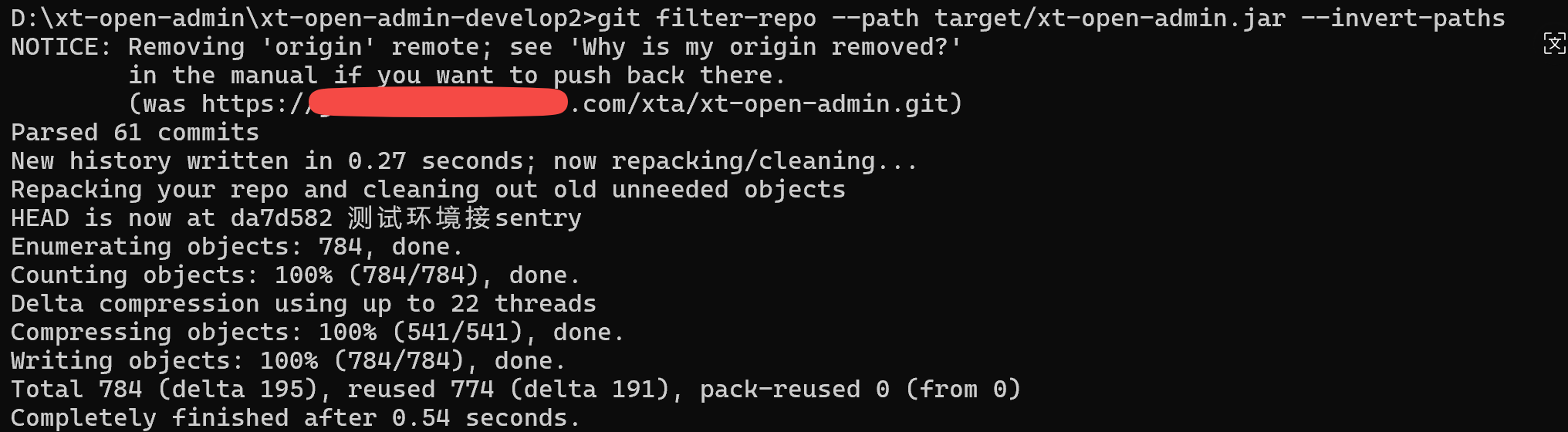
需要加个remote,
URL:https://xxx.com/xta/xt-open-admin (你的git地址)
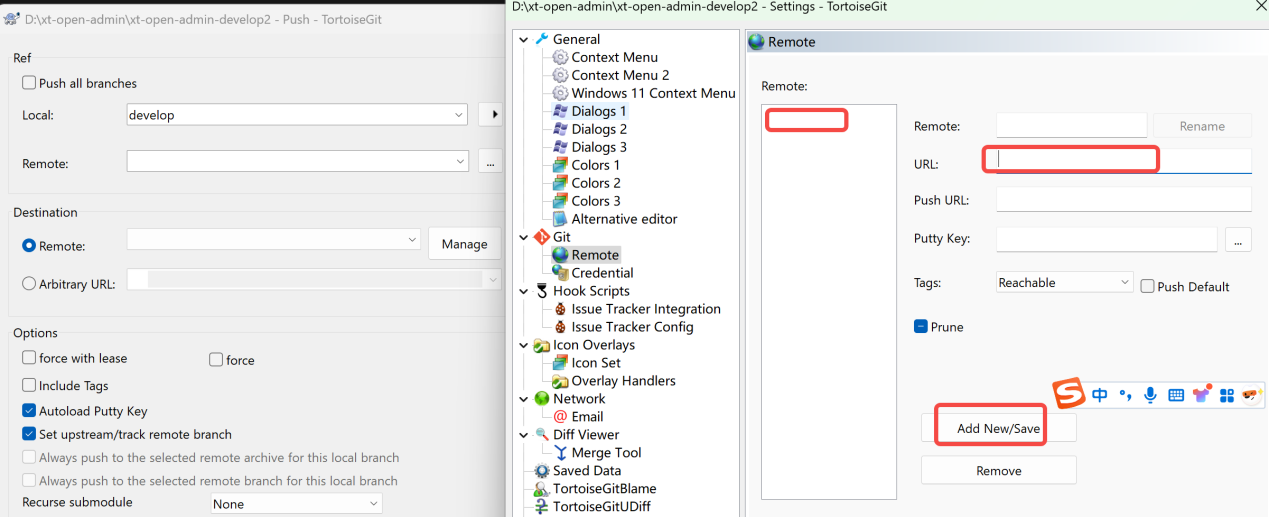
如果不能force push 则可临时打开配置:


腾讯云面向开发者汇聚海量精品云计算使用和开发经验,营造开放的云计算技术生态圈。
更多推荐
 5
5 0
0- 0


 已为社区贡献3条内容

所有评论(0)