ssh: connect to host github.com port 22: Connection timed out
文章摘要:当Git通过SSH连接GitHub时出现超时问题,可通过修改SSH配置改用443端口解决。具体步骤:1) 测试连接ssh -Tv git@github.com;2) 编辑/usr/local/etc/ssh_config文件,添加GitHub的443端口配置;3) 验证连接是否成功。该方法能绕过防火墙限制,恢复正常的Git远程仓库操作。配置生效后,终端会显示成功连接提示。(100字)
sztu@sztu:/data2/webServer/SZTUEnroll_student$ git pull
ssh: connect to host github.com port 22: Connection timed out
fatal: Could not read from remote repository.
Please make sure you have the correct access rights
and the repository exists.

二、解决方案
使用 SSH 443 端口(绕过防火墙)
1.查询链接情况以及详情
ssh -Tv git@github.com
sztu@sztu:/data2$ ssh -Tv git@github.com
OpenSSH_9.8p1, OpenSSL 3.0.13 30 Jan 2024
debug1: Reading configuration data /usr/local/etc/ssh_config
debug1: Authenticator provider $SSH_SK_PROVIDER did not resolve; disabling
debug1: Connecting to github.com [20.205.243.166] port 22.
使用SSH 443 端口
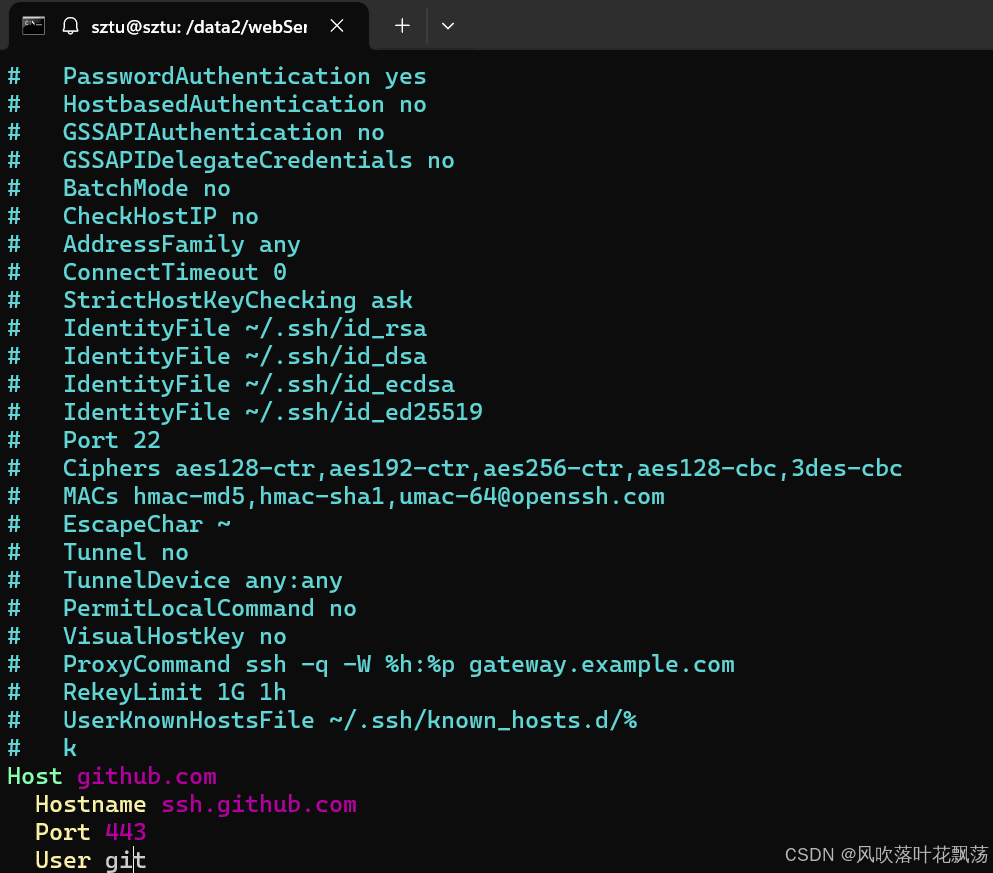
2.编辑 /usr/local/etc/ssh_config
在底部添加
Host github.com
  Hostname ssh.github.com
  Port 443
  User git
3.确定是否修改成功
ssh -Tv git@github.com
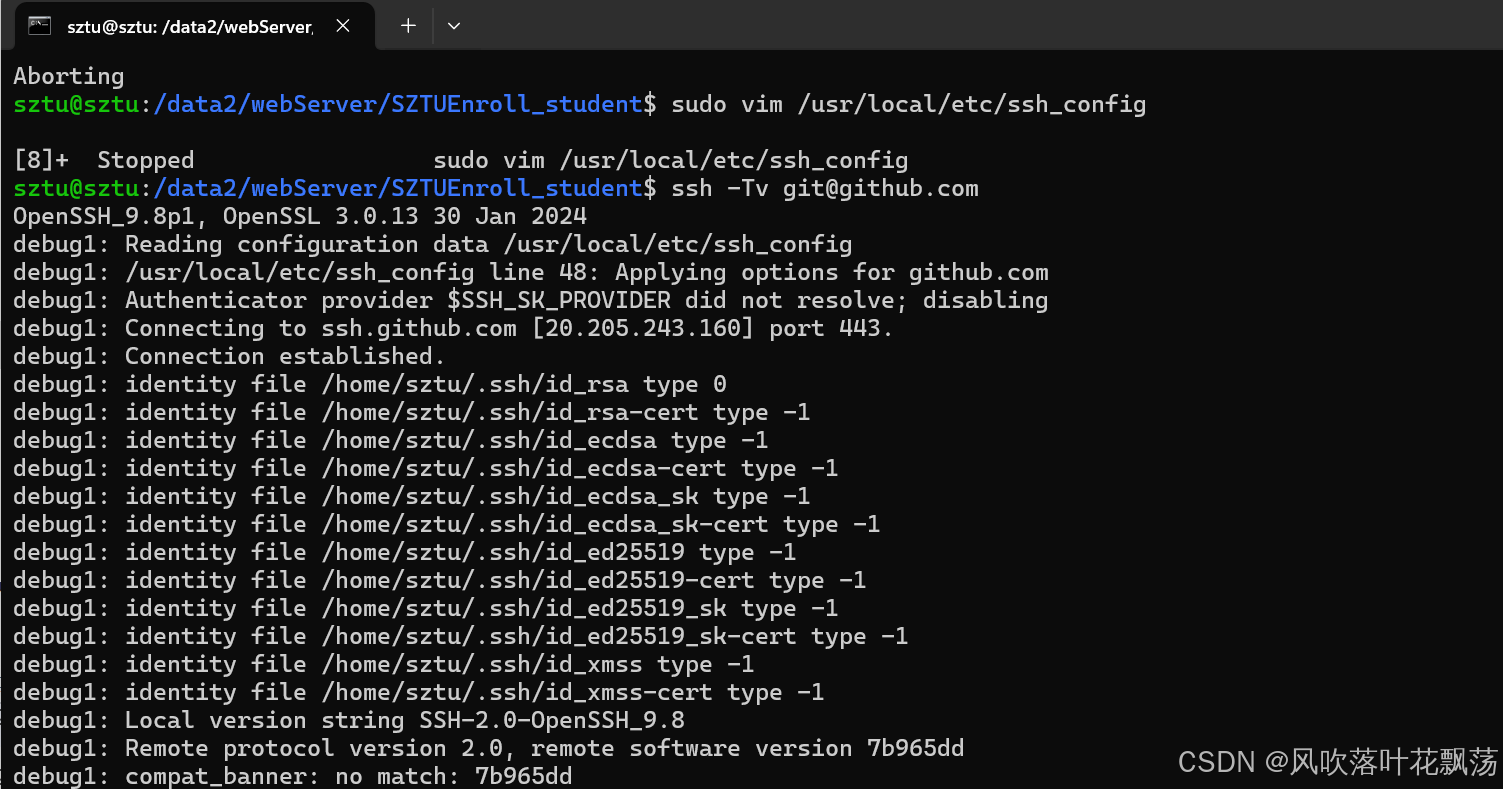
出现下面这些就调整完成

腾讯云面向开发者汇聚海量精品云计算使用和开发经验,营造开放的云计算技术生态圈。
更多推荐
 7
7 0
0- 0


 已为社区贡献4条内容

所有评论(0)