java解压带密码的rar与zip压缩文件的方法
·
一、java解压rar文件代码
1.首先,需要安装了winRAR工具,然后有一个UnRAR.exe可以用。
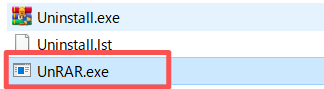
2.然后,java代码可以调用cmd命令来解压,代码如下。
import java.io.BufferedReader;
import java.io.InputStreamReader;

public class rarMain {
    public static void main(String[] args) {
        // 配置参数
        String rarFilePath = "C:\\example\\test.rar";      // RAR 文件路径
        String outputDir = "C:\\example\\output\\";         // 解压目标目录
        // 可以多个密码
        String[] passwords = {"1234561","123456"};                  // RAR 文件密码

        for(int i=0; i<passwords.length; i++){
            String password = passwords[i];
            try {
                String command = String.format(
                        "cmd /c \" \"C:\\Program Files\\WinRAR\\UnRAR.exe\" x -p%s -y \"%s\" \"%s\" \"",
                        password, rarFilePath, outputDir
                );
                //打印命令
                System.out.println(command);

                Process process = Runtime.getRuntime().exec(command);

                BufferedReader reader = new BufferedReader(
                        new InputStreamReader(process.getInputStream(), "MS932")
                );

                BufferedReader errorReader = new BufferedReader(
                        new InputStreamReader(process.getErrorStream(), "MS932")
                );

                StringBuilder infoSb = new StringBuilder();
                StringBuilder errorSb = new StringBuilder();

                String line;
                while ((line = reader.readLine()) != null) {
                    infoSb.append(line);
                }

                while ((line = errorReader.readLine()) != null) {
                    errorSb.append(line);
                }

                //System.out.println(infoSb.toString());
                //System.out.println(errorSb.toString());
                //乱码,难搞,总之是解密失败的意思
                //test.txt 的密???
                //正常是 test.txt 的密码错误
                if(errorSb.toString().contains("的密")){
                    System.out.println("解压失败");
                }else{
                    System.out.println("解压成功");
                    //成功就跳出循环
                    break;
                }

                process.waitFor();
                reader.close();
                errorReader.close();
            } catch (Exception e) {
                e.printStackTrace();
            }
        }

    }
}
3.说明
这个方法支持多个密码。
本人系统有乱码,因此只能勉强判断是否解压成功,不过也能根据有没有错误输出、判断成不成功,成功解压后没有错误输出的。(看编码,可以把 MS932 改成 GBK 试试)
如果解压不带密码的,就把cmd命令改下,去掉密码部分。
二、java解压zip文件代码
1.首先java自己不支持带密码的解压,需要引入jar包。(本人用的maven)
		<dependency>
			<groupId>net.lingala.zip4j</groupId>
			<artifactId>zip4j</artifactId>
			<version>2.11.5</version> <!-- 可查最新版本 -->
		</dependency>
2.然后代码如下:
import net.lingala.zip4j.ZipFile;
import net.lingala.zip4j.exception.ZipException;

import java.io.File;

public class zipMain {

    public static int unzipWithPassword(String zipPath, String destDir, String password) {
        try {
            ZipFile zipFile = new ZipFile(zipPath);
            if (zipFile.isEncrypted()) {
                zipFile.setPassword(password.toCharArray());
            }
            zipFile.extractAll(destDir);
            //System.out.println("解压完成!");
            return 0;
        } catch (ZipException e) {
            //System.err.println("解压失败: " + e.getMessage());
            return -1;
        }
    }

    public static void main(String[] args) {
        String zipPath = "C:/example/test.zip";
        String destDir = "C:/example/output/";
        //可以多个密码
        String[] passwords = {"1234561","123456"};
        for(int i=0; i<passwords.length; i++){
            String password = passwords[i];
            int code = unzipWithPassword(zipPath, destDir, password);
            if(code == 0){
                System.out.println("解压成功");
                //成功就跳出循环
                break;
            }else{
                System.out.println("解压失败");
            }
        }
    }
}
3.说明
用了jar包,比较简洁,也支持多个密码。
有判断,不带密码也能解压。
成功返回0,失败返回-1。

腾讯云面向开发者汇聚海量精品云计算使用和开发经验,营造开放的云计算技术生态圈。
更多推荐
 7
7 0
0- 0


 已为社区贡献10条内容

所有评论(0)