原生html+css+javascript实现左侧导航栏切换右侧内容
·
废话不多说,直接上效果图:
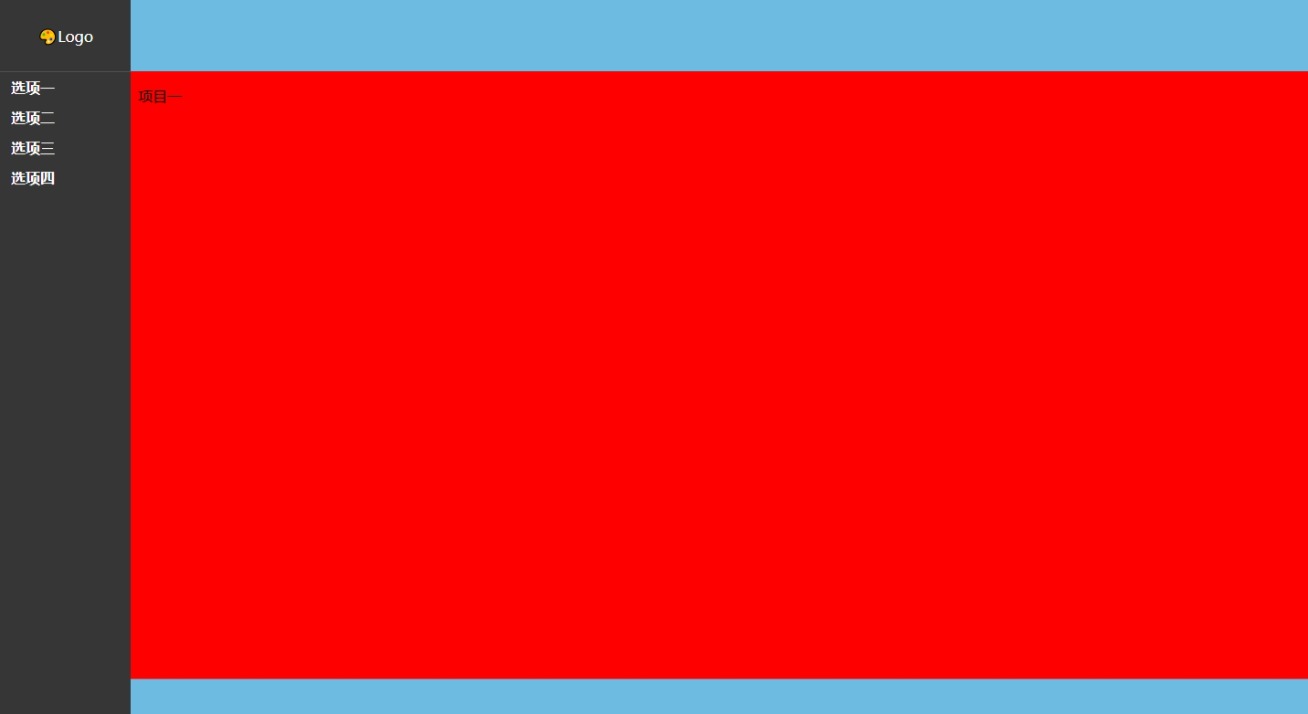
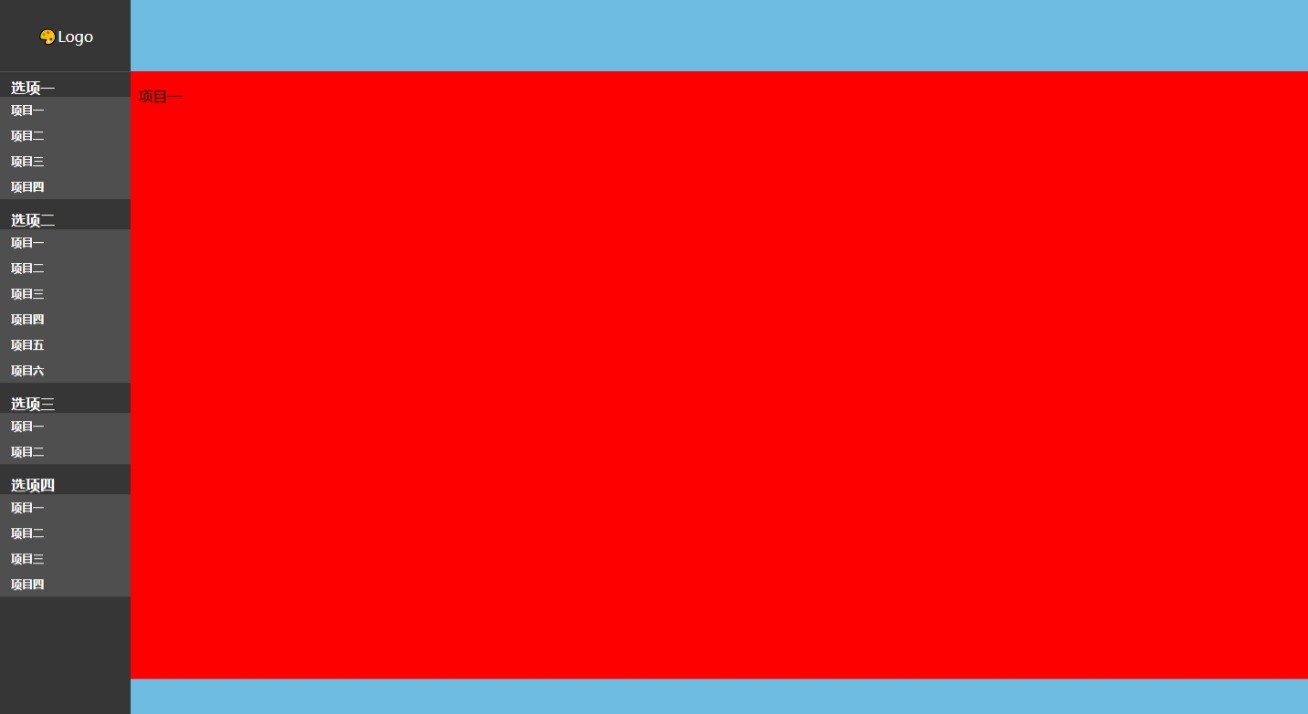
当点击左侧导航栏项目中的选项会展开看到项目
点击项目时右侧会切换内容
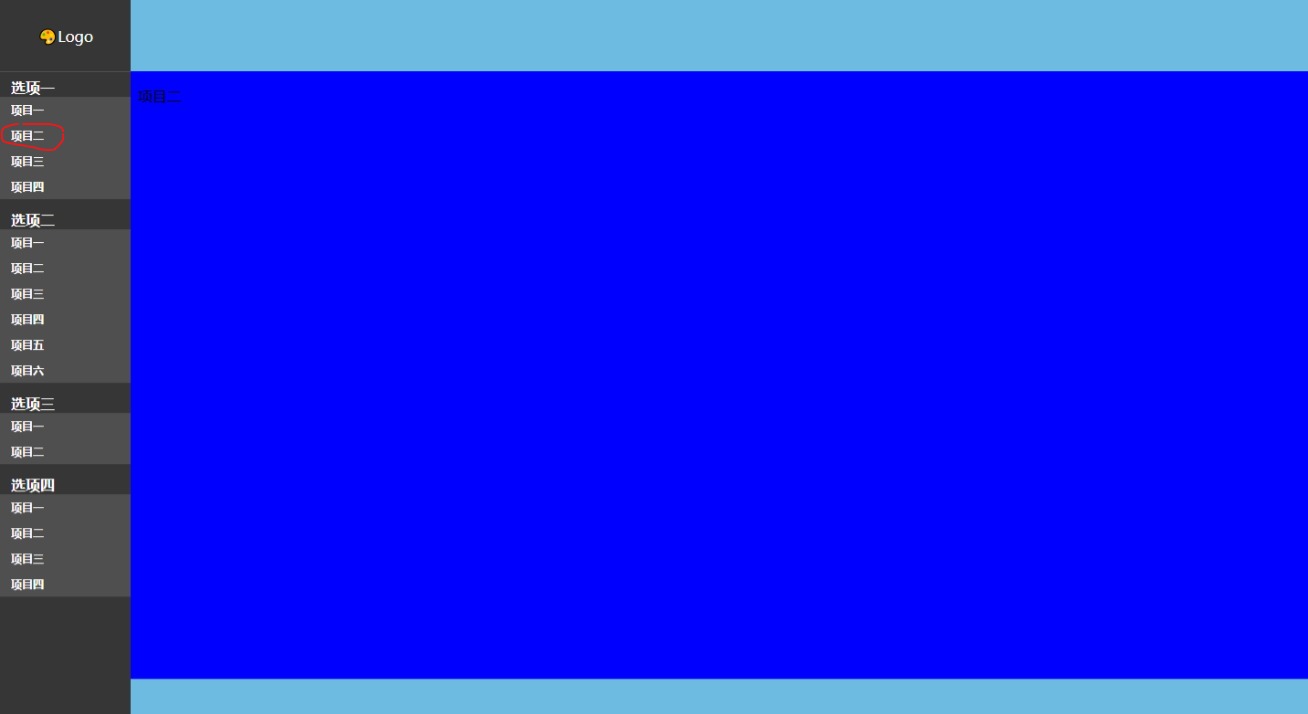
画圈的部分点击有高亮效果。
<!DOCTYPE html ">
<html>
  <head>
    <meta http-equiv="Content-Type" content="text/html; charset=UTF-8" />
    <title>系统左边折叠导航栏</title>
    <style>
      body {
        margin: 0;
        padding: 0;
        width: 100%;
        height: 100%;
        display: flex;
        justify-content: center;
        align-items: center;
      }

      /*设置导航每个主菜单的样式*/
      .main_nav {
        display: block;

        width: 100%;

        font-weight: bold;
        background-color: #363636;
        padding-top: 6px;
        padding-bottom: 6px;
      }
      li {
        list-style: none;

        background-color: white;
      }

      #globalLeft {
        width: 10%;
        height: 100%;
        display: flex;
        flex-direction: column;
        justify-content: top;
        align-items: center;
      }

      #globalLogo {
        width: 100%;
        height: 10%;
        background-color: #363636;
        display: flex;
        justify-content: center;
        align-items: center;
        color: white;
        font-size: 16px;
        border-bottom: 1px solid #525151;
      }

      #globalNav {
        width: 100%;
        height: 90%;
        background-color: #363636;
      }
      #globalMain {
        width: 90%;
        height: 100%;
        background-color: #a0a0a0;
        padding: 0;
      }
      a {
        text-decoration: none;
        color: white;
        padding: 6px;
        padding-left: 12px;
      }
      /*导航中每个子菜单的样式*/
      #globalNav ul li a {
        display: block;

        color: #fff;
        font-weight: bold;
        text-decoration: none;
      }
      #globalNav li ul li a {
        background: #4f4f4f;
        font-size: 12px;
        padding: 6px;
        padding-left: 12px;
      }
      #globalNav li ul li a:hover {
        background: #696969;
      }
      ul {
        padding: 0;
        margin: 0;
        background: #6dbbe1;
      }
      .d1 {
        width: 100%;
        height: 10%;
        background-color: #6dbbe1;
      }
      .d2 {
        width: 100%;
        height: 85%;
        background-color: white;
      }
      .d3 {
        width: 100%;
        height: 5%;
        background-color: #6dbbe1;
      }
      #iframeContent {
        width: 100%;
        height: 100%;
        border: 0;
      }
    </style>
    <script type="text/javascript">
      function initTree(t) {
        var tree = document.getElementById(t); //生成树

        tree.style.display = "none"; //设置样式为隐藏形式,不显示

        var lis = tree.getElementsByTagName("li");

        for (var i = 0; i < lis.length; i++) {
          //取出主要的导航栏
          lis[i].id = "li" + i;
          var uls = lis[i].getElementsByTagName("ul"); //子导航栏
          if (uls.length != 0) {
            uls[0].id = "ul" + i;
            uls[0].style.display = "none";
            var as = lis[i].getElementsByTagName("a"); //子导航栏的内容
            as[0].id = "a" + i;
            as[0].className = "folder";
            as[0].href = "#this";
            as[0].tget = uls[0];
            as[0].onclick = function () {
              openTag(this, this.tget);
            };
          }
        }
        tree.style.display = "block";
      }
      function openTag(a, t) {
        if (t.style.display == "block") {
          //点击一些展开,再点击一下折叠
          t.style.display = "none";
          a.className = "folder";
        } else {
          t.style.display = "block";
          a.className = "";
        }
      }
      window.onload = function () {
        initTree("globalNav");
      };
    </script>
  </head>
  <body id="index">
    <div id="globalLeft">
      <div id="globalLogo">🎨Logo</div>
      <div id="globalNav" class="globalNav">
        <li class="main_nav">
          <a class="a01" href="#">选项一</a>
          <ul>
            <li>
              <a href="#" data-page="item1.html" target="mainFrame">项目一</a>
            </li>
            <li>
              <a href="#" data-page="item2.html" target="mainFrame">项目二</a>
            </li>
            <li>
              <a href="#" data-page="item3.html" target="mainFrame">项目三</a>
            </li>
            <li>
              <a href="#" data-page="item4.html" target="mainFrame">项目四</a>
            </li>
          </ul>
        </li>
        <li class="main_nav">
          <a class="a01" href="#">选项二</a>
          <ul>
            <li><a href=" " target="mainFrame">项目一</a></li>
            <li><a href=" " target="mainFrame">项目二</a></li>
            <li><a href=" " target="mainFrame">项目三</a></li>
            <li><a href=" " target="mainFrame">项目四</a></li>
            <li><a href=" " target="mainFrame">项目五</a></li>
            <li><a href=" " target="mainFrame">项目六</a></li>
          </ul>
        </li>
        <li class="main_nav">
          <a class="a01" href="#">选项三</a>
          <ul>
            <li><a href=" " target="mainFrame">项目一</a></li>
            <li><a href=" " target="mainFrame">项目二</a></li>
          </ul>
        </li>
        <li class="main_nav">
          <a class="a01" href="#">选项四</a>
          <ul>
            <li><a href=" " target="mainFrame">项目一</a></li>
            <li><a href=" " target="mainFrame">项目二</a></li>
            <li><a href=" " target="mainFrame">项目三</a></li>
            <li><a href=" " target="mainFrame">项目四</a></li>
          </ul>
        </li>
      </div>
    </div>

    <div id="globalMain">
      <div class="d1"></div>

      <div class="d2">
        <iframe id="iframeContent" src="item1.html"></iframe>
      </div>
      <script>
        document.addEventListener("DOMContentLoaded", function () {
          var links = document.querySelectorAll(".globalNav ul li a"); // 获取所有链接
          links.forEach(function (link) {
            // 为每个链接添加点击事件监听器
            link.addEventListener("click", function (e) {
              // 阻止默认行为并更改iframe的src属性
              e.preventDefault(); // 阻止链接的默认跳转行为
              var page = this.getAttribute("data-page"); // 获取data-page属性值
              document.getElementById("iframeContent").src = page; // 更改iframe的src属性
            });
          });
        });
      </script>

      <div class="d3"></div>
    </div>
  </body>
</html>
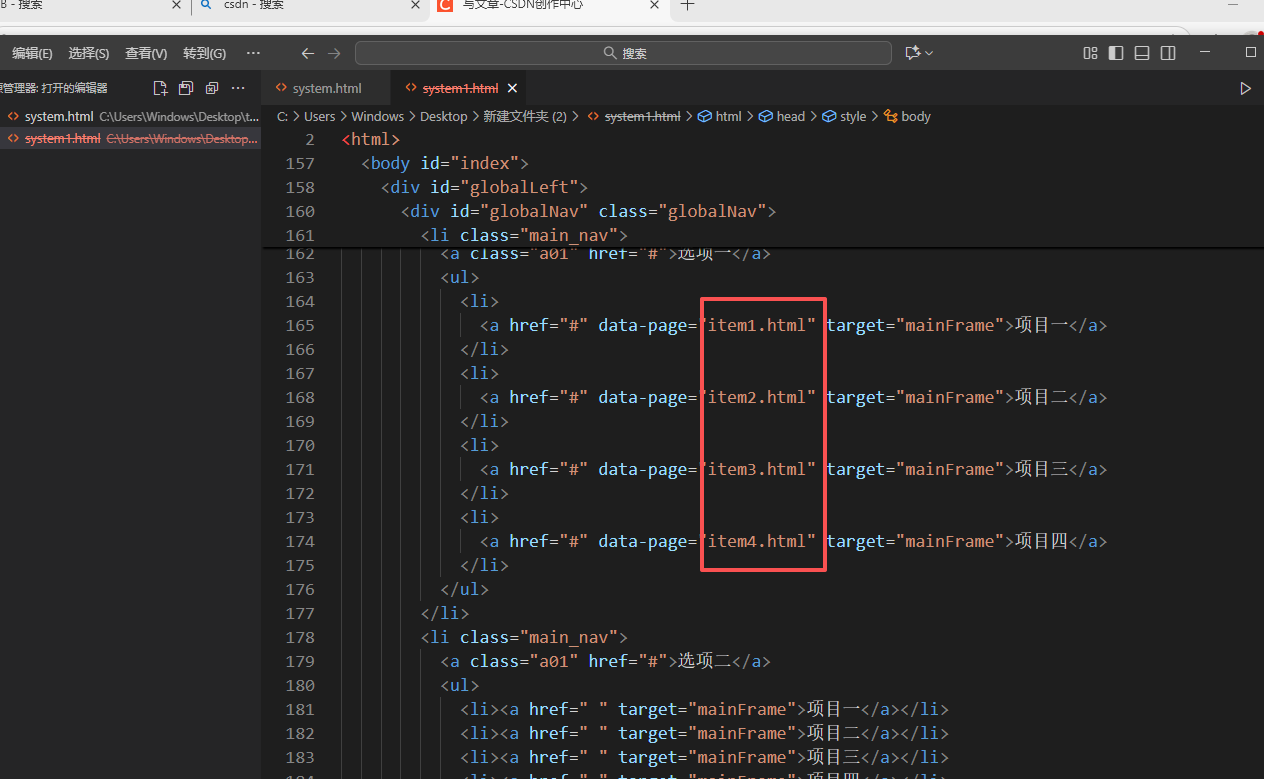
这里面item1.html,item2.htm,litem3.html,item4.html
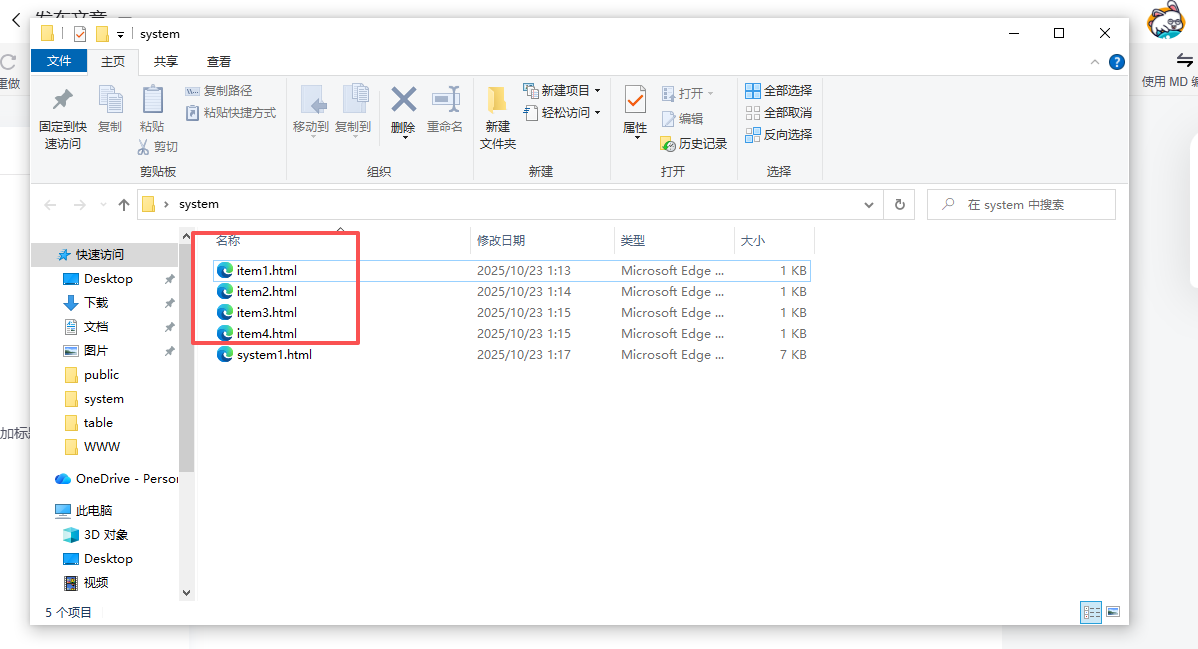
这四个文件里面的内容就是.html文件,内容自己发挥。修改画方框里的data-page内容,就会实现右面切换内容了,下面是item1的代码,其他的自己创建,改个名字。
<!DOCTYPE html>
<html lang="en">
  <head>
    <meta charset="UTF-8" />
    <meta name="viewport" content="width=device-width, initial-scale=1.0" />
    <title>Document</title>
<style>
body{

background:red;

}
</style>
  </head>
  <body>
    <p>项目一</p>
  </body>
</html>
直接粘代码,运行看一下效果,肯定有惊喜。

腾讯云面向开发者汇聚海量精品云计算使用和开发经验,营造开放的云计算技术生态圈。
更多推荐
 3
3 0
0- 0


 已为社区贡献1条内容

所有评论(0)