vscode python debug方式
根据模版文件,把要debug的命令行代码文件给GPT,让GPT改写成lauch.json的格式即可debug。然后可以看到在当前项目下创建一个了launch.json的文件。找到vscode左侧的debug案件,新建。点击创建launch.json文件。
·
找到vscode左侧的debug案件,新建
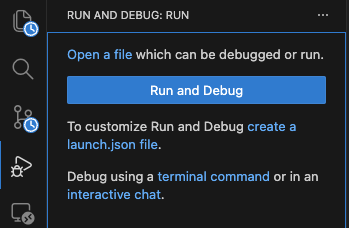
点击创建launch.json文件
然后可以看到在当前项目下创建一个了launch.json的文件
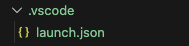
现在需要根据要跑的代码修改aunch.json文件内容:
使用下面代码查看python位置:
which pythonlauch.json的模板文件:
{
    "version": "0.2.0",
    "configurations": [
        {
            "name": "Debug Name",
            "type": "python",
            "request": "launch",
            "program": "${workspaceFolder}/train.py",
            "console": "integratedTerminal",
            "justMyCode": false,
            "env": {
                "CUDA_VISIBLE_DEVICES": "0",
            },
            "args": [
                "--traj_cons",
                "--rgb_pad", "10",
                "--gripper_pad", "4",
                "--gradient_accumulation_steps", "4",
            ],
            "python": "/home/xxx/miniconda3/envs/dreamvla/bin/python",
            "cwd": "${workspaceFolder}",
            "debugOptions": [
                "RedirectOutput"
            ]
        }
    ]
}
根据模版文件,把要debug的命令行代码文件给GPT,让GPT改写成lauch.json的格式即可debug

腾讯云面向开发者汇聚海量精品云计算使用和开发经验,营造开放的云计算技术生态圈。
更多推荐
 2
2 0
0- 0


 已为社区贡献3条内容

所有评论(0)