python安装matplotlib库报错
·
问题描述:安装matplotlib库报错
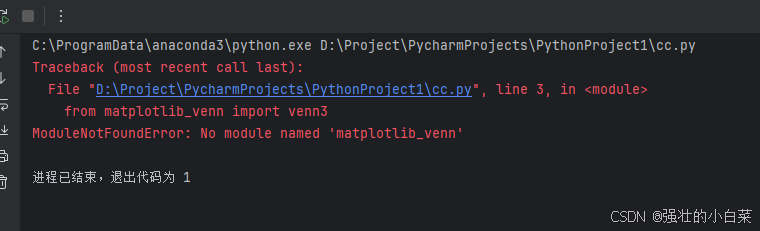
解决方案步骤
1、以管理员身份运行终端
Windows:右键点击 命令提示符 或 PowerShell → 以管理员身份运行
Mac/Linux:在终端前加 sudo
2. 手动激活环境
:: 进入Anaconda安装目录
cd C:\ProgramData\anaconda3

:: 激活基础环境
call .\Scripts\activate.bat
3. 添加conda-forge频道
conda config --add channels conda-forge
conda config --set channel_priority strict
4. 执行安装命令
conda install -p C:\ProgramData\anaconda3 matplotlib-venn -y

腾讯云面向开发者汇聚海量精品云计算使用和开发经验,营造开放的云计算技术生态圈。
更多推荐
 2
2 0
0- 0


 已为社区贡献1条内容

所有评论(0)