docker运行容器报错:library initialization failed - unable to allocate file descriptor table - out of memor
·
library initialization failed - unable to allocate file descriptor table - out of memory
我这里在运行tomcat容器时候报错
运行命令为
docker run -d -p 8081:8080 --name tomcat81 billygoo/tomcat8-jdk8

解决办法
设置一下docker的句柄分配选项
执行
systemctl status docker
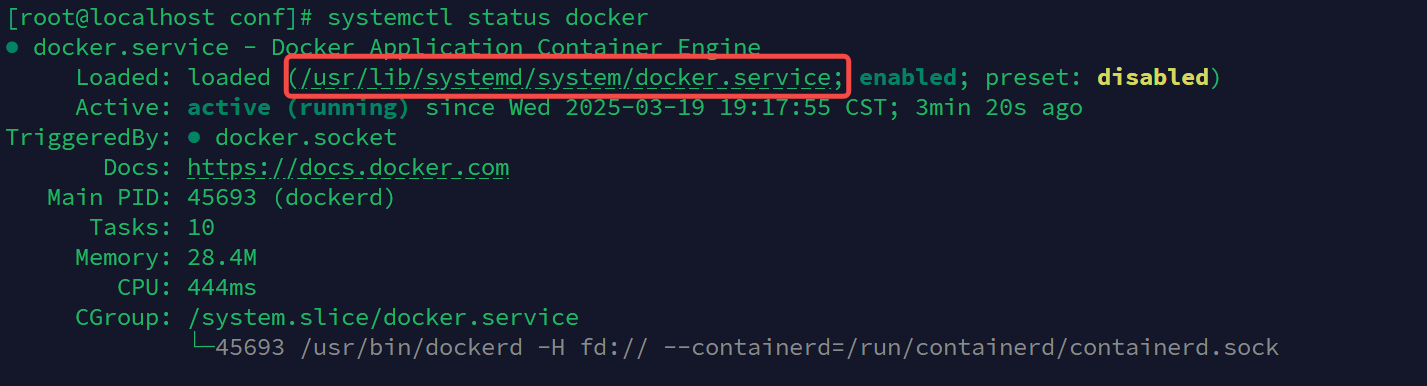
可以看到文件位置
然后编辑该文件
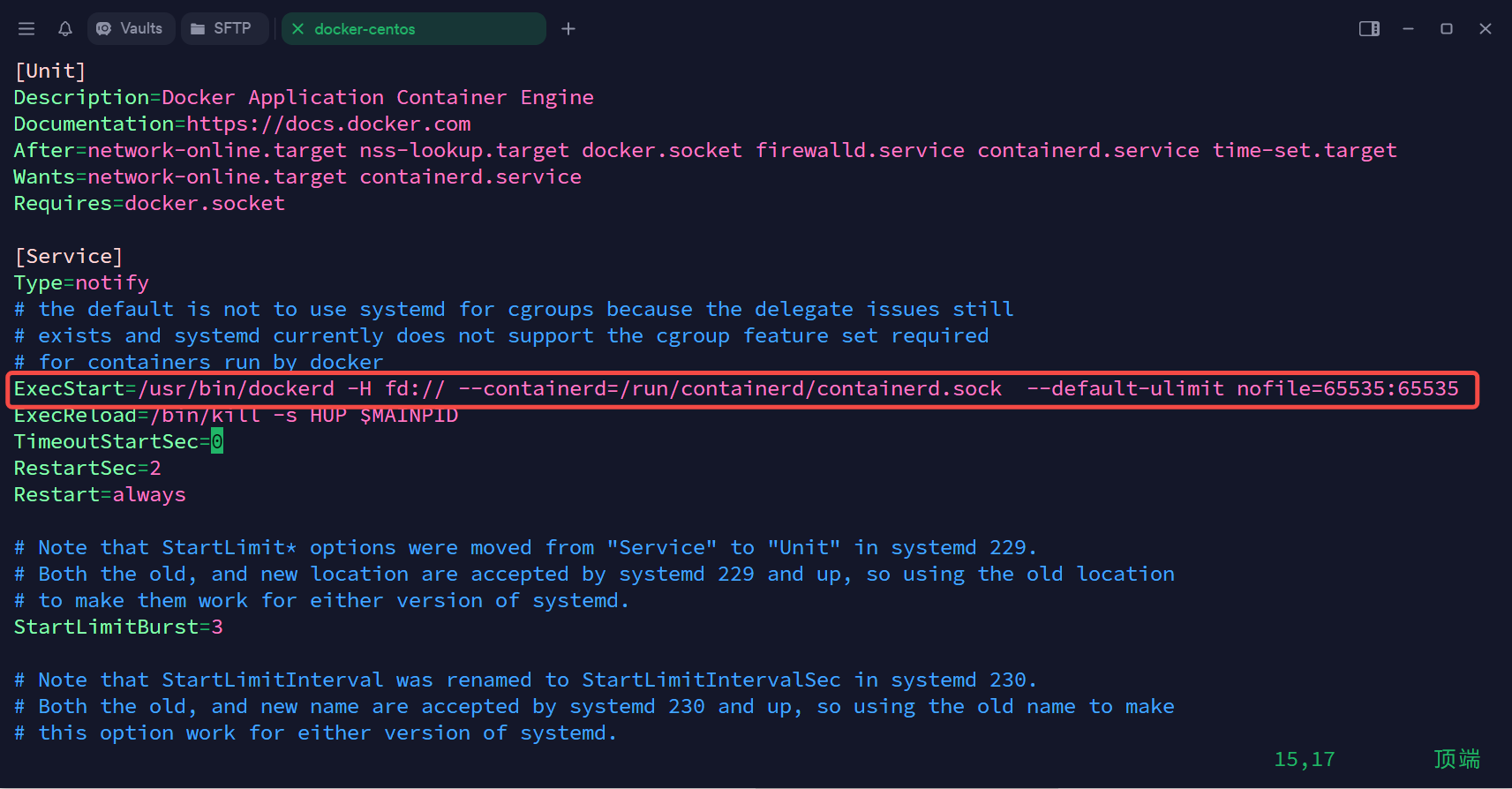
在ExecStart这一行末尾加上
--default-ulimit nofile=65535:65535
效果如图
报错退出,重启docker
systemctl daemon-reload
systemctl restart docker
重新启动之前失败的容器
成功启动!

放松一下


腾讯云面向开发者汇聚海量精品云计算使用和开发经验,营造开放的云计算技术生态圈。
更多推荐
 4
4 0
0- 0


 已为社区贡献5条内容

所有评论(0)