git克隆报错Unable to negotiate with 主机 端口: no matching host key type found. Their offer: ssh-rsa,ssh-dss
·
在添加完ssh,准备从仓库克隆代码的时候,遇到报错如下:
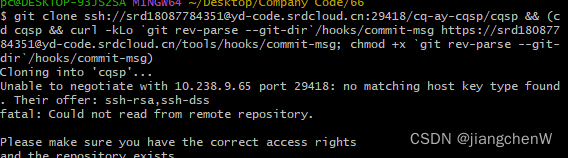
解决办法:修改ssh配置文件。
首先找到git的安装目录,一般在 \Program Files\Git\etc\ssh,找到config配置文件
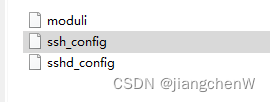
使用文本的方式打开,在最后添加如下代码:
Host *
    KexAlgorithms +diffie-hellman-group1-sha1
    HostkeyAlgorithms +ssh-dss,ssh-rsa
    PubkeyAcceptedKeyTypes +ssh-dss,ssh-rsa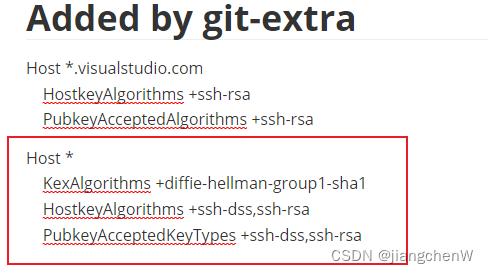
再次尝试克隆,遇到报错如下:
The authenticity of host 'xxx:29418 ([xxx]:29418)' can't be established.
DSA key fingerprint is SHA256:Ouy6ZM+UDuQGMdUhPKqOgtQO+tnPoOn3ZdvXVVHSelc.
This key is not known by any other names.
Are you sure you want to continue connecting (yes/no/[fingerprint])? fatal: Could not read from remote repository.
出现这种情况一般有两个原因,一个是第一次登录云服务器,另一个是主机key发生了变化,解决方法很简单,输入yes,然后回车即可。
随后,成果克隆代码!

腾讯云面向开发者汇聚海量精品云计算使用和开发经验,营造开放的云计算技术生态圈。
更多推荐
 10
10 0
0- 0


 已为社区贡献1条内容

所有评论(0)