【Unity开发小技巧】UnityPackageManager 通过Install package from git URL.失败报错“找不到Git”和“网络访问失败”:
我在用UnityPackageManager 通过Install package from git URL下载package的时候报错以下错误:Error when executing git command. fatal: unable to access ‘https://github.com/focus-creative-games/hybridclr_unity.git/’: Recv f
目录
一、No ‘git‘ executable was found,找不到“Git”
二、 Recv failure: Connection was reset网络问题不能访问下载
一、No ‘git‘ executable was found,找不到“Git”
1、问题描述
报错内容:No ‘git‘ executable was found. Please install Git on your system then restart。
我在使用UnityPackageManager 通过Install package from git URL..安装插件的时候提示以上报错,
2、解决方法
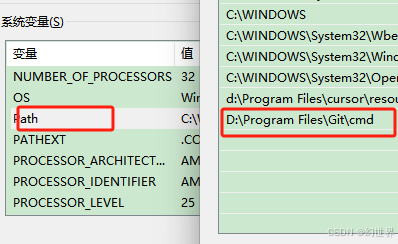
下载安装Git https://git-scm.com/downloads,如果已经安装过查看一下环境变量配置是否正确。
如果初次安装Git并配置环境变量后,建议重启电脑再开项目。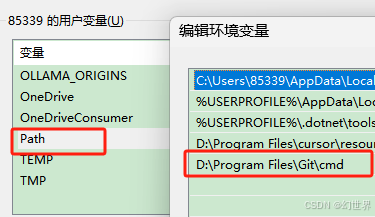
二、 Recv failure: Connection was reset网络问题不能访问下载
1、问题描述:
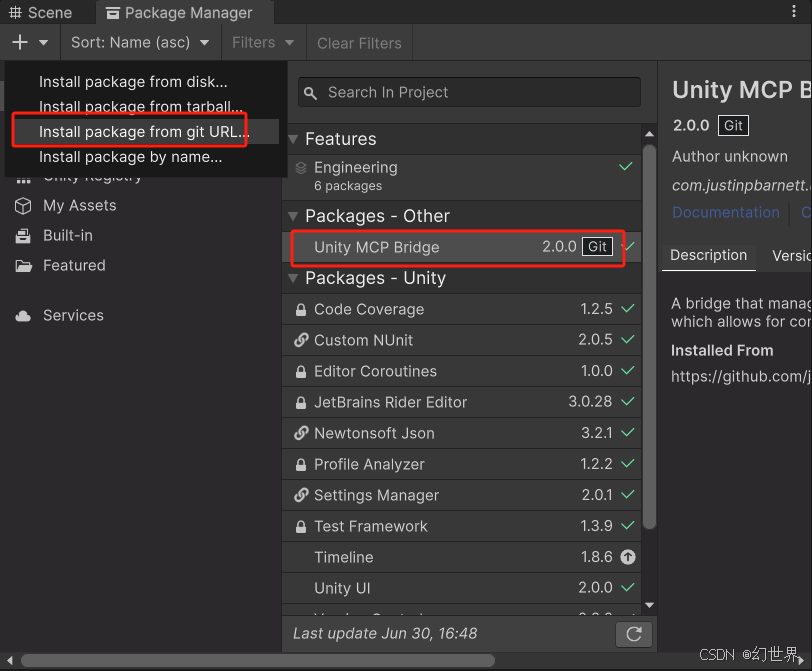
我在用UnityPackageManager 通过Install package from git URL下载package的时候报错以下错误:
Error when executing git command. fatal: unable to access ‘https://github.com/focus-creative-games/hybridclr_unity.git/’: Recv failure: Connection was reset. A re-import of the project may be required to fix the issue or a manual modification of D:/xxxx/Packages/manifest.json file。。。
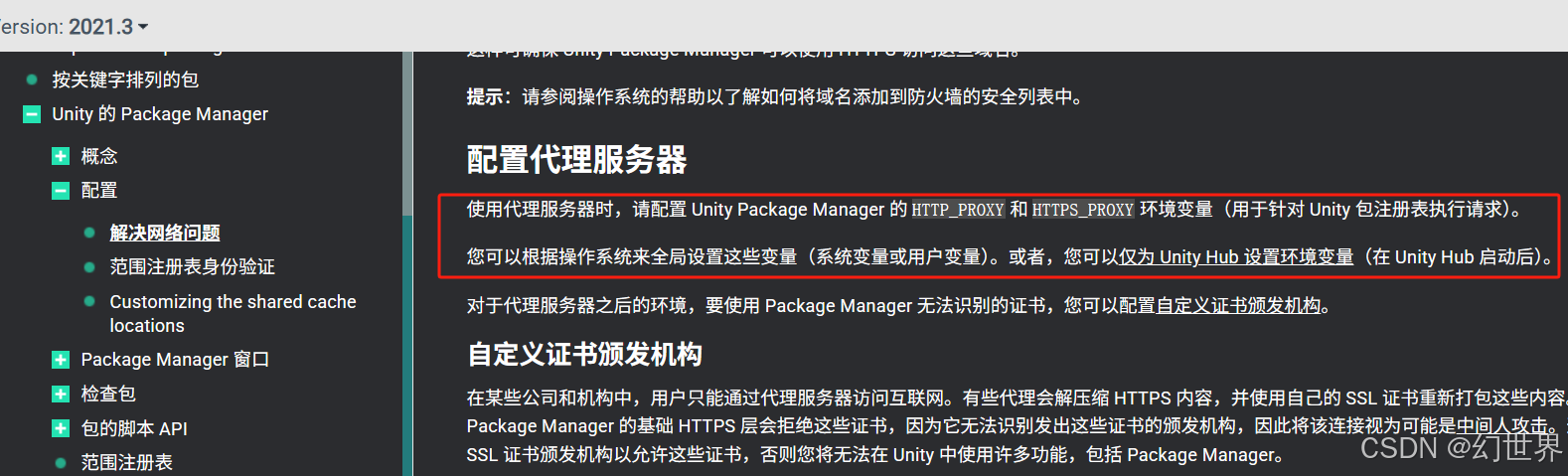
经查阅资料发现我VPN的代理IP地址和端口需要添加到环境变量里面。
https://docs.unity3d.com/cn/current/Manual/upm-config-network.html
2、解决方法
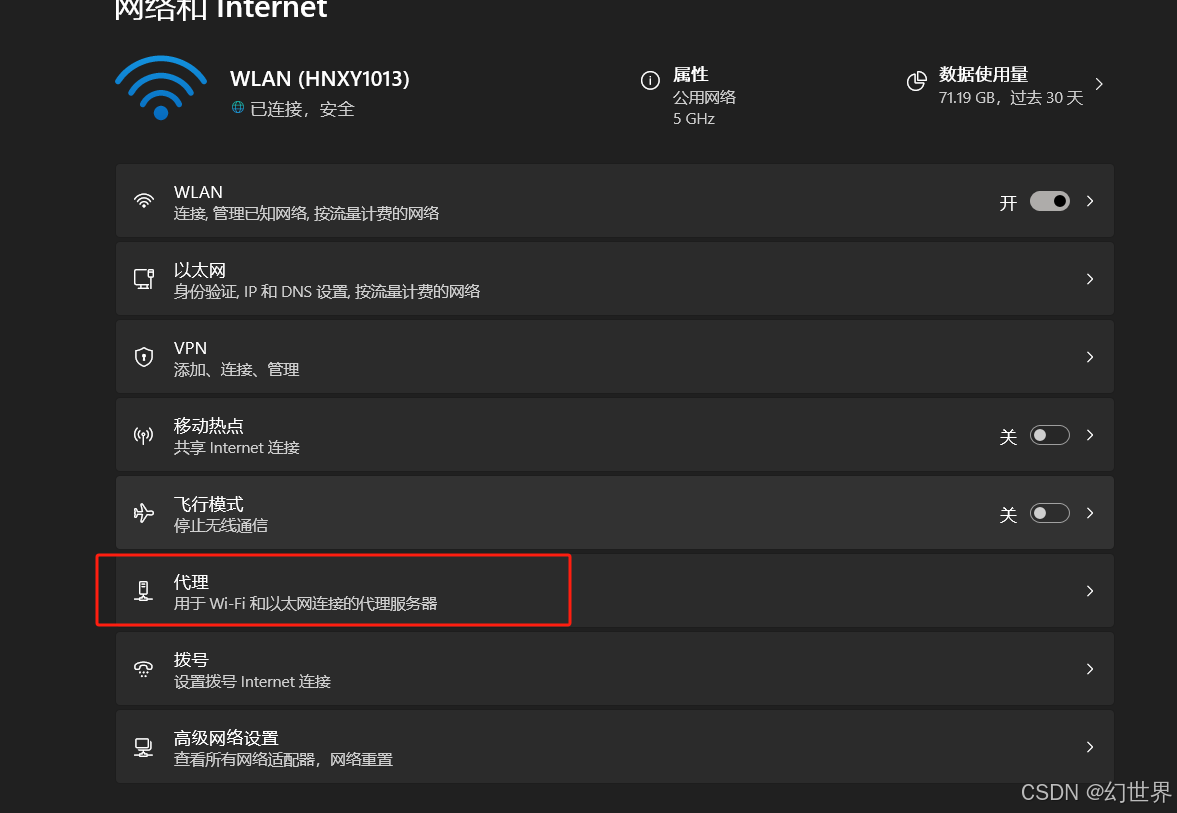
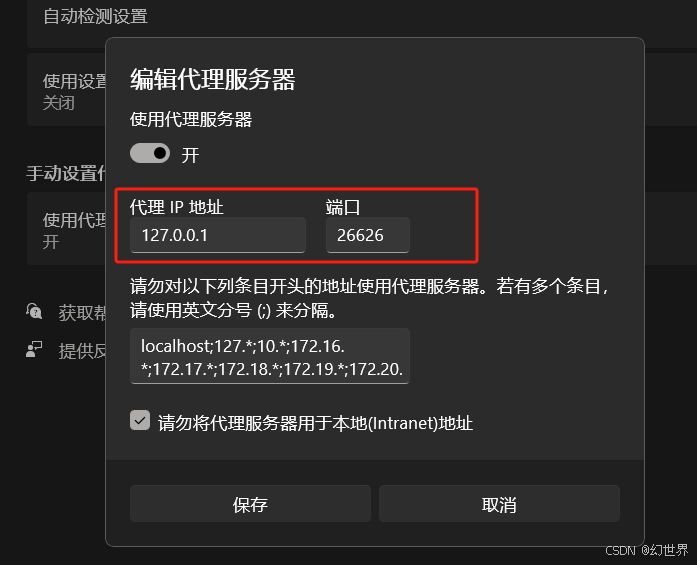
1、打开网络设置获取当前的VPN代理IP和端口。
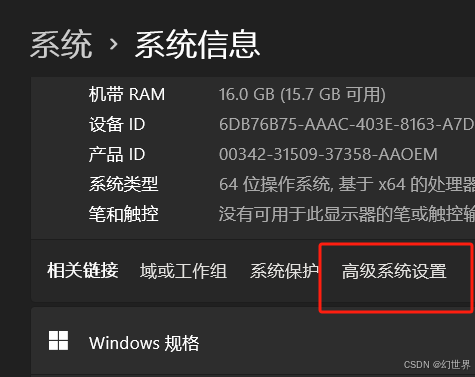
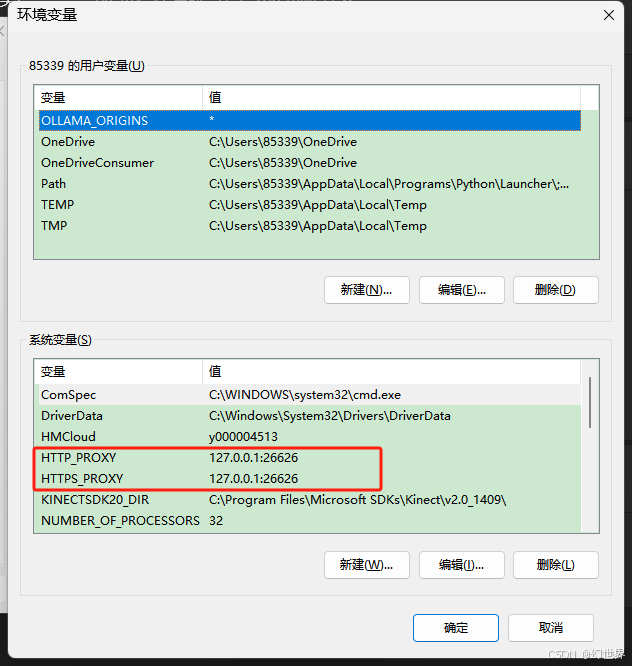
2、 高级系统设置环境变量
变量名:HTTP_PROXY 变量值:ip:端口
变量名:HTTPS_PROXY 变量值:ip:端口
然后保存
3、再次启动下载成功了

腾讯云面向开发者汇聚海量精品云计算使用和开发经验,营造开放的云计算技术生态圈。
更多推荐
 7
7 0
0- 0


 已为社区贡献1条内容

所有评论(0)