gitlab 在centos7 下的安装和基本使用
gitlab 和 git Runner 下载的地址
https://packages.gitlab.com/gitlab/gitlab-ce
https://packages.gitlab.com/runner/gitlab-runner/packages/el/7/gitlab-runner-17.11.1-1.x86_64.rpm
安装前置
sudo firewall-cmd --permanent --add-service=http
sudo firewall-cmd --permanent --add-service=https
sudo firewall-cmd --reload
生产环境上需要配置iptables 的端口规则配置
安装gitlab 需要的依赖
sudo yum install -y curl policycoreutils-python openssh-server
# 添加GitLab官方仓库
curl https://packages.gitlab.com/install/repositories/gitlab/gitlab-ee/script.rpm.sh | sudo bash
# 或者使用清华镜像源(推荐国内用户)
cat > /etc/yum.repos.d/gitlab-ce.repo << 'EOF'
[gitlab-ce]
name=GitLab CE Repository
baseurl=https://mirrors.tuna.tsinghua.edu.cn/gitlab-ce/yum/el$releasever/
gpgcheck=0
enabled=1
EOF
离线上传 安装
rpm -ivh gitlab-ce-17.1.1-ce.0.el7.x86_64.rpm
完成之后 显示如下提示信息 需要修改配置文件 添加host 域名或者ip 地址
_______ __ __ __
/ ____(_) /_/ / ____ _/ /_
/ / __/ / __/ / / __ `/ __ \
/ /_/ / / /_/ /___/ /_/ / /_/ /
\____/_/\__/_____/\__,_/_.___/
Thank you for installing GitLab!
GitLab was unable to detect a valid hostname for your instance.
Please configure a URL for your GitLab instance by setting `external_url`
configuration in /etc/gitlab/gitlab.rb file.
Then, you can start your GitLab instance by running the following command:
sudo gitlab-ctl reconfigure
修改配置文件
vim /etc/gitlab/gitlab.rb 的这个配置项 external_url 修改为自己的ip地址或者域名
使配置生效
sudo gitlab-ctl reconfigure
cat /etc/gitlab/initial_root_password 查看临时密码
Password: FvHNAv4YgrLi9J2Nr+oTJEOcajgGiWHew/G0OzltVy8=
登录:
http://192.168.88.128/
root 用户名
FvHNAv4YgrLi9J2Nr+oTJEOcajgGiWHew/G0OzltVy8= 密码
修改密码 #wa23456
GitLab 中禁止用户注册
vim /etc/gitlab/gitlab.rb
在文件中,找到以 gitlab_rails\‘initial_root_password 开头的行
需要找到或添加以下配置项
# 禁止新用户注册
gitlab_rails['initial_root_password‘] = "#wa23456" # 确保root密码已设置
网上搜了两种都不生效
gitlab_rails['gitlab_signup_enabled'] = false
gitlab_rails['gitlab_signin_enabled'] = true # 保持登录功能开启
gitlab_rails['signup_enabled'] = false
gitlab_rails['signin_enabled'] = true # 保持登录功能开启
重新配置
sudo gitlab-ctl reconfigure
重启服务
sudo gitlab-ctl restart
最终方案 使用管理员账号登录(去掉用户注册功能)
要在 GitLab 中关闭用户注册功能,你可以按照以下步骤进行操作:
- 登录 GitLab 管理界面。
- 点击顶部导航栏的 Admin Area 或直接访问 设置 菜单。
- 在左侧导航栏中找到并点击 Settings,然后打开General。
- 在 Sign-in restrictions 或类似部分中,找到 Sign-up enabled选项。
- 取消勾选 Sign-up enabled,然后点击 Save Changes。
完成这些步骤后,用户注册功能将被禁用,注册选项卡将从 GitLab 登录页面中消失。
这样,新用户将无法再注册到你的 GitLab 实例中。
其他常用命令
# 启动所有服务
sudo gitlab-ctl start
# 停止所有服务
sudo gitlab-ctl stop
# 重启所有服务
sudo gitlab-ctl restart
# 查看服务状态
sudo gitlab-ctl status
# 重新配置
sudo gitlab-ctl reconfigure
禁止升级提醒
gitlab_rails['auto_deploy'] = false
随便添加几个用户
#wa23456 root
#wa1234567 Lei.Wang
YiFei.Liu #ssW123v
=====================================================
git 常用命令
git checkout -b test001 切换分支
git push --set-upstream origin test001m 推送代码变更到对应分支
git status 查看变更状态
代码回退到指定的提交
git checkout <branch-or-commit-hash> -- <file-name>
git switch <branch-name> (switch to a branch) 切换到指定分支
git switch -c <new-branch-name> (create and switch to a new branch) 创建并切换到指定的新分支
git restore <file-name> (discard unstaged changes) 放弃当前提交的文件变更
git restore --source <branch-or-commit> <file-name> (restore a file from another source) 将某个文件回退到指定的版本
git fentch 拉取最新的分支
设置 当前git 中的全局名称和邮件
# Set global user name
git config --global user.name "Your Name"
# Set global user email
git config --global user.email "your.email@example.com"
指定特定分支的用户和邮箱
setting the user for just one project.
# Navigate to your repository first
cd /path/to/your/repo
# Set user name
git config user.name "Your Name"
# Set user email
git config user.email "your.email@example.com"
How to Check Your Current Configuration
To see what user is configured at each level:
# Check all configuration (shows everything)
git config --list
# Check specific level
git config --local --list # Current repository only
git config --global --list # Global configuration
git config --system --list # System configuration
# Check specific values
git config user.name # Shows current repo's user name
git config user.email # Shows current repo's user email
git config --global user.name # Shows global user name
Priority Order
Git checks configuration in this order (later overrides earlier):
Local (repository-specific) ← Highest priority
Global (user-specific)
System (system-wide) ← Lowest priority
# Set your global default (personal email)
git config --global user.name "John Doe"
git config --global user.email "john@personal.com"
# For a work project, set local configuration
cd /projects/work-project
git config user.name "John Doe"
git config user.email "john.doe@company.com"
# Verify the settings
git config user.email
# Output: john.doe@company.com (uses local config)
cd /projects/personal-project
git config user.email
# Output: john@personal.com (falls back to global config)
git add . 添加当前目录的变更
git commit -m "提交说明"
git push 推送
==========================================
使用超级管理员登录
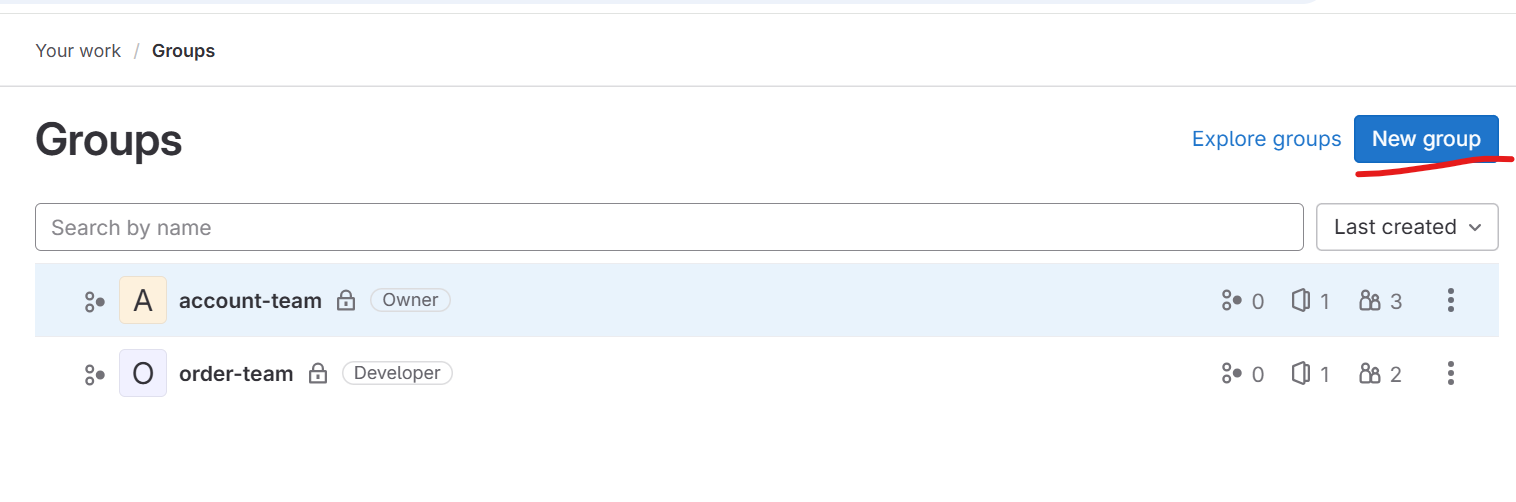
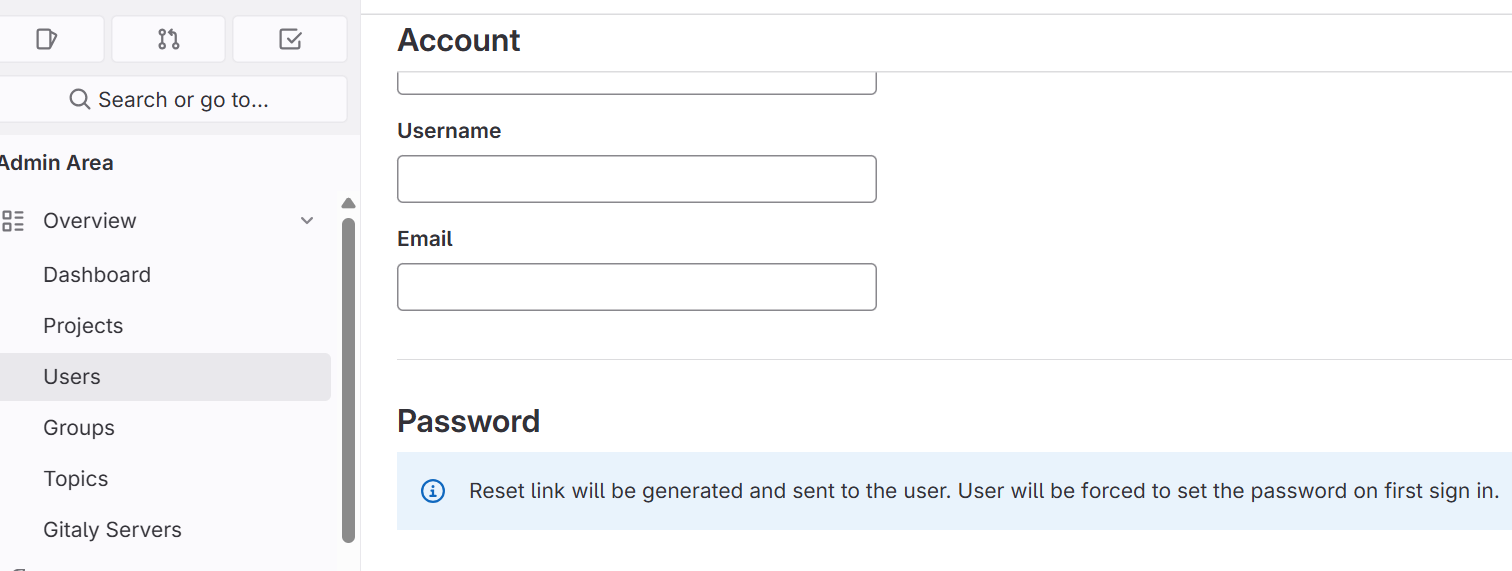
点击Aadmin Area 分别创建 project group 和 user
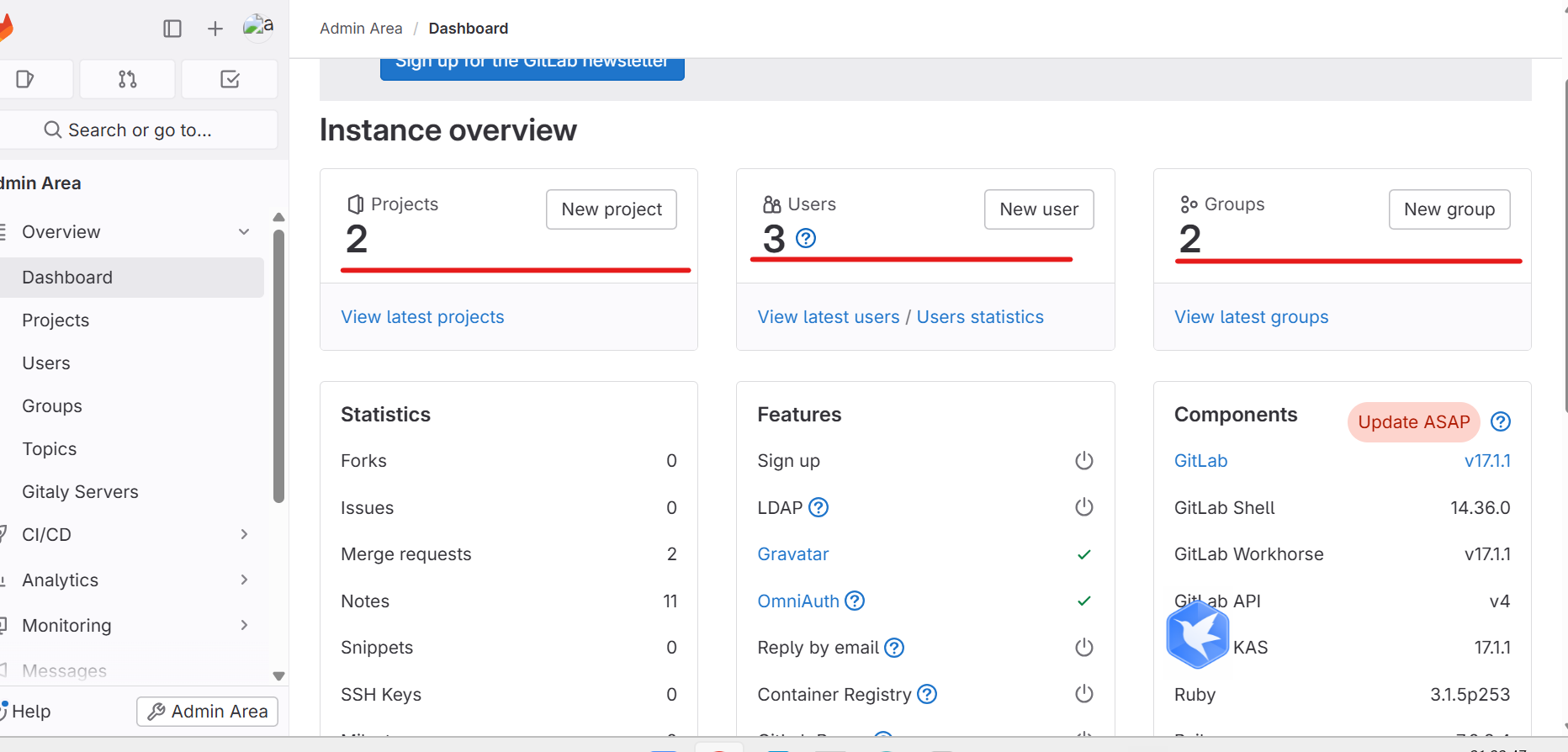
create group
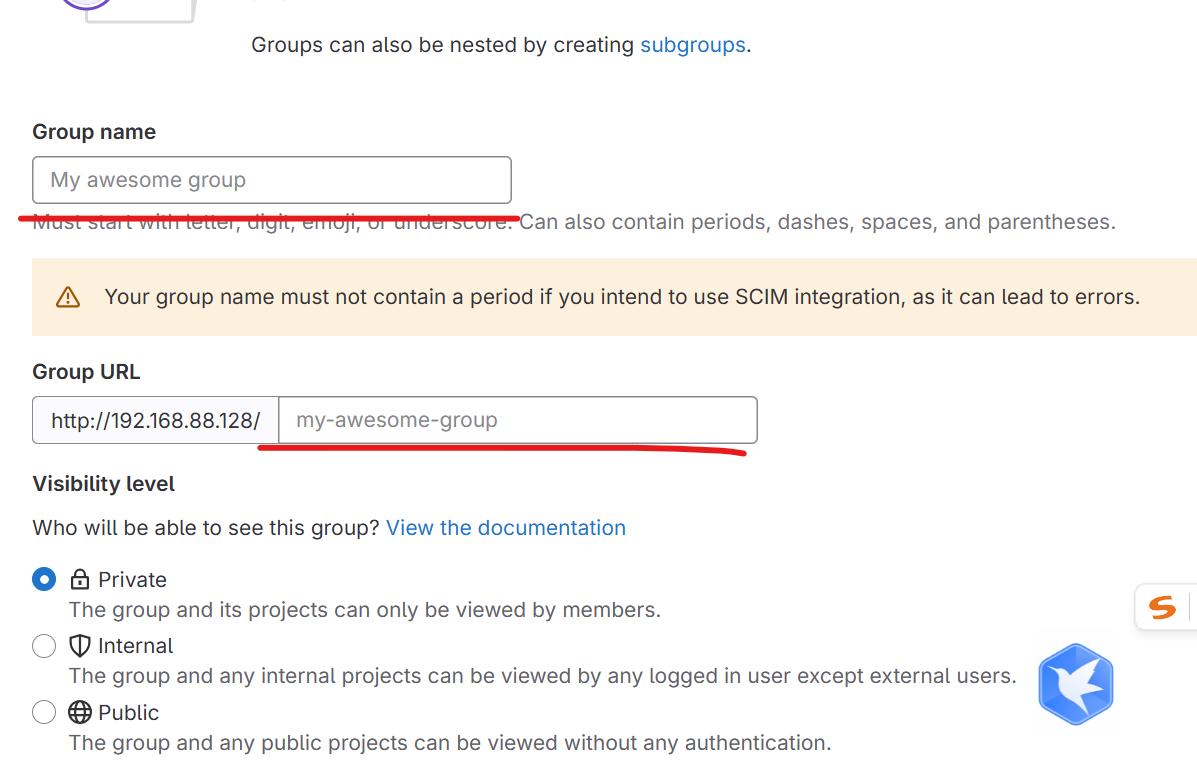
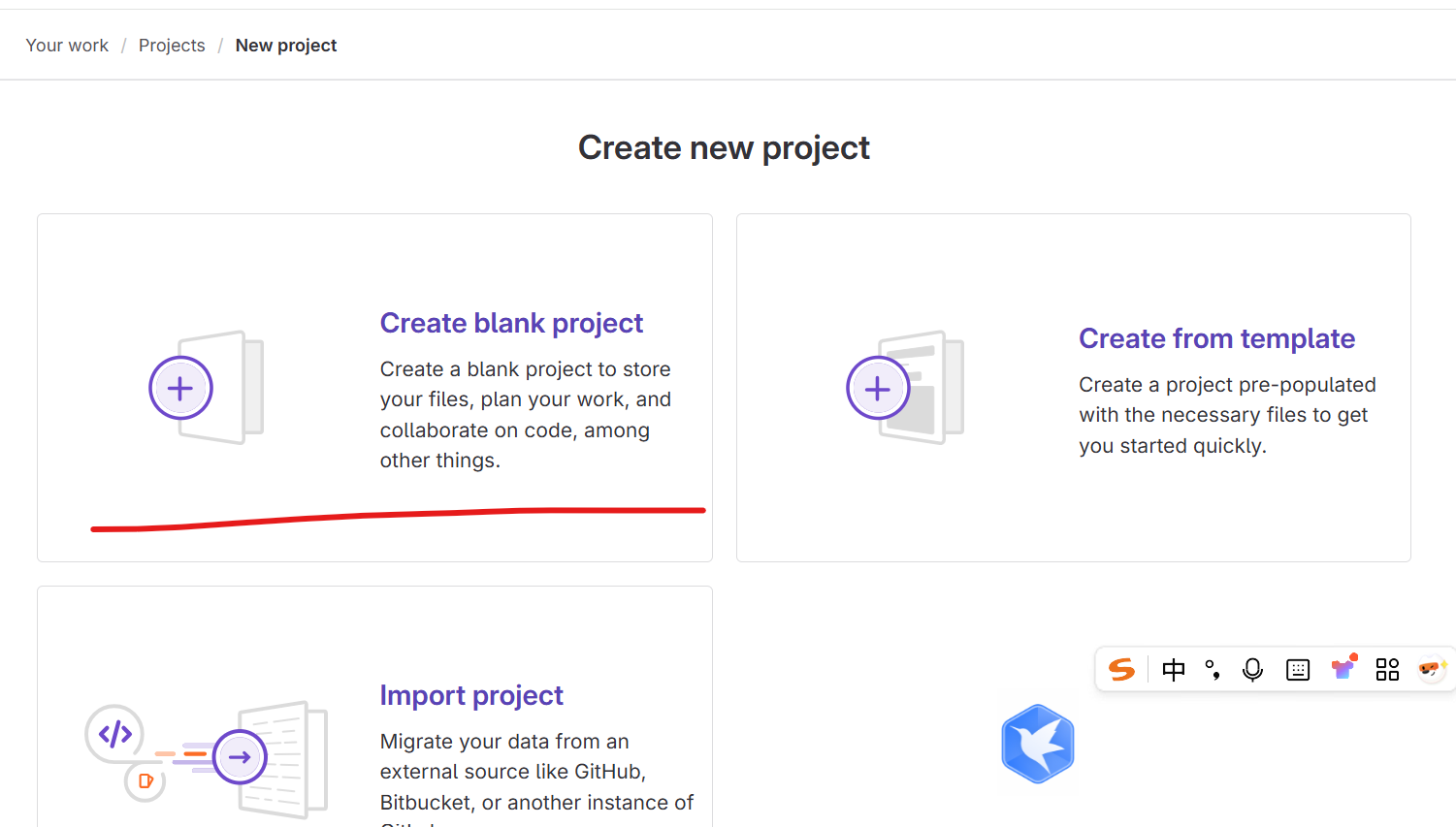
create project
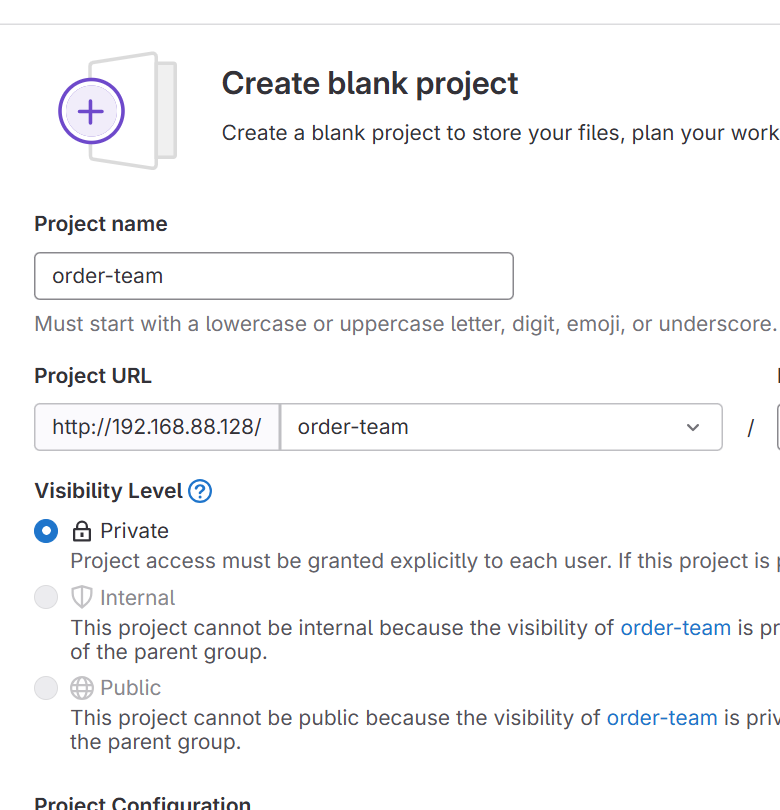
create user
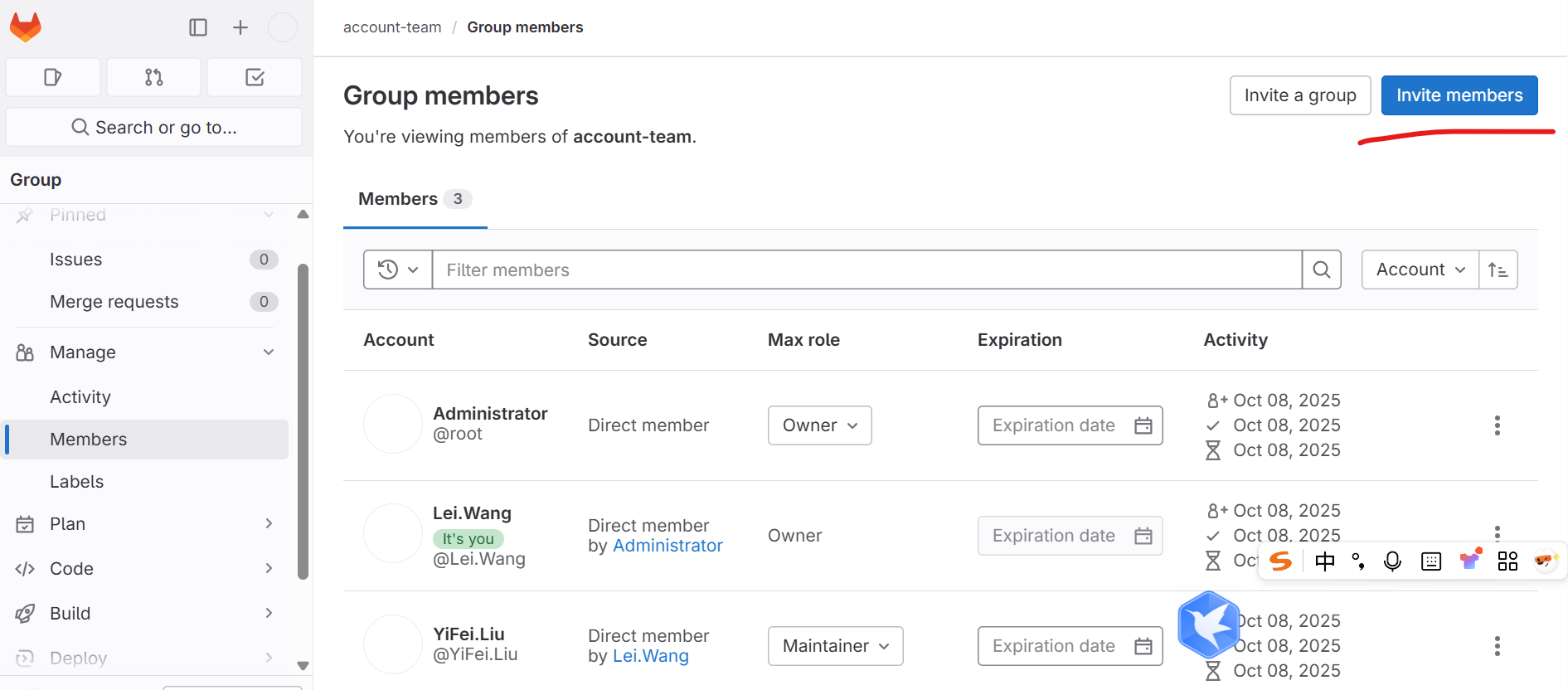
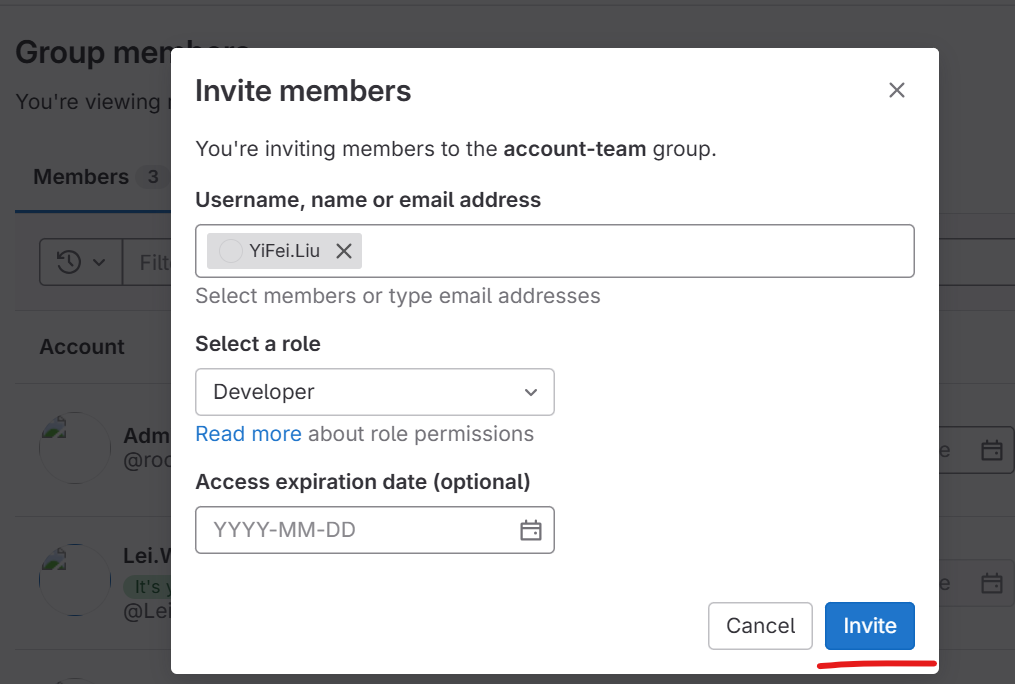
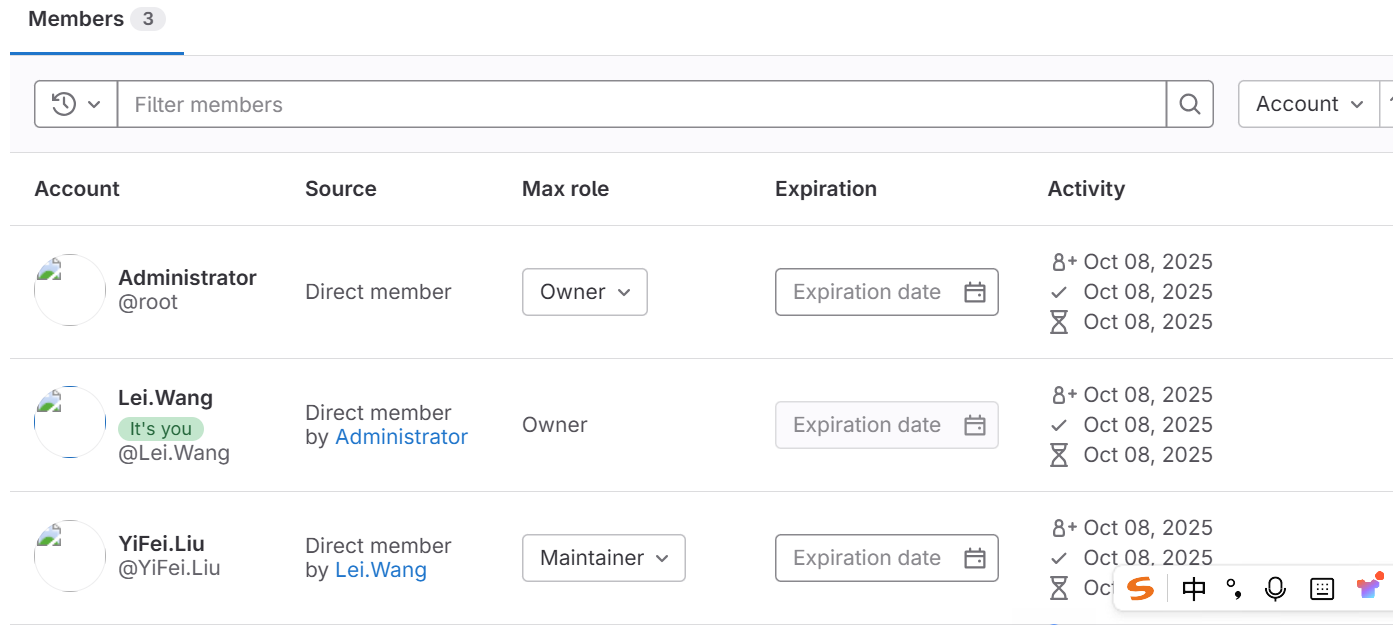
添加项目或者组用户

腾讯云面向开发者汇聚海量精品云计算使用和开发经验,营造开放的云计算技术生态圈。
更多推荐
 4
4 0
0- 0


 已为社区贡献6条内容

所有评论(0)