error: command ‘gcc‘ failed with exit status 1报错解决
·
这里写目录标题
报错信息如下:error: command ‘gcc’ failed with exit status 1
xcrun: error: invalid active developer path (/Library/Developer/CommandLineTools), missing xcrun at: /Library/Developer/CommandLineTools/usr/bin/xcrun
error: command ‘gcc’ failed with exit status 1

原因:需要安装Xcode Command Line Tools
解决方案一:命令安装
执行如下命令,会自动查找软件并点击安装。(若是系统版本过低,会查找不到)
xcode-select --install


解决方案二:下载dmg安装 (推荐)
登录https://developer.apple.com/download/more/ 然后下载 dmg 安装。重启系统后可用。
Xcode Command Line Tools安装路径
它安装在mac的根目录中/Library/Developer/CommandLineTools/
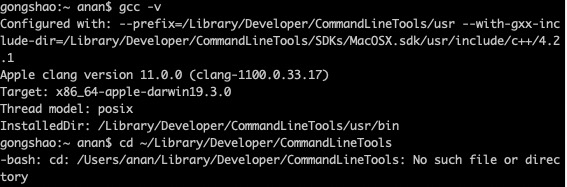
验证gcc命令
gcc -v

腾讯云面向开发者汇聚海量精品云计算使用和开发经验,营造开放的云计算技术生态圈。
更多推荐
 0
0 0
0- 0


 已为社区贡献1条内容

所有评论(0)