spring boot Model 映射传值的方式,以及th部分标签以及功能用法
spring boot循环赋值的几种方式一提到循环基本上都会想到for,但是在spring boot中还有
·
spring boot Model 映射传值的方式
在spring boot肯定会遇到需要默认值的时候,那么如何获取到默认值呢???
其中一种方式就是在控制器映射的时候通过model传值
要用到model的话首先需要添加依赖:
<!--添加static和templates的依赖-->
        <dependency>
            <groupId>org.springframework.boot</groupId>
            <artifactId>spring-boot-starter-web</artifactId>
        </dependency>
        <dependency>
            <groupId>org.springframework.boot</groupId>
            <artifactId>spring-boot-starter-test</artifactId>
            <scope>test</scope>
        </dependency>
        <dependency>
            <groupId>org.springframework.boot</groupId>
            <artifactId>spring-boot-starter-thymeleaf</artifactId>
        </dependency>
添加好templates依赖后需要更改.yml文件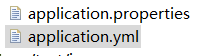
找到文件夹中的这个文件,有的是有一个小叶子的图标,找到后打开文件加入以下代码,
thymeleaf:
  prefix: classpath:/templates/pages/demo01/wclass/
  suffix: .html
prefix: classpath:/templates/pages/demo01/wclass/
是你映射的路径
suffix: .html
是你的文件类型
弄好之后就可以了
@RequestMapping(value="index")
	//@ResponseBody
	public String login(Model model){
		Iterable<LunBo> list=lunBoService.findAll();
		model.addAttribute("imgs", list);
		return "pages/demo01/home/index";
	}
在控制器中映射的时候在参数列表中加入 public String login(Model model)
在方法体中利用model的addAttribute(X,x)进行操作,X->是要传值的名字,
x->是要传的值
在映射到的Html页面进行接收操作,代码如下:
<li class="show" th:each="im : ${imgs}">
	<a href="#" target="_blank">
		<img th:src="${im.imgs}" alt="">
	</a>
</li>
th:each="im : ${imgs}"
这就是循环传过来的数据,
th:value="${dange}"
如果传过来的值数据是单个的数据的话可以这样写,这是是赋他的value值,
那么常用th标签都有那些呢?
关键字      功能介绍        案例
th:id      替换id          <input th:id="'xxx' + ${collect.id}"/>
th:text     文本替换        <p th:text="${collect.description}">description</p>
th:utext    支持html的文本替换   <p th:utext="${htmlcontent}">conten</p>
th:object    替换对象        <div th:object="${session.user}">
th:value    属性赋值        <input th:value="${user.name}" />
th:with    变量赋值运算        <div th:with="isEven=${prodStat.count}%2==0"></div>
th:style    设置样式            th:style="'display:' + @{(${sitrue} ? 'none' : 'inline-block')} + ''"
th:onclick    点击事件          th:onclick="'getCollect()'"
th:each    属性赋值            tr th:each="user,userStat:${users}">
th:if    判断条件            <a th:if="${userId == collect.userId}" >
th:unless    和th:if判断相反        <a th:href="@{/login}" th:unless=${session.user != null}>Login</a>
th:href    链接地址              <a th:href="@{/login}" th:unless=${session.user != null}>Login</a> />
th:switch    多路选择 配合th:case 使用    <div th:switch="${user.role}">
th:case    th:switch的一个分支        <p th:case="'admin'">User is an administrator</p>
th:fragment    布局标签,定义一个代码片段,方便其它地方引用    <div th:fragment="alert">
th:include    布局标签,替换内容到引入的文件    <head th:include="layout :: htmlhead" th:with="title='xx'"></head> />
th:replace    布局标签,替换整个标签到引入的文件    <div th:replace="fragments/header :: title"></div>
th:selected    selected选择框 选中    th:selected="(${xxx.id} == ${configObj.dd})"
th:src    图片类地址引入          <img class="img-responsive" alt="App Logo" th:src="@{/img/logo.png}" />
th:inline    定义js脚本可以使用变量    <script type="text/javascript" th:inline="javascript">
th:action    表单提交的地址        <form action="subscribe.html" th:action="@{/subscribe}">
th:remove    删除某个属性        <tr th:remove="all">
                    1.all:删除包含标签和所有的孩子。
                    2.body:不包含标记删除,但删除其所有的孩子。
                    3.tag:包含标记的删除,但不删除它的孩子。
                    4.all-but-first:删除所有包含标签的孩子,除了第一个。
                    5.none:什么也不做。这个值是有用的动态评估。
th:attr    设置标签属性,多个属性可以用逗号分隔    比如 th:attr="src=@{/image/aa.jpg},title=#{logo}",此标签不太优雅,一般用的比较少。

腾讯云面向开发者汇聚海量精品云计算使用和开发经验,营造开放的云计算技术生态圈。
更多推荐
 1
1 0
0- 0


 已为社区贡献1条内容

所有评论(0)