

react hooks使用
Hooks are popular, as they bring readability and maintainability. Custom hooks become enablers for composability and reusability. In headless UI components, we explored custom hooks, along with high-order components (HOCs).
钩子很流行,因为它们带来了可读性和可维护性。 自定义挂钩成为可组合性和可重用性的促成因素。 在无头UI组件中 ,我们探索了自定义钩子以及高阶组件(HOC)。
How can we test them? In Test Cases and Test Coverage for High Order Components, we gave examples on how to write test cases for high order components and how to measure test coverage, using the Jest and React Testing Library. In this article, we are going to demonstrate how to use React Hooks Testing Library to test custom hooks.
我们如何测试它们? 在高阶组件的测试用例和测试覆盖率中 ,我们给出了有关如何使用Jest和React Testing库编写高阶组件的测试用例以及如何衡量测试覆盖率的示例。 在本文中,我们将演示如何使用React Hooks Testing Library测试自定义钩子。
安装React Hooks测试库 (Install React Hooks Testing Library)
There are two packages needed for testing custom hooks:
测试自定义钩子需要两个软件包:
npm install --save-dev @testing-library/react-hooks
npm install --save-dev react-test-renderer
After the installation, these packages become devDependencies in package.json.
安装后,这些软件包在package.json成为devDependencies 。
Test Renderer (react-test-renderer) is used to render React components to pure JavaScript objects, without depending on the DOM or a native mobile environment. The installed version should match the React version.
Test Renderer ( react-test-renderer )用于将React组件呈现为纯JavaScript对象,而不依赖于DOM或本机移动环境。 安装的版本应与React版本匹配。
@testing-library/react-hooks is built on top of Test Renderer.
@testing-library/react-hooks是建立在Test Renderer之上的。
You probably need other @testing-library packages too. If you use Create React App, they are part of dependencies in package.json:
您可能还需要其他@testing-library软件包。 如果您使用Create React App ,则它们是package.json中dependencies一部分:
"dependencies": {
  "@testing-library/jest-dom": "^4.2.4",
  "@testing-library/react": "^9.5.0",
  "@testing-library/user-event": "^7.2.1"
}
renderHook API (renderHook API)
renderHook API is the center piece of @testing-library/react-hooks. It renders a test component that calls the provided callback, including any hooks it calls, every time it renders.
renderHook API是@testing-library/react-hooks 。 它呈现一个测试组件,该组件在每次呈现时调用提供的callback ,包括它调用的任何挂钩。
function renderHook(
  callback: function(props?: any): any,
  options?: RenderHookOptions
): RenderHookResult
options has the type of RenderHookOptions, which is an object that optionally includes:
options具有RenderHookOptions类型,它是一个对象,可以选择包括:
-
initialProps: It is the initial value to thecallbackfunction ofrenderHook.initialProps:它是renderHook的callback函数的初始值。 -
wrapper: It is a React component to wrap the test component while using global context.wrapper:这是一个React组件,用于在使用全局上下文时包装测试组件。
RenderHookResult is a data structure defined as follows:
RenderHookResult是一种数据结构,定义如下:
{
  current: any,
  error: Error
}
We are using examples to show how renderHook is used in various cases. Create React App is used as the working environment. All custom hooks are hosted in src/hooks, and all hook tests are hosted in src/hooks.test.js.
我们使用示例来说明在各种情况下如何使用renderHook 。 Create React App被用作工作环境。 所有自定义钩子都托管在src/hooks ,所有钩子测试都托管在src/hooks.test.js 。
In Everyone Can Build a Custom Hook, we built a series of hooks. We are going to use them to build test cases.
在“ 每个人都可以构建自定义挂钩”中 ,我们构建了一系列挂钩。 我们将使用它们来构建测试用例。
This is the simplest hook:
这是最简单的钩子:
The following are test cases:
以下是测试案例:
At line 6, renderHook is used to render the custom hook, useMyName.
在第6行, renderHook用于呈现自定义挂钩useMyName 。
At line 7, result.current is the return value of useMyName.
在第7行, result.current是useMyName的返回值。
Comparing to the case at lines 5 - 8, lines 10-13 show a different case with the initial value set to “Larry”.
与第5-8行的情况相比,第10-13行显示了一种不同的情况,其初始值设置为“Larry” 。
As we have explained in the other article, the following command is used to execute the test cases:
正如我们在另一篇文章中所解释的那样,以下命令用于执行测试用例:
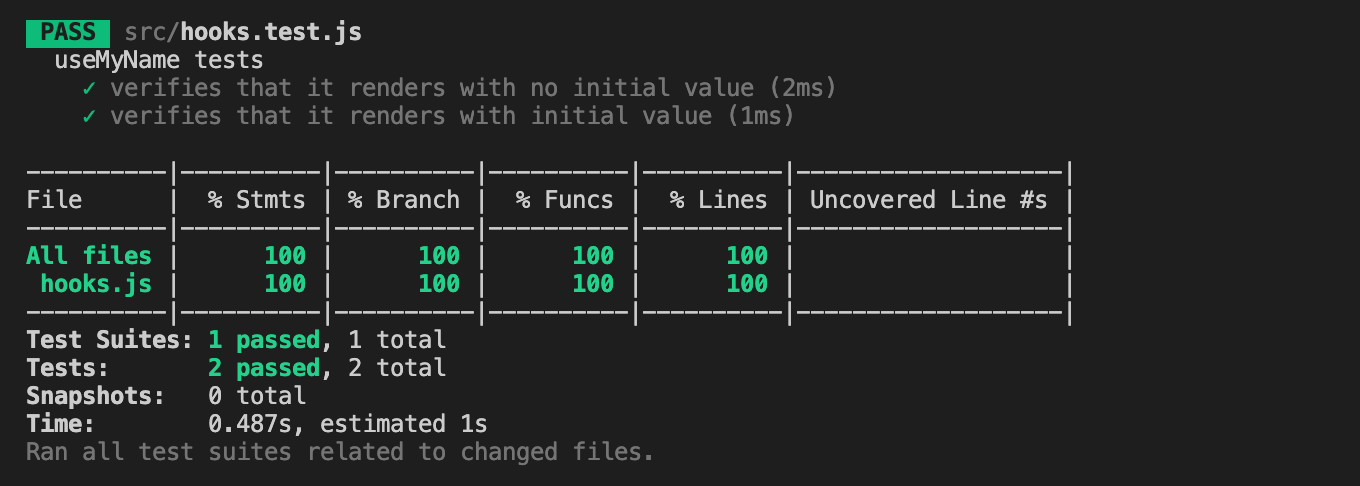
npm test -- --testMatch="<rootDir>/src/hooks.test.js" --collectCoverage --collectCoverageFrom="src/hooks.js"Here are the test results and test coverage:
以下是测试结果和测试范围:
rerender API (rerender API)
In the previous tests, we repeated two tests with different initial values. This can be combined by passing the initial value to renderHook’s callback:
在先前的测试中,我们重复了两个具有不同初始值的测试。 这可以通过将初始值传递给renderHook的callback :
renderHook((initialName) => useMyName(initialName)When the initial value changes, we call rerender to trigger the hook to be recalculated.
当初始值更改时,我们调用rerender来触发要重新计算的钩子。
function rerender(newProps?: any): voidHere is the alternative test suite:
这是替代测试套件:
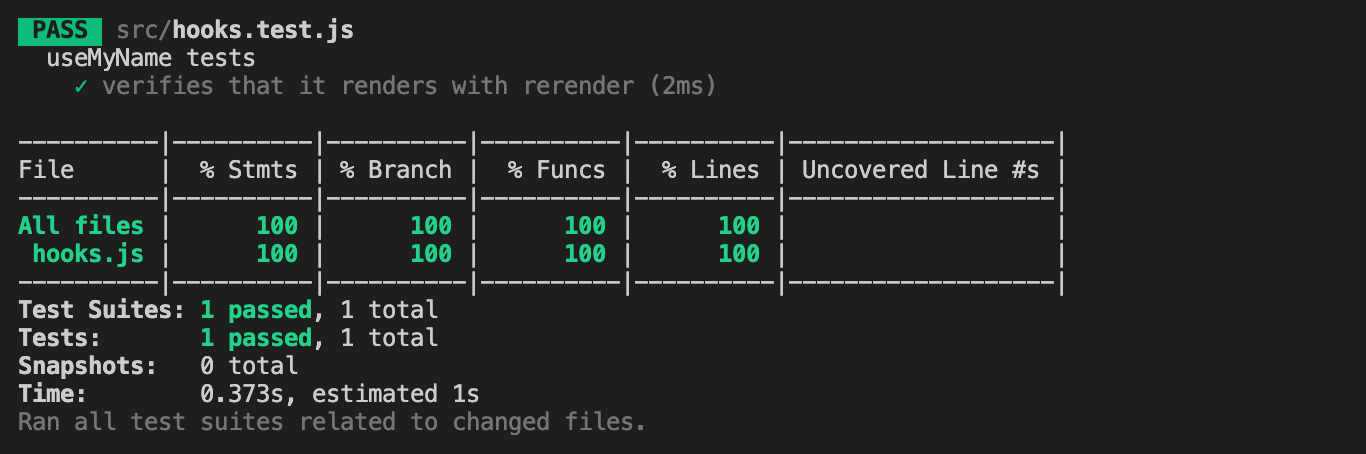
This produces the same results:
这将产生相同的结果:
Now, let’s take a look at a more complicated custom hook, which returns a method and a value.
现在,让我们看一个更复杂的自定义钩子,该钩子返回一个方法和一个值。
Here are the test cases:
这是测试用例:
At line 6, renderHook is used to render the custom hook, useMyName. This time, current is destructured to a method and a value (line 12). The method is tested at line 13, and the message is tested at line 14 and line 16.
在第6行, renderHook用于呈现自定义挂钩useMyName 。 这次, current被分解为一个方法和一个值(第12行)。 在第13行测试该方法,并在第14行和第16行测试消息。
Run the test suite:
运行测试套件:
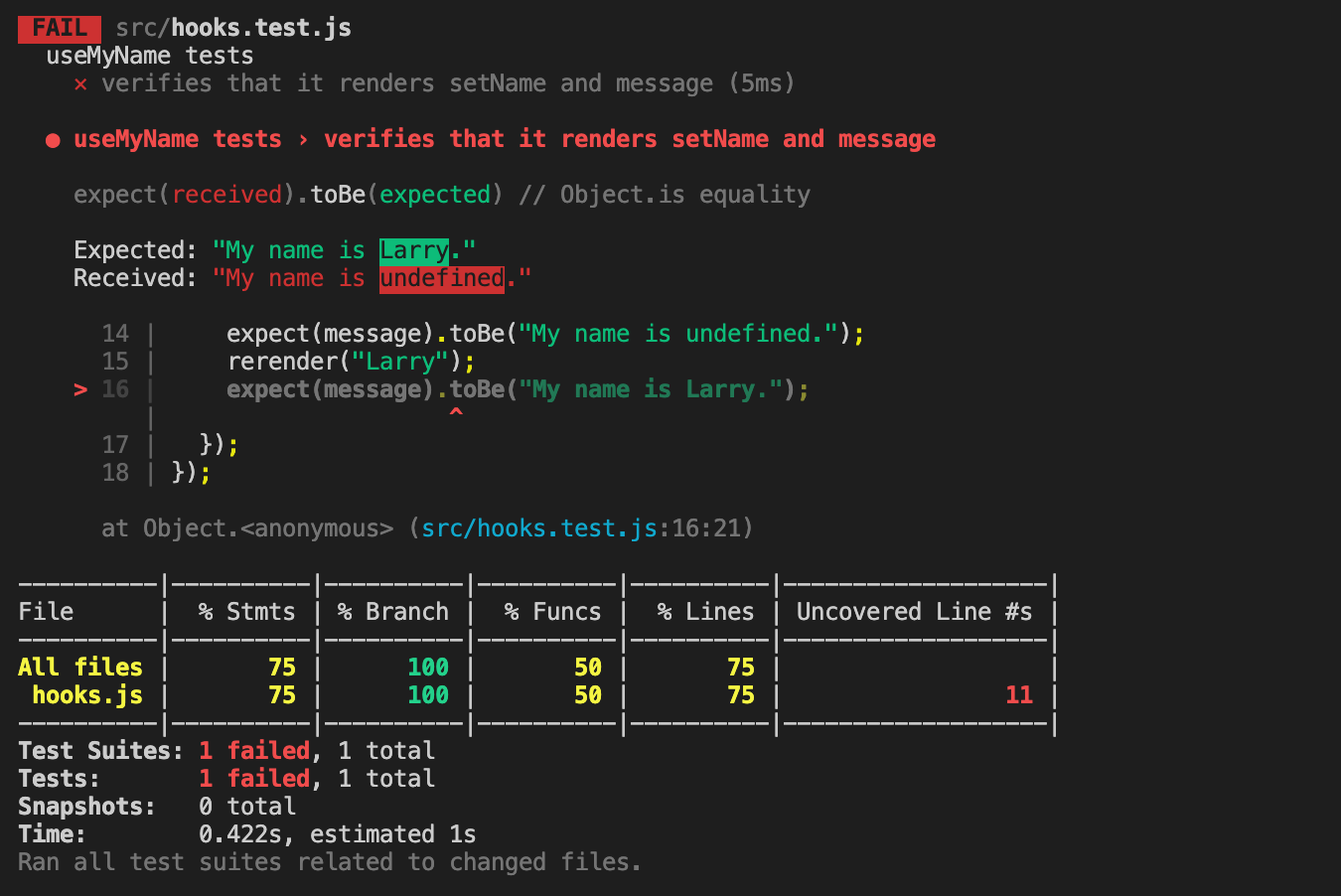
What happened? The test fails at line 16.
发生了什么? 测试在第16行失败。
The value of message is destructured at line 12. message becomes staled and does not pick up the new value, “Larry”.
的值message在线路解构12. message变得变得陈旧和不拾取新的值, “Larry” 。
It is something to keep in mind. Though destructuring the value of result.current makes the code clean, any subsequent updates are only available in the direct usage of result.current, unless they are destructured again.
这是要记住的事情。 尽管通过破坏result.current的值可以使代码更干净,但是任何后续更新都只能在result.current的直接使用中使用,除非它们再次被破坏。
We fix the issue (line 16) in the following test code:
我们通过以下测试代码解决了该问题(第16行):
But we still get the failed test result. What else is wrong?
但是我们仍然得到失败的测试结果。 还有什么问题吗?
In useMyName, initialName is passed to useState as the initial state. For the nature of useState, rerender will not update the initial state. In order for the state to pick up the props change, we need to call useEffect hook (lines 6 - 8).
在useMyName , initialName作为初始状态传递给useState 。 对于useState的性质,rerender不会更新初始状态。 为了使状态能够改变道具,我们需要调用useEffect钩子(第6-8行)。
Now the test cases pass:
现在测试用例通过:
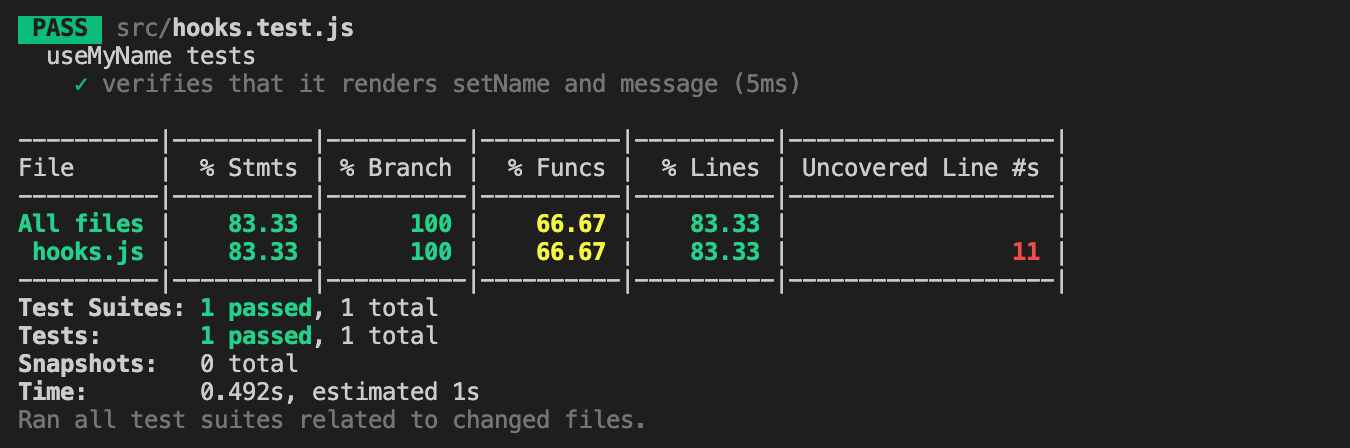
But, we discover that the function coverage is 66.67%. The test cases do not cover the function, setName, at line 11.
但是,我们发现功能覆盖率为66.67% 。 测试用例不在第11行覆盖函数setName 。
We add the test case for the function at line 16:
我们在第16行添加该功能的测试用例:
Run the tests again:
再次运行测试:
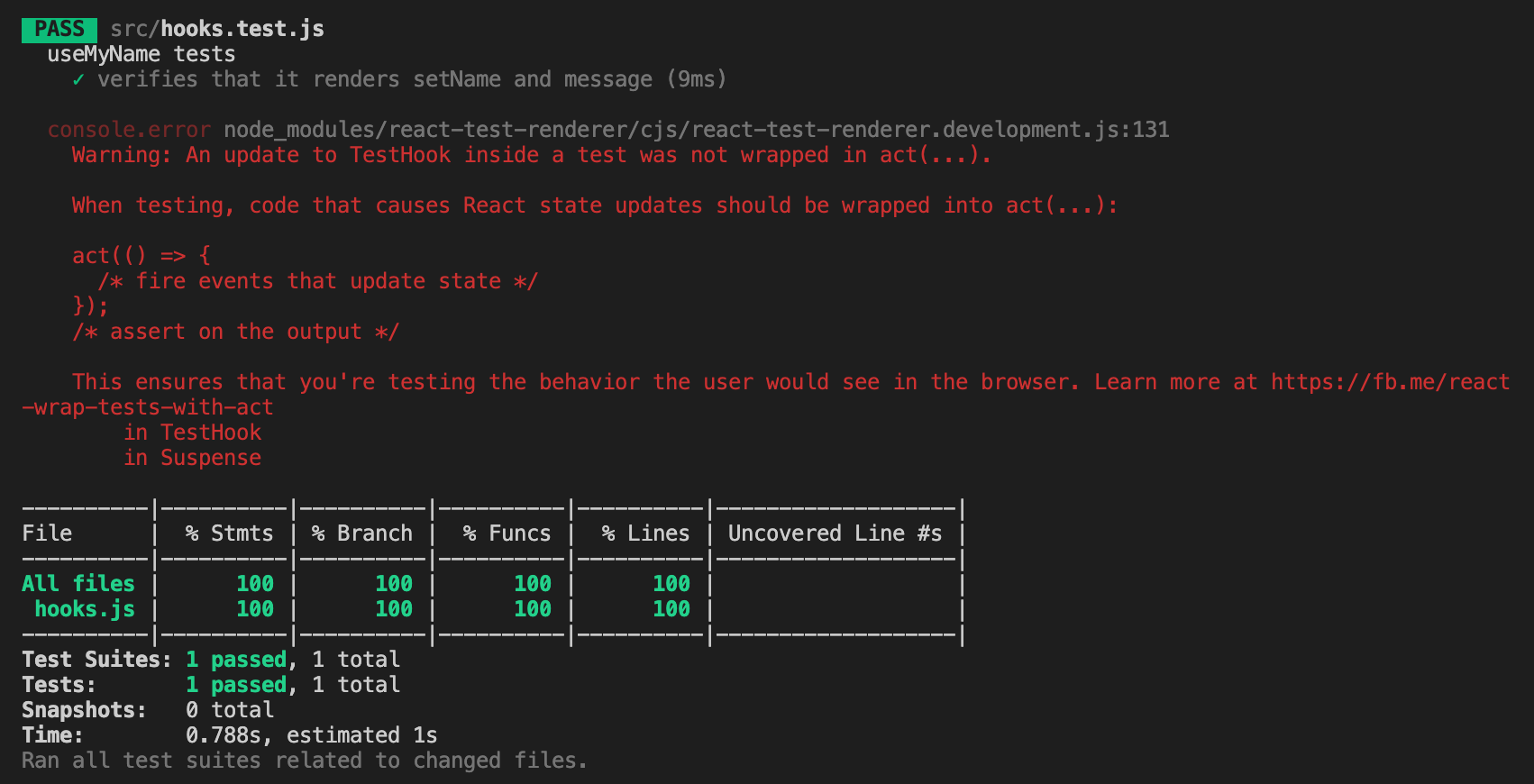
The test cases pass, with 100% coverage for statements. branches, functions, and lines.
测试用例通过,陈述覆盖率100%。 分支,功能和线。
But what is that red warning? It means we need the act API.
但是那个红色警告是什么? 这意味着我们需要act API。
行为API (act API)
When testing, code that causes React state updates should be wrapped into act(…).
在测试时,导致React状态更新的代码应包装在act(…) 。
act is exported by react-test-renderer. Therefore, it could be imported by the statement at line 2.
act由react-test-renderer导出。 因此,可以通过第2行的语句将其导入。
For the convenience of usage, act is re-exported by @testing-library/react-hooks. It is commonly imported along with renderHook, similar to the statement at line 1.
为了方便使用, act由@testing-library/react-hooks重新导出。 它通常与renderHook一起renderHook ,类似于第1行的语句。
At line 18, the call, setName, is wrapped inside act.
在第18行,调用setName被包装在act 。
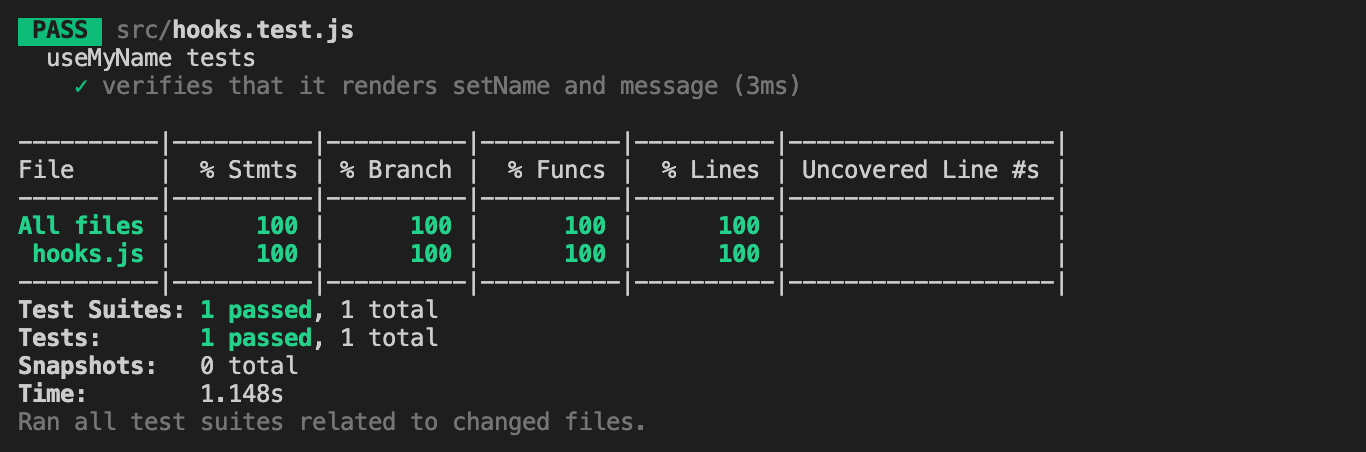
Run the command, we pass all tests, with 100% coverage, and without any warning.
运行命令,我们通过所有测试,覆盖率100% ,并且没有任何警告。
There is another act, exported from @testing-library/react or react-dom/test-utils. It functions similarly, but it is a different act. If you use the wrong one, there will be a warning to remind you:
还有另一种act ,是从@testing-library/react或react-dom/test-utils导出的。 它的功能类似,但这是不同的act 。 如果您使用了错误的密码,则会出现警告提醒您:
Warning: It looks like you're using the wrong act() around your test interactions.
    Be sure to use the matching version of act() corresponding to your renderer:

    // for react-dom:
    import {act} from 'react-dom/test-utils';
    // ...
    act(() => ...);

    // for react-test-renderer:
    import TestRenderer from 'react-test-renderer';
    const {act} = TestRenderer;
    // ...
    act(() => ...);
        in TestHook
        in Suspense
In the following test cases, we add a second test suite (lines 23 - 56), which builds a user interface that takes actions:
在以下测试案例中,我们添加了第二个测试套件(第23-56行),该套件构建了一个采取操作的用户界面:
The two clicking actions (line 45 and line 52) are wrapped by act API.
这两个单击动作(第45行和第52行)由act API包装。
As always, we would like to do a snapshot test (line 47) to see how it gets rendered:
和往常一样,我们想做一个快照测试(第47行),看它如何呈现:
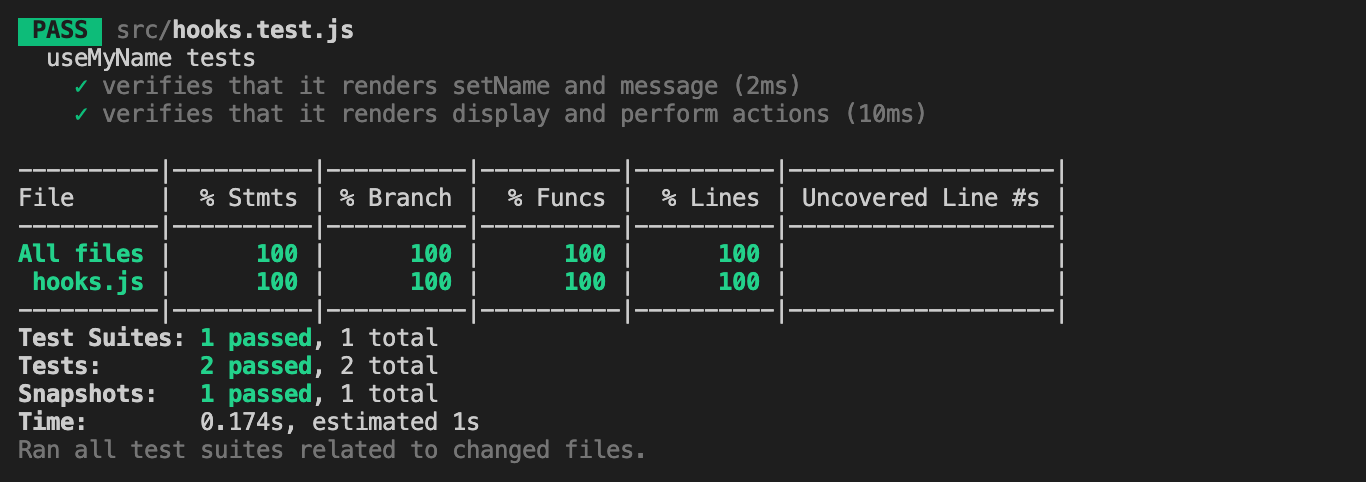
Run the test cases, and we are happy to see everything looks good.
运行测试用例,我们很高兴看到一切看起来不错。
包装器useContext (Wrapper for useContext)
How can we test custom hooks that call a global context?
我们如何测试调用全局上下文的自定义钩子?
In the above code, NameContext (line 3) is a global context, which is used by line 12.
在上面的代码中, NameContext (第3行)是全局上下文,由第12行使用。
NameContext requires a provider to wrap around the component using the global context. This provider is defined as NameContextProvider at line 5.
NameContext要求提供程序使用全局上下文包装组件。 该提供程序在第5行定义为NameContextProvider 。
We can test useMyName by calling renderHook(() => useMyName()). However, this only verifies the initial value of CreateContext at line 3, which is undefined in this case.
我们可以通过调用renderHook(() => useMyName())来测试useMyName 。 但是,这仅会验证第3行的CreateContext初始值,在这种情况下该值是undefined 。
wrapper is one of renderHook’s options. It helps us to resolve the issue. At lines 8-11, it creates a React component that is wrapped by NameContextProvider. This component is free to set any initialName (line 9).
wrapper是renderHook的选项之一。 它有助于我们解决问题。 在第8-11行,它创建一个由NameContextProvider包装的React组件。 该组件可以自由设置任何initialName (第9行)。
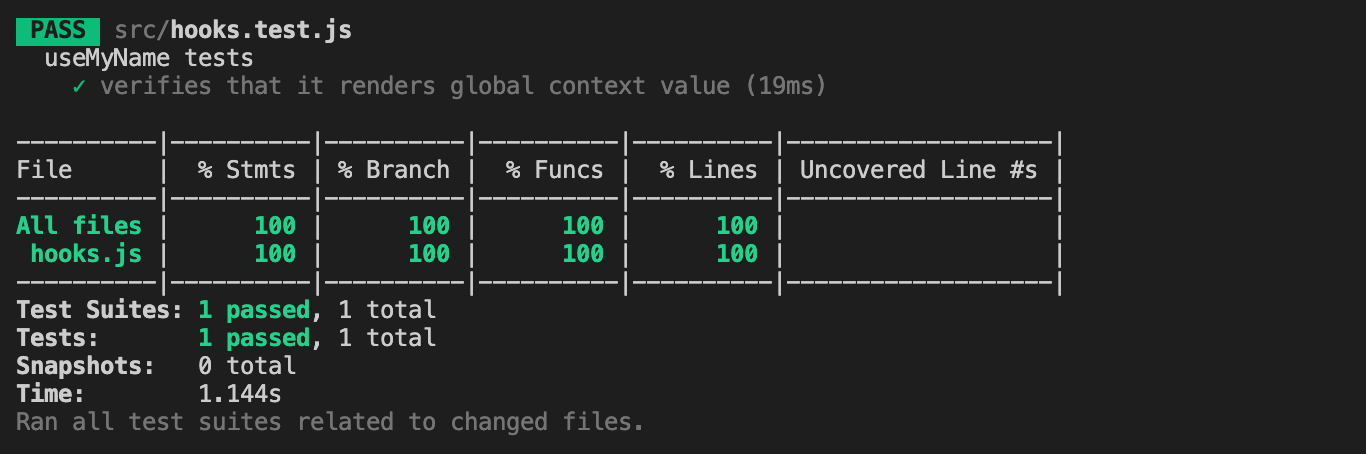
The test at line 14 is able to read the global context value and pass this test suite:
第14行的测试能够读取全局上下文值并通过以下测试套件:
waitForNextUpdate API (waitForNextUpdate API)
There are a few async utilities in the React Hooks Testing Library. waitForNextUpdate returns a Promise that resolves the next time the hook renders, commonly when the state is updated as the result of an asynchronous update.
React Hooks测试库中有一些异步实用程序。 waitForNextUpdate返回一个Promise ,该Promise解决下一次钩子渲染的时间,通常是由于异步更新而更新状态时。
function waitForNextUpdate(options?: {
  timeout?: number
}): Promise<void>
The following code comes from Lodash: Create React App’s Built-in Library for Debounce and Throttle With Hooks. It debounces a value until wait time.
以下代码来自Lodash:创建React App的内置库,用于使用钩子进行防抖和节流 。 它会反跳一个值,直到wait时间。
Here are the test cases:
这是测试用例:
At lines 11 and line 15, waitForNextUpdate is handy to fast forward to the next state updates.
在第11行和第15行,可以使用waitForNextUpdate快进到下一个状态更新。
测试减速器 (Test Reducers)
Reducer is a function that has the (state, action) => newState type. It is supplied with two parameters — the current state and a user-performed action. Then it returns a new state conditionally on the action that is dispatched.
Reducer是具有(state, action) => newState类型的函数。 它提供了两个参数-当前状态和用户执行的操作。 然后,它根据分派的操作有条件地返回新状态。
The following code comes from How to Convert JavaScript Classes to React’s useReducer Hook. It is a reducer to update the cat’s state object.
以下代码来自如何将JavaScript类转换为React的useReducer Hook 。 它是更新猫的状态对象的还原器。
useReducer is a built-in hook that is suited for managing state objects that contain multiple sub-values. We generate a hook by wrapping a reducer with the useReducer hook. Technically, the useReducer hook is not a custom hook, but it can also be tested by renderHook, similar to other built-in hooks.
useReducer是一个内置挂钩,适用于管理包含多个子值的状态对象。 我们通过使用useReducer钩子包装减速器来useReducer钩子。 从技术上讲, useReducer挂钩不是自定义挂钩,但类似于其他内置挂钩,也可以通过renderHook进行测试。
The following are test cases for catReducer:
以下是catReducer :
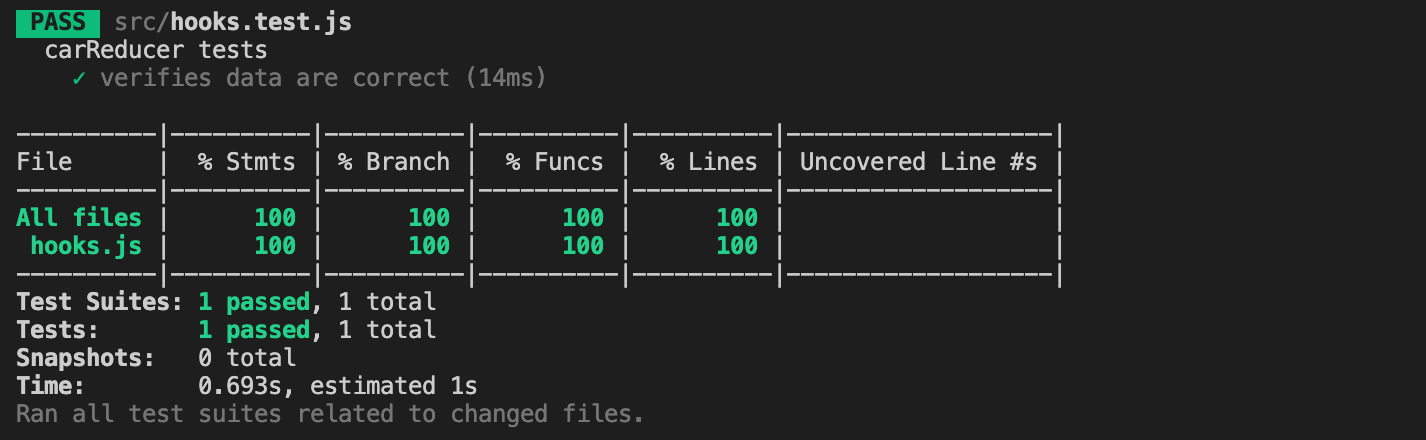
Run the tests command and we have 100% coverage for the reducer code:
运行tests命令,我们对reducer代码有100%覆盖率:
结论 (Conclusion)
As custom hooks prevail in React, we need a convenient way to test them. React Hooks Testing Library provides the infrastructure to accomplish it.
由于自定义钩子在React中占主导地位,我们需要一种方便的方法来对其进行测试。 React Hooks测试库提供了完成它的基础架构。
Thanks for reading. I hope this was helpful. You can see my other Medium publications here.
谢谢阅读。 我希望这可以帮到你。 您可以在这里查看我的其他Medium出版物。
react hooks使用


 已为社区贡献11条内容

所有评论(0)