Oh My Zsh安装失败拒绝连接问题:Failed to connect to raw.githubusercontent.com port 443: Connection refused
1.打开官网https://ohmyz.sh/2、终端输入:sh -c "$(curl -fsSL https://raw.github.com/ohmyzsh/ohmyzsh/master/tools/install.sh)"3、网络拒绝访问:sh -c "$(curl -fsSL https://raw.github.com/robbyrussell/oh-my-zsh/master/tool
·
1.打开官网https://ohmyz.sh/
2、终端输入:
sh -c "$(curl -fsSL https://raw.github.com/ohmyzsh/ohmyzsh/master/tools/install.sh)"3、网络拒绝访问:
sh -c "$(curl -fsSL https://raw.github.com/robbyrussell/oh-my-zsh/master/tools/install.sh)"
curl: (7) Failed to connect to raw.githubusercontent.com port 443: Connection refused
4、解决办法
查询IP
去这里https://site.ip138.com/ ,输入raw.githubusercontent.com 进行查询: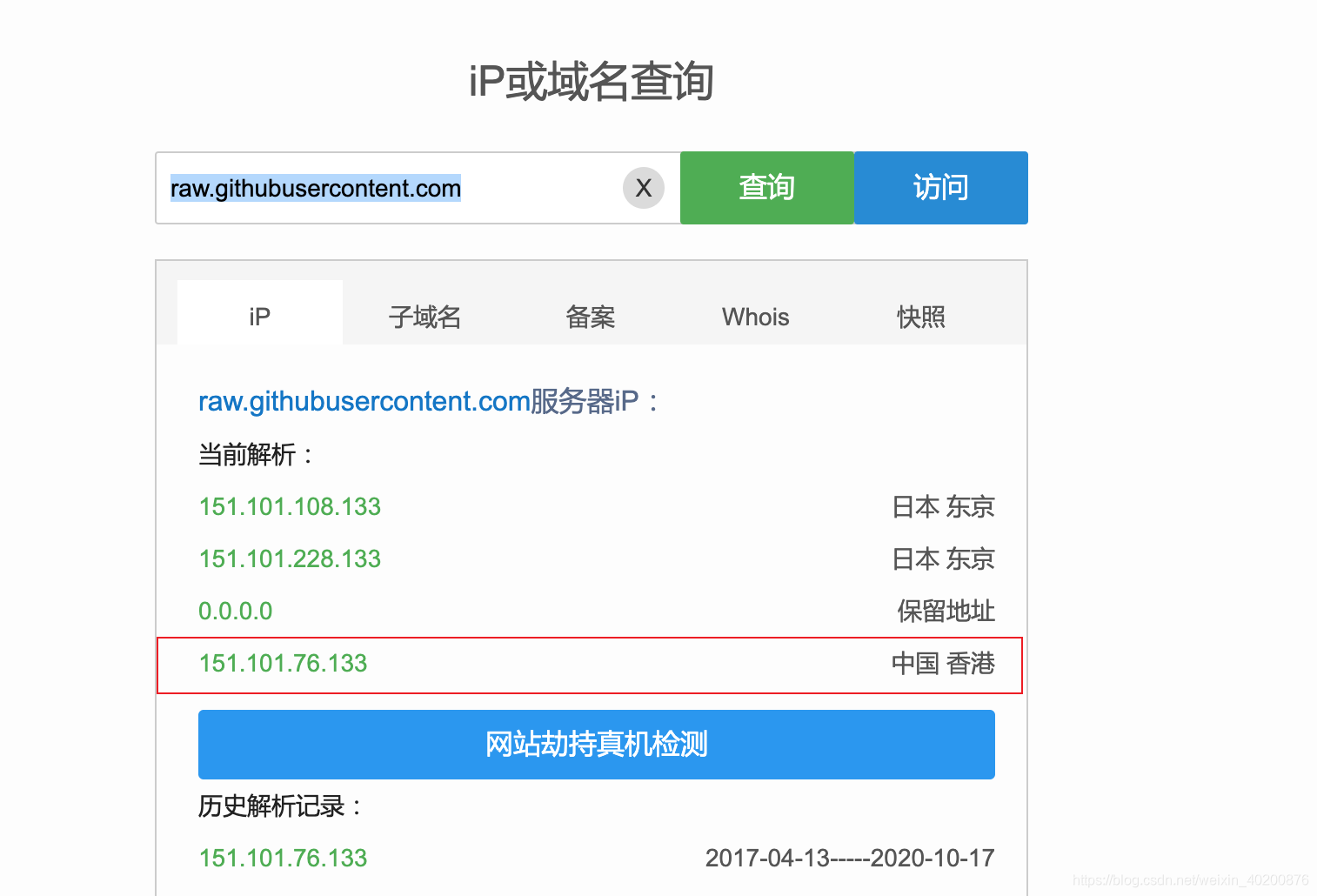
5、配置hosts:
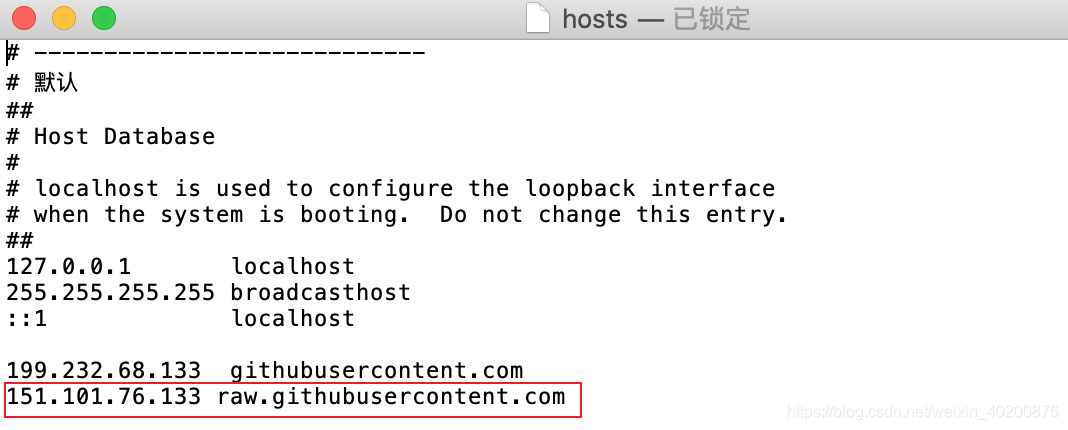
6、再次执行:
sh -c "$(curl -fsSL https://raw.github.com/ohmyzsh/ohmyzsh/master/tools/install.sh)"成功: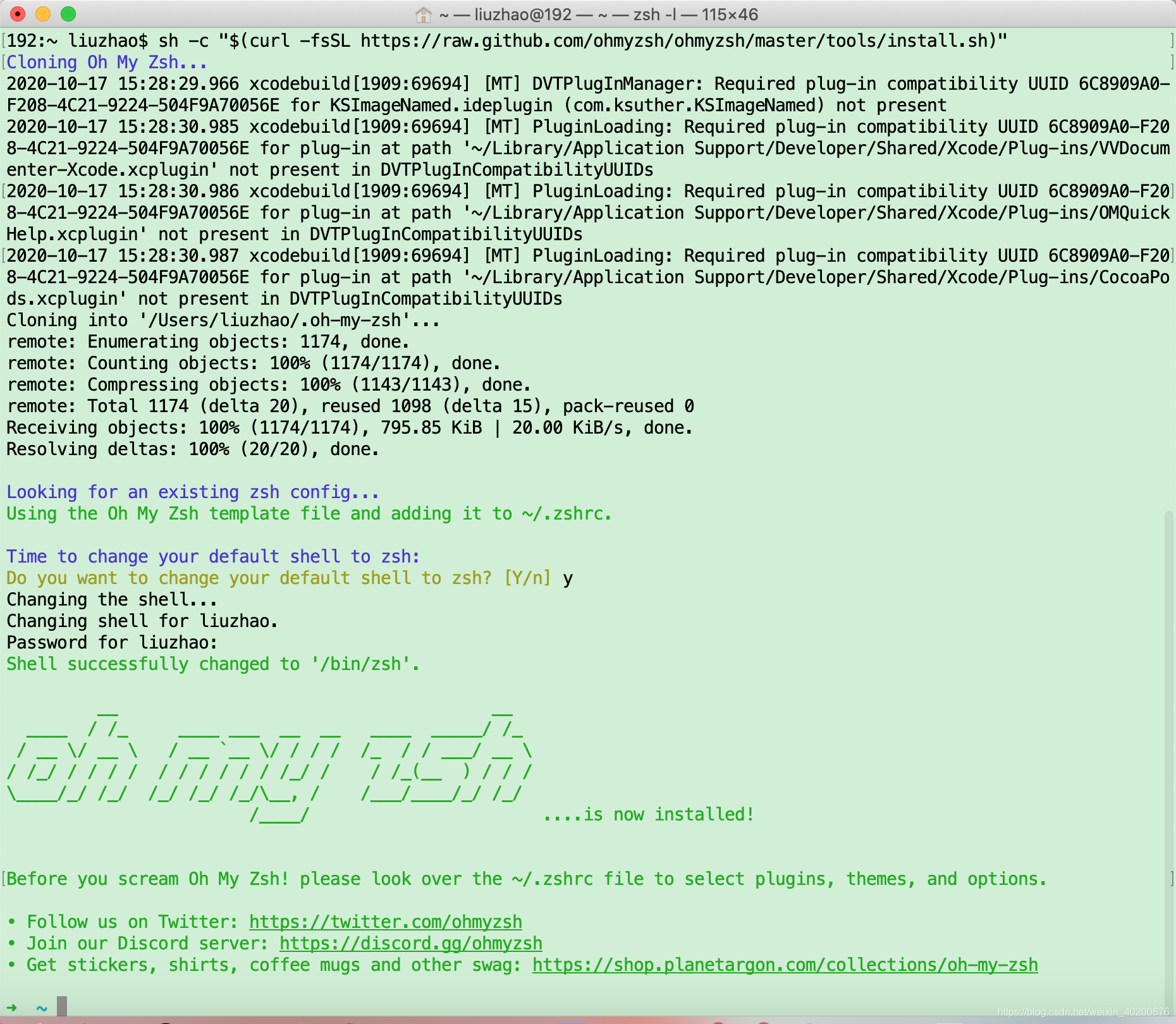

腾讯云面向开发者汇聚海量精品云计算使用和开发经验,营造开放的云计算技术生态圈。
更多推荐
 1
1 0
0- 0


 已为社区贡献4条内容

所有评论(0)