gitlab-runner CI持续集成(docker模式)
·
服务器环境准备
两台centos服务器,一台安装gitlab,一台安装docker及gitlab-runner,并拉取dotnercore3.1镜像
Gitlab-runner注册
同上一篇注册runner,在这里我们注册两个runner。
第一个runner为docker模式,镜像为netcore3.1,用来编译打包镜像。
第二个runner为shell模式,用来发布镜像,部署容器。
yml脚本
.gitlab-ci.yml
stages:# 分两个阶段,编译及部署
  - build
  - deploy
# 编译
cirnew-build:
  stage: build
  tags:
    - cirnewtagds #docker模式的tag
  image: mcr.microsoft.com/dotnet/core/sdk:3.1
  script:
    - dotnet restore
    - dotnet publish -o ./out -c Release
  artifacts:#生产的物料用于下一阶段使用
    expire_in: 30 days
    paths:
      - out/
# 部署
deploy-job:
  stage: deploy
  tags:
    - CIRNewtag #shell模式的tag
  dependencies:
    - cirnew-build #依赖上一次编译过程
  script:
    - ls out/
    - docker ps
    - sh ./check-image.sh #用户检测并删除之前镜像
    - docker build -t cirnew . #重新发布新镜像
    - docker run -d --name cirnew -p 8080:5000 cirnew
Dockerfile
FROM mcr.microsoft.com/dotnet/core/aspnet:3.1-buster-slim
WORKDIR /app
COPY out/ /app
ENTRYPOINT [ "dotnet", "/app/CIRNew.dll" ]
check-image.sh
if [ $(docker ps -a --format {{.Names}} | grep cirnew) ]
then
    docker rm -f cirnew
    docker rmi cirnew
fi
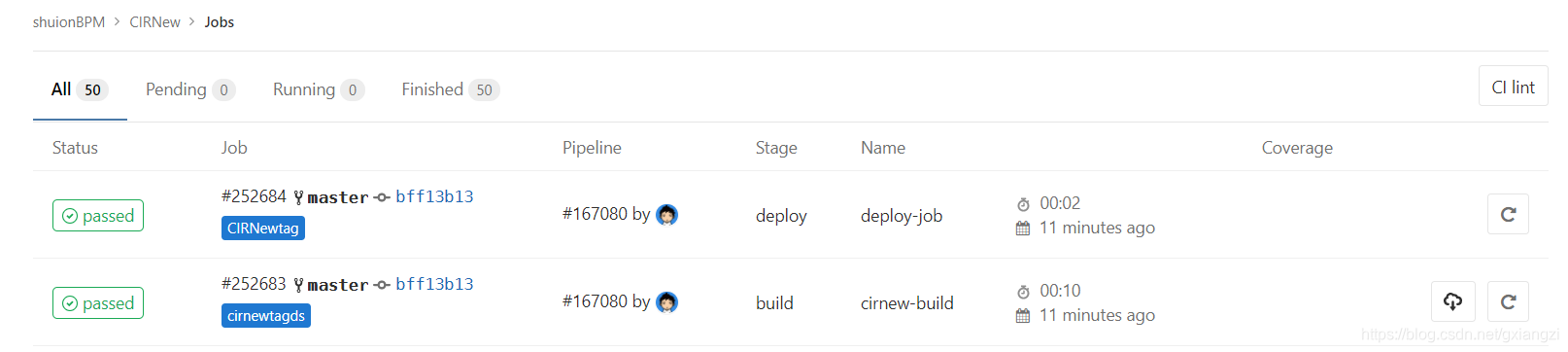
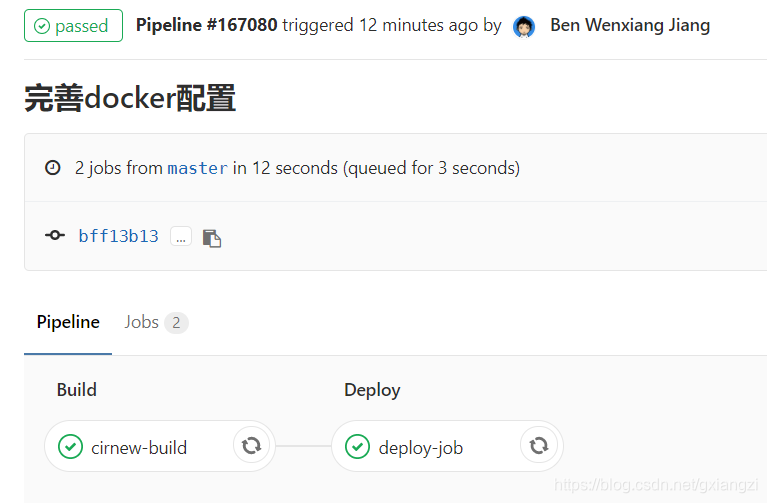
效果

腾讯云面向开发者汇聚海量精品云计算使用和开发经验,营造开放的云计算技术生态圈。
更多推荐
 0
0 0
0- 0


 已为社区贡献3条内容

所有评论(0)