java使用freemarker模版导出带格式和带附件的word的使用
推荐 Poi-tl Documentation
超级好用
1.建立一个word模版 如图:
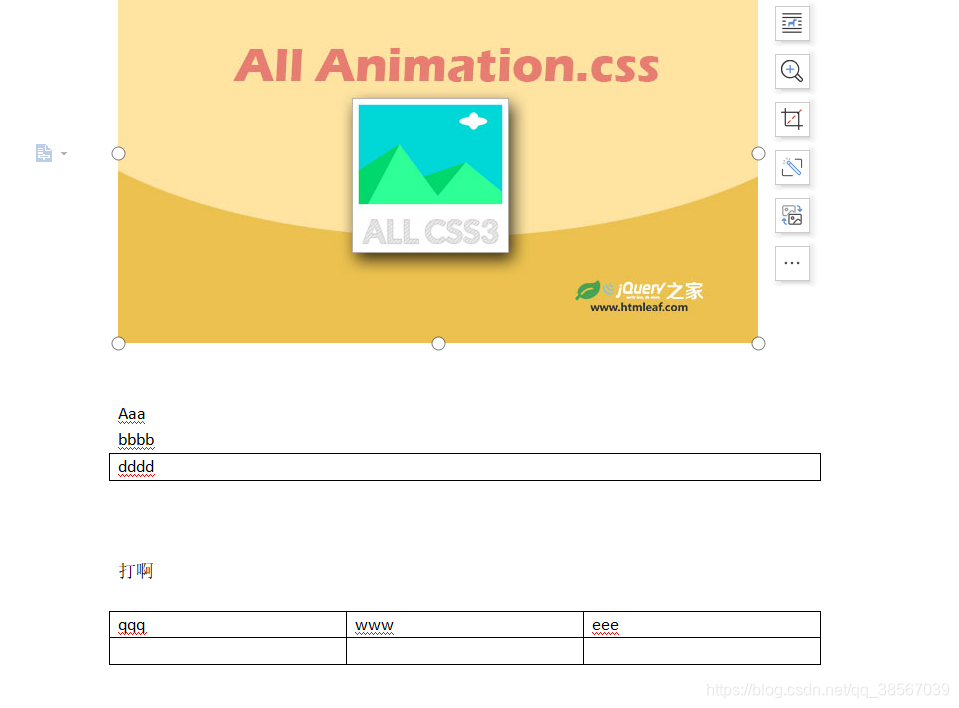
2.另存为一个xml文件
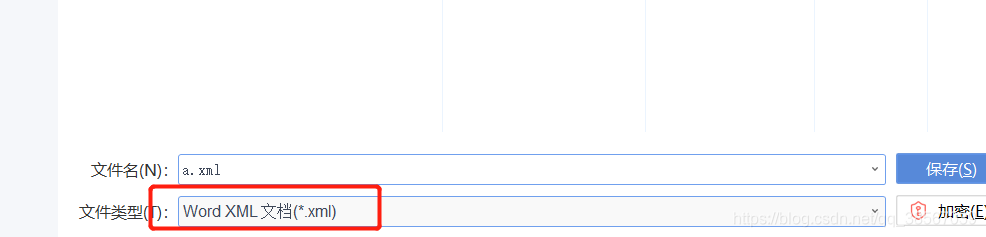
3.打开xml文件
普通的插入对应的单个属性值操作如下:
把对应的值改成 ${xxxx}
修改前Aaa就是我们自己输入的值
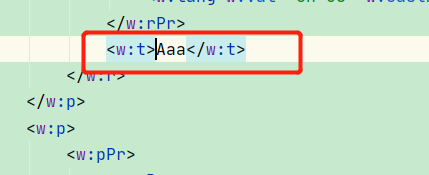
修改后:
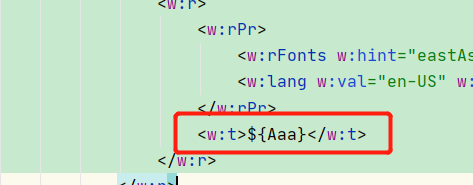
插入列表操作如下:
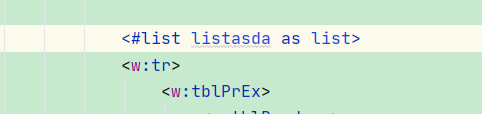
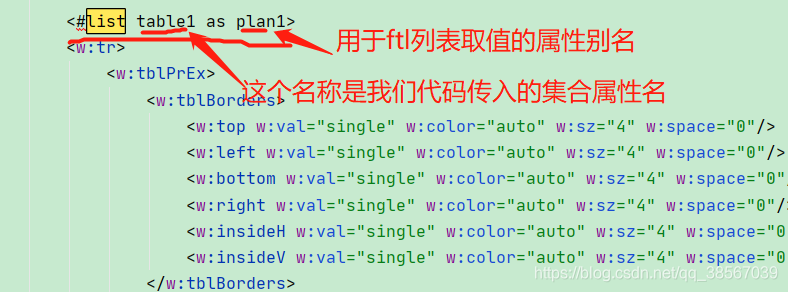
如需要传入表格数据找到对应的<w:tr>标签,在标签开始处添加<#list table1 as plan1>
<#list listasda as list>
    <w:tr>
        <w:tblPrEx>
               <w:tblBorders>
                       <w:top w:val="single" w:color="auto" w:sz="4" w:space="0"/>
                            ........................
总结表格中取集合值就可以点出集合对象
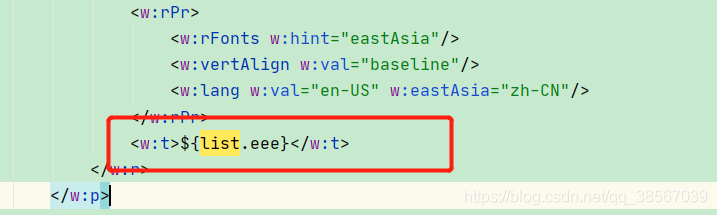
在<w:tr>标签结尾处添加</#list>
                .................................
                </w:r>
              </w:p>
           </w:tc>
       </w:tr>
</#list>
需要了解详可以看看freemarker标签的用法和当年写jsp感觉差不多
插入图片如下:
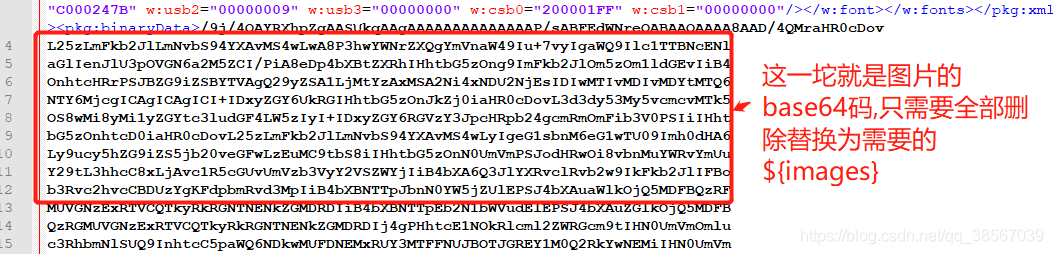
把原来占位的base64编码的图片删除换成${images}把填充的图换算成base64填充即可

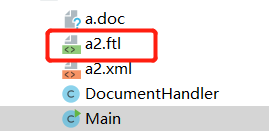
4.然后重名名xml文件为ftl
5.pom包:
  <dependency>
            <groupId>org.freemarker</groupId>
            <artifactId>freemarker</artifactId>
            <version>2.3.20</version>
        </dependency>
6.源码:
package com.zz.demo.word.flt2;


import java.io.BufferedWriter;
import java.io.File;
import java.io.FileNotFoundException;
import java.io.FileOutputStream;
import java.io.IOException;
import java.io.OutputStreamWriter;
import java.io.UnsupportedEncodingException;
import java.io.Writer;
import java.net.URL;
import java.util.Map;

import freemarker.template.Configuration;
import freemarker.template.Template;
import freemarker.template.TemplateException;
import org.omg.PortableServer.SERVANT_RETENTION_POLICY_ID;

public class DocumentHandler {

    private Configuration configuration = null;

    public DocumentHandler() {
        configuration = new Configuration();
        configuration.setDefaultEncoding("utf-8");
    }

    public void createDoc(Map<String, Object> dataMap, String fileName) throws IOException {
        //dataMap 要填入模本的数据文件
        //设置模本装置方法和路径,FreeMarker支持多种模板装载方法。可以重servlet,classpath,数据库装载,
        //这里我们的模板是放在ftl2包下面
//        其实这个方法是根据类加载路径来判断的,最终会执行以下代码://resources目录下的资源
//        URL resource = this.getClass().getClassLoader().getResource("aa1.doc");
//        this.getClass().getResource("/demo2.txt")
//        System.err.println(resource);
//        configuration.setClassForTemplateLoading(this.getClass(), "");

        //直接设置文件路径
        configuration.setDirectoryForTemplateLoading(new File("D:\\java_project\\springboot-spark-scala\\src\\main\\java\\com\\zz\\demo\\word\\flt2"));
//        第三种基于web project。 第二个参数是基于WebRoot下的。
//        setServletContextForTemplateLoading(context, "/ftl") 就是 /WebRoot/ftl目录

        Template t = null;
        try {
            //test.ftl为要装载的模板
            t = configuration.getTemplate("a2.ftl");
        } catch (IOException e) {
            e.printStackTrace();
        }
        //输出文档路径及名称
        File outFile = new File(fileName);
        Writer out = null;
        FileOutputStream fos = null;
        try {
            fos = new FileOutputStream(outFile);
            OutputStreamWriter oWriter = new OutputStreamWriter(fos, "UTF-8");
            //这个地方对流的编码不可或缺,使用main()单独调用时,应该可以,但是如果是web请求导出时导出后word文档就会打不开,并且包XML文件错误。主要是编码格式不正确,无法解析。
            //out = new BufferedWriter(new OutputStreamWriter(new FileOutputStream(outFile)));
            out = new BufferedWriter(oWriter);
        } catch (FileNotFoundException e1) {
            e1.printStackTrace();
        }

        try {
            t.process(dataMap, out);
            out.close();
            fos.close();
        } catch (TemplateException e) {
            e.printStackTrace();
        } catch (IOException e) {
            e.printStackTrace();
        }

        //System.out.println("---------------------------");
    }
}
7.调用:
import sun.misc.BASE64Encoder;

import java.io.*;
import java.util.ArrayList;
import java.util.HashMap;
import java.util.List;
import java.util.Map;

public class Main {
    //获得图片的base64码
//    @SuppressWarnings("deprecation")
    public static String getImageBase(String src) {
//        if(src==null||src==""){
//            return "";
//        }
//        File file = new File(getRequest().getRealPath("/")+src.replace(getRequest().getContextPath(), ""));
        File file = new File("E:\\aa\\ss.jpg");
        if(!file.exists()) {
            return "";
        }
        InputStream in = null;
        byte[] data = null;
        try {
            in = new FileInputStream(file);
        } catch (FileNotFoundException e1) {
            e1.printStackTrace();
        }
        try {
            data = new byte[in.available()];
            in.read(data);
            in.close();
        } catch (IOException e) {
            e.printStackTrace();
        }
        BASE64Encoder encoder = new BASE64Encoder();
        return encoder.encode(data);
    }
    /**
     * @param args
     * @throws UnsupportedEncodingException
     */
    public static void main(String[] args) throws IOException {;

        Map<String, Object> map = new HashMap<String, Object>();
        map.put("Aaa", "阿斯达大所多");
        map.put("bbbb", "111法师法师沙发");
        map.put("dddd", "222法师法师");
        map.put("打啊", "asdasdad");
        map.put("image", getImageBase("图片路径"));

        List<Map<String, Object>> list4 = new ArrayList<Map<String, Object>>();
        for (int i = 0; i < 5; i++) {

            Map<String, Object> map2 = new HashMap<String, Object>();
            map2.put("qqq", i);
            map2.put("www", "说ss"+i);
            map2.put("eee", "说明作业调度,中级调度和进程调度的区别,并分析下述问题应由哪一级调度程序负责。"+i);
            list4.add(map2);
        }
        map.put("listasda", list4);

        DocumentHandler mdoc = new DocumentHandler();
        mdoc.createDoc(map, "E:/aa/dasd.doc");
    }

}
源码2:
package com.zz.demo.word.flt3;


import freemarker.template.Configuration;
import freemarker.template.Template;

import javax.servlet.http.HttpServletResponse;
import java.io.*;
import java.util.Map;

/**
 * @author jagoLyu
 * @Description:
 * @data 2019/10/10 22:11
 */
public class ExportWortUtil {
    private static Template template=null;

    private static void addTemplate() throws IOException {
        //创建配置实例
        Configuration configuration = new Configuration();

        //设置编码
        configuration.setDefaultEncoding("UTF-8");

        //ftl模板文件统一放至 com.lun.template 包下面
        configuration.setClassForTemplateLoading(ExportWortUtil.class, "/temp");
        //获取模板
        template = configuration.getTemplate("inword.ftl","utf-8");
    }
    public static void createWord(Map dataMap, String tempPath, String fileName){
        try {
            if(template==null){
                addTemplate();
            }
            //输出文件
            File outFile = new File(tempPath+File.separator+fileName);

            //如果输出目标文件夹不存在,则创建
            if (!outFile.getParentFile().exists()){
                outFile.getParentFile().mkdirs();
            }

            //将模板和数据模型合并生成文件
            Writer out = new BufferedWriter(new OutputStreamWriter(new FileOutputStream(outFile),"UTF-8"));


            //生成文件
            template.process(dataMap, out);

            //关闭流
            out.flush();
            out.close();
        } catch (Exception e) {
            e.printStackTrace();
        }
    }
    //预览
    public static void getHtmlWord(HttpServletResponse response,Map dataMap){
        try {
            if(template==null){
                addTemplate();
            }
            response.setContentType("text/html;charset=utf-8");
            template.process(dataMap,response.getWriter());
        }catch (Exception e){

        }
    }
    //下载
    public static void downloadWord(HttpServletResponse response,Map dataMap,String fileName){
        try {
            if(template==null){
                addTemplate();
            }
            response.setHeader("content-Type", "application/msword");
            // 下载文件的默认名称
            response.setHeader("Content-Disposition", "attachment;filename="+fileName);
            template.process(dataMap,new OutputStreamWriter(response.getOutputStream(),"UTF-8"));
        }catch (Exception e){

        }
    }
}
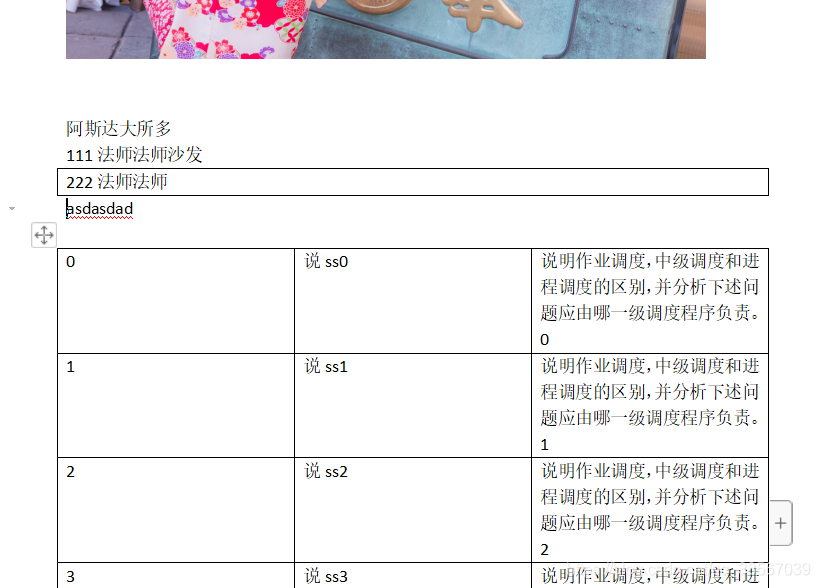
8.重新导出来的完整的word:
总结:
1.用Microsoft Office Word打开word原件(wps完美支持);
2.把需要动态修改的内容替换成***,如果有图片,尽量选择较小的图片几十K左右,并调整好位置;
3.另存为,选择保存类型Word 2003 XML 文档(*.xml)【这里说一下为什么用Microsoft Office Word打开且要保存为Word 2003XML,本人亲测,用WPS找不到Word 2003XML选项,如果保存为Word XML,会有兼容问题,避免出现导出的word文档不能用Word 2003打开的问题】;
4.用Firstobject free XML editor打开文件,选择Tools下的Indent【或者按快捷键F8】格式化文件内容。左边是文档结构,右边是文档内容;
5. 将文档内容中需要动态修改内容的地方,换成freemarker的标识。其实就是Map<String, Object>中key,如${landName};
6.在加入了图片占位的地方,会看到一片base64编码后的代码,把base64替换成${image},也就是Map<String, Object>中key,值必须要处理成base64;
代码如:<w:binData w:name="wordml://自定义.png" xml:space="preserve">${image}</w:binData>
注意:“>${image}<”这尖括号中间不能加任何其他的诸如空格,tab,换行等符号。
如果需要循环,则使用:<#list maps as map></#list> maps是Map<String, Object>中key,值为数组,map为自定义;
7. 标识替换完之后,模板就弄完了,另存为.ftl后缀文件即可。注意:一定不要用word打开ftl模板文件,否则xml内容会发生变化,导致前面的工作白做了。

腾讯云面向开发者汇聚海量精品云计算使用和开发经验,营造开放的云计算技术生态圈。
更多推荐
 0
0 0
0- 0



 已为社区贡献5条内容

所有评论(0)