【Github上传代码】远程服务器代码上传github
目录1、动机2、使用报错解决3、参考1、动机将服务器代码上传到github2、使用在远程服务器上某个项目下直接进行下面命令echo "# Test" >> README.md #创建文件git init #初始化git add README.md #准备传的某个文件git commit -m "first commit" #上传文件且做标记git branch -M main #git
目录
git push报错error: failed to push some refs to
1、动机
将服务器代码上传到github,经过实践发现
- ssh要比http好(后者经常连接超时,前者基本不存在这个问题)
- master现在全部改成了main
2、使用
在远程服务器上某个项目下直接进行下面命令
echo "# Test" >> README.md #创建文件
git init #初始化
git add README.md #准备传的某个文件
git commit -m "first commit" #上传文件且做标记
git branch -M main #分支的名字,之后的push名字也得是main
git remote add origin git@github.com:liujing1023/Test.git  #将本地的代码关联远程github上刚创建的库
git push -u origin main #正式添加的文件到github

#----添加当前路径下其他代码文件的话只需要执行下面3行命令
#git pull origin main #只有其他路径添加了才需要这个命令同步代码
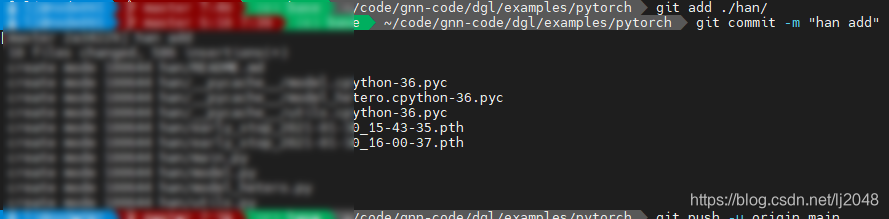
git add ./xx/ # git add ./hetero/*.py  这个是传某个路径下所有py文件
git commit -m "xx commit"
git push -u origin main


#----其他路径下(首次使用才需要前2步)
git init
git remote add origin git@github.com:liujing1023/Test.git
git pull origin main
git branch -M main
git add ./xx/
git commit -m "xx commit"
git push -u origin main
初始化
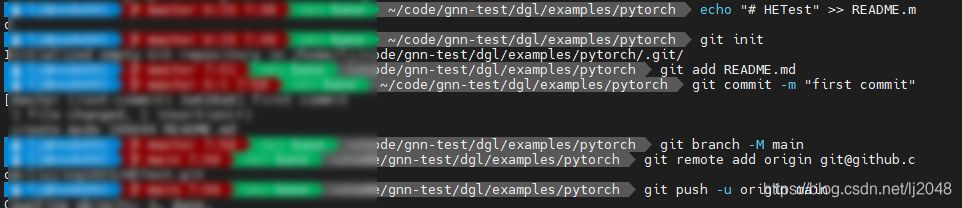 当前路径下添加代码

github仓库容量限制在1G,单个文件不能超过100M,有50M的文件,就会警告了;所以在上传代码时要记得把一些大的文件去掉。 其实我觉得完全没有必要除将代码以外的文件上传到远程仓库,特别是一些比较大的文件,除非你觉得该文件真的很有必要加到仓库! 因为要对于国内的环境而言,如果不翻墙,要从GitHub下载东西真的是有点慢。 不仅不利于自己的管理;而且如果你的仓库很大,可能会让想要clone的人望而止步。
其他路径下添加代码


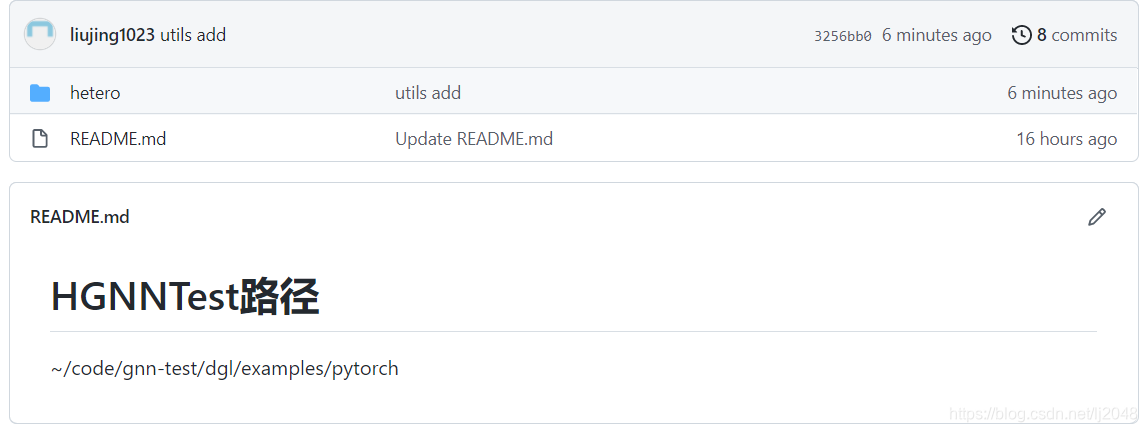
结果
git push报错连接超时解决
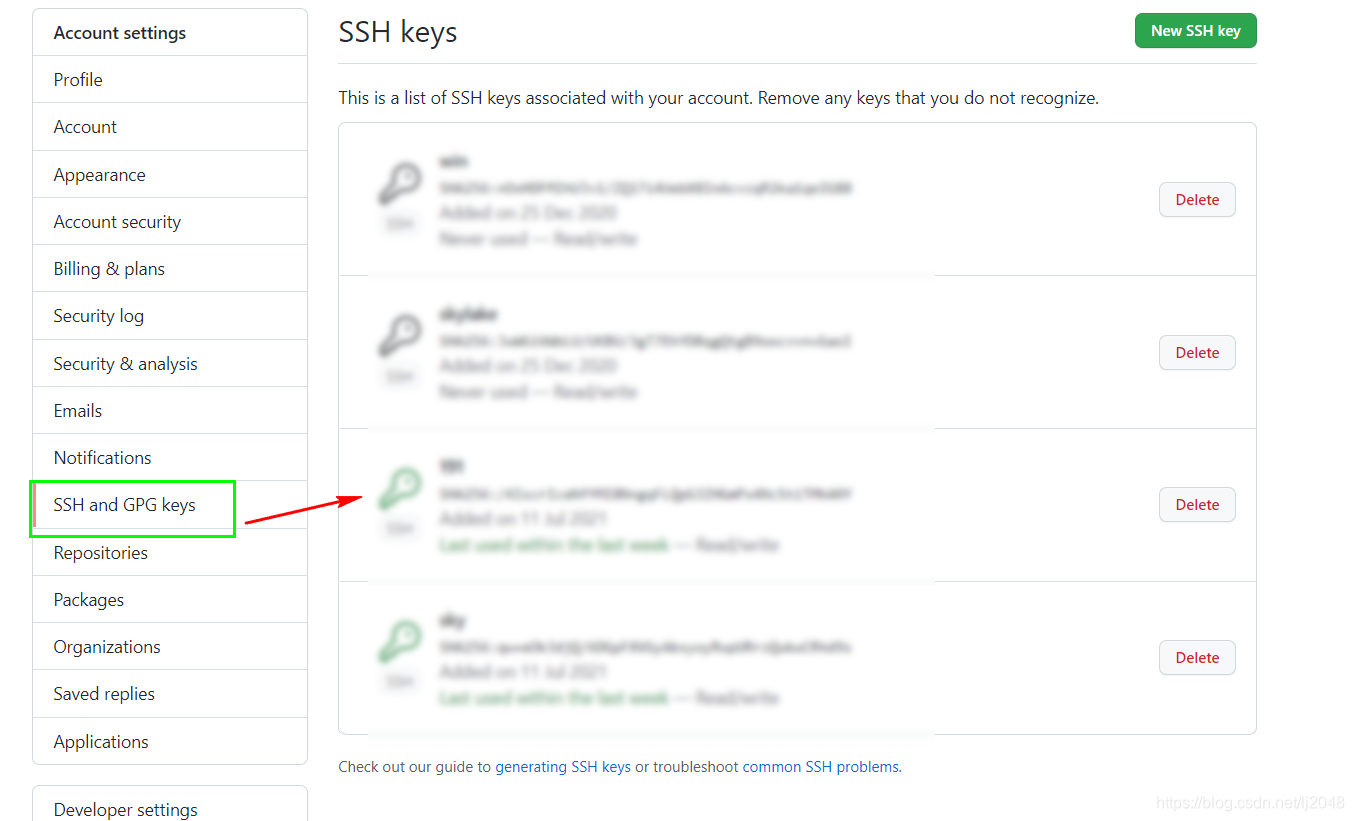
文件权限+秘钥重新配置
ssh: connect to host github.com port 22: Connection timed out
fatal: Could not read from remote repository.

Please make sure you have the correct access rights
and the repository exists.
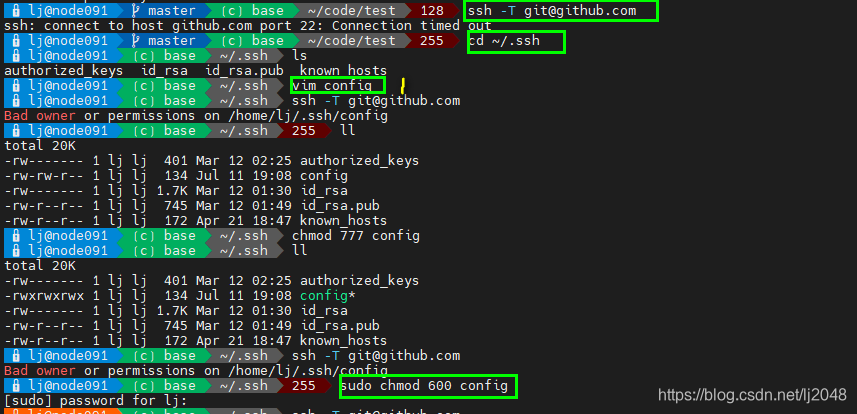
1里面内容
Host github.com
User xx@qq.com
Hostname ssh.github.com
PreferredAuthentications publickey
IdentityFile ~/.ssh/id_rsa
Port 443 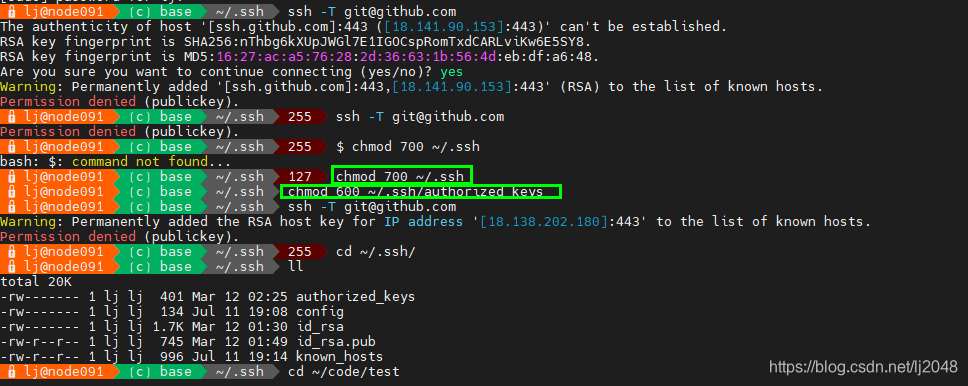
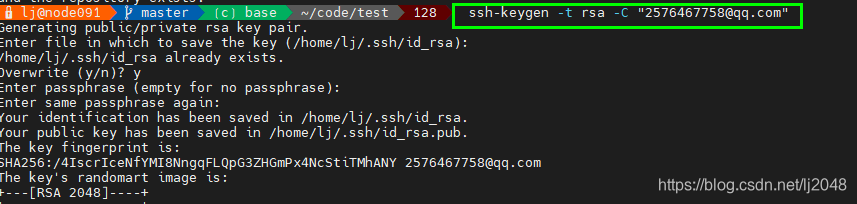
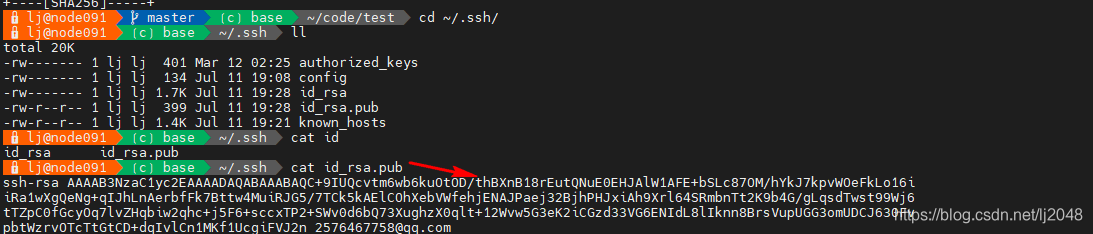
箭头所指复制到
git push报错error: failed to push some refs to
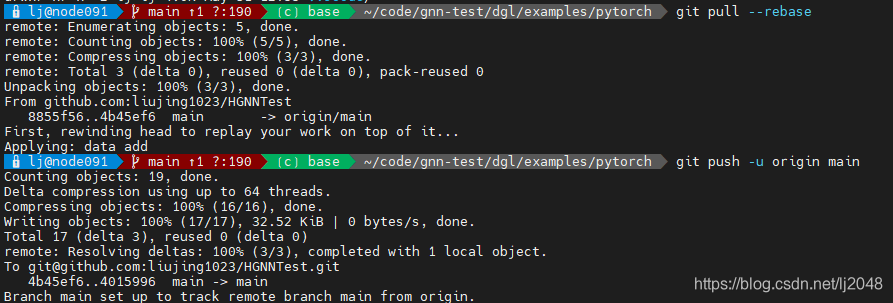
在继续添加当前路径下其他文件时报错

- 原因是GitHub远程仓库中的README.md文件不在本地仓库中(需要更新同步)。
- 需要先执行下
git pull --rebase #git pull --rebase origin main或者这个(master全部现在改成了main)
然后继续执行就没问题了
3、参考
Permanently added the RSA host key for IP address '13.250.177.223' to t he list of known hosts.
如何使用git把本地代码上传(更新)到Github上,并再将远程仓库库克隆(clone)到本地仓库
Git问题解决方案:不建议在没有为偏离分支指定合并策略时执行pull操作(Pulling without specifying how to reconcile divergent branches)
待学习

腾讯云面向开发者汇聚海量精品云计算使用和开发经验,营造开放的云计算技术生态圈。
更多推荐
 0
0 0
0- 0


 已为社区贡献6条内容

所有评论(0)