spring boot maven,引入本地jar,把本地加载的jar包也打包入项目中
·
一、如何引入本地jar包
1、jar的存放位置
1.在resources下面新建lib文件夹,并把jar包文件放到这个目录下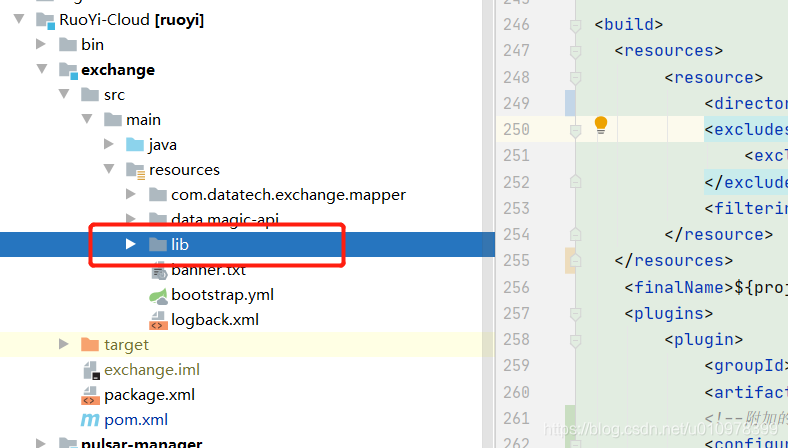
2、pom.xml文件怎么引入
<dependency>
   <groupId>org.apache.dolphinscheduler</groupId>
   <artifactId>dolphinscheduler-service</artifactId>
   <version>1.3.6</version>
   <scope>system</scope>
   <systemPath>${basedir}/src/main/resources/lib/dolphinscheduler-service-1.3.6.jar</systemPath>
</dependency>
二、如何操作打包使得本地jar也被打入
1、首先确定地址
地址一定要是resource下main的lib(不要问为什么就是默认的地方,不然不成功)
2、参数的引入
直接在maven的pom里给springboot的打包插件引入一下参数就行
<includeSystemScope>true</includeSystemScope>
3、案例
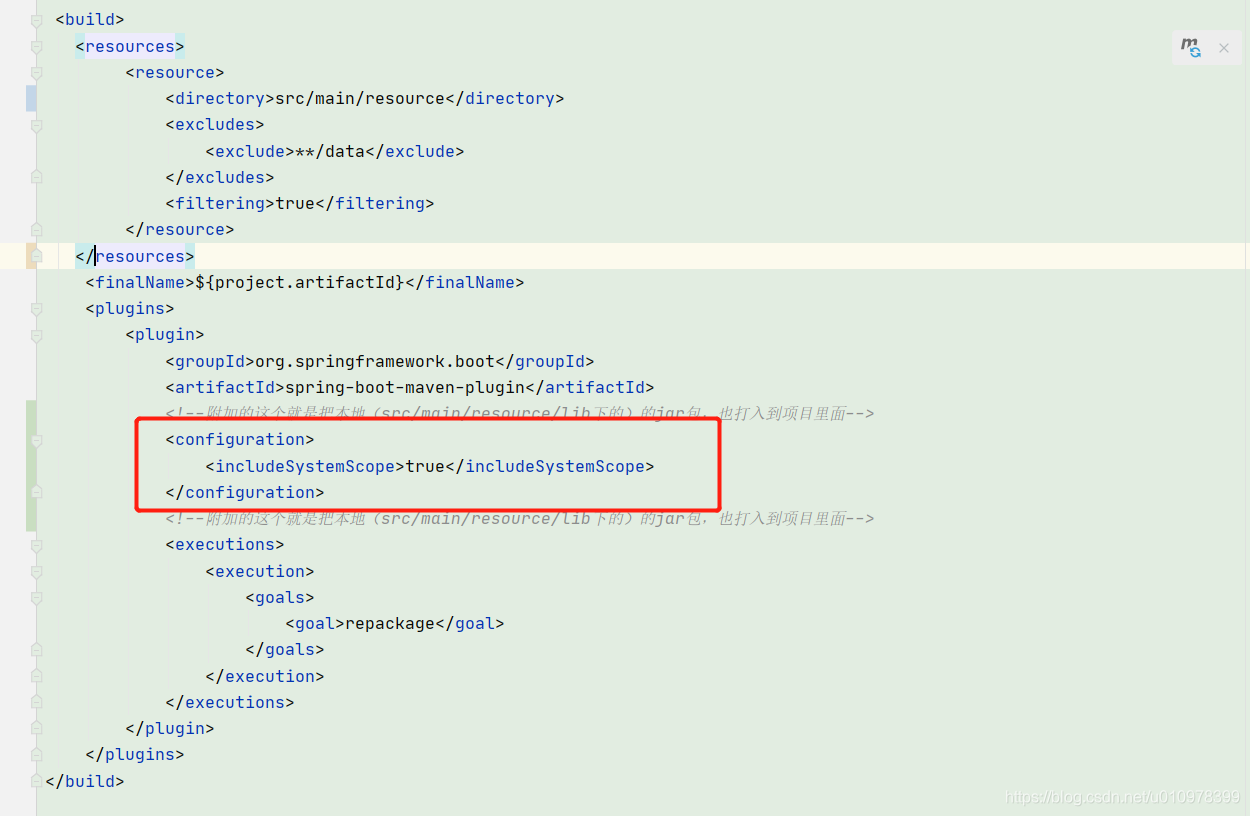
代码
<build>
   <resources>
        <resource>
            <directory>src/main/resource</directory>
            <excludes>
                <exclude>**/data</exclude>
            </excludes>
            <filtering>true</filtering>
        </resource>
   </resources>
    <finalName>${project.artifactId}</finalName>
    <plugins>
        <plugin>
            <groupId>org.springframework.boot</groupId>
            <artifactId>spring-boot-maven-plugin</artifactId>
            <!--附加的这个就是把本地(src/main/resource/lib下的)的jar包,也打入到项目里面-->
            <configuration>
                <includeSystemScope>true</includeSystemScope>
            </configuration>
            <!--附加的这个就是把本地(src/main/resource/lib下的)的jar包,也打入到项目里面-->
            <executions>
                <execution>
                    <goals>
                        <goal>repackage</goal>
                    </goals>
                </execution>
            </executions>
        </plugin>
    </plugins>
</build>

腾讯云面向开发者汇聚海量精品云计算使用和开发经验,营造开放的云计算技术生态圈。
更多推荐
 0
0 0
0- 0


 已为社区贡献5条内容

所有评论(0)