[UE4]打包运行时提示Plugin ‘‘ failed to load because module ‘‘ could not be found.缺少插件解决方法
·
提示错误如下
Plugin 'Dialoqueplugin' failed to load because module 'DialoguePlugin' could not be found. Please ensure the plugin is properly installed, otherwise consider disabling the plugin for this project.
我使用的是一个对话插件DialoguePlugin
官方链接
Not Yet / DialoguePluginSystem · GitLab
在虚幻中打包并没有错误
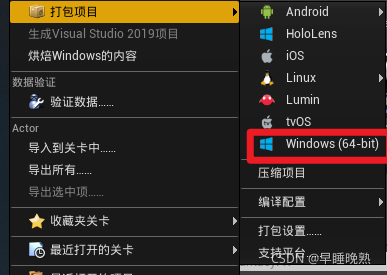
但是运行时提示
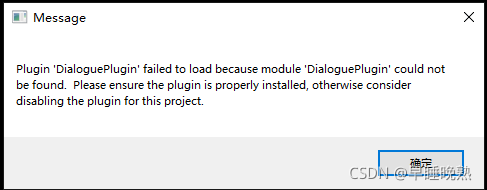
解决方法:
1.插件放到虚幻引擎的plugins文件夹下
2.使用继承的蓝图类,而不使用父类
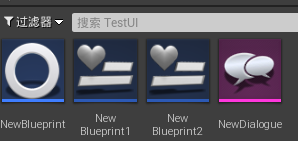
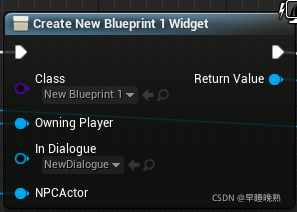
再尝试打包,就不提示错误了可以正常运行了

腾讯云面向开发者汇聚海量精品云计算使用和开发经验,营造开放的云计算技术生态圈。
更多推荐
 0
0 0
0- 0


 已为社区贡献1条内容

所有评论(0)