vscode 自定义全局代码片段
·
vscode 自定义全局代码片段
一、创建新的自定义用户代码片段
文件 - 首选项 - 用户片段
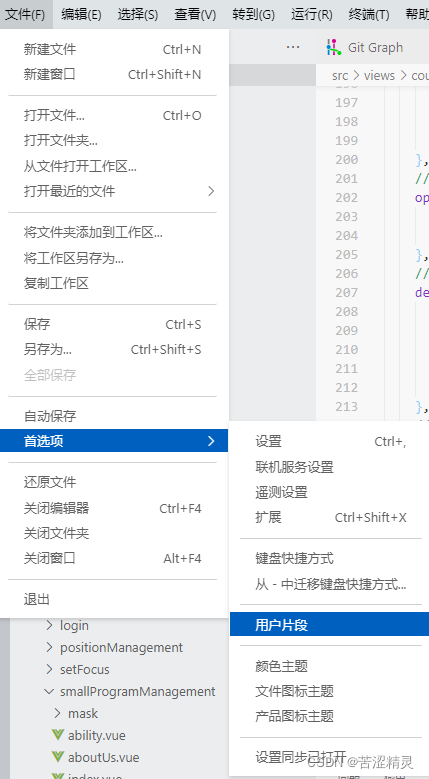
选择新代码片段
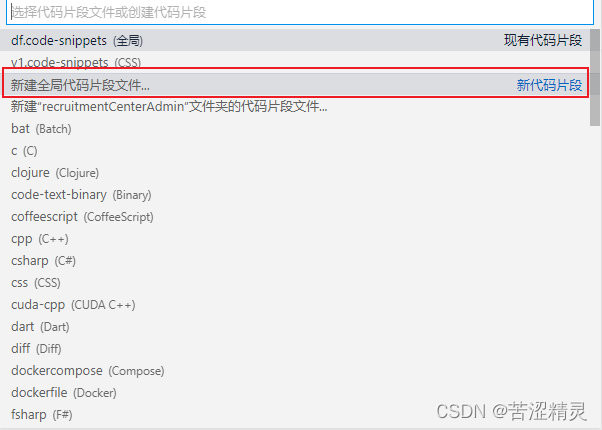
命名文件

二、写自定义代码片段JS
{
  // Place your 全局 snippets here. Each snippet is defined under a snippet name and has a scope, prefix, body and
  // description. Add comma separated ids of the languages where the snippet is applicable in the scope field. If scope
  // is left empty or omitted, the snippet gets applied to all languages. The prefix is what is
  // used to trigger the snippet and the body will be expanded and inserted. Possible variables are:
  // $1, $2 for tab stops, $0 for the final cursor position, and ${1:label}, ${2:another} for placeholders.
  // Placeholders with the same ids are connected.
  // Example:
  "Print to console": {
    "scope": "",    //可选javascript or typescript 等,不填就是通配符 * 全局使用
    "prefix": "df", //输入 df 按回车,就可以自动输入 "body" 配置项中的内容
    "body": [".then(response => {$1},error => {})"],  //自定义代码片段,一行写完格式化一下就行,若要多行,使用 "我是第一行内容","我是第二行内容" 这个格式
    "description": "promise.then()" //自定义代码片段的说明提示文字
  }
}
三、演示Gif
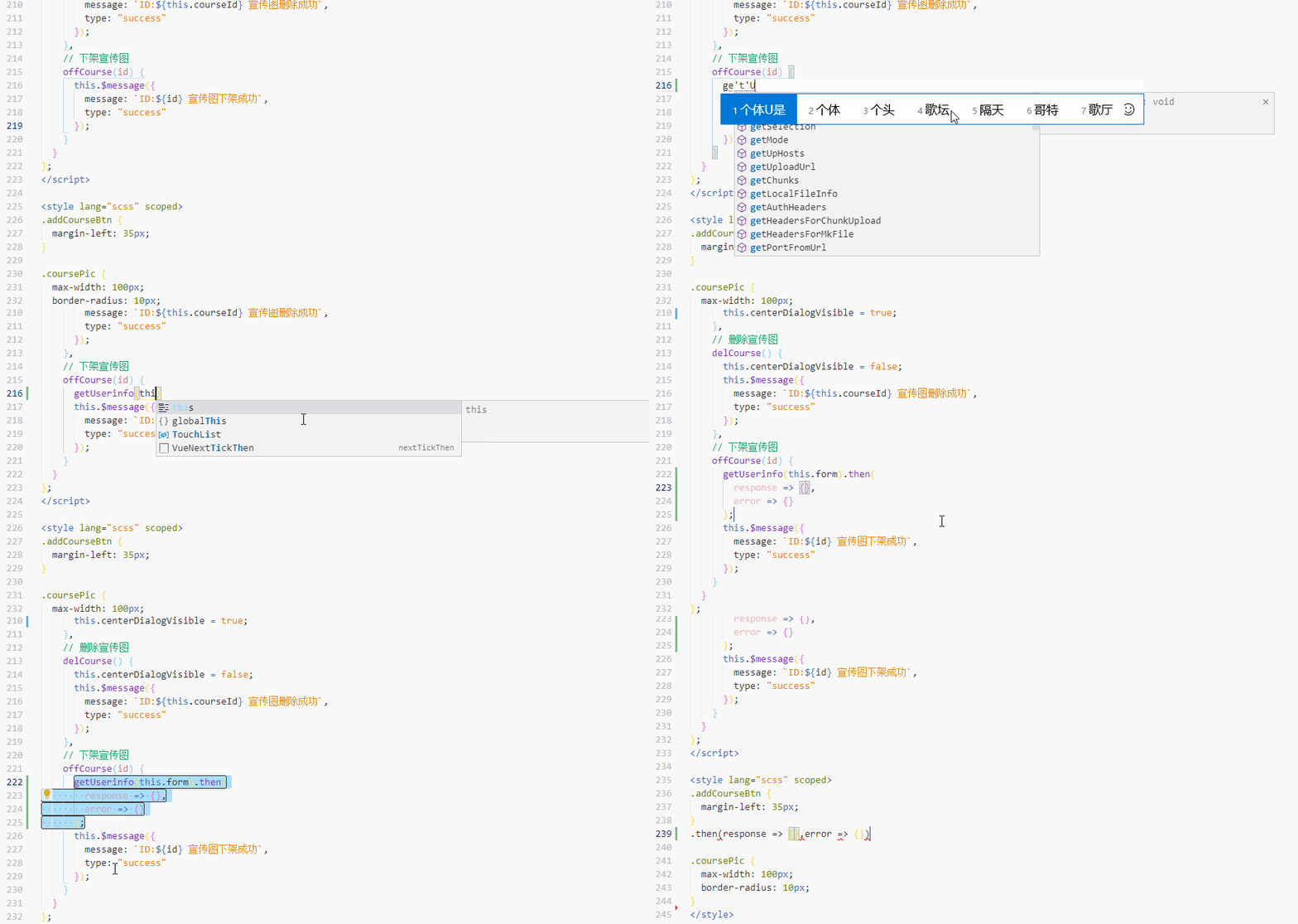
追加
如上 Gif 图所示,在使用 promise 的风格 request 请求时,经常需要 .then 才能获取数据,输入自定义代码片段前缀 df 按回车,就可以自动输入 .then(response => {},error => {}) ,炒鸡方便

腾讯云面向开发者汇聚海量精品云计算使用和开发经验,营造开放的云计算技术生态圈。
更多推荐
 2
2 0
0- 0


 已为社区贡献3条内容

所有评论(0)