onnxruntime-gpu使用问题
使用onnx+GPU推理yolov4/v5模型的时候报错:
warnings.warn(“Cannot load onnxruntime.capi. Error: ‘{0}’”.format(str(e)))
Traceback (most recent call last):
File “D:\Program\pyDev\Anaconda\envs\pytorch\lib\site-packages\onnxruntime_init_.py”, line 12, in
from onnxruntime.capi._pybind_state import get_all_providers, get_available_providers, get_device, RunOptions, SessionOptions, set_default_logger_severity, NodeArg, ModelMetadata, GraphOptimizationLevel, ExecutionMode
ImportError: cannot import name ‘get_all_providers’ from ‘onnxruntime.capi._pybind_state’ (D:\Program\pyDev\Anaconda\envs\pytorch\lib\site-packages\onnxruntime\capi_pybind_state.py)
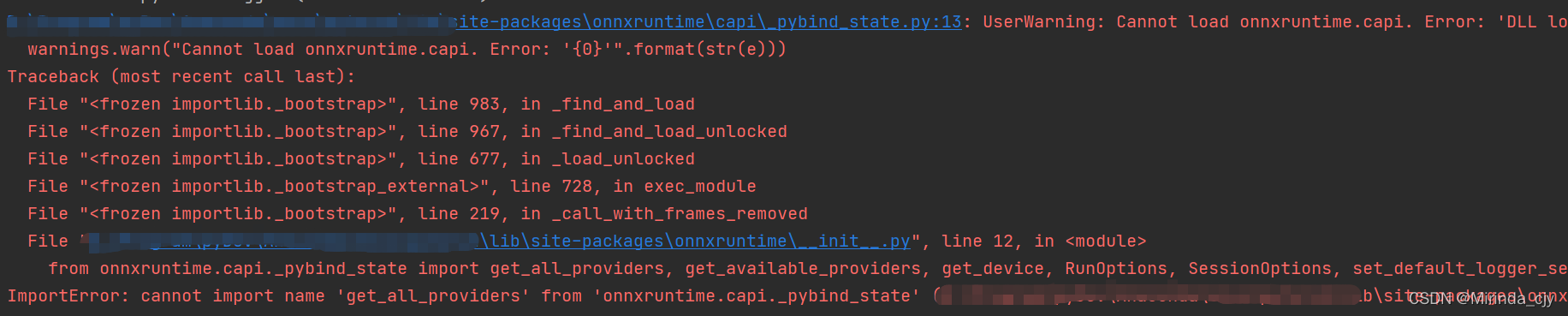
查阅网上的解决方案,大都说是高版本onnxruntime-gpu有问题,需要换1.2.0以下的版本,但是还了之后仍然报同样的错。
解决办法:
查询了onnxruntime与CUDA及Cudnn的版本对应关系,
https://onnxruntime.ai/docs/execution-providers/CUDA-ExecutionProvider.html
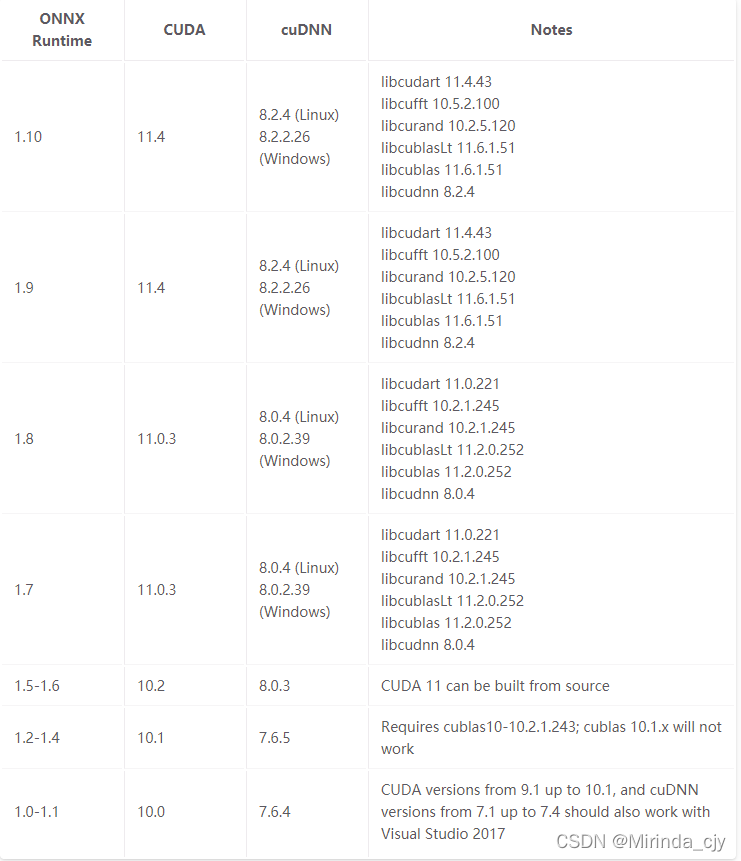
本机配置:CUDA11.0+Cudnn8.0.5需要匹配onnxruntime-gpu-1.8
pip uninstall onnxruntime-gpu

pip install onnxruntime-gpu==1.8.0
再运行代码,结果如下
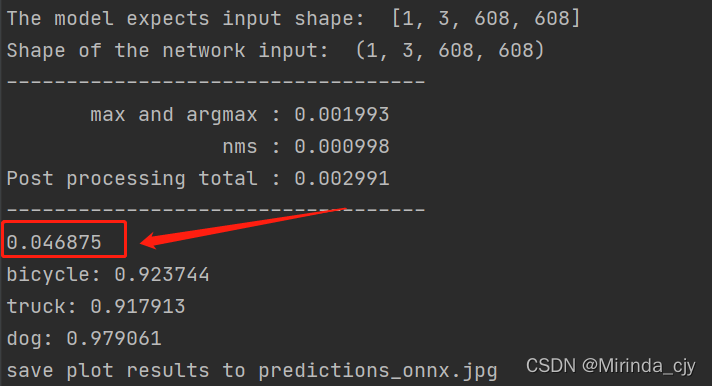
根本原因:
版本不匹配,需要结合CUDA、Cudnn选择对应的版本。

腾讯云面向开发者汇聚海量精品云计算使用和开发经验,营造开放的云计算技术生态圈。
更多推荐
 1
1 0
0- 0


 已为社区贡献1条内容

所有评论(0)