tensorflow基础学习-anaconda方式安装tensorflow(gpu-2.5版本)
·
基于tensorflow1.0+太混乱了,博主转战2.5
tensorflow1.0+相应的安装过程可以见tensorflow1.15.0安装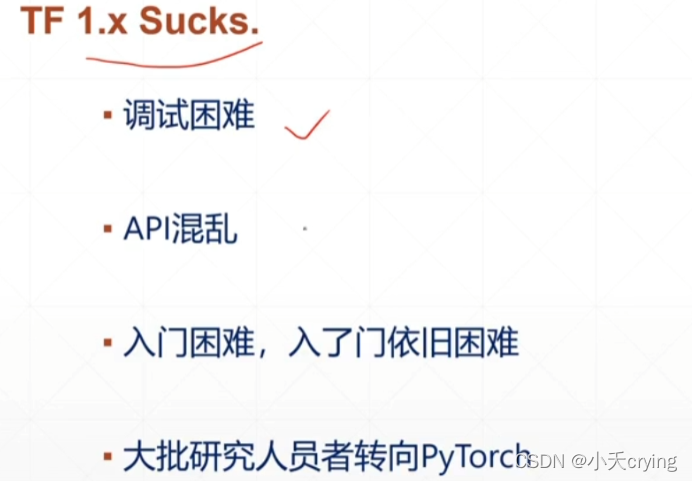
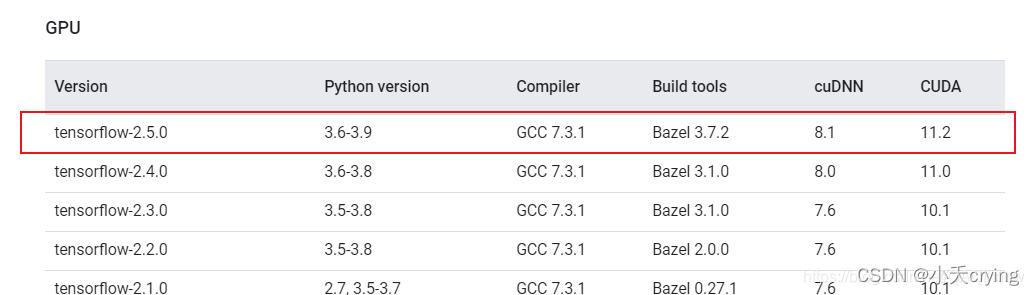
1、安装前确定版本信息
2、创建虚拟环境
打开Anaconda中的 Anaconda Prompt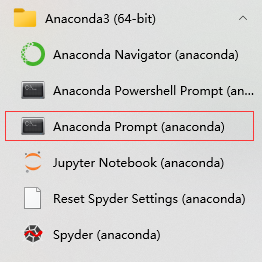
输入命令创建新的虚拟环境
conda create -n TF25GPU python=3.7.0
注意安装的版本,这里的版本和上面的表格是对应的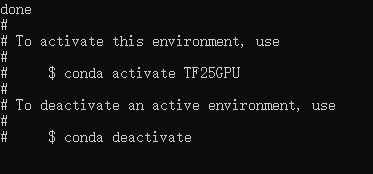
3、激活虚拟环境
输入命令
conda activate TF25GPU
在服务器上输入必须加入conda
进入虚拟环境
4、安装CUDA
查看可供安装的版本
conda search cudatoolkit
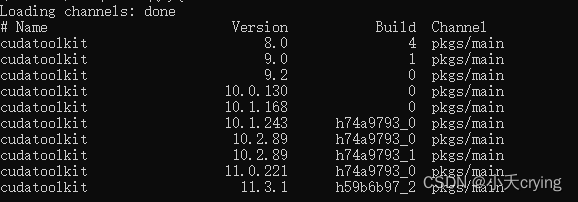
查看之前我要安装的tensorflow_gpu-2.15,我需要安装cuda版本是11.2的,但是没有,所以我安装11.3.1
安装cuda命令
conda install cudatoolkit=11.3.1
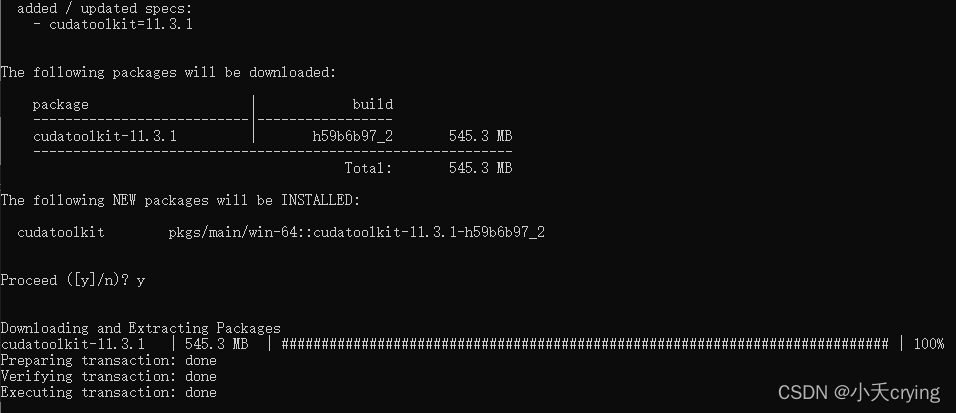
这里后来在服务器gpu跑代码的时候,更换了cuda的版本是11.2
linux服务器安装cuda
5、安装cudnn
同样,先查找可安装的版本
conda search cudnn
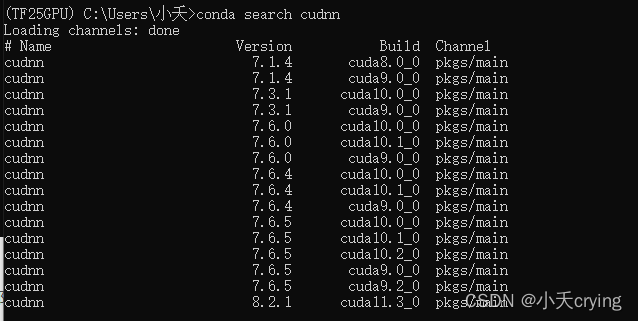
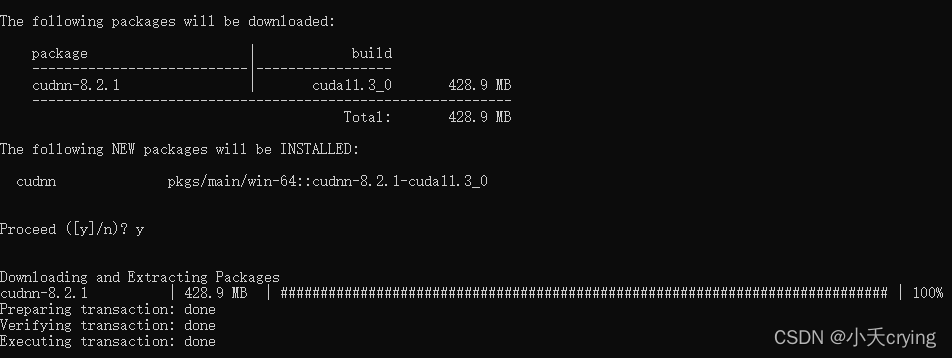
安装对应版本
conda install cudnn=8.2.1
6、安装tensorflow-gpu
同样,可以查看可安装的版本
conda search tensorflow-gpu
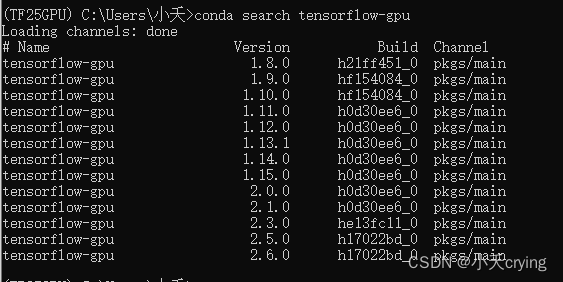
pip install tensorflow-gpu==2.5.0 -i https://pypi.doubanio.com/simple
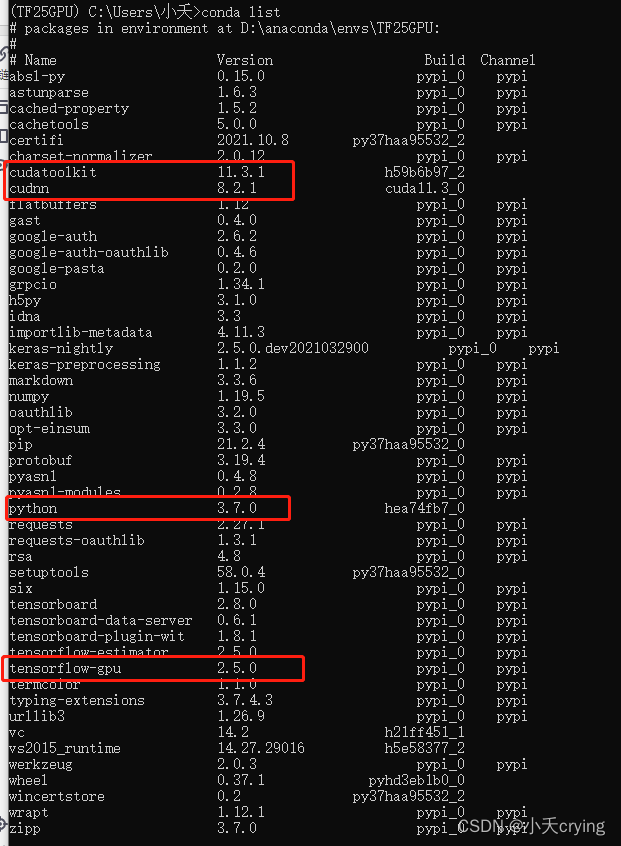
7、查看我们安装的相关版本信息
conda list
8、安装成功进行测试
python
import tensorflow as tf
tf.__version__


腾讯云面向开发者汇聚海量精品云计算使用和开发经验,营造开放的云计算技术生态圈。
更多推荐
 6
6 0
0- 0


 已为社区贡献7条内容

所有评论(0)