【亲测有效】Centos7.9安装NVIDIA gpu驱动1080ti
硬件和操作系统环境:./NVIDIA-Linux-x86_64-460.39.run --kernel-source-path=/usr/src/kernels/3.10.0-1160.59.1.el7.x86_64yum erase kmod-nvidia
·
硬件和操作系统环境
intel cpu芯片:
[root@centos7 ~]# cat /proc/cpuinfo | grep name | cut -f2 -d: | uniq -c
     32  Intel(R) Xeon(R) CPU E5-2667 v2 @ 3.30GHz
显卡硬件情况:
[root@centos7 ~]# lspci | grep -i vga
0e:01.0 VGA compatible controller: Matrox Electronics Systems Ltd. MGA G200eW WPCM450 (rev 0a)
84:00.0 VGA compatible controller: NVIDIA Corporation GP104 [GeForce GTX 1070 Ti] (rev a1)
操作系统情况:
[root@centos7 ~]# uname -r
3.10.0-1160.59.1.el7.x86_64
[root@centos7 ~]# uname -a
Linux centos7.9 3.10.0-1160.59.1.el7.x86_64 #1 SMP Wed Feb 23 16:47:03 UTC 2022 x86_64 x86_64 x86_64 GNU/Linux
安装nvidia驱动-屏蔽nouveau模块
解决直接安装时报错问题,需要屏蔽 nouveau 模块

yum erase kmod-nvidiarpm --import https://www.elrepo.org/RPM-GPG-KEY-elrepo.org
rpm -Uvh http://www.elrepo.org/elrepo-release-7.0-2.el7.elrepo.noarch.rpm
yum install yum-plugin-fastestmirror
vim /lib/modprobe.d/dist-blacklist.conf
填入:
#blacklist nvidiafb
blacklist nouveau
options nouveau modeset=0
mv /boot/initramfs-$(uname -r).img /boot/initramfs-$(uname -r).img.bak
dracut /boot/initramfs-$(uname -r).img $(uname -r)
lspci | grep nouveau
没有输出,说明屏蔽默认带有的nouveau成功。
安装nvidia驱动-显卡检测工具
yum install nvidia-detect   nvidia显卡检测
nvidia-detect -v                       检测结果
yum -y install kmod-nvidia     安装显卡驱动 这一步应该不需要

[root@centos7 ~]# nvidia-detect -v
Probing for supported NVIDIA devices...
[102b:0532] Matrox Electronics Systems Ltd. MGA G200eW WPCM450
[10de:1b82] NVIDIA Corporation GP104 [GeForce GTX 1070 Ti]
This device requires the current 510.47.03 NVIDIA driver kmod-nvidia
WARNING: Xorg log file /var/log/Xorg.0.log does not exist
WARNING: Unable to determine Xorg ABI compatibility
WARNING: The driver for this device does not support the current Xorg version
安装nvidia驱动-脚本安装
cd /opt/nvidia
wget https://international.download.nvidia.com/XFree86/Linux-x86_64/430.40/NVIDIA-Linux-x86_64-430.40.run
chmod +x NVIDIA-Linux-x86_64-460.39.run
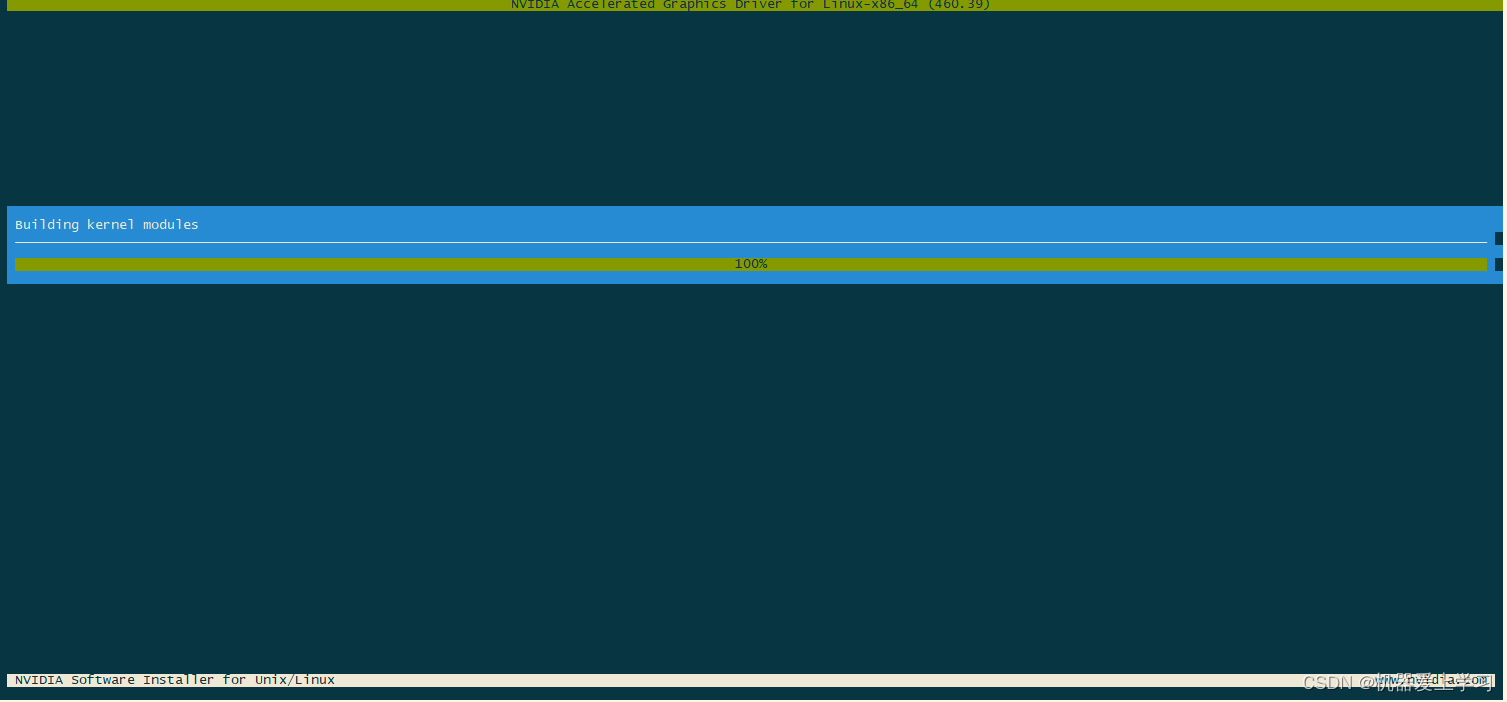
./NVIDIA-Linux-x86_64-460.39.run --kernel-source-path=/usr/src/kernels/3.10.0-1160.59.1.el7.x86_64
# 下面是移除NVENC同时运行最大数量的限制 restriction on maximum number of simultaneous NVENC
git clone https://github.com/keylase/nvidia-patch
cd nvidia-patch
bash ./patch.sh
安装nvidia驱动-脚本卸载
./NVIDIA-Linux-x86_64-460.39.run --uninstall安装nvidia驱动-安装Cuda
yum-config-manager --add-repo http://developer.download.nvidia.com/compute/cuda/repos/rhel7/x86_64/cuda-rhel7.repo
yum clean all
yum -y install nvidia-driver-latest-dkms cuda
[root@centos7 ~]# nvidia-smi
Sat Mar 26 21:05:07 2022
+-----------------------------------------------------------------------------+
| NVIDIA-SMI 460.39       Driver Version: 460.39       CUDA Version: 11.2     |
|-------------------------------+----------------------+----------------------+
| GPU  Name        Persistence-M| Bus-Id        Disp.A | Volatile Uncorr. ECC |
| Fan  Temp  Perf  Pwr:Usage/Cap|         Memory-Usage | GPU-Util  Compute M. |
|                               |                      |               MIG M. |
|===============================+======================+======================|
|   0  GeForce GTX 107...  Off  | 00000000:84:00.0 Off |                  N/A |
|  0%   34C    P0    33W / 180W |      0MiB /  8119MiB |      0%      Default |
|                               |                      |                  N/A |
+-------------------------------+----------------------+----------------------+

+-----------------------------------------------------------------------------+
| Processes:                                                                  |
|  GPU   GI   CI        PID   Type   Process name                  GPU Memory |
|        ID   ID                                                   Usage      |
|=============================================================================|
|  No running processes found                                                 |
+-----------------------------------------------------------------------------+
[root@centos7 ~]# docker run -it --rm --name test --gpus all ubuntu:latest nvidia-smi
Sat Mar 26 13:04:50 2022
+-----------------------------------------------------------------------------+
| NVIDIA-SMI 460.39 Driver Version: 460.39 CUDA Version: 11.2 |
|-------------------------------+----------------------+----------------------+
| GPU Name Persistence-M| Bus-Id Disp.A | Volatile Uncorr. ECC |
| Fan Temp Perf Pwr:Usage/Cap| Memory-Usage | GPU-Util Compute M. |
| | | MIG M. |
|===============================+======================+======================|
| 0 GeForce GTX 107... Off | 00000000:84:00.0 Off | N/A |
| 0% 34C P0 33W / 180W | 0MiB / 8119MiB | 0% Default |
| | | N/A |
+-------------------------------+----------------------+----------------------+
+-----------------------------------------------------------------------------+
| Processes: |
| GPU GI CI PID Type Process name GPU Memory |
| ID ID Usage |
|=============================================================================|
| No running processes found |
+-----------------------------------------------------------------------------+[root@centos7 ~]# docker run -it --rm --name test --gpus all centos:latest nvidia-smi
Sat Mar 26 13:05:39 2022
+-----------------------------------------------------------------------------+
| NVIDIA-SMI 460.39 Driver Version: 460.39 CUDA Version: 11.2 |
|-------------------------------+----------------------+----------------------+
| GPU Name Persistence-M| Bus-Id Disp.A | Volatile Uncorr. ECC |
| Fan Temp Perf Pwr:Usage/Cap| Memory-Usage | GPU-Util Compute M. |
| | | MIG M. |
|===============================+======================+======================|
| 0 GeForce GTX 107... Off | 00000000:84:00.0 Off | N/A |
| 0% 34C P0 33W / 180W | 0MiB / 8119MiB | 0% Default |
| | | N/A |
+-------------------------------+----------------------+----------------------+
+-----------------------------------------------------------------------------+
| Processes: |
| GPU GI CI PID Type Process name GPU Memory |
| ID ID Usage |
|=============================================================================|
| No running processes found |
+-----------------------------------------------------------------------------+

腾讯云面向开发者汇聚海量精品云计算使用和开发经验,营造开放的云计算技术生态圈。
更多推荐
 0
0 0
0- 0


 已为社区贡献33条内容

所有评论(0)