NVIDIA AGX Orin Failed to connect to github.com port 443: Connection timed out
·
参考:
- Git 报错:Failed to connect to github.com port 443: Timed out 解决办法
- https://blog.csdn.net/twi_twi/article/details/124692509
git 克隆 yolov5 时出现下面错误:
$ git clone https://github.com/ultralytics/yolov5
Cloning into 'yolov5'...
fatal: unable to access 'https://github.com/ultralytics/yolov5/': Failed to connect to github.com port 443: Connection timed out
同时github.com 也打不开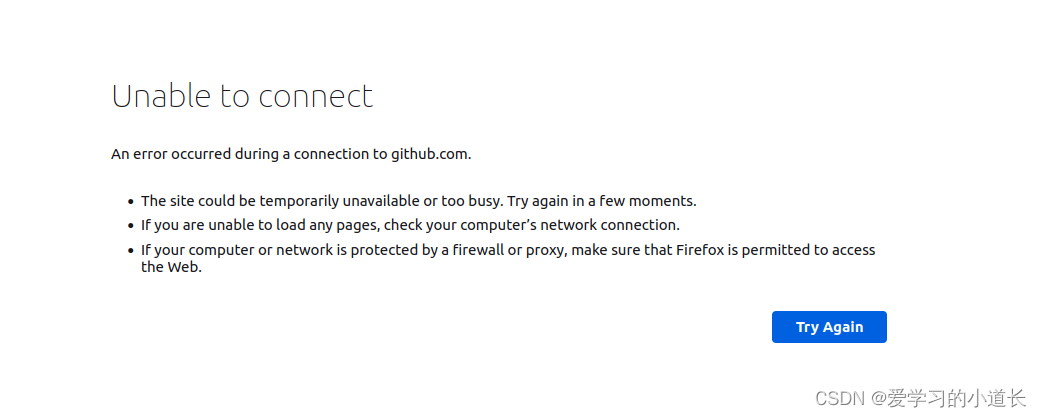 参考 Git 报错:Failed to connect to github.com port 443: Timed out 解决办法 的解决步骤
sudo gedit /etc/hosts
在 hosts 的后面添加:
# GitHub Start
140.82.112.4 github.com
199.232.69.194 github.global.ssl.fastly.net
185.199.108.153 assets-cdn.github.com
185.199.109.153 assets-cdn.github.com
185.199.110.153 assets-cdn.github.com
185.199.111.153 assets-cdn.github.com
# GitHub End
保存后退出:
$ ping github.com
PING github.com (140.82.112.4) 56(84) bytes of data.
64 bytes from github.com (140.82.112.4): icmp_seq=1 ttl=46 time=258 ms
64 bytes from github.com (140.82.112.4): icmp_seq=2 ttl=46 time=243 ms
64 bytes from github.com (140.82.112.4): icmp_seq=3 ttl=46 time=267 ms
64 bytes from github.com (140.82.112.4): icmp_seq=4 ttl=46 time=250 ms
^C
--- github.com ping statistics ---
4 packets transmitted, 4 received, 0% packet loss, time 3002ms
rtt min/avg/max/mdev = 243.457/254.622/267.248/8.937 ms
成功!!!

腾讯云面向开发者汇聚海量精品云计算使用和开发经验,营造开放的云计算技术生态圈。
更多推荐
 2
2 0
0- 0


 已为社区贡献7条内容

所有评论(0)