SpringBoot整合前端框架Freemarker与Thymeleaf
·
整合Freemarker
创建SpringBoot项目时选择依赖的模板引擎
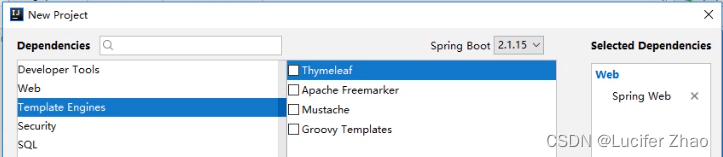
或者通过pom引入依赖
<dependency>
	<groupId>org.springframework.boot</groupId>
	<artifactId>spring-boot-starter-freemarker</artifactId>
    <version>2.6.8</version>
</dependency>
controller中通过Model向前端传值
@Controller
@RequestMapping("/user")
public class UserController {
    @RequestMapping("/index")
    public String index(Model model) {
        // 模拟数据库取到的数据
        List<User> users = new ArrayList<>();
        users.add(new User("1", "Lily", 18));
        users.add(new User("2", "Lisi", 21));
        users.add(new User("3", "Tom", 19));
        users.add(new User("4", "Tony", 20));
        model.addAttribute("users", users);
        return "user";
    }
}
在配置文件中定义Freemarker文件后缀
resources/application.properties
server.port=8081
spring.freemarker.suffix=.ftl
前端页面通过Freemarker语法读取后台传的数据
resources/templates/user.ftl
<html>
    <head>
        <meta charset="UTF-8">
        <title>用户列表</title>
    </head>
    <body>
        <table border="1" align="center" width="80%">
            <tr>
                <th>ID</th>
                <th>姓名</th>
                <th>年龄</th>
            </tr>
            <#list users as user>
            <tr>
                <td>${user.id}</td>
                <td>${user.name}</td>
                <td>${user.age}</td>
            </tr>
            </#list>
        </table>
    </body>
</html>
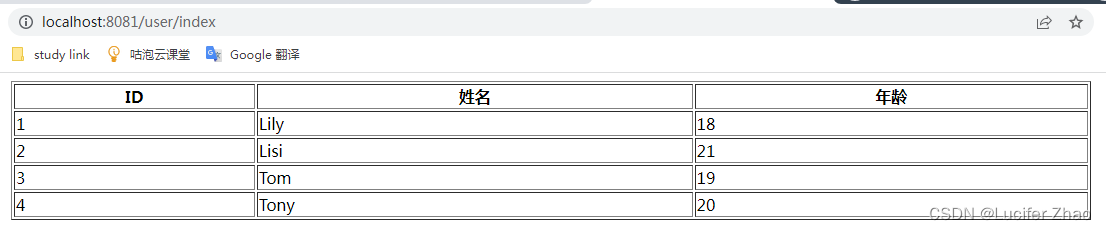
访问api测试
整合Thymeleaf
创建SpringBoot项目时选择依赖的模板引擎
引入依赖
<dependency>
    <groupId>org.springframework.boot</groupId>
    <artifactId>spring-boot-starter-thymeleaf</artifactId>
    <version>2.6.8</version>
</dependency>
controller中通过Model向前端传值
@Controller
public class HelloController {
    @RequestMapping("/index")
    public String index(Model model) {
        model.addAttribute("msg", "Hello, this is test Thymeleaf");
        return "index"; //指定返回给index.html页面
    }
}
前端页面通过Thymeleaf语法取值
resources/templates/index.html
<!DOCTYPE html>
<html lang="en" xmlns="http://www.w3.org/1999/xhtml" xmlns:th="http://www.thymeleaf.org">
<head>
    <meta charset="UTF-8">
    <title>Title</title>
</head>
<body>
    <h1>Thymeleaf testing</h1>
    <span th:text="${msg}"></span>
</body>
</html>
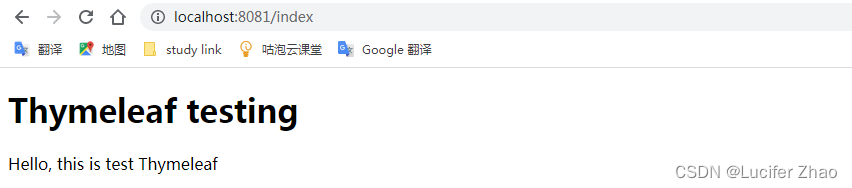
访问api测试

腾讯云面向开发者汇聚海量精品云计算使用和开发经验,营造开放的云计算技术生态圈。
更多推荐
 0
0 0
0- 0


 已为社区贡献1条内容

所有评论(0)