谷粒商城 (十六) --------- 商品服务 API 品牌管理 ② OSS 云存储开通整合
·
前言
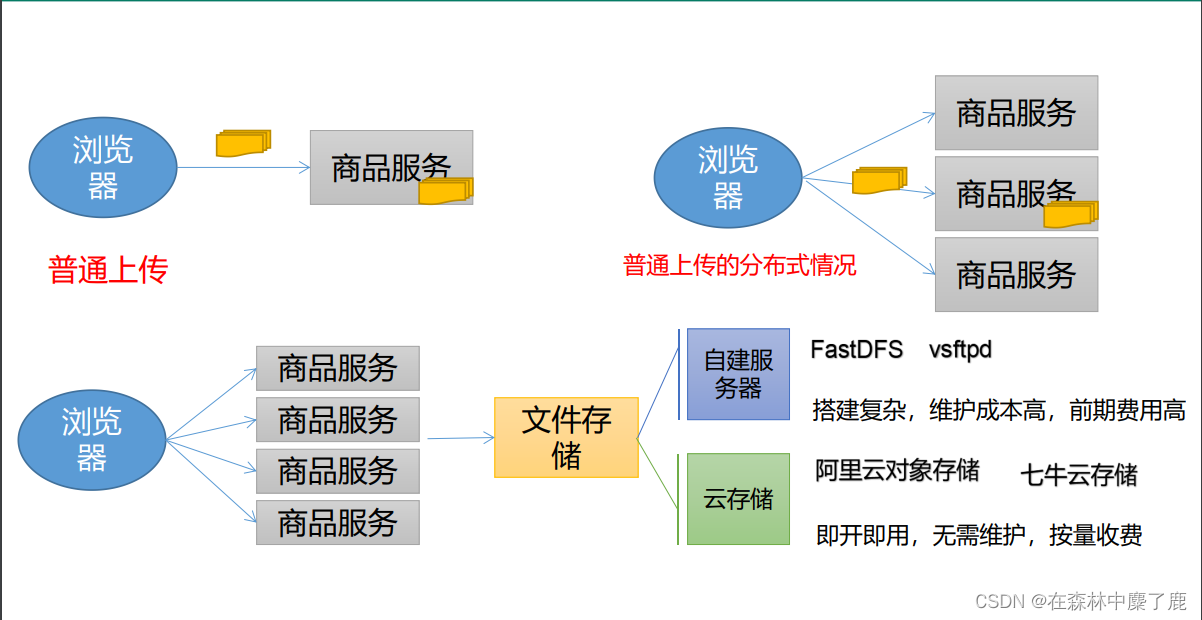
关于文件上传,下图表示普通上传和分布式上传
一、云存储开通与使用
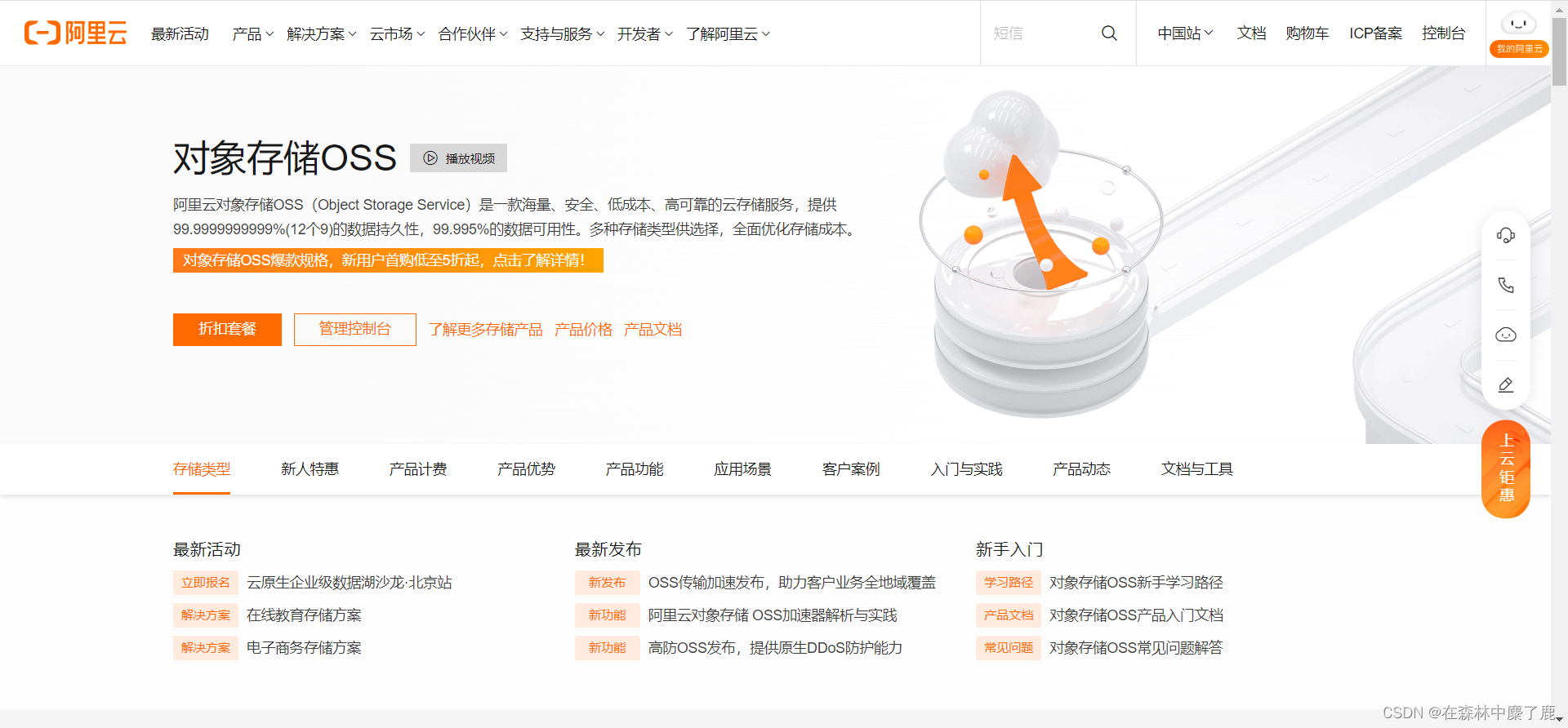
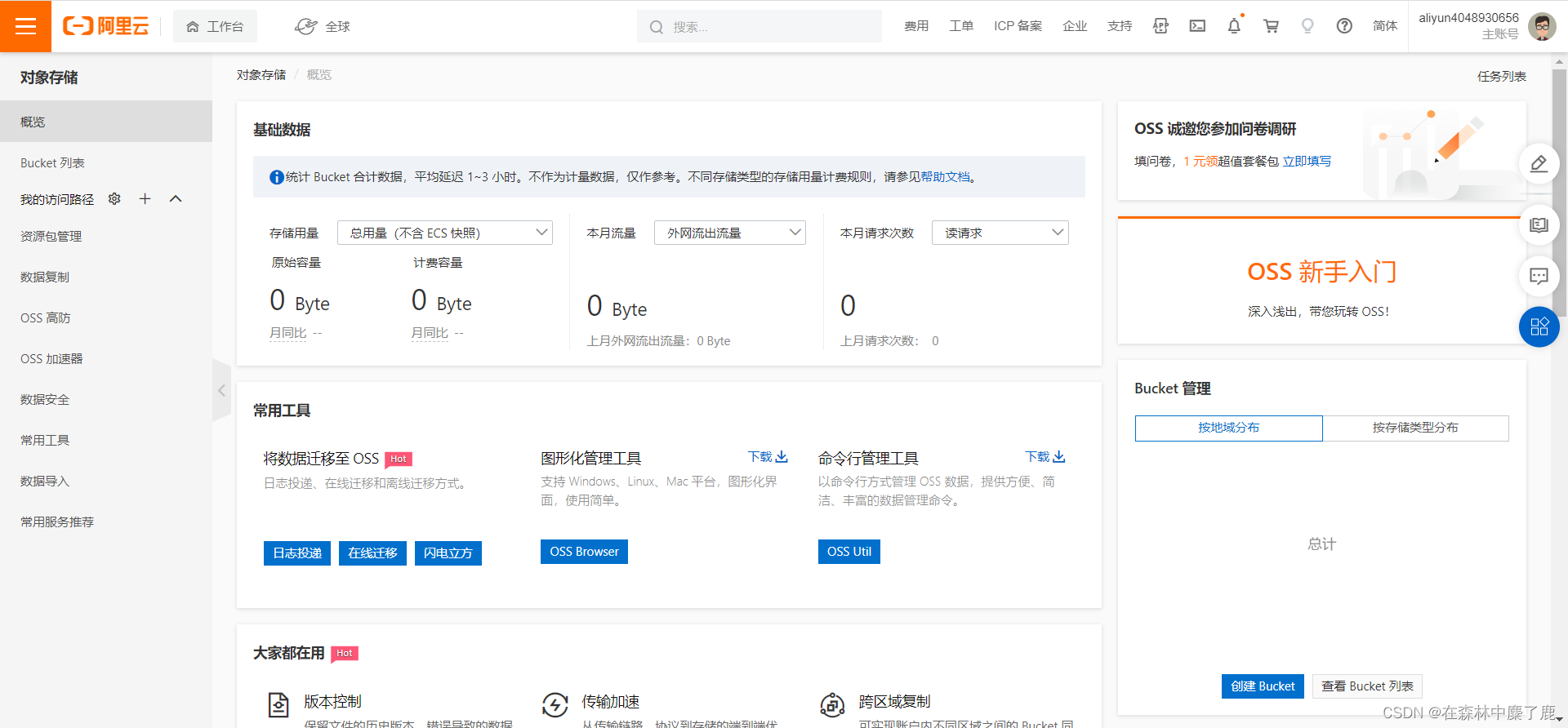
开通云存储
使用云存储
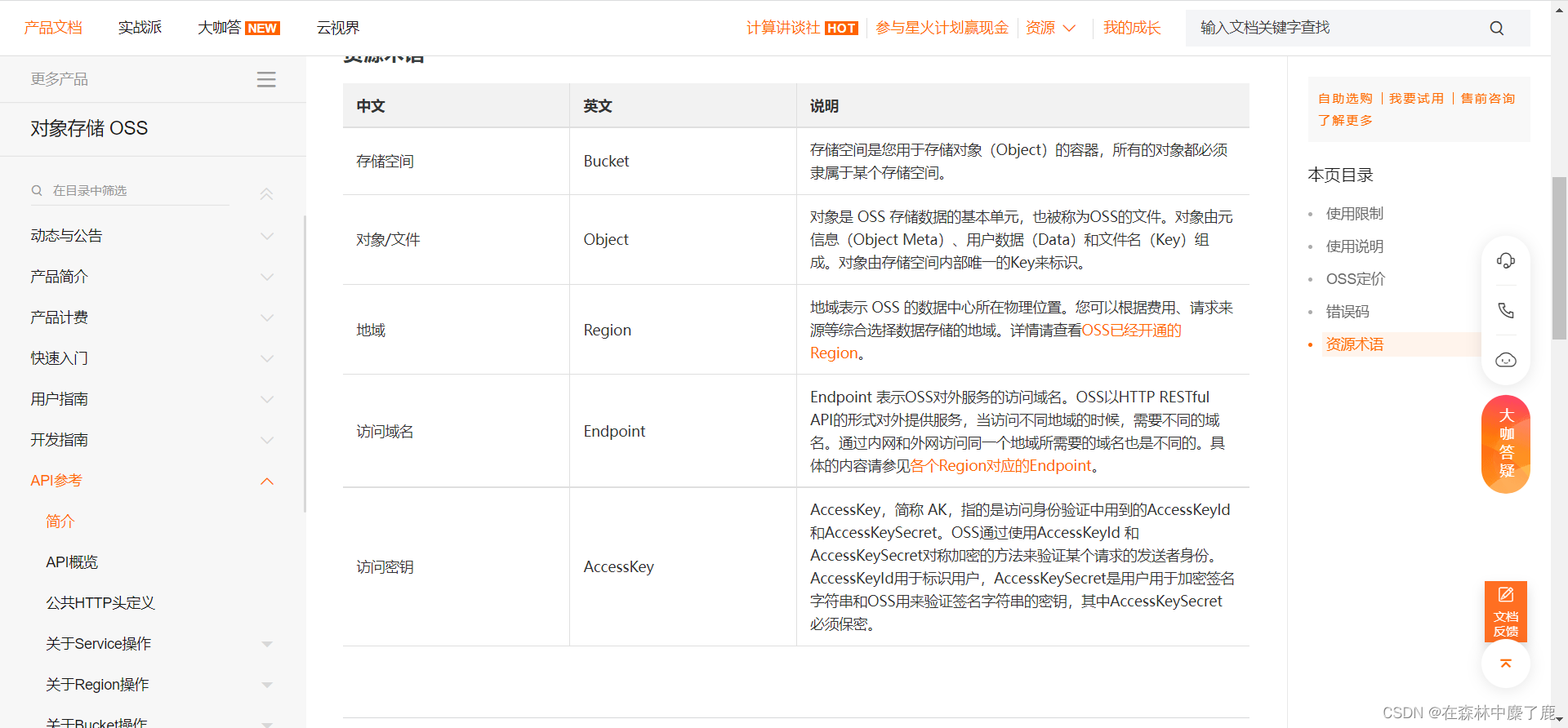
查看其 API 文档
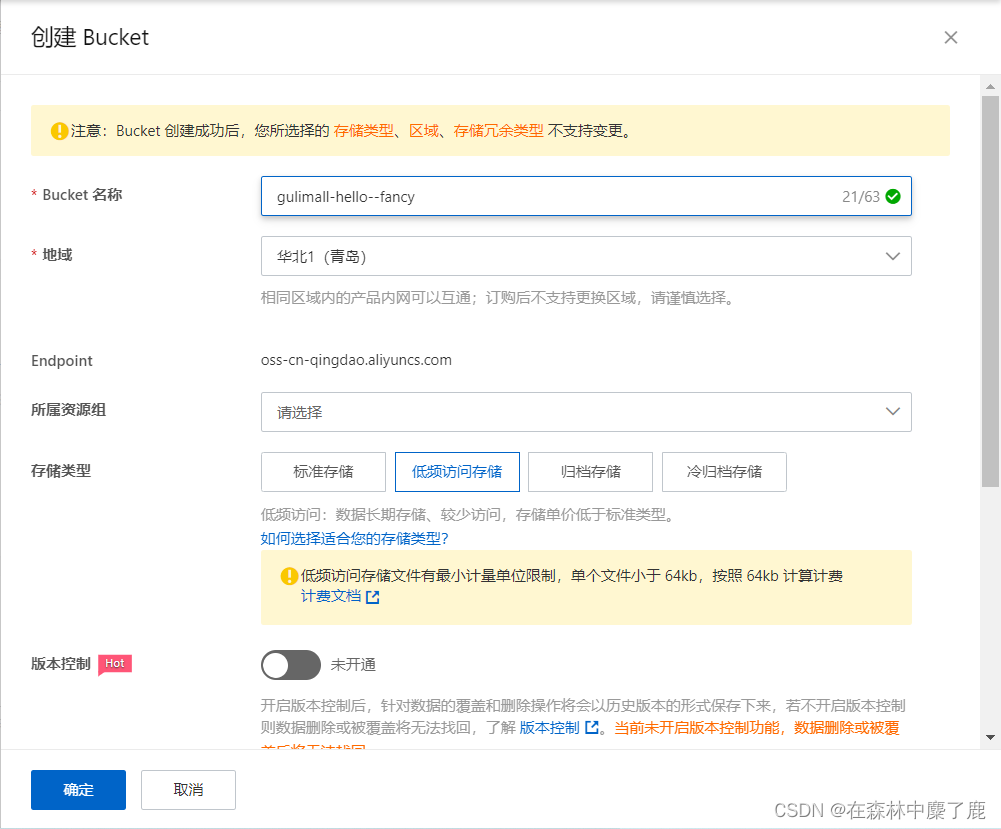
创建 Bucket
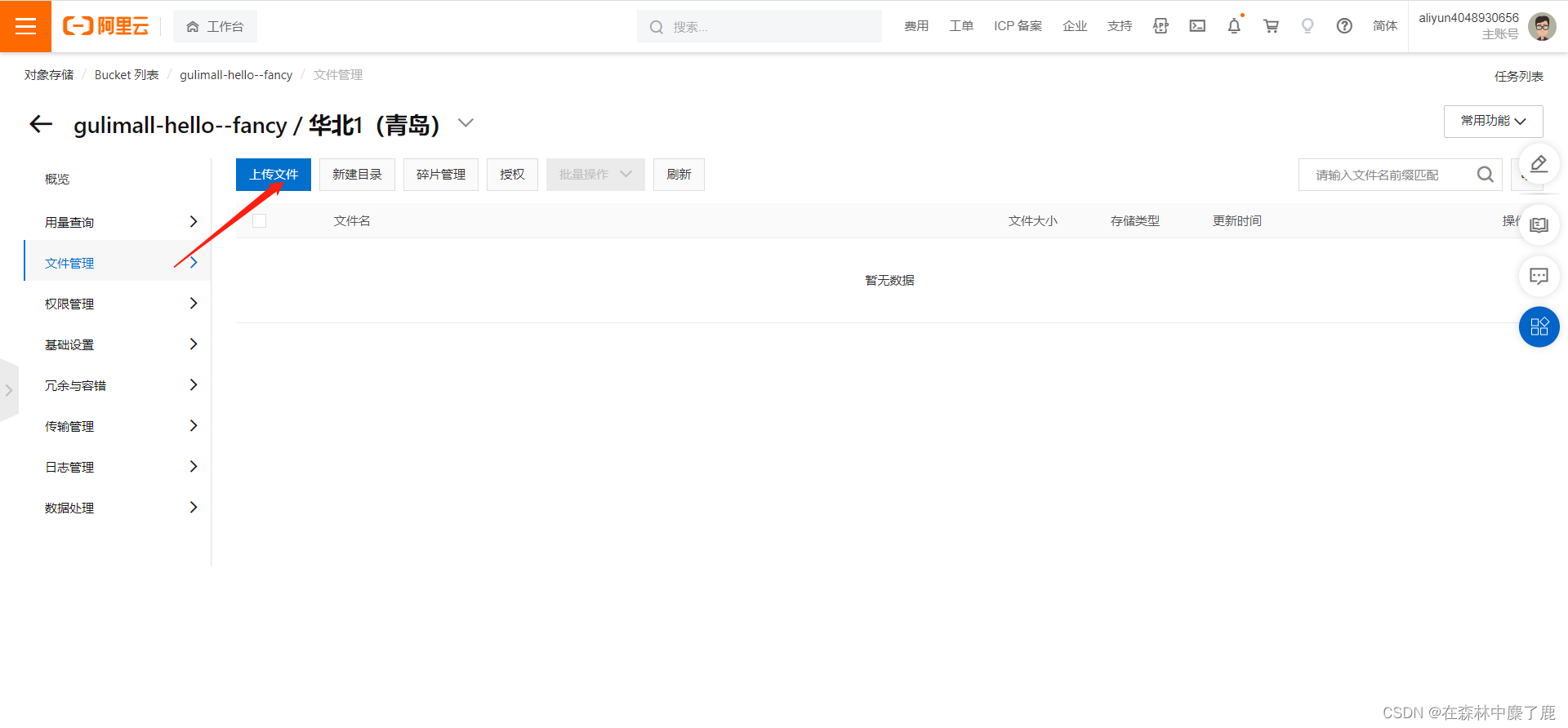
可以通过此处来上传文件
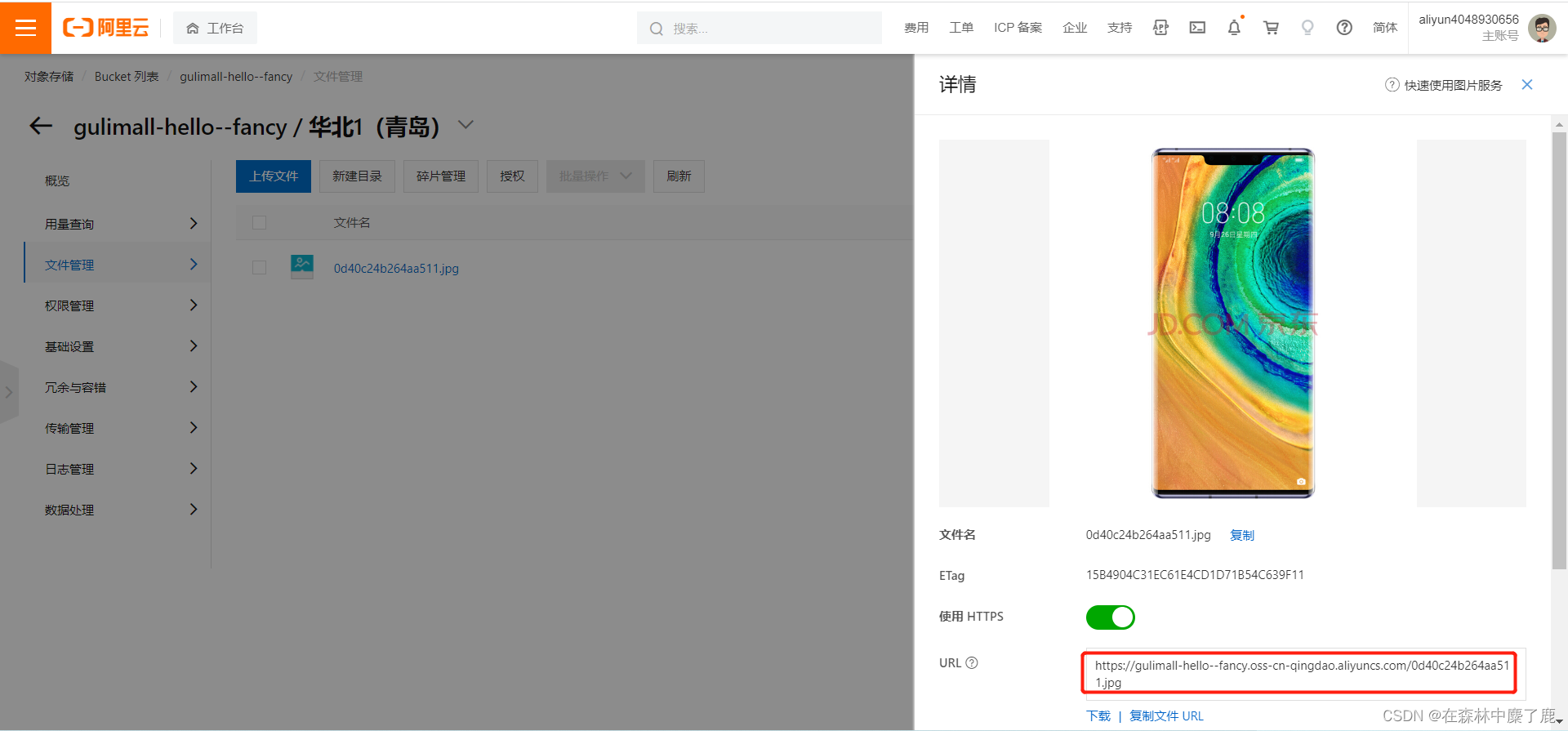
上传的文件有一个 URL 进行直接访问
二、阿里云对象存储上传方式
A、普通上传
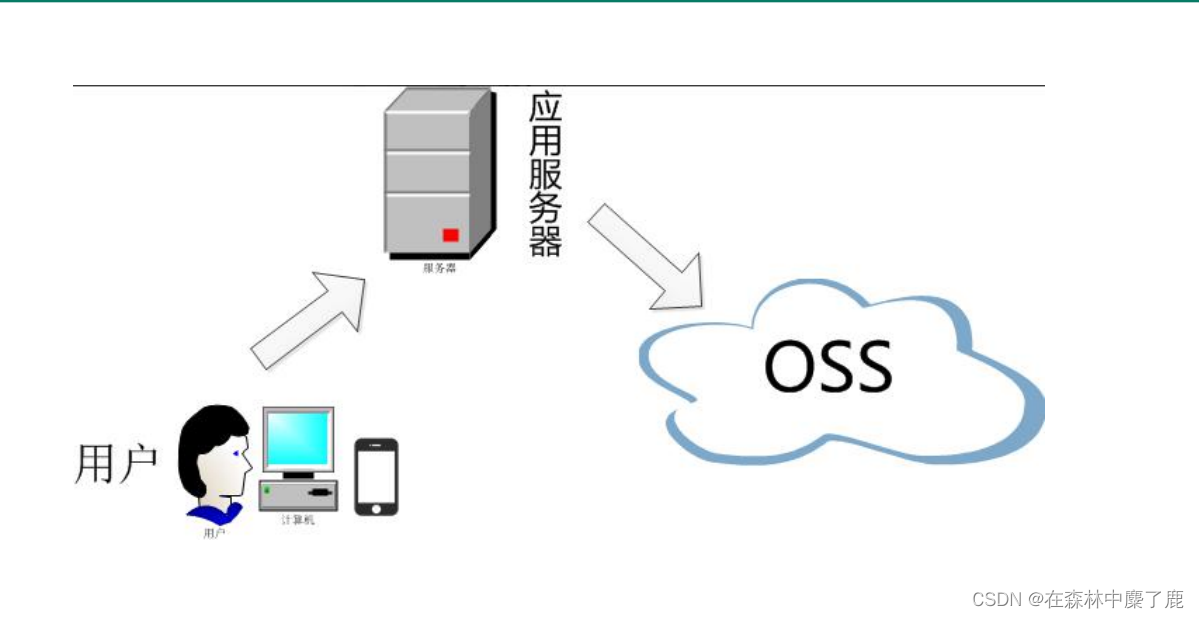
B、服务端签名后直传
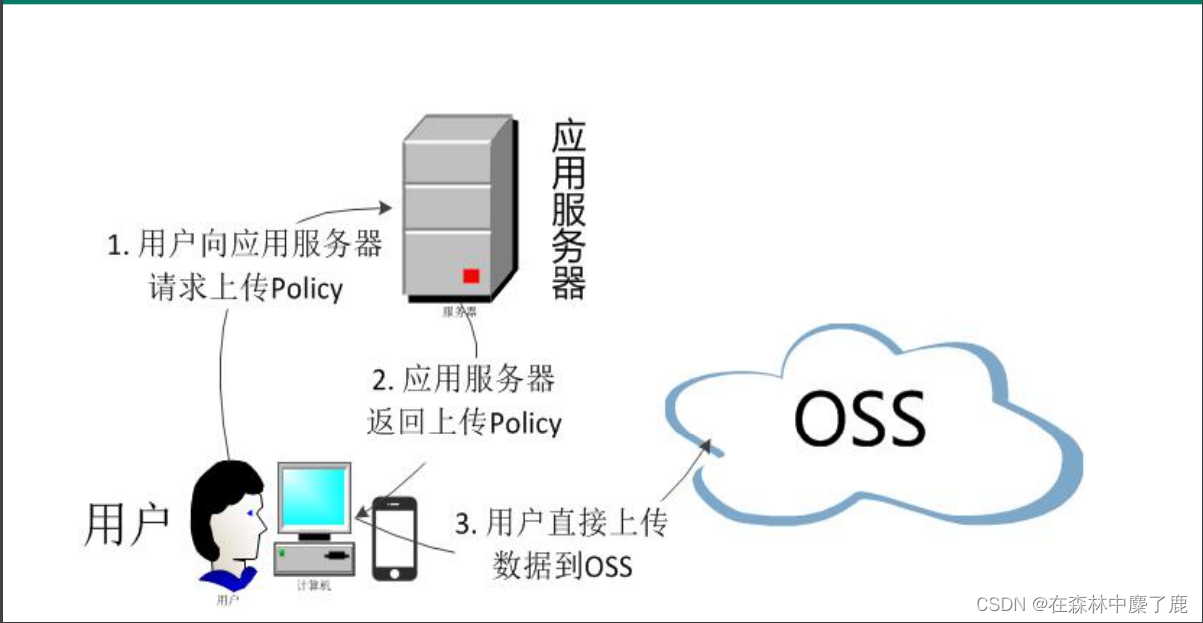
我们采用第二种方式。。。。效率更高
三、OSS 整合测试
A、安装 SDK
<dependency>
	<groupId>com.aliyun.oss</groupId>
	<artifactId>aliyun-sdk-oss</artifactId>
	<version>3.15.0</version>
</dependency>
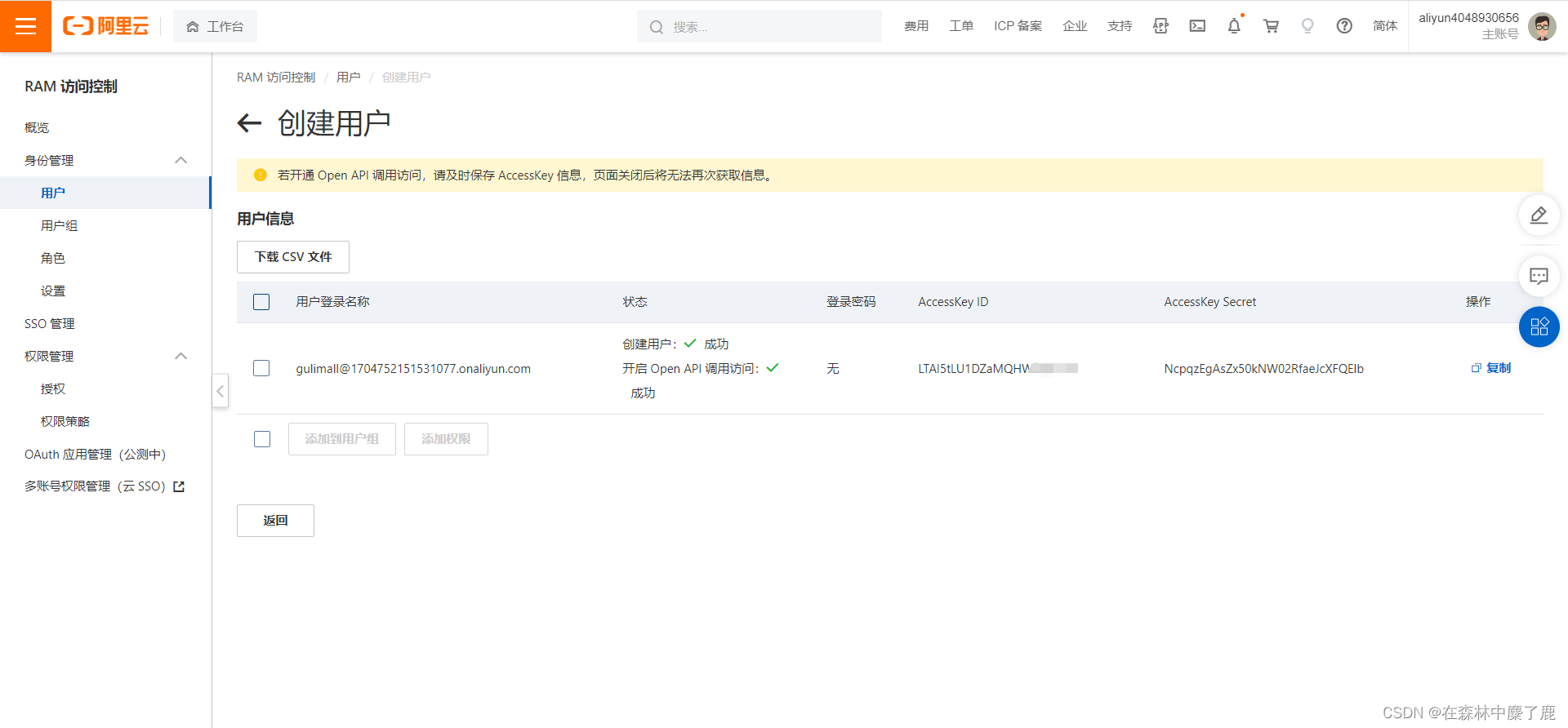
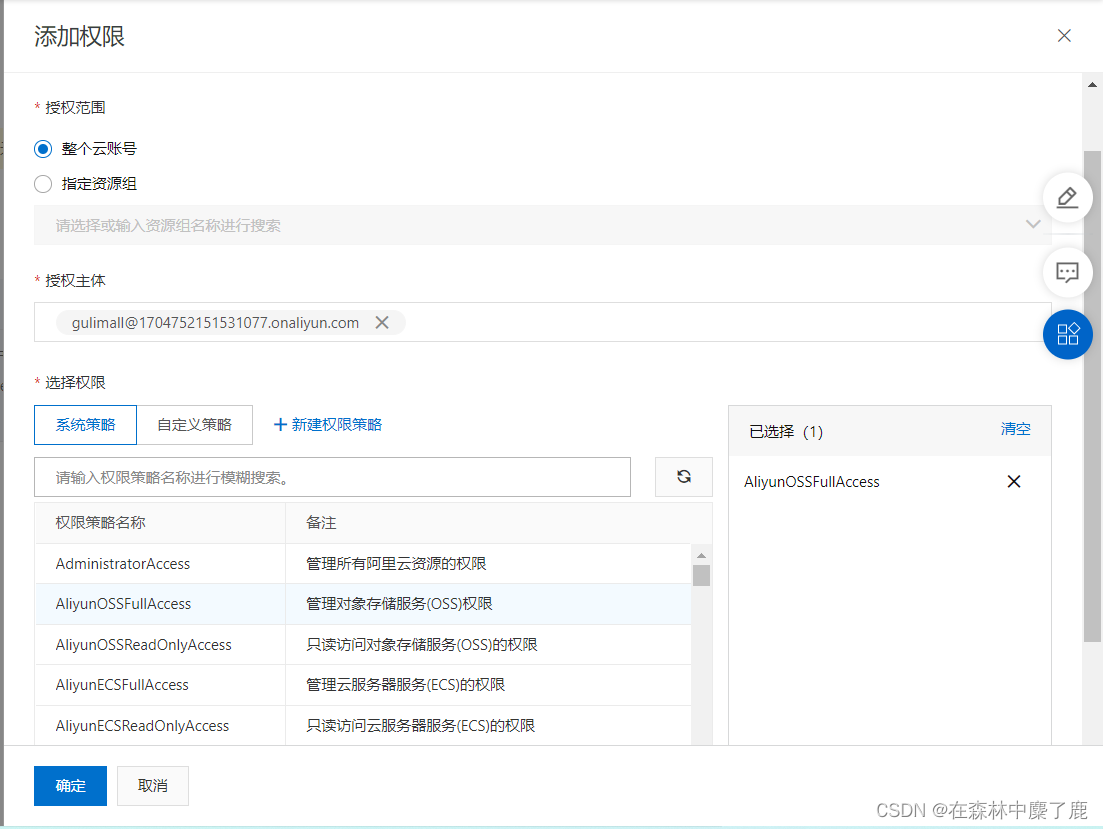
B、阿里云创建 RAM 子用户并赋予权限
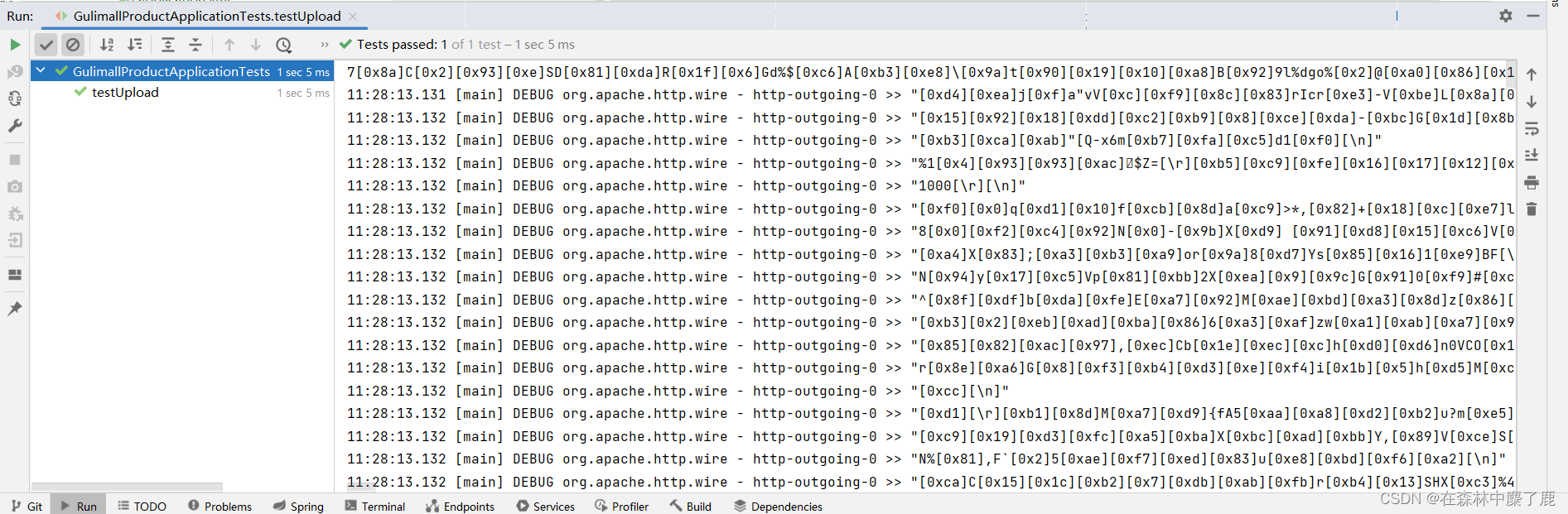
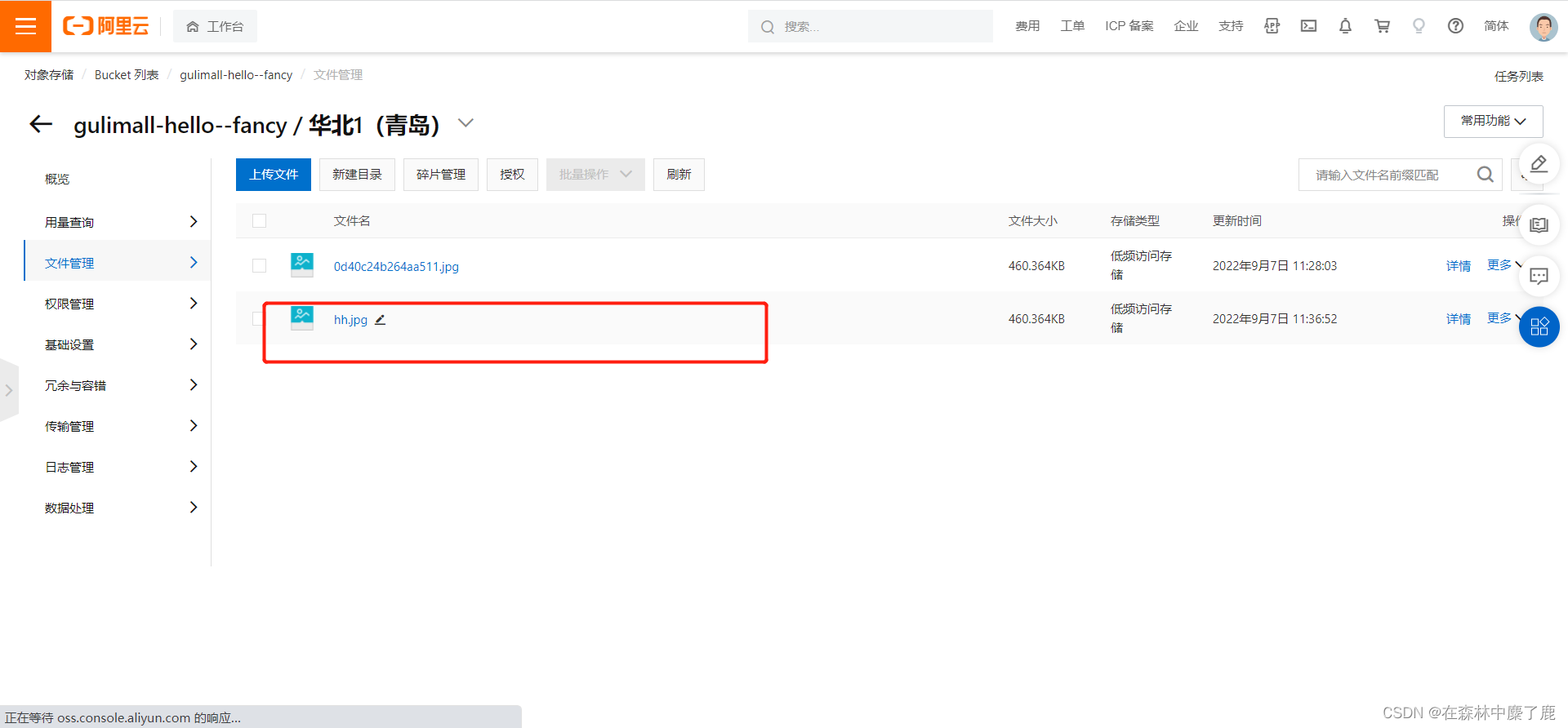
C、测试文件存储
@Test
public void testUpload() {
	String endpoint = "https://oss-cn-qingdao.aliyuncs.com";
	// 阿里云账号AccessKey拥有所有API的访问权限,风险很高。强烈建议您创建并使用RAM用户进行API访问或日常运维,请登录RAM控制台创建RAM用户。
	String accessKeyId = "...";
	String accessKeySecret = "...";
	// 填写Bucket名称,例如examplebucket。
	String bucketName = "gulimall-hello--fancy";
	// 填写Object完整路径,完整路径中不能包含Bucket名称,例如exampledir/exampleobject.txt。
	String objectName = "hh.jpg";
	// 填写本地文件的完整路径,例如D:\\localpath\\examplefile.txt。
	// 如果未指定本地路径,则默认从示例程序所属项目对应本地路径中上传文件流。
	String filePath= "E:\\pic\\0d40c24b264aa511.jpg";

	// 创建OSSClient实例。
	OSS ossClient = new OSSClientBuilder().build(endpoint, accessKeyId, accessKeySecret);

	try {
		InputStream inputStream = new FileInputStream(filePath);
		// 创建PutObject请求。
		ossClient.putObject(bucketName, objectName, inputStream);
	} catch (OSSException oe) {
		System.out.println("Caught an OSSException, which means your request made it to OSS, "
				+ "but was rejected with an error response for some reason.");
		System.out.println("Error Message:" + oe.getErrorMessage());
		System.out.println("Error Code:" + oe.getErrorCode());
		System.out.println("Request ID:" + oe.getRequestId());
		System.out.println("Host ID:" + oe.getHostId());
	} catch (ClientException ce) {
		System.out.println("Caught an ClientException, which means the client encountered "
				+ "a serious internal problem while trying to communicate with OSS, "
				+ "such as not being able to access the network.");
		System.out.println("Error Message:" + ce.getMessage());
	} catch (FileNotFoundException e) {
		throw new RuntimeException(e);
	} finally {
		if (ossClient != null) {
			ossClient.shutdown();
		}
	}
}
四、SpringCloudAlibaba OSS
原生的SDK有点过于麻烦,这里我们直接使用 SpringCloud Alibaba 对象存储
A、在 common 工具类中加入依赖
<dependency>
    <groupId>com.alibaba.cloud</groupId>
    <artifactId>spring-cloud-starter-alicloud-oss</artifactId>
</dependency>
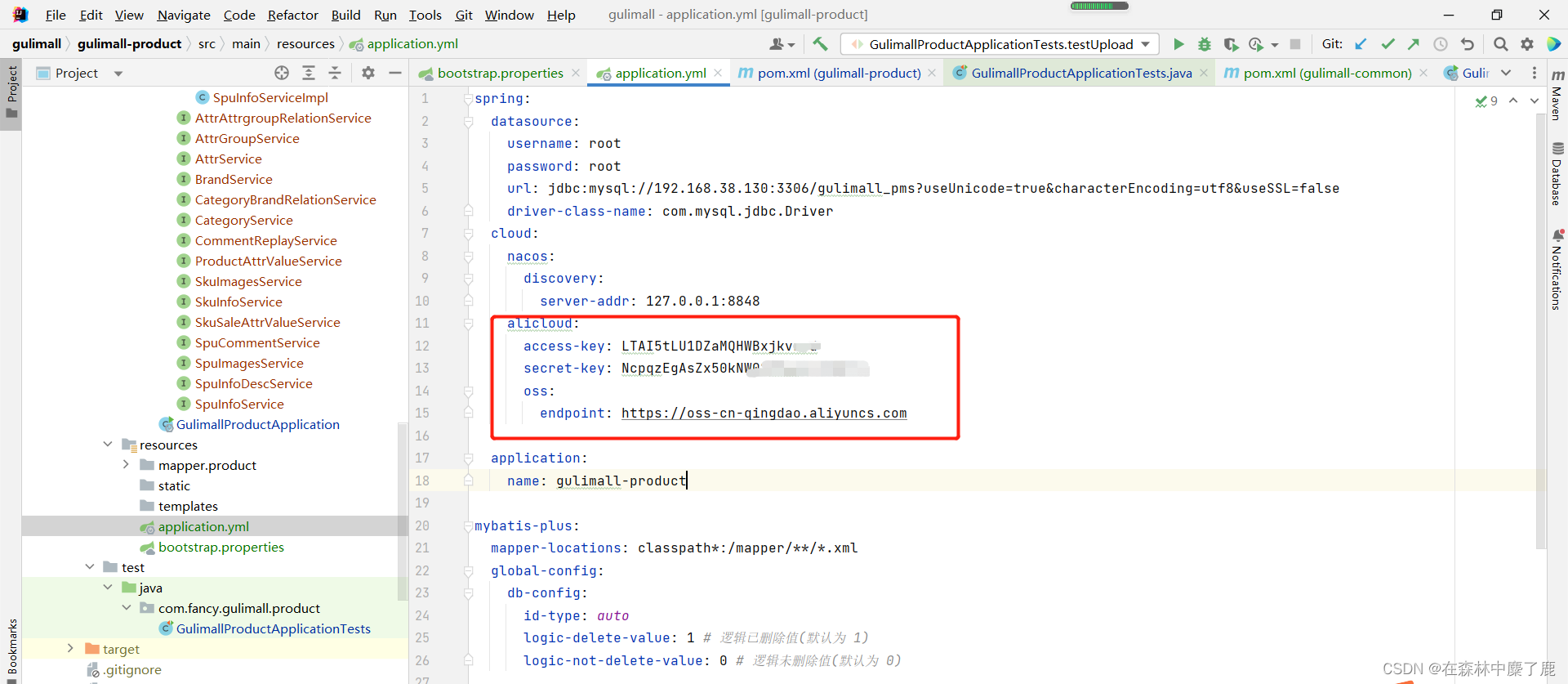
B、product 服务中进行配置
C、编写文件上传代码就不用再进行相关配置了
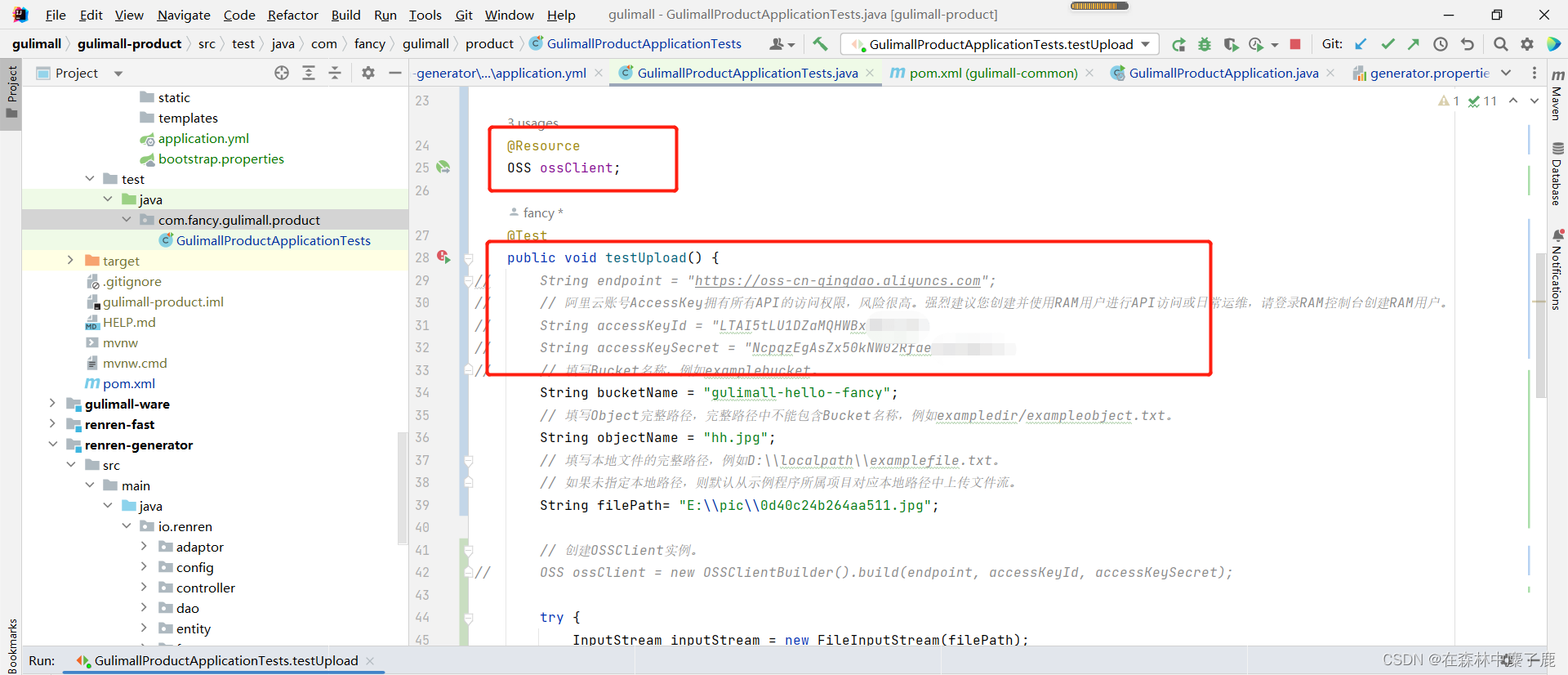
注意:若运行此方法报空指针异常在类上加上 @RunWith(SpringRunner.class)

腾讯云面向开发者汇聚海量精品云计算使用和开发经验,营造开放的云计算技术生态圈。
更多推荐
 0
0 0
0- 0


 已为社区贡献2条内容

所有评论(0)