【Python】pycharm 和 vscode 编辑器设置模版
·
author: jwensh
time: 2022.10.29
1. pycharm 模版
PyCharm 设置界面,搜索 template,选择 File and Code Templates > Python Script 输入自定义模板代码
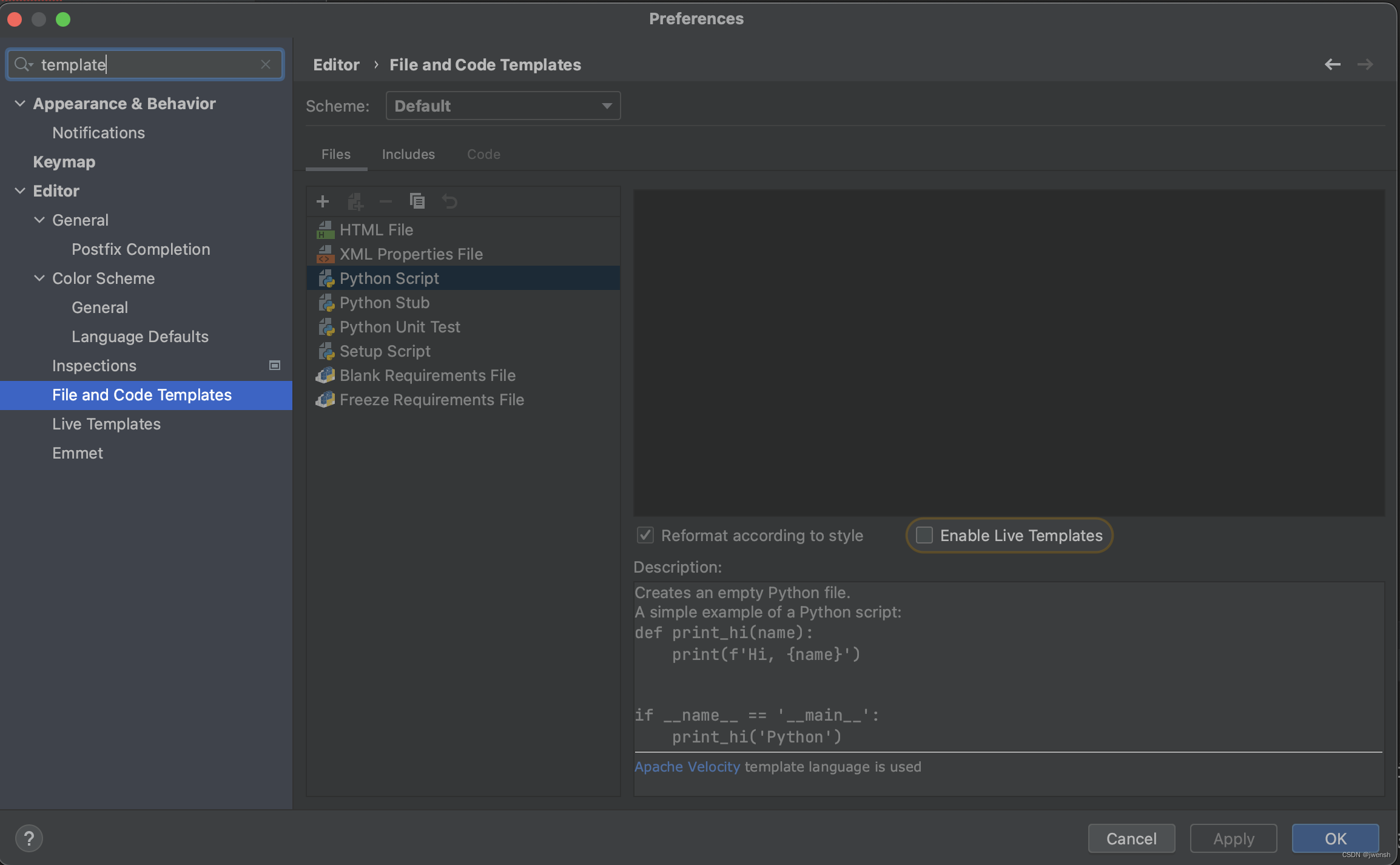
模版内容设置
#!/usr/bin/env python
# -*- coding: utf-8 -*-

"""
@author: jwensh<jayzhen_testing@163.com>
@version: 1.0.0
@license:  Apache Licence
@editor: Pycharm
@file: ${FILE_NAME}
@datatime: ${DATE} ${TIME}
"""
注意:#!/usr/bin/env python 没有必要每个文件都加,意思这行可有可无,在入口文件里手动加就行;
使用方式
模版会在新建文件的时候,自动添加到文件内容里
定义的模板变量
(官方文档):
| Variable | Description |
|---|---|
| ${DATE} | Current system date |
| ${DAY} | Current day of the month |
| ${DS} | Dollar sign $. This variable is used to escape the dollar character, so that it is not treated as a prefix of a template variable. |
| ${FILE_NAME} | Name of the new file. |
| ${HOUR} | Current hour |
| ${MINUTE} | Current minute |
| ${MONTH} | Current month |
| ${MONTH_NAME_FULL} | Full name of the current month (January, February, and so on) |
| ${MONTH_NAME_SHORT} | First three letters of the current month name (Jan, Feb, and so on) |
| ${NAME} | Name of the new entity (file, class, interface, and so on) |
| ${ORGANIZATION_NAME} | Name of your organization specified in the project settings (Ctrl+Shift+Alt+S) |
| ${PRODUCT_NAME} | Name of the IDE (for example, PyCharm) |
| ${PROJECT_NAME} | Name of the current project |
| ${TIME} | Current system time |
| ${USER} | Login name of the current user |
| ${YEAR} | Current year |
2. vscode 模版
需要通过 json 的文件配置,进行设置 ,可参考 https://code.visualstudio.com/docs/editor/userdefinedsnippets
- 在 vscode 里找到找到
配置用户代码片段
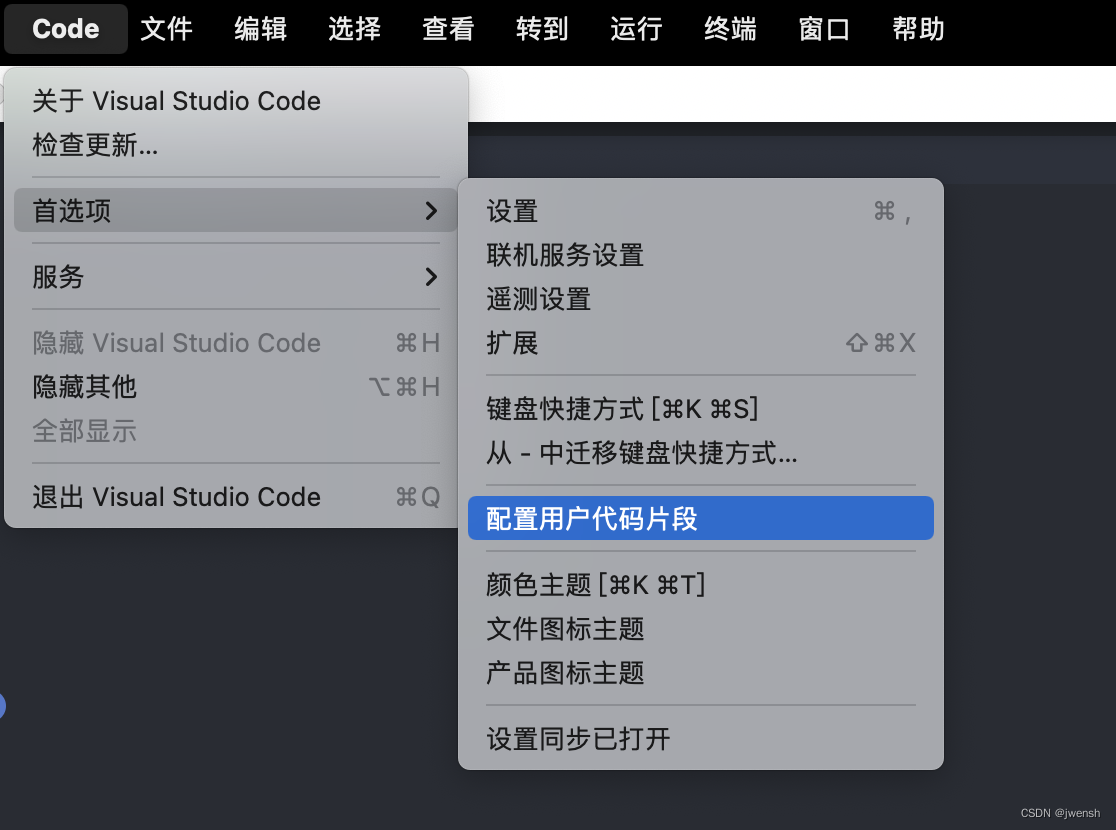
- 点击后选择
python.json, 然后内容可以按照下方方式自定义
{
	"HEADER":{
		"prefix": "ph",
		"body": [
		"#!/usr/bin/env python",
		"# -*- encoding: utf-8 -*-",
		"",
		"",
		"'''",
		"@Author  :   jayzhen",
		"@Email   :   jayzhen_testing@163.com",
		"@Ide     :   vscode & conda",
		"@Blog    :   https://blog.csdn.net/u013948858",
		"@File    :   $TM_FILENAME",
		"@Time    :   $CURRENT_YEAR/$CURRENT_MONTH/$CURRENT_DATE $CURRENT_HOUR:$CURRENT_MINUTE:$CURRENT_SECOND",
		"'''",
		"",
		"$0"
		],
	},
	"MAIN":{
		"prefix": "pmian",
		"body": [
		"if __name__ == \"__main__\":",
		"    $0"
		],
	}

}
使用方式
在.py文件里输入命令(prefix):ph,然后回车
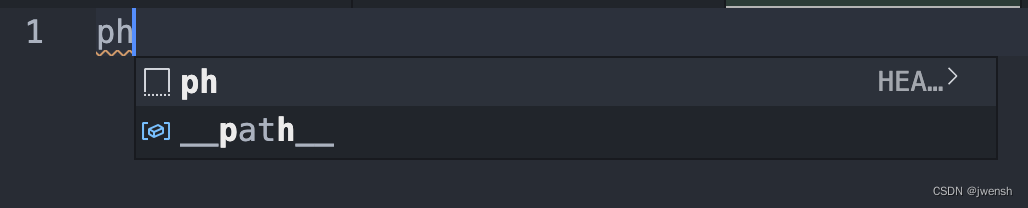
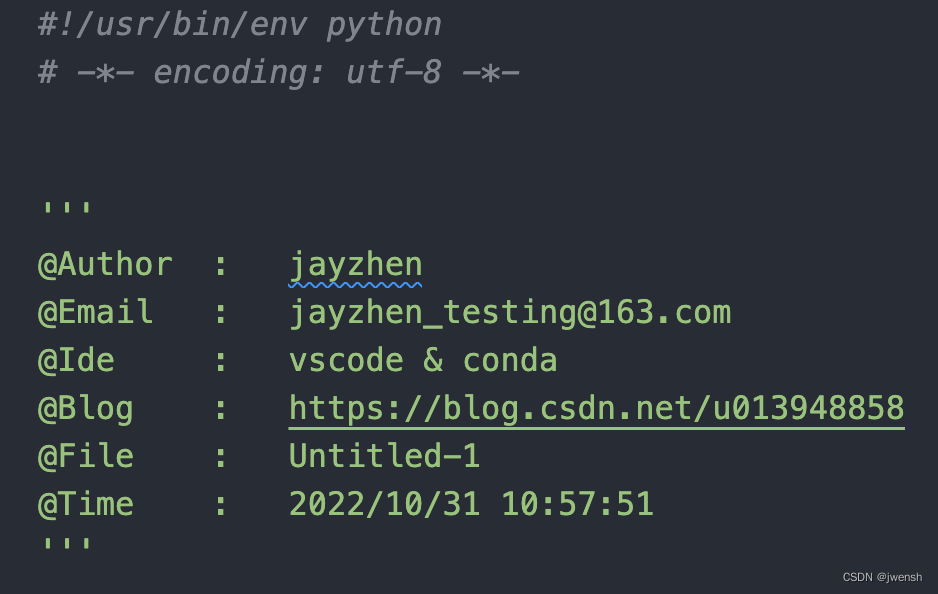

腾讯云面向开发者汇聚海量精品云计算使用和开发经验,营造开放的云计算技术生态圈。
更多推荐
 1
1 0
0- 0


 已为社区贡献5条内容

所有评论(0)