docker安装mysql exporter并使用grafana+prometheus监控mysql
·
在 MySQL 上创建监控用户
1、进入mysql
mysql -u用户名 -p密码
2、创建用户并赋权
create user 'exporter'@'%' identified by '123456' with MAX_USER_CONNECTIONS 3 ;
grant process,replication client,select on *.* to 'exporter'@'%';
若出现报错
ERROR 1290 (HY000): The MySQL server is running with the --skip-grant-tables option so it cannot execute this statement
先执行命令
flush privileges
方式一:docker部署myql exporter
docker run -d -p 9104:9104 -e DATA_SOURCE_NAME="exporter:123456@(192.168.12.11:3306)/" --name mysqld_exporter prom/mysqld-exporter
方式二:以linux服务部署
下载文件
cd /usr/local/
wget https://github.com/prometheus/mysqld_exporter/releases/download/v0.12.0/mysqld_exporter-0.12.0.linux-amd64.tar.gz
tar xzf mysqld_exporter-0.12.1.linux-amd64.tar.gz
mv mysqld_exporter-0.12.1.linux-amd64 mysqld_exporter
新建组和用户
赋权
chown -R prometheus:prometheus /usr/local/mysqld_exporter/mysqld_exporter
chmod 755 /usr/local/mysqld_exporter/mysqld_exporter
配置
vim /usr/local/mysqld_exporter/.my.cnf
[client]
host=127.0.0.1
port=3306
user=exporter
password=123456
vim /usr/lib/systemd/system/mysqld_exporter.service
[Unit]
Description=mysqld_exporter
Documentation=https://prometheus.io/
After=network.target

[Service]
Type=simple
User=prometheus
ExecStart=/usr/local/mysqld_exporter/mysqld_exporter --web.listen-address=0.0.0.0:9104 --config.my-cnf=/usr/local/mysqld_exporter/.my.cnf \
--log.level=error \
--collect.info_schema.processlist \
--collect.info_schema.innodb_metrics \
--collect.info_schema.innodb_tablespaces \
--collect.info_schema.innodb_cmp \
--collect.info_schema.innodb_cmpmem
Restart=on-failure

[Install]
WantedBy=multi-user.target
启动
chown -R prometheus:prometheus /usr/lib/systemd/system/mysqld_exporter.service
chmod 644 /usr/lib/systemd/system/mysqld_exporter.service
systemctl daemon-reload
systemctl enable mysqld_exporter.service
systemctl start mysqld_exporter.service
查看启动日志
journalctl -u mysqld_exporter.service
prometheus中添加mysql exporter
prometheus和grafana部署详见https://blog.csdn.net/u010924720/article/details/125915287
- job_name: mysql-11.12
    static_configs:
      - targets: ['192.168.12.11:9104']
        labels:
          instance: mysql-11.12
查看启动命令
history | grep mysqld_exporter
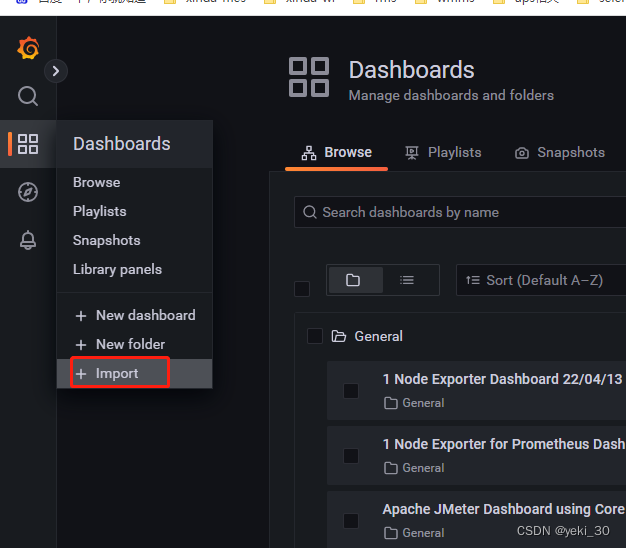
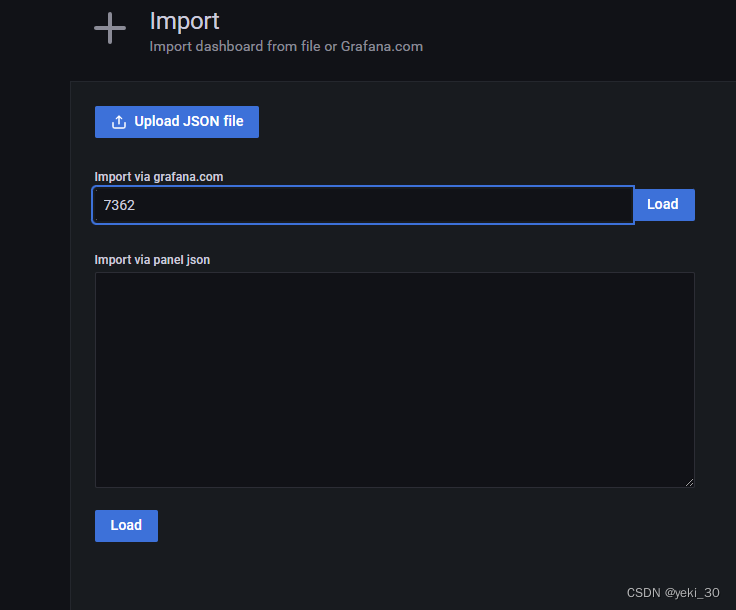
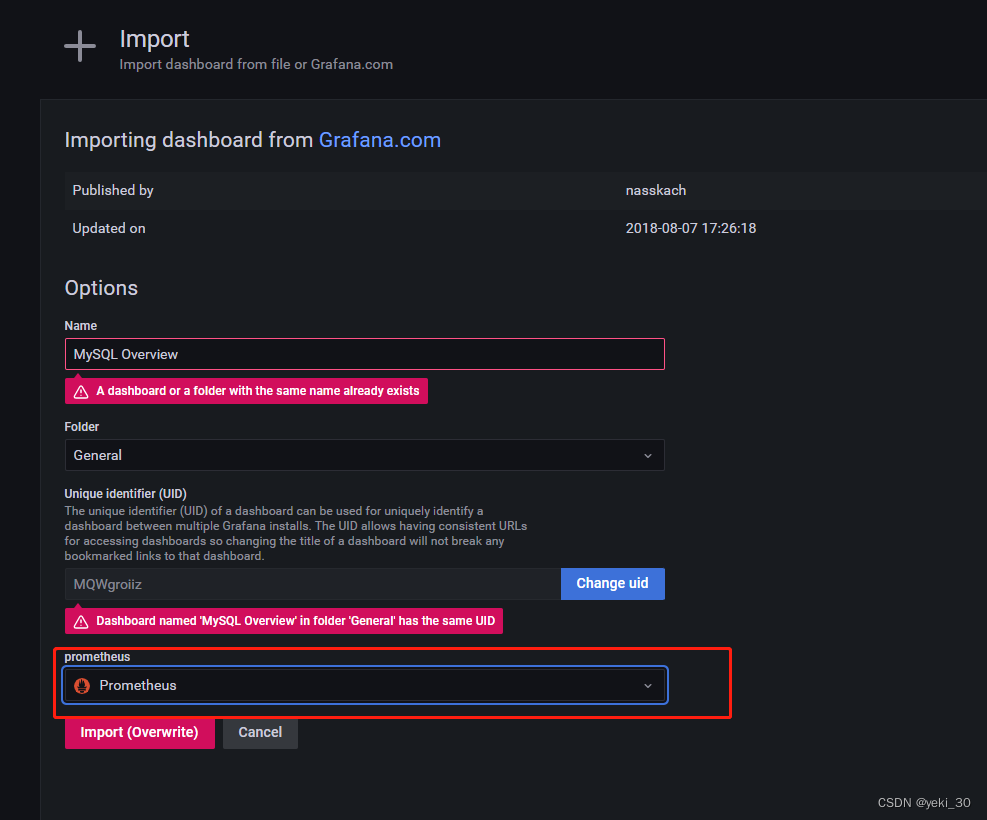
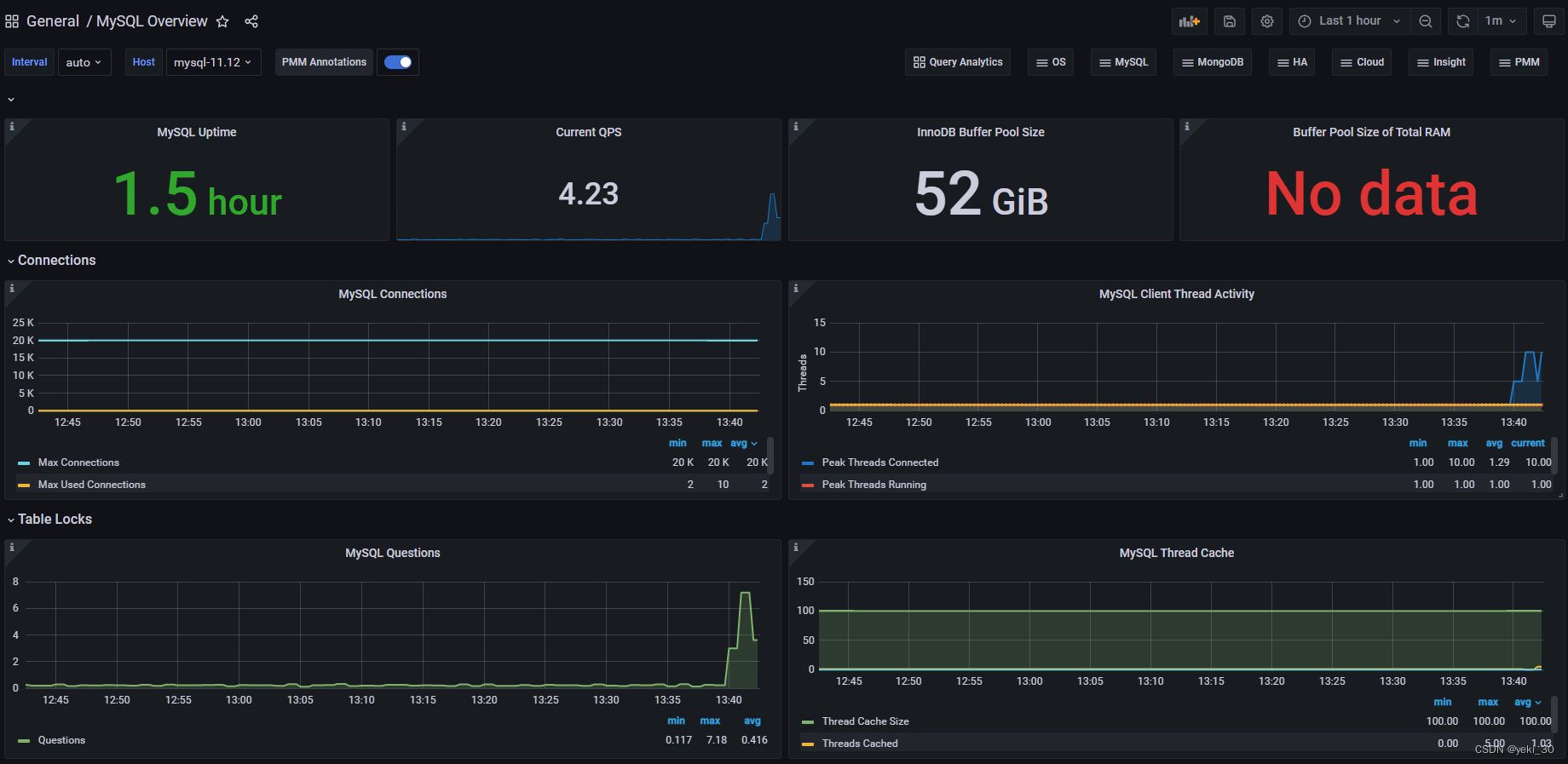
使用grafana监控
注意:若监控显示no data,重启一下数据库即可

腾讯云面向开发者汇聚海量精品云计算使用和开发经验,营造开放的云计算技术生态圈。
更多推荐
 0
0 0
0- 0


 已为社区贡献1条内容

所有评论(0)