github action定时任务
github action 定时任务 refusing to allow a GitHub App to create or update workflow .github/workflows/action.yml without workflows permission
·
需求
- 定时任务1 (8:00~13:00),执行bash脚本
- 定时任务2 (18:00),修改定时任务1的执行时间
文档
问题之refusing to allow a GitHub App to create or update workflow .github/workflows/schedule-action.yml without workflows permission
When you enable GitHub Actions, GitHub installs a GitHub App on your repository. The GITHUB_TOKEN secret is a GitHub App installation access token. You can use the installation access token to authenticate on behalf of the GitHub App installed on your repository. The token’s permissions are limited to the repository that contains your workflow.About the GITHUB_TOKEN secret
-
配置action变量
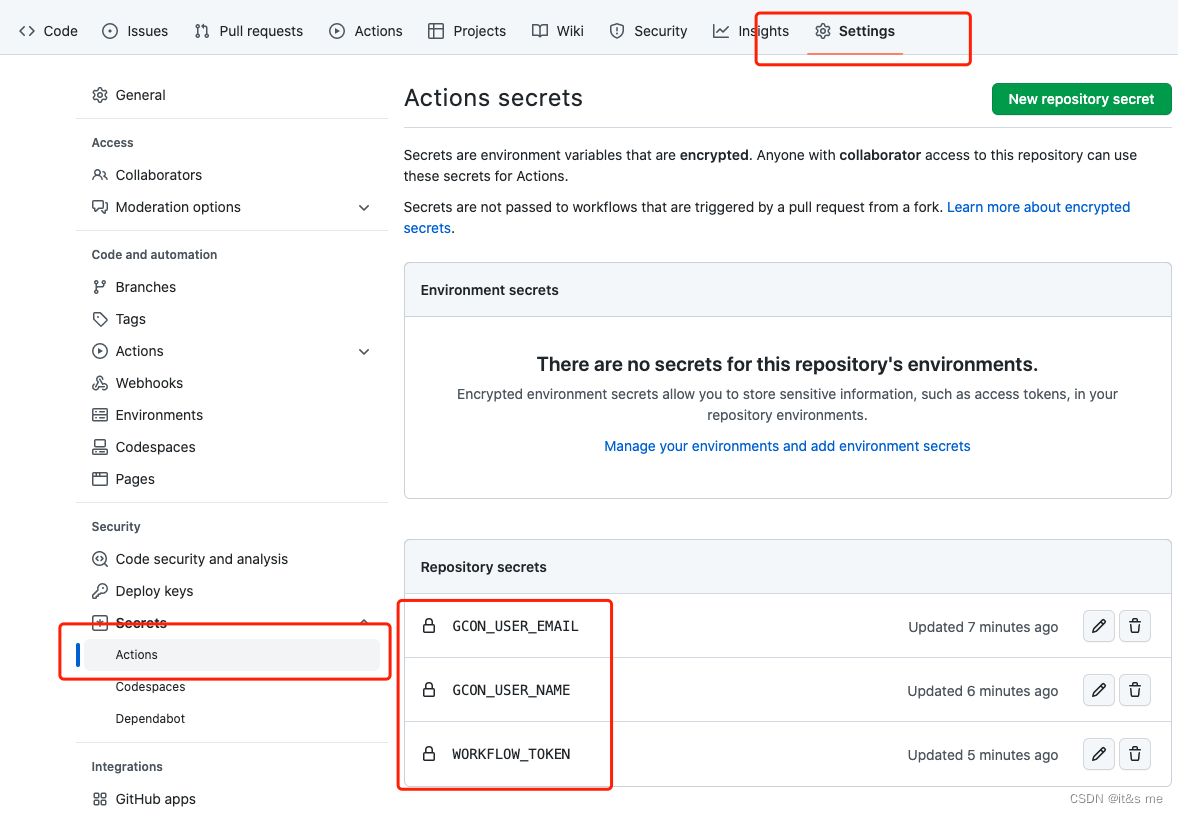
-
修改actions/checkout@v3 token
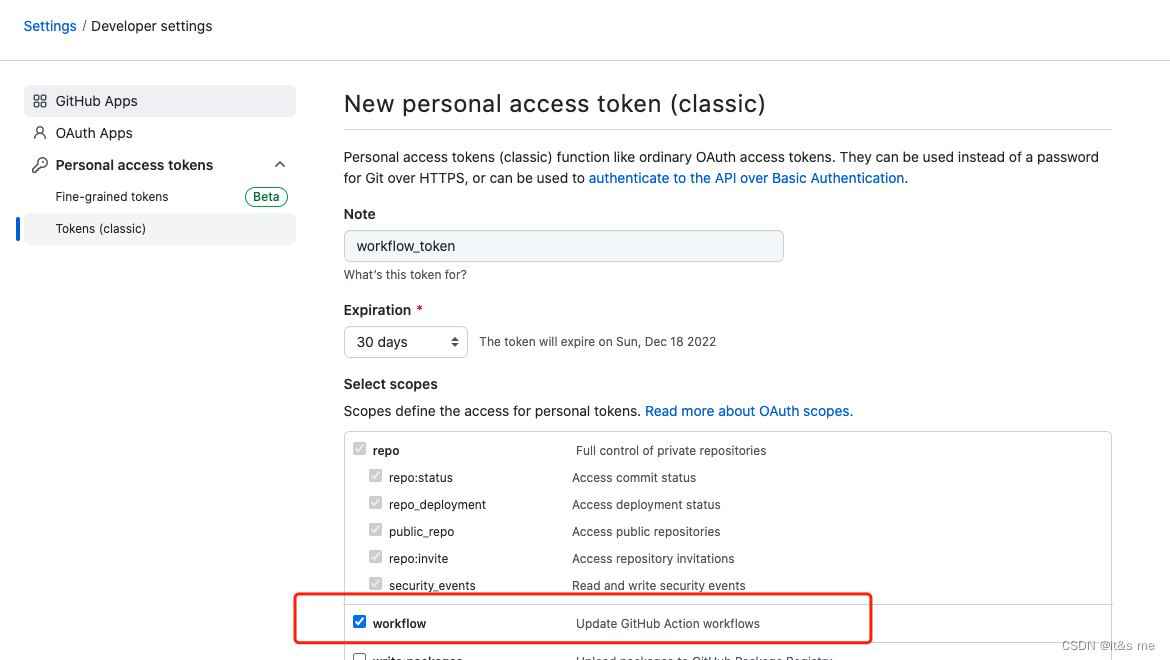
- uses: actions/checkout@v3
  with:
    token: ${{ secrets.WORKFLOW_TOKEN }}
脚本
name: schedule tasks
run-name: run schedule tasks

on:
  schedule:
    - cron: '0 0 * * *'
    - cron: '0 10 * * *'

jobs:
  build:
    runs-on: ubuntu-latest

    steps:
      - uses: actions/checkout@v3
        with:
          token: ${{ secrets.WORKFLOW_TOKEN }}

      - name: Run schedule
        if: ${{ github.event_name == 'schedule' && github.event.schedule != '0 10 * * *' }}
        run: |
          cd run
          sh main.sh

      - name: Update schedule
        if: ${{ github.event_name == 'schedule' && github.event.schedule == '0 10 * * *' }}
        run: |
          hour=$(($RANDOM%5))
          min=$(($RANDOM%59))
          sed -i "0,/cron/{s/- cron: '.*\* \* \*'/- cron: '${min} ${hour} * * *'/}" .github/workflows/schedule-actions.yml
          git config --global user.email ${{ secrets.GCON_USER_EMAIL }}
          git config --global user.name ${{ secrets.GCON_USER_NAME }}
          git add .
          git commit -m "update schedule to: ${min} ${hour} * * *"
          git pull --rebase
          git push
GITHUB DEMO

腾讯云面向开发者汇聚海量精品云计算使用和开发经验,营造开放的云计算技术生态圈。
更多推荐
 0
0 0
0- 0


 已为社区贡献3条内容

所有评论(0)