推送gitblit报错:Please make sure you have the correct access rightsand the repository exists.
·
场景:拉取代码没有问题,但是推送代码时,提示错误:Please make sure you have the correct access rightsand the repository exists.
解决:一般来说ssh一段时间会失效需要重新设置,设置流程:
查看绑定的user emial信息:
git config --lis

如果没有设置user emial,设置命令:
git config --global user.name "username"
git config --global user.email "mail@gmail.com"

生成密钥:
ssh-keygen -t rsa -C "配置的邮箱"

生成/.ssh/id_rsa 和id_rsa.pub

将生成的id_rsa.pub内容复制下来,添加到ssh密钥中就可以了


有时候.ssh/config,内容添加如下也有效(之前使用这个方法解决过git相关问题,用于新的ssh客户端不支持ssh-rsa算法,要修改本地配置重新使用ssh-rsa算法。):
Host *
HostkeyAlgorithms +ssh-rsa
PubkeyAcceptedKeyTypes +ssh-rsa

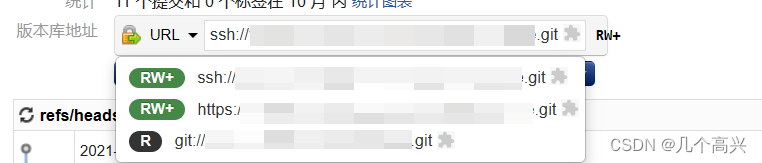
还有可能是该远程仓库你没有权限,检查一下权限,RW+就是有权限
一开始我也以为是ssh失效了,但是我发现,我的git拉取了三个代码,其余两个都能正常推送,只有新的不能
一.
花了很久时间,才发现,其他两个代码远程用的是ssh的地址,而这个新的用的是git的地址,我用的工具是gitblit,从刚下载就只能用ssh这一种地址,太久没拉代码忘掉了!
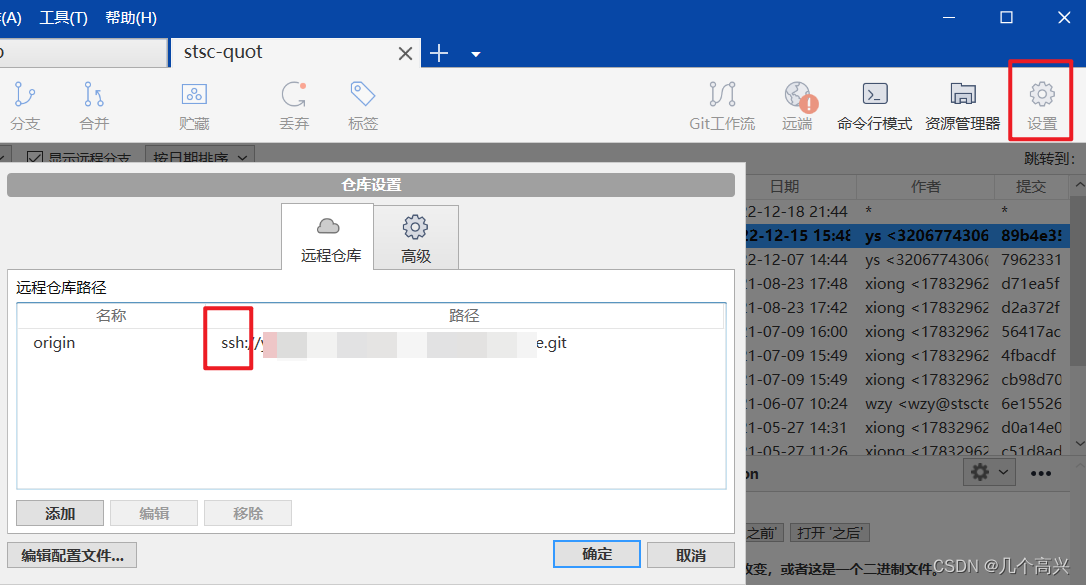
地址有三种:ssh https git,下次不要在错了!
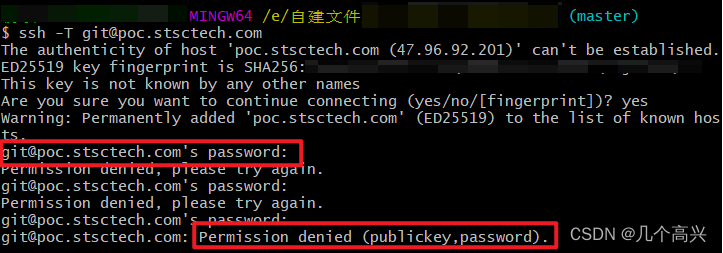
另外:看其他网上的博客里还有一个步骤,在gitblit网页添加完密钥后,在git bash输入命令 :ssh -T git@github.com,不知道有什么用,但试了总提示我没有权限,让我以为是权限的问题,但其实到最后解决跟这个命令并没有什么关系。
二.
也有可能是断网了,检查一下网络。

腾讯云面向开发者汇聚海量精品云计算使用和开发经验,营造开放的云计算技术生态圈。
更多推荐
 1
1 0
0- 0


 已为社区贡献3条内容

所有评论(0)