vscode配置React代码模板
·
平时写代码时,新建jsx文件默认是空的,有些通用的代码如果放在一个模板里,会大大提高开发效率,强大的VSCode当然也可以支持配置jsx模板,下面跟着我配置适合自己的模板吧。
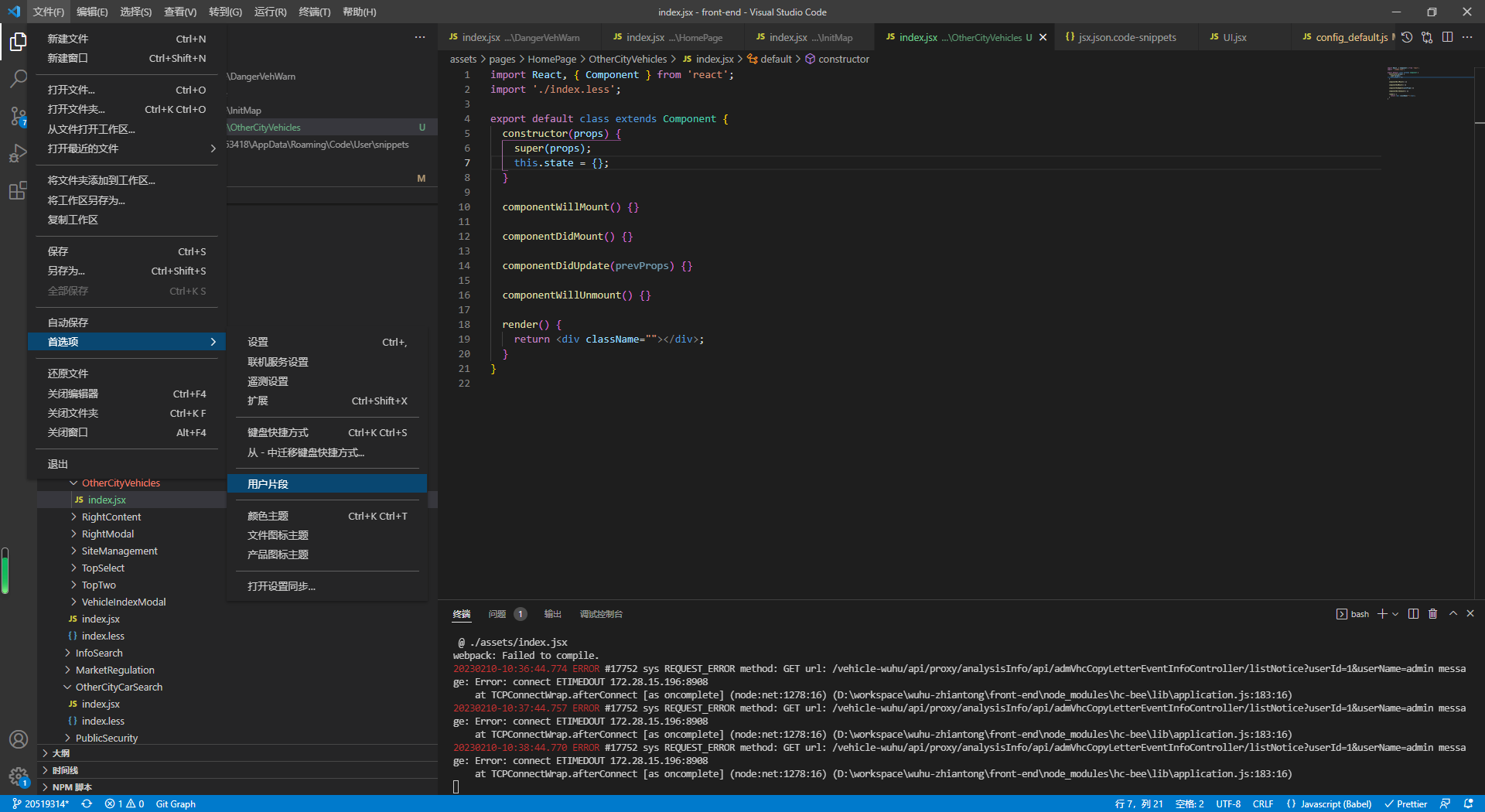
打开配置 文件-->首选项-->用户片段
搜索 jsx.json
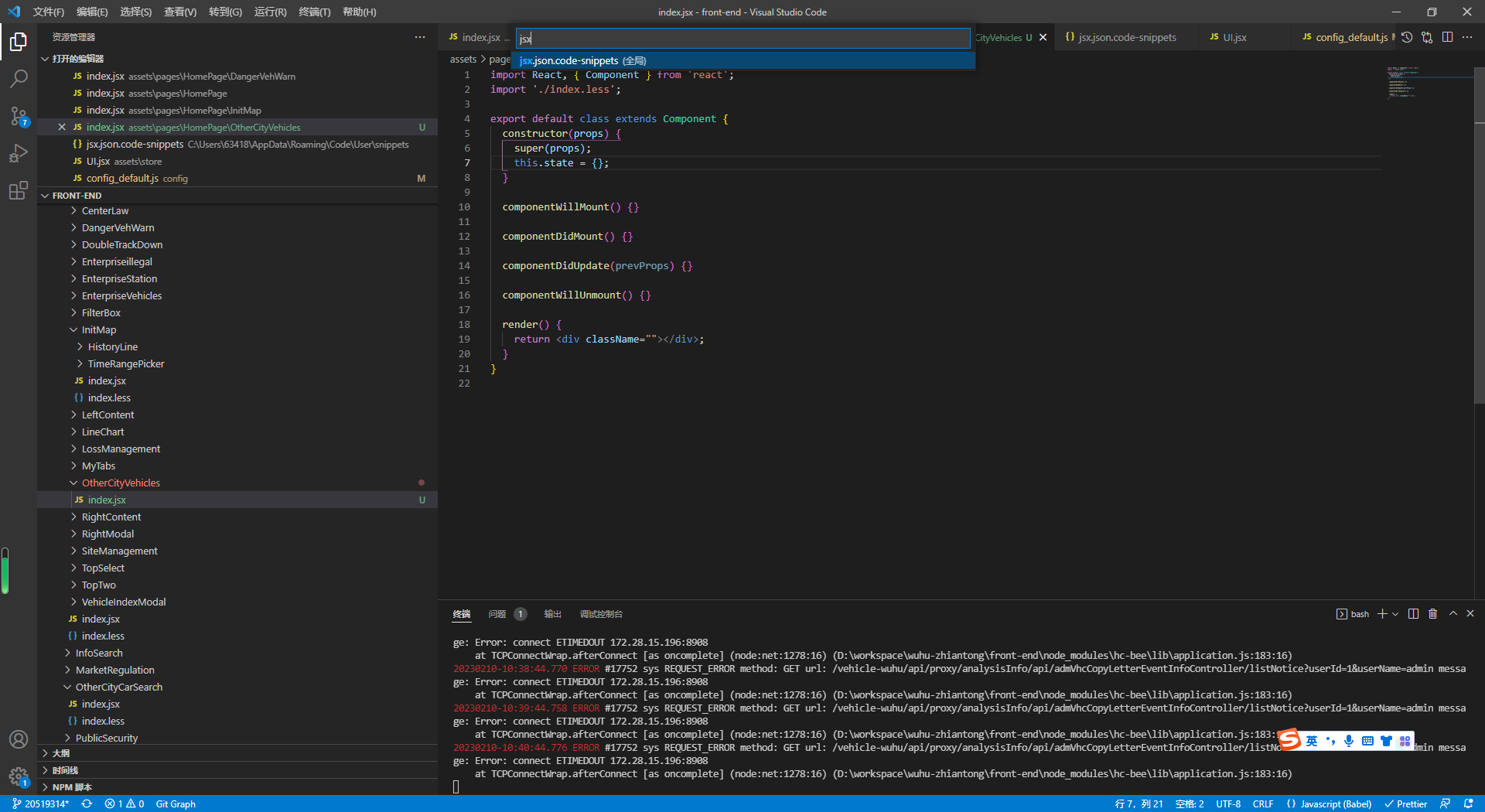
打开jsx.json后,把以下代码贴入(prefix:JSX 即触发引入模板的代码)
{
  "reat-template": {
    "prefix": "JSX",
    "body": [
      "import React, { Component } from 'react';",
      "import cx from 'classnames';",
      "import './index.less';",
      "",
      "export default class extends Component {",
      "  constructor(props) {",
      "        super(props)",
      "        this.state = {}",
      "  }",
      "",
      "  componentWillMount() {}",
      "",
      "  componentDidMount() {}",
      "",
      "  componentDidUpdate(prevProps) {}",
      "",
      "  componentWillUnmount() {}",
      "",
      "  render() {",
      "    return (<div className=\"\"></div>)",
      "  }",
      "}"
    ],
    "description": "reat-template"
  }
}
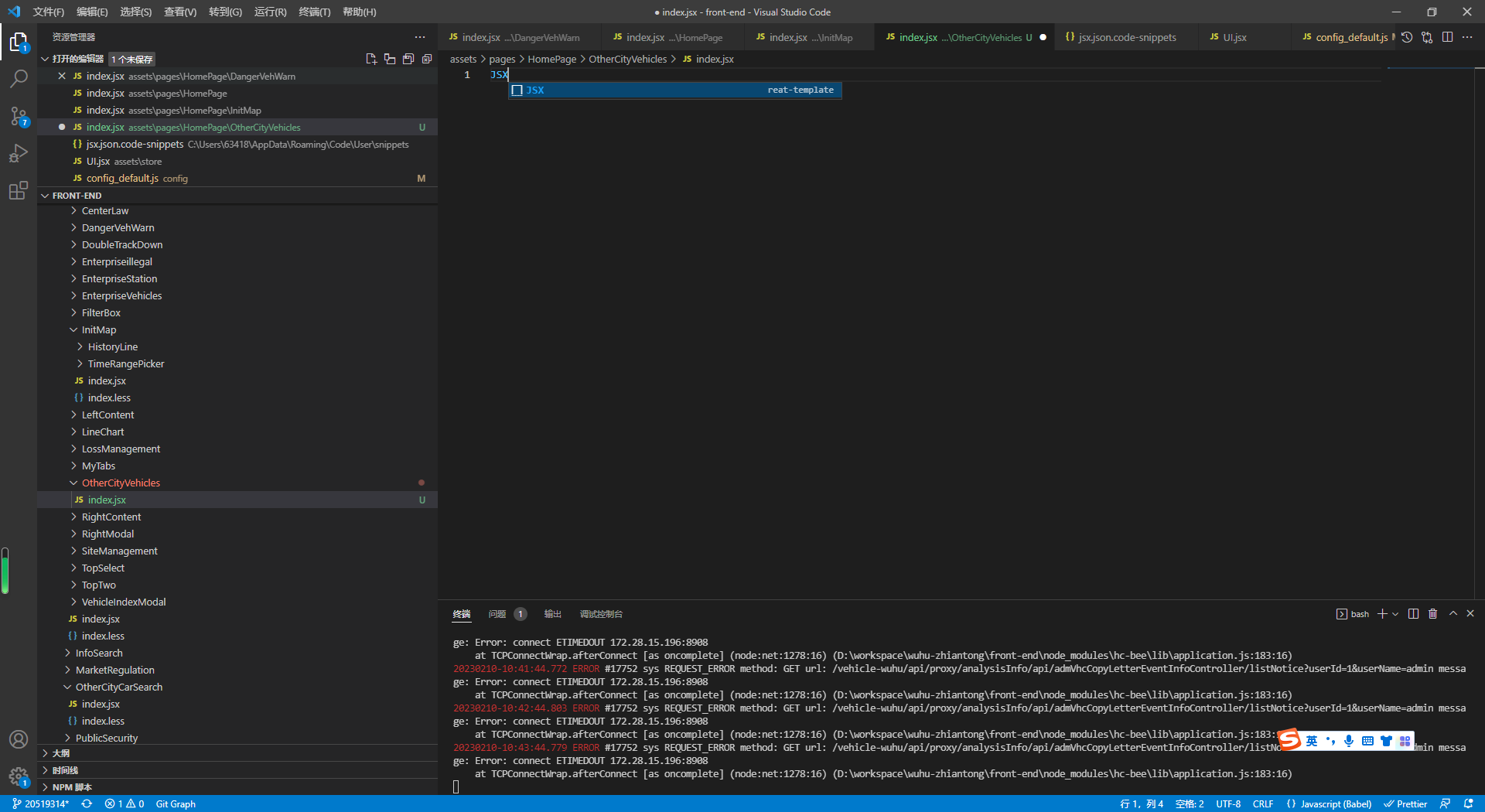
保存后,你新建一个index.jsx,在代码里写入“JSX”会有一个提示,回车即可打开我们配置的模板内容了
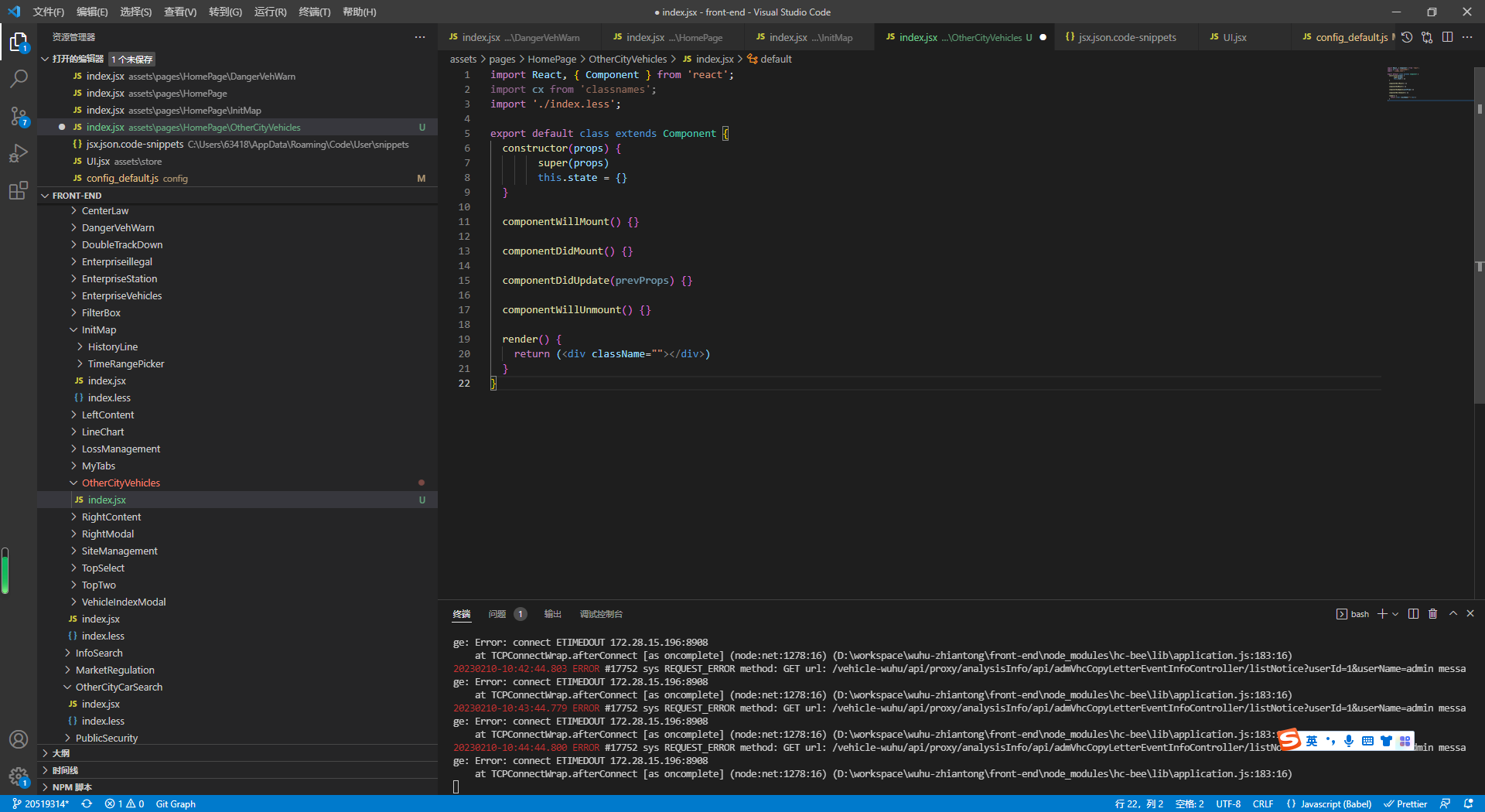
如果你想修改出适合自己的模板,可以在这个地址去修改 ,
https://snippet-generator.app/
vue配置模板
文件--首选项--用户片段-->搜“vue.json”-->复制如下代码-->新建vue文件,输入“vue”回车即可打开我们的配置
{
  "vue-template": {
    "prefix": "vue",
    "body": [
      "<template>",
      "    <div class=\"\"></div>",
      "</template>",
      " ",
      "<script>",
      "export default {",
      "    props: {},",
      "    components: {",
      "        // InfoItem: InfoItem,",
      "    }",
      "    data() {",
      "        return {",
      "        }",
      "    },",
      "    methods: {",
      "    },",
      "    created() {",
      "        // 初始化",
      "    },",
      "    mounted(){",
      "        // 加载完成后",
      "    },",
      "    watch: {",
      "        // detailItem(newData, oldData) {},",
      "    },",
      "}",
      "</script>",
      " ",
      "<style lang=\"scss\" scoped>",
      "</style>"
    ],
    "description": "vue-template"
  }
}

腾讯云面向开发者汇聚海量精品云计算使用和开发经验,营造开放的云计算技术生态圈。
更多推荐
 0
0 0
0- 0


 已为社区贡献3条内容

所有评论(0)