clion git 合并分支
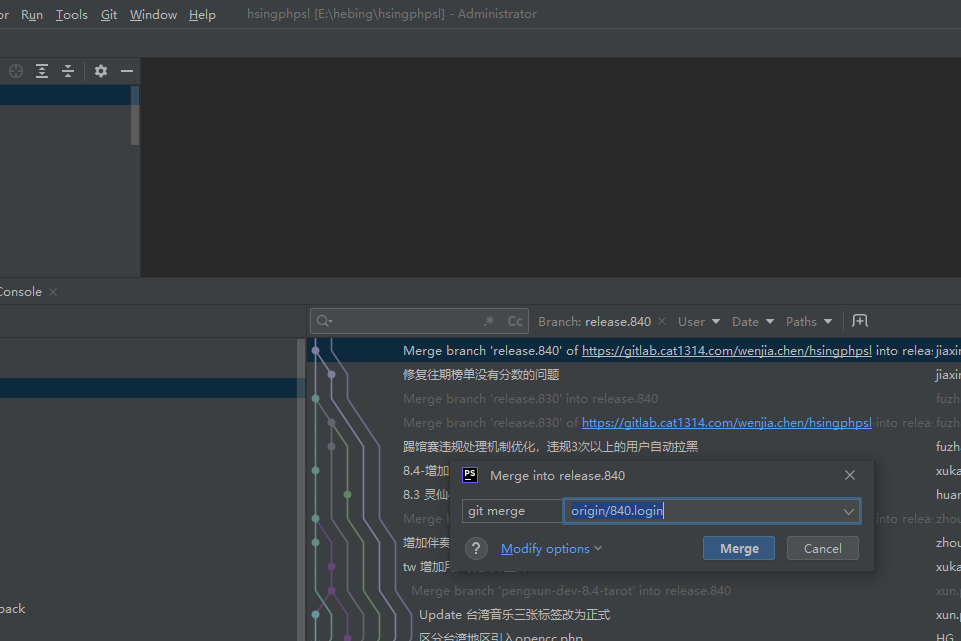
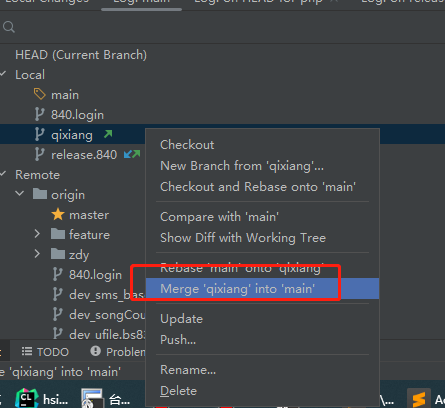
然后再 push
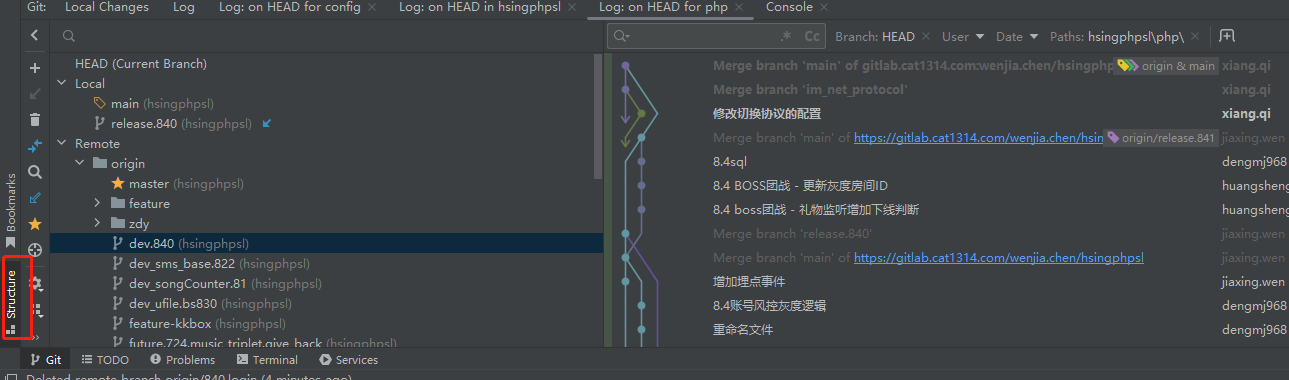
push 的时候review 一下
3.
当前在841分支,,合并到main去
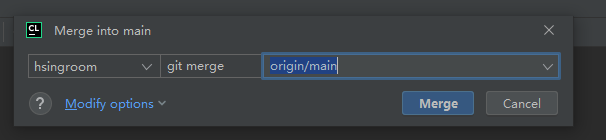
记得git push一下
=============================vscode===安装gitlens===========
1. 文件冲突, 先commit ,再pull ,,再push
2. 文件行冲突 先commit ,再pull ,通过ui 解决冲突,,,然后点continue; 然后再git push 一下
3. 对于a 删除了log文件,b又产长了.
git stash
git pull
git stash pop # 恢复暂存的更改
git add 添加到暂存
然后ui 上再点击一下 -
4. git 怎么判断本地版本是否全部推进去了
[root@localhost code]# git status
On branch main
Your branch is ahead of 'origin/main' by 2 commits.
(use "git push" to publish your local commits)
Untracked files:
(use "git add <file>..." to include in what will be committed)
runtime/dbApp/db_0.log
runtime/log/
5.
[root@localhost code]# git branch -a
* main
remotes/origin/HEAD -> origin/main
remotes/origin/main
[root@localhost code]# git branch 查看本地分支
* main
[root@localhost code]# git branch -r 查看远程分支
origin/HEAD -> origin/main
origin/main
[root@localhost code]#
6. 查看日志 git log main -n 3
=====================git配置子模块====================================
在项目的根目录下执行
git submodule add git@lab.skyunion.net:sz-zvp/proto.git client/assets/resources/pb2
git submodule init : 初始化
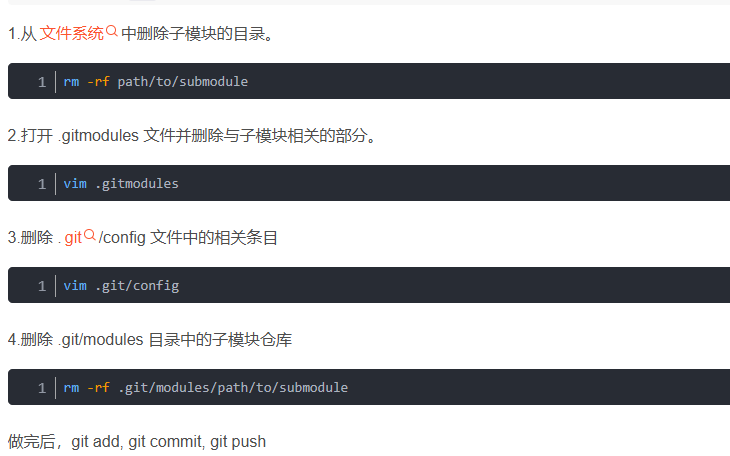
更新子模块 : git submodule update --remote --recursive

腾讯云面向开发者汇聚海量精品云计算使用和开发经验,营造开放的云计算技术生态圈。
更多推荐
 0
0 0
0- 0


 已为社区贡献2条内容

所有评论(0)