kubernetes常见错误
文章目录
- 1. The connection to the server localhost:8080 was refused - did you specify the right host or port?
- 2.初始化K8S master时报错
- 3. 执行kubeadm init 报错:
- 4. 执行 kubeadm init 报错kubelet-check] The HTTP call equal to ‘curl -sSL http://localhost:10248/healthz‘ fa
- 5. 执行 kubeadm init Unable to connect to the server: x509: certificate signed by unknown authority (possibly because of "crypto/rsa: verification error" while trying to verify candidate authority certificate "kubernetes")
- 6. Unable to connect to the server: dial tcp 192.168.75.163:6443: connect: no route to host
- 7. kubectl get node 显示 NotReady 解决方法
- 8.The Pod "mayikt-pod" is invalid: spec.containers[0].ports[0].name: Invalid value: "mayikt-nginx-port": must be no more than 15 characters
- 9.执行kubectl get nodes 显示 节点ip 不是host文件指定的名称 则直接重启虚拟机
1. The connection to the server localhost:8080 was refused - did you specify the right host or port?
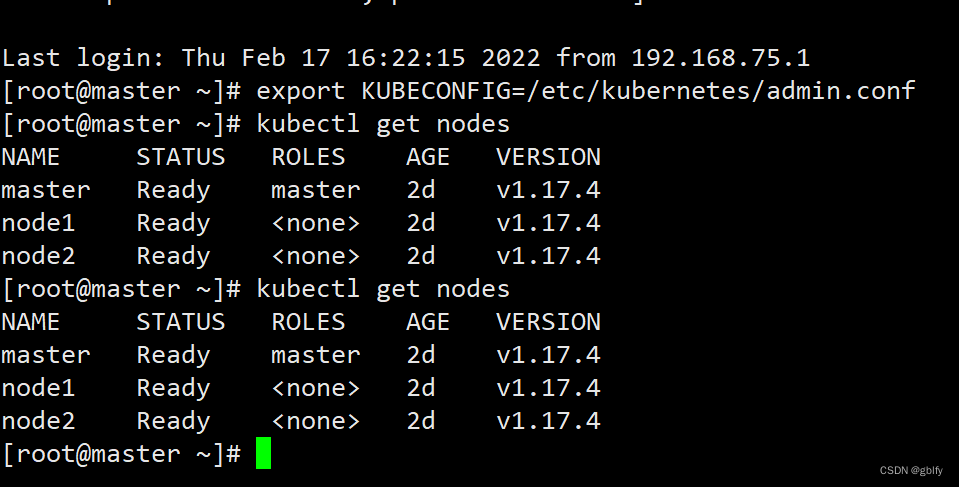
在Master节点执行: kubectl get nodes
报错:
The connection to the server localhost:8080 was refused - did you specify the right host or port?
原因:kubenetes master没有与本机绑定,集群初始化的时候没有设置
在Master节点执行 export KUBECONFIG=/etc/kubernetes/admin.conf
2.初始化K8S master时报错
The HTTP call equal to ‘curl -sSL http://localhost:10248/healthz‘ failed with error: Get “http://loc
journalctl -xeu kubelet
3. 执行kubeadm init 报错:
[ERROR FileAvailable–etc-kubernetes-manifests-kube-scheduler.yaml]: /etc/kubernetes/manifests/kube-scheduler.yaml already exists
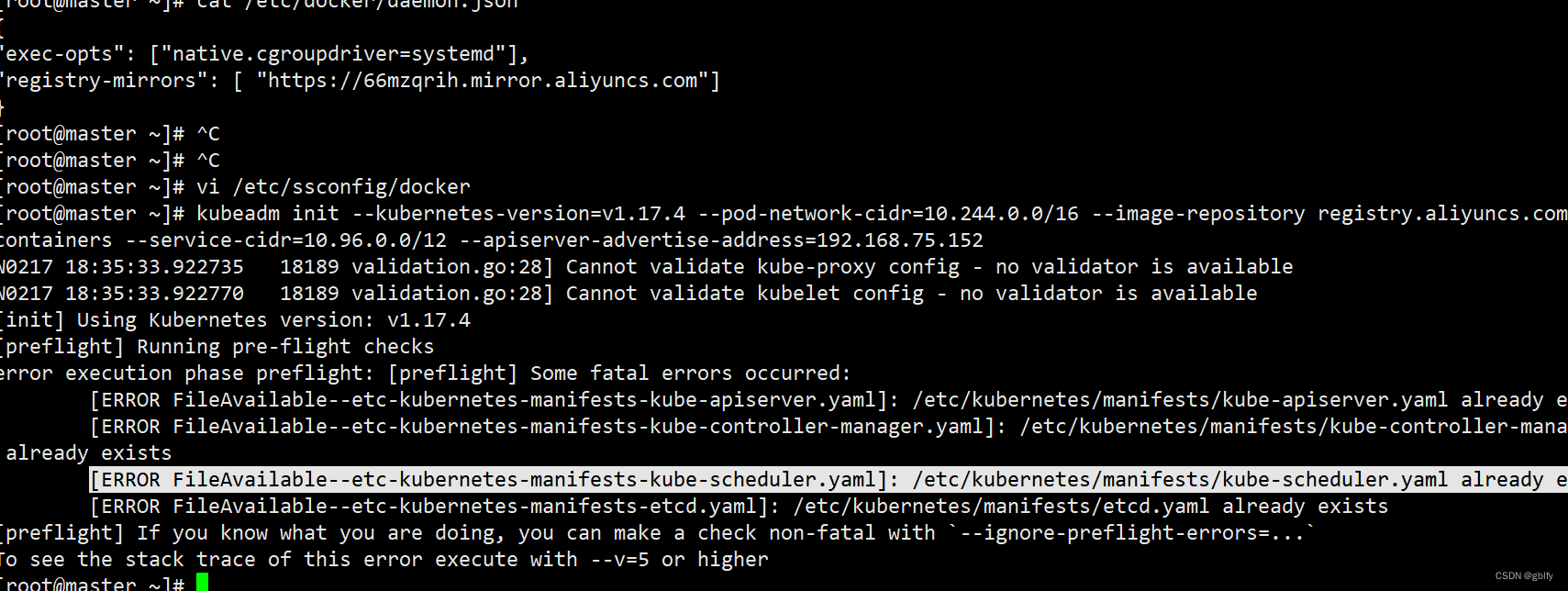
kubeadm reset 重置 即可 在执行 kubeadm init
注意:kubeadm reset 重置 需要在 主节点执行 rm -rf $HOME/.kube
4. 执行 kubeadm init 报错kubelet-check] The HTTP call equal to ‘curl -sSL http://localhost:10248/healthz‘ fa
journalctl -xeu kubelet -l 查看具体错误日志 在根据具体报错日志分析
5. 执行 kubeadm init Unable to connect to the server: x509: certificate signed by unknown authority (possibly because of “crypto/rsa: verification error” while trying to verify candidate authority certificate “kubernetes”)
你在执行 kubeadm reset命令后没有删除创建的 $HOME/.kube目录
rm -rf $HOME/.kube
6. Unable to connect to the server: dial tcp 192.168.75.163:6443: connect: no route to host
kubectl cluster-info —查询集群信息
Unable to connect to the server: dial tcp 192.168.75.163:6443: connect: no route to host
主节点的ip地址发生了变化 变成了 192.168.75.166:6443
kubeadm reset 重置 即可 在执行 kubeadm init
7. kubectl get node 显示 NotReady 解决方法
解决方法:
查看日志
tail -f /var/log/message
发现是防火墙问题。处理方法:
关闭各个节点的防火墙:
systemctl status firewalld
systemctl stop firewalld
systemctl enable firewalld
重启node节点:
[root@k8s_node02 bin]# systemctl daemon-reload
[root@k8s_node02 bin]# systemctl restart docker
[root@k8s_node02 bin]# systemctl restart kubelet
8.The Pod “mayikt-pod” is invalid: spec.containers[0].ports[0].name: Invalid value: “mayikt-nginx-port”: must be no more than 15 characters
原因是
    ports:
    - name: mayikt-nginx-port
      containerPort: 80
   原因是名称太长
    ports:
    - name: nginx-port
      containerPort: 80
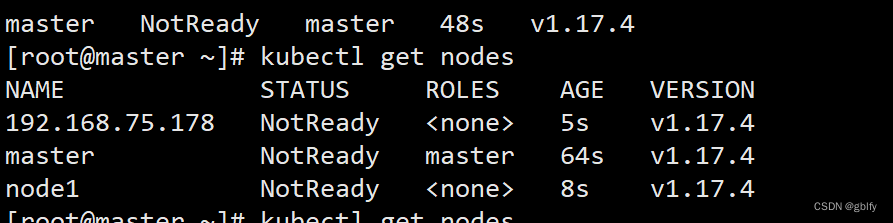
9.执行kubectl get nodes 显示 节点ip 不是host文件指定的名称 则直接重启虚拟机
重置节点即可。

腾讯云面向开发者汇聚海量精品云计算使用和开发经验,营造开放的云计算技术生态圈。
更多推荐
 0
0 0
0- 0


 已为社区贡献32条内容

所有评论(0)