jenkins之自动化构建docker镜像
jenkins主机上安装docker-ce,docker源设定好本地,下载速度快
[root@vm6 yum.repos.d]# yum install -y docker-ce
[root@vm6 ~]# systemctl enable --now docker
配置docker默认仓库
[root@vm6 ~]# vim /etc/docker/daemon.json
{
"registry-mirrors": ["https://reg.westos.org"]
}
配置仓库证书
[root@vm6 ~]# ls /etc/docker/certs.d/reg.westos.org/ca.crt
/etc/docker/certs.d/reg.westos.org/ca.crt
测试,拉取镜像成功
[root@vm6 docker]# docker pull nginx
Using default tag: latest
latest: Pulling from library/nginx
a2abf6c4d29d: Pull complete
a9edb18cadd1: Pull complete
589b7251471a: Pull complete
186b1aaa4aa6: Pull complete
b4df32aa5a72: Pull complete
a0bcbecc962e: Pull complete
Digest: sha256:ee89b00528ff4f02f2405e4ee221743ebc3f8e8dd0bfd5c4c20a2fa2aaa7ede3
Status: Downloaded newer image for nginx:latest
docker.io/library/nginx:latest
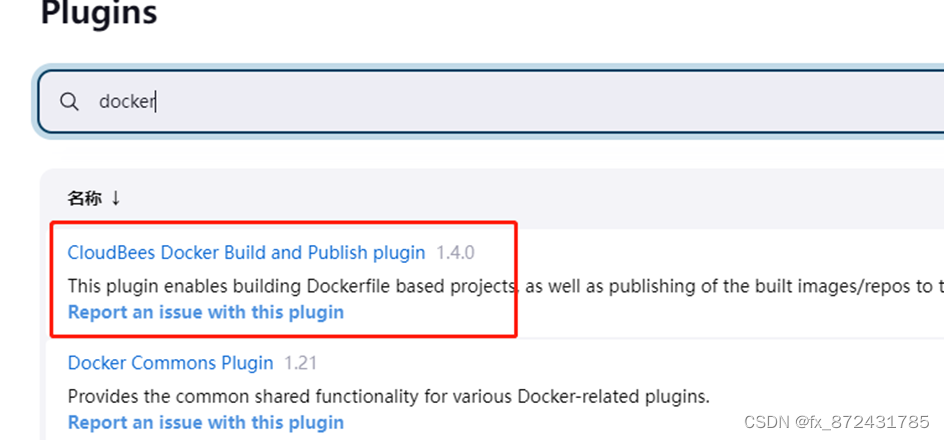
jenkins安装docker插件
选择安装CloudBees Docker Build and Publish插件
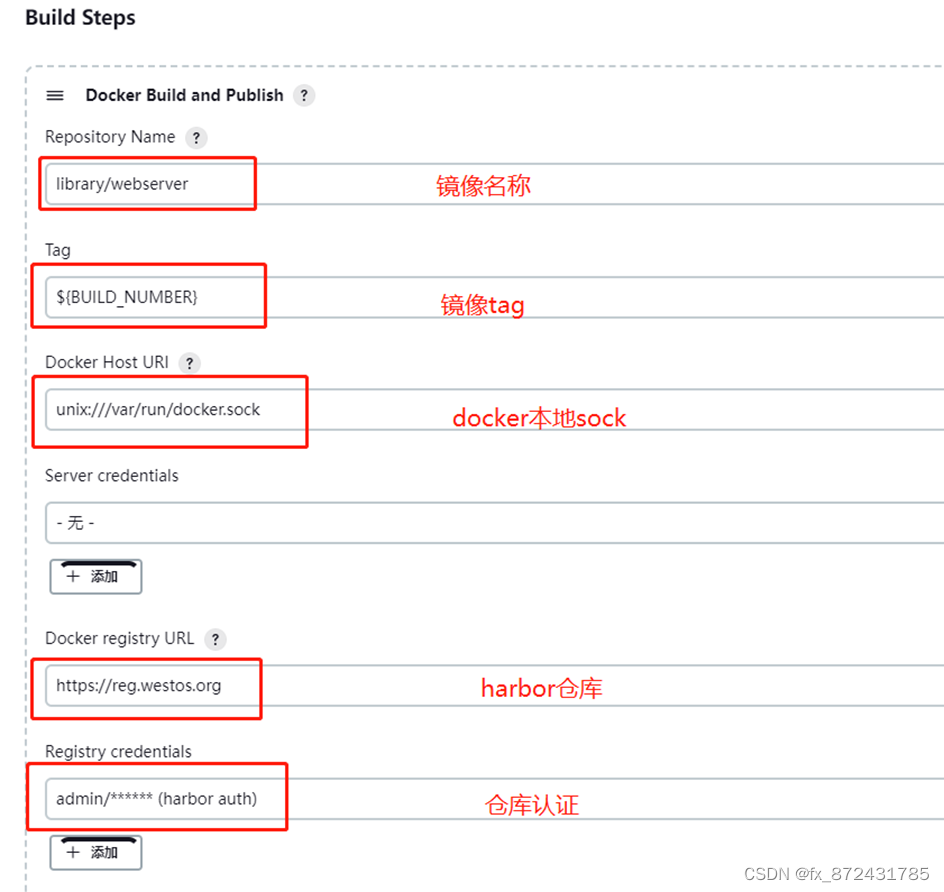
配置项目构建
配置项目demo,选择docker构建,设定上传镜像的名字和标签(就是构建版本号),使用docker套接字,设定仓库地址
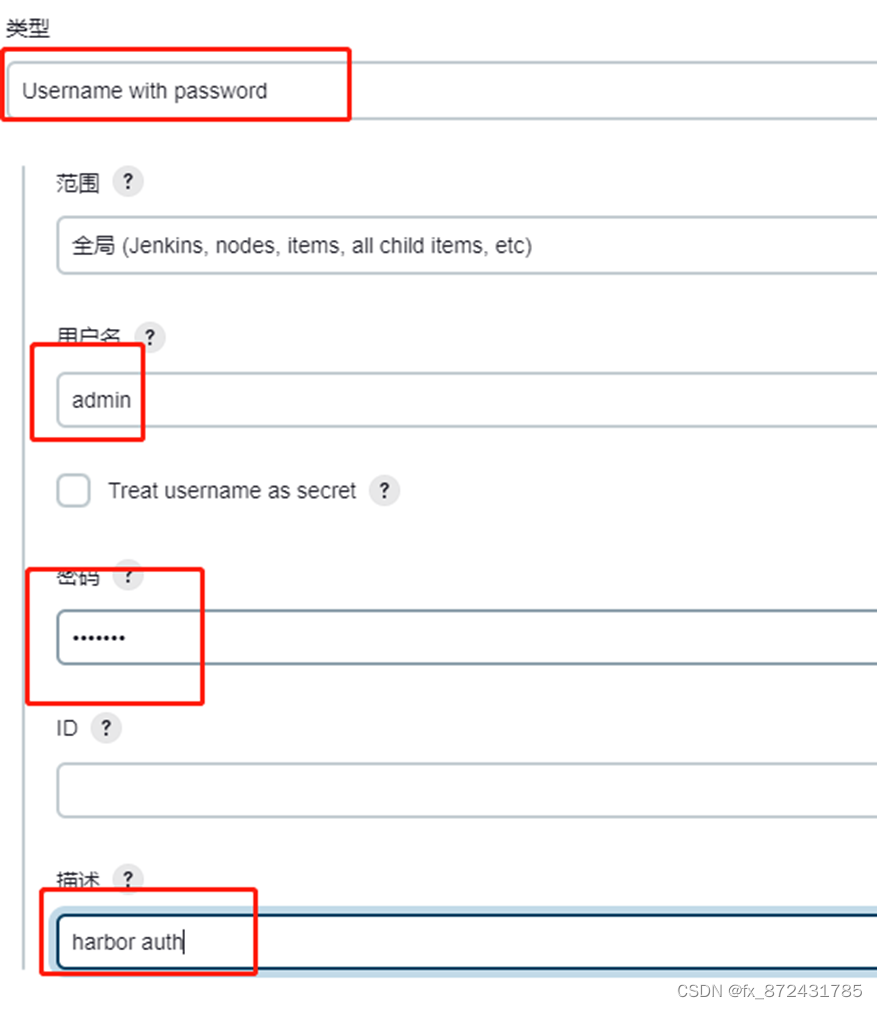
仓库认证凭据
在vm5上提交dockerfile
[root@vm5 project1]# vim Dockerfile
FROM nginx
COPY index.html /usr/share/nginx/html
[root@vm5 project1]# git add Dockerfile
[root@vm5 project1]# git commit -m "add Dockerfile"
[root@vm5 project1]# git push -uf origin main
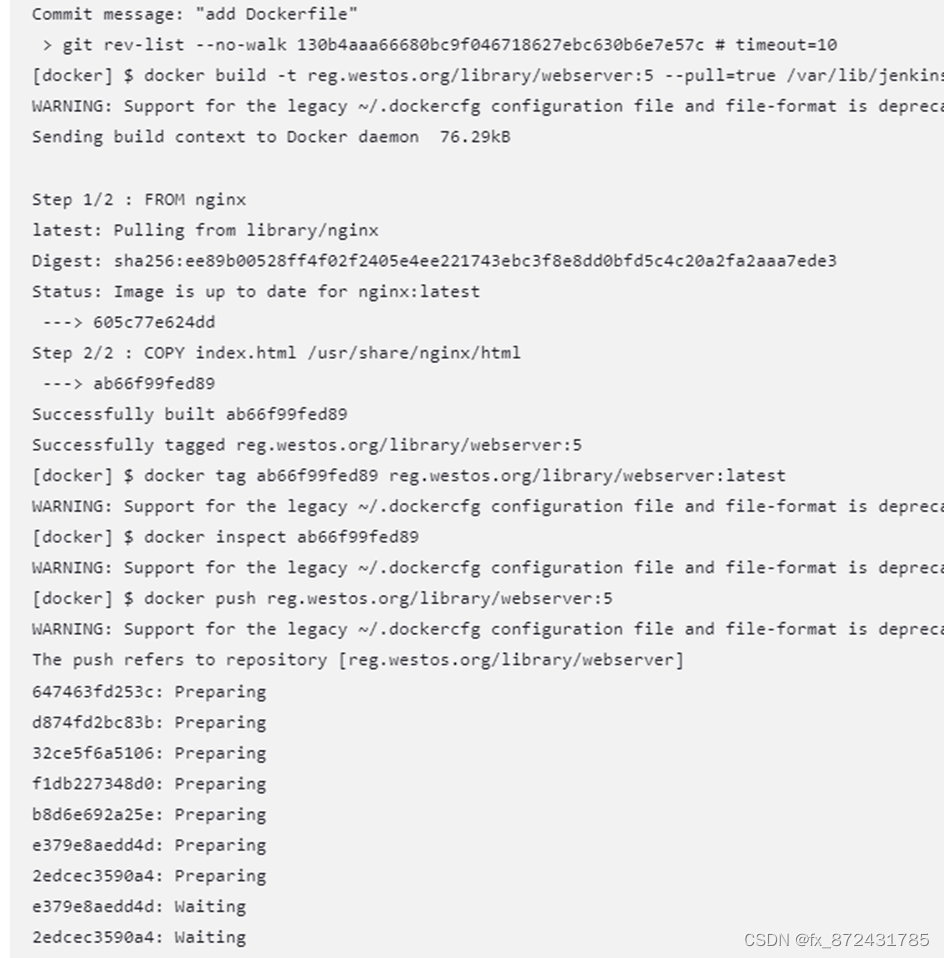
查看jenkins控制台输出

腾讯云面向开发者汇聚海量精品云计算使用和开发经验,营造开放的云计算技术生态圈。
更多推荐
 1
1 0
0- 0


 已为社区贡献1条内容

所有评论(0)