Linux apache+python+mod_python安装配置
·
Linux apache+python+mod_python安装配置
1、安装apache
1.1 安装 apr
https://dlcdn.apache.org//apr/#mirrors 下载apr源码安装包,解压缩
./configure --prefix=/安装路径 #配置生成 Makefile
make #编译
make install #安装
1.2 安装 apr-unit
https://dlcdn.apache.org//apr/#mirrors 下载apr-unit源码安装包,解压缩
./configure --prefix=/安装路径 --with-apr=/apr安装路径 #配置生成 Makefile
make #编译
make install #安装
1.3 安装 httpd
https://dlcdn.apache.org/httpd/ 下载httpd源码安装包,解压缩
./configure --prefix=/安装路径 --with-apr=/apr安装路径 --with-apr-unit=/apr-unit安装路径 #配置生成 Makefile
make #编译
make install #安装
2、安装python
https://www.python.org/ftp/python/3.11.5/Python-3.11.5.tgz 下载python源码包
./configure --prefix=/安装路径 --enable-shared --enable-static		#配置生成 Makefile
							# --enable-shared 生成动态链接库
							# --enable-static 生成静态链接库
make #编译
make install #安装
python3 -V #查看python版本,验证python安装是否成功
报错解决
报错./python3: error while loading shared libraries: libpython3.11.so.1.0
解决方案:
(1)编辑/etc/ld.so.conf配置文件
vi /etc/ld.so.conf
(2)将python安装目录下的lib文件夹路径添加在 ld.so.conf 文件中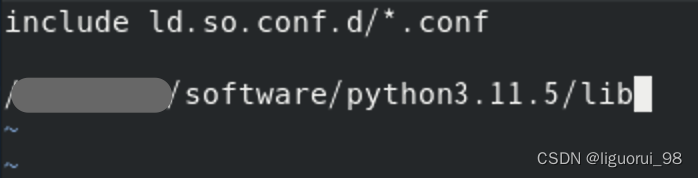
(3)更新配置,使配置生效
/sbin/ldconfig -v
3、安装mod_python
https://kgithub.com/grisha/mod_python/tree/3.5.0.1 下载mod_python源码包
./configure --prefix=/安装路径 --with-apxs=/apache安装路径(.../apache/bin/apxs) --with-python=/python安装路径(.../python3.11.5/bin/python3.11)
make #编译
make install #安装
4、apache配置
(1)在 httpd.conf 配置文件中加入
LoadModule python_module modules/mod_python.so
(2)配置python文件存放路径、权限等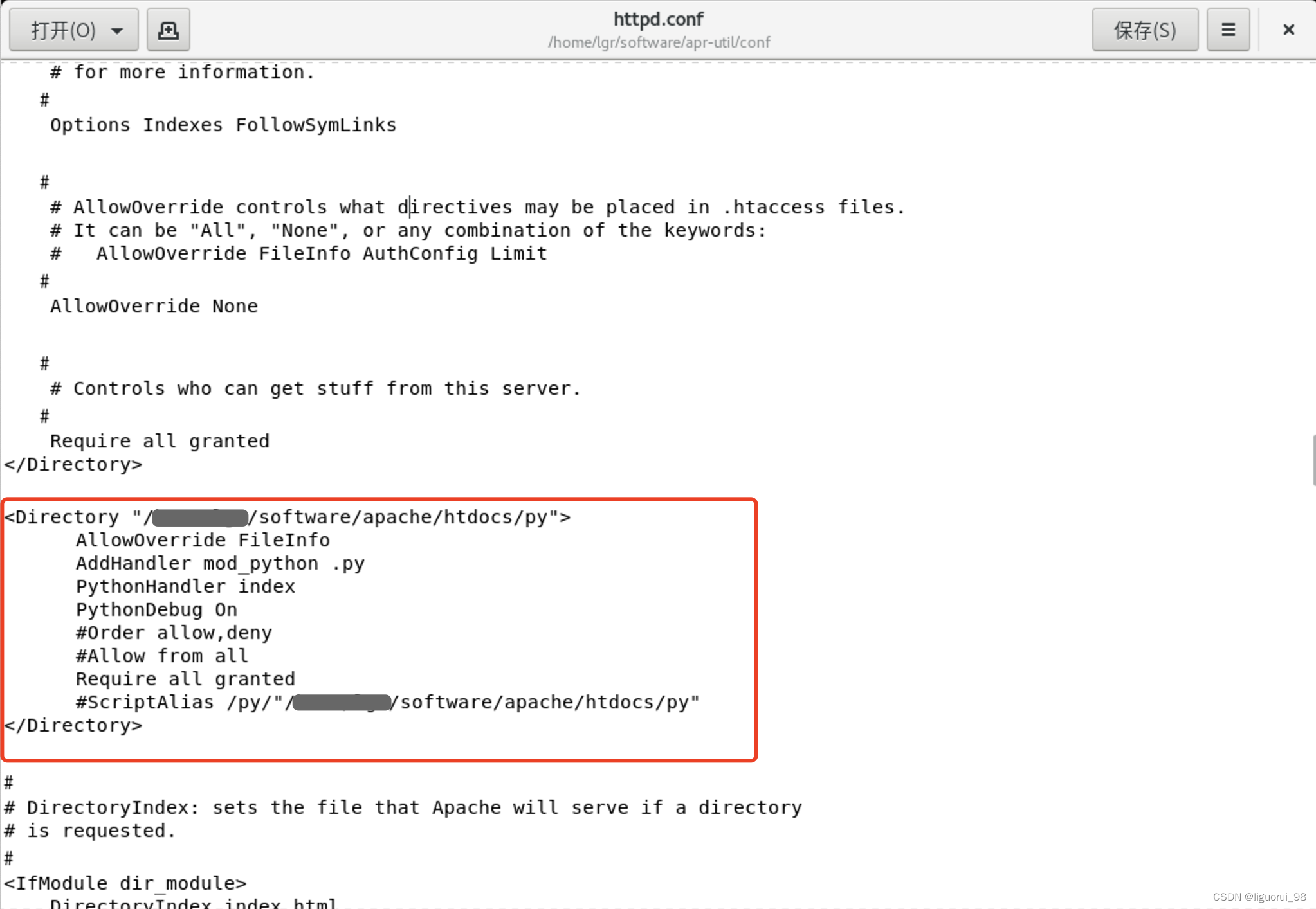
(3)测试
新建一个python脚本文件
vi .../software/apache/htdocs/py/index.py
from mod_python import apache
def handler(req):
req.write("Hello World!")
return apache.OK
启动httpd服务
浏览器输入网址 http://localhost/index.py 访问

腾讯云面向开发者汇聚海量精品云计算使用和开发经验,营造开放的云计算技术生态圈。
更多推荐
 0
0 0
0- 0


 已为社区贡献1条内容

所有评论(0)