react-hook-form。 useFieldArray Controller 必填,报错自动获取较多疑问记录
·
背景
动态多个数据Controller包裹时候,原生html标签input可以add时候自动获取焦点,聚焦到最近不符合要求的元素上面
- matiral的TextField同样可以
- 可是x-date-pickers/DatePicker不可以❌
是什么原因呢,内部提供foucs??属性才可以,还是?
暂时记录下,问题还未解决
input图:
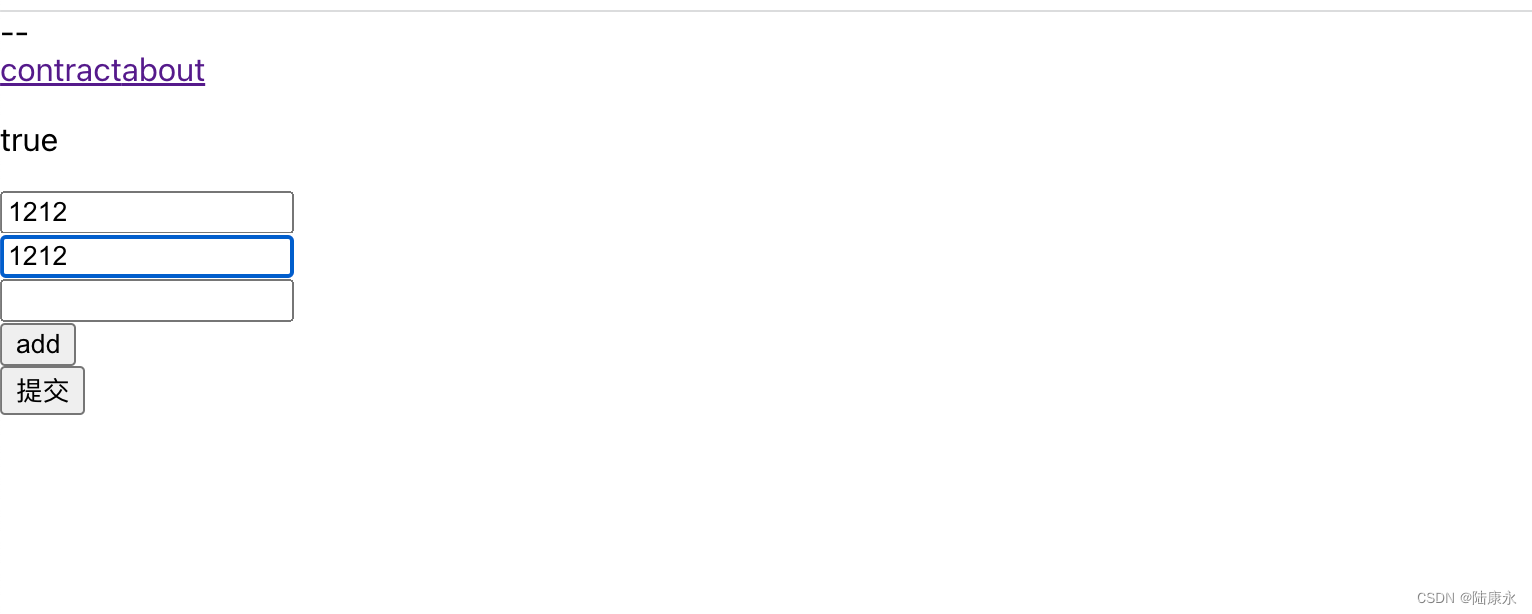
input代码:
直接用controller的field,add时候就可以给最前面一个没有有效输入的input获取焦点
<input
key={field.id} // important to include key with field's id
{...field}
/>
TextField图:
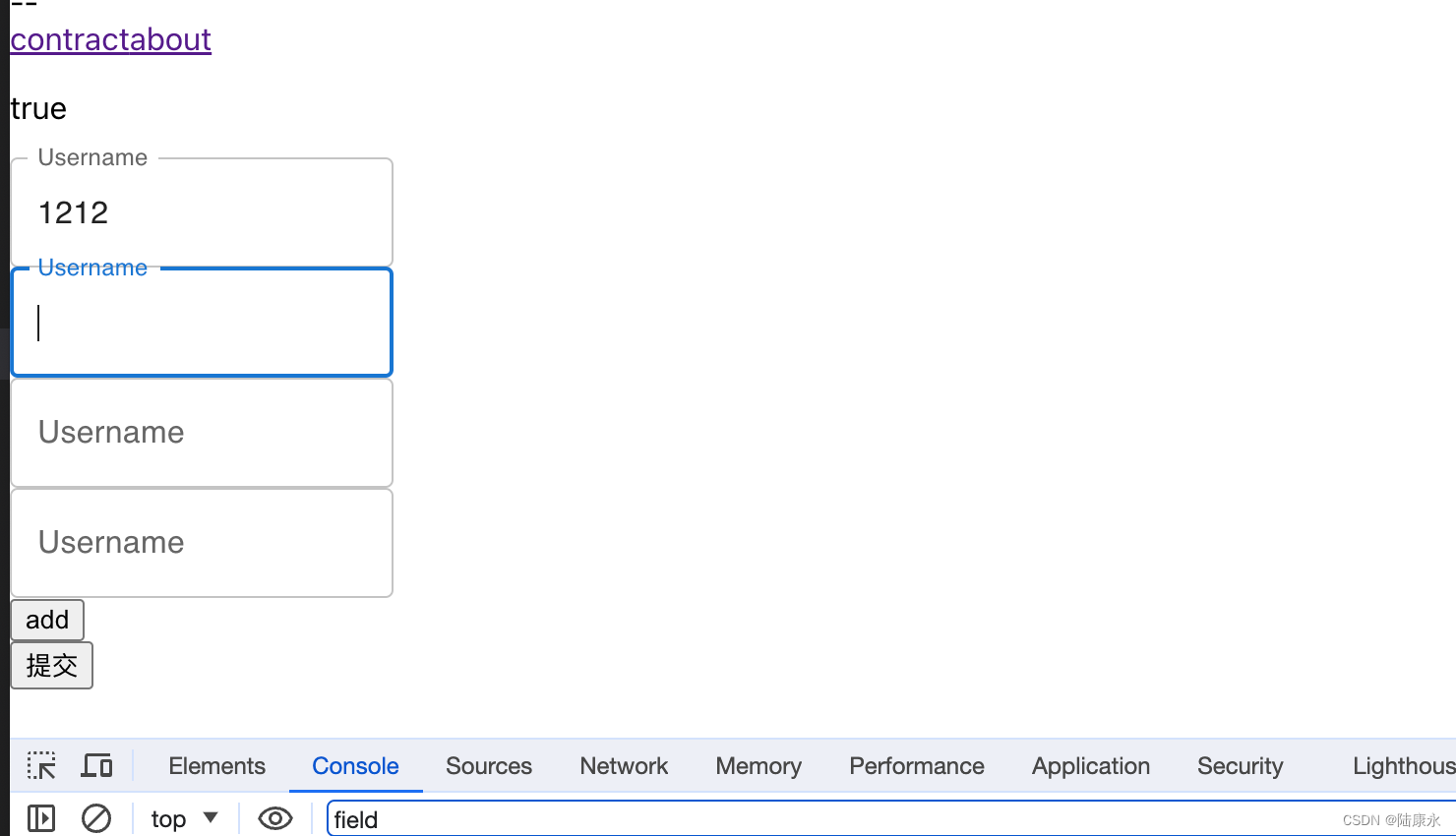
TestField代码:
必须用register,controller的field无效(没有add自动获取最前面无效输入的表单)
<TextField
                                    {...field}
                                    label="Username"
                                    variant="outlined"
                                    {...register(`test.${index}.value`, {
                                        required: {
                                            value: true,
                                            message: "required"
                                        }
                                    })}
                                />
x-data-picker
用controller的fields或者regiter都无效
完整代码
import { useForm, Controller, useFieldArray } from "react-hook-form";
import { TextField } from "@mui/material";
import { useEffect } from "react"
import { AdapterDayjs } from '@mui/x-date-pickers/AdapterDayjs';
import { LocalizationProvider } from '@mui/x-date-pickers/LocalizationProvider';
import { DatePicker } from '@mui/x-date-pickers/DatePicker';
function Form() {
    const { register, setFocus, control, handleSubmit, formState: { errors, isDirty }, formState } = useForm();
    const { fields, append, prepend, remove, swap, move, insert } = useFieldArray({
        control, // control props comes from useForm (optional: if you are using FormContext)
        name: "test", // unique name for your Field Array
        defaultValue: {
            test: [
                {
                    value: 100
                }
            ]
        }
    });

    const onSubmit = (data) => {
        console.log("data", data);
    };
    // console.log("errors", errors)
    useEffect(() => {
        // const firstError = Object.keys(errors).reduce((field, a) => {
        //     return !!errors[field] ? field : a;
        // }, null);
        // console.log("firstError", firstError)
        // if (firstError) {
        //     setFocus(firstError);
        // }
        // console.log("errors.test[0]", formState.errors)
        // if (errors.test && errors.test[0]?.value?.ref) {
        //     console.log(" errors.test[0].value.ref", errors.test[0].value.ref)
        //     //errors.test[0].value.ref.focus()
        //     setFocus(`test.${0}.value`)
        // }

    }, [errors, formState]);
    const appendfile = () => {
        append({
            value: ""
        })
    }

    return (
        <form onSubmit={handleSubmit(onSubmit)}>
            <p>{String(isDirty)}</p>
            {fields.map((field, index) => (
                <div key={field.id}>
                    {/* <input
                        key={field.id} // important to include key with field's id
                        {...register(`test.${index}.value`, {
                            required: {
                                value: true,
                                message: "required"
                            }
                        })}
                    /> */}

                    {/* <TextField
                        key={field.id} // important to include key with field's id
                        {...register(`test.${index}.value`, {
                            required: {
                                value: true,
                                message: "required"
                            }
                        })}
                    /> */}


                    <Controller
                        name={`test.${index}.value`}
                        control={control}
                        defaultValue=""
                        rules={{
                            required: {
                                value: true,
                                message: "required"
                            }
                        }}
                        errors={isDirty && errors.test && errors.test[index] && errors.test[index].value.message ? true : false}
                        render={({ field }) => {
                            console.log("field", field)
                            //     required: {
                            //         value: true,
                            //         message: "required"
                            //     }
                            // }))

                            return (
                                //一,可以自动获取焦点

                                // <TextField
                                //     {...field}
                                //     label="Username"
                                //     variant="outlined"
                                //     {...register(`test.${index}.value`, {
                                //         required: {
                                //             value: true,
                                //             message: "required"
                                //         }
                                //     })}
                                // />
                                //二,可以自动获取焦点
                                // <input
                                //     key={field.id} // important to include key with field's id
                                //     {...field}
                                // />
                                //三,可以自动获取焦点
                                // < LocalizationProvider dateAdapter={AdapterDayjs} >
                                //     <DatePicker
                                //         {...field}
                                //         {...register(`test.${index}.value`, {
                                //             required: {
                                //                 value: true,
                                //                 message: "required"
                                //             }
                                //         })}
                                //     />
                                // </LocalizationProvider>
                            )
                        }}
                    />


                </div>
            ))}
            <div>
                <button onClick={appendfile}>add</button>
            </div>

            <div>
                <input type="submit" />
            </div>
        </form>
    );
}

export default Form;
append 后不自动focus
lib版本:7.47.0 ,一下代码window 谷歌可行,苹果谷歌不可行
append({
            value: "",
            time: null
        }, {
            shouldFocus: false,
})
isduty在提交后,依旧是true,如何解决:
 React.useEffect(() => {
    if (isSubmitted) {
      reset({}, { keepValues: true });
    }
}, [isSubmitted, reset]);代码:React Hook Form - useForm Template (forked) - CodeSandbox
注意必须通过handleSubmit(handler) handleSubmit函数来包裹提交函数
参考:
bug:与x-data-grid配合使用,remove出行问题,正常删除
错误例子:https://codesandbox.io/s/laughing-snyder-t8cmsx?file=/demo.tsx
修复例子:https://codesandbox.io/s/strange-surf-cd13lp?file=/demo.tsx:1070-1083
原因是传递fields时候x-data-grid 同样会修改这个数据导致两边冲突,所以不要直接床底fields,而是克隆一份,同时注册input时候要先判断getValues("test")和列对应的id的元素是否存在,不存在return null,不再执行register
完整代码:
import * as React from "react";
import { v4 as uuid } from "uuid";

import Box from "@mui/material/Box";
import { DataGrid, GridColDef, GridCellParams } from "@mui/x-data-grid";

import { useFieldArray, useForm } from "react-hook-form";
import { Button } from "@mui/material";

export default function DataGridProDemo() {
  const { control, register, getValues, handleSubmit, reset, watch } = useForm({
    defaultValues: {
      test: []
    }
  });
  const testWatcher = watch("test");
  const { fields, append, remove } = useFieldArray({
    name: "test",
    control: control
  });

  console.log(
    "testWatcher",
    JSON.stringify(testWatcher),
    "test",
    JSON.stringify(fields)
  );

  const data = getValues("test") || [];

  const getIndexByRow = (arr: { id: string }[], id: string | number) => {
    return arr ? arr.findIndex((r) => r.id === id) : -1;
  };

  const columns: GridColDef = [
    {
      field: "name",
      headerName: "Name",
      flex: 1,
      width: 100,
      renderCell: (params: GridCellParams<any>) => {
        const index = getIndexByRow(getValues("test"), params.id);
        if (index === -1) {
          return null;
        }
        return <input {...register(`test.${index}.name`)} />;
      }
    },
    {
      field: "age",
      headerName: "Age",
      flex: 1,
      width: 100,
      renderCell: (params: GridCellParams<any>) => {
        const index = getIndexByRow(getValues("test"), params.id);
        if (index === -1) {
          return null;
        }
        return <input {...register(`test.${index}.age`)} />;
      }
    },
    {
      field: "id",
      headerName: "Action",
      align: "center",
      headerAlign: "center",
      flex: 1,
      width: 100,
      renderCell: (params: GridCellParams<any>) => {
        const index = getIndexByRow(getValues("test"), params.id);
        if (index === -1) {
          return null;
        }
        return (
          <Button
            onClick={() => {
              remove(index);
            }}
          >
            delete
          </Button>
        );
      }
    }
  ];

  const cloned = data.map(({ id, age, name, dataType }) => ({
    id,
    age,
    name,
    dataType
  }));
  console.log({ cloned });

  return (
    <>
      <Button
        onClick={() => {
          append({ id: uuid(), name: "", dataType: "" });
        }}
      >
        Add
      </Button>
      <Box sx={{ height: 520, width: "100%" }}>
        <DataGrid rows={cloned} columns={columns} pageSize={5} />
      </Box>
    </>
  );
}

腾讯云面向开发者汇聚海量精品云计算使用和开发经验,营造开放的云计算技术生态圈。
更多推荐
 0
0 0
0- 0


 已为社区贡献4条内容

所有评论(0)