docker build打包时下载python包run pip总是超时的解决办法
·
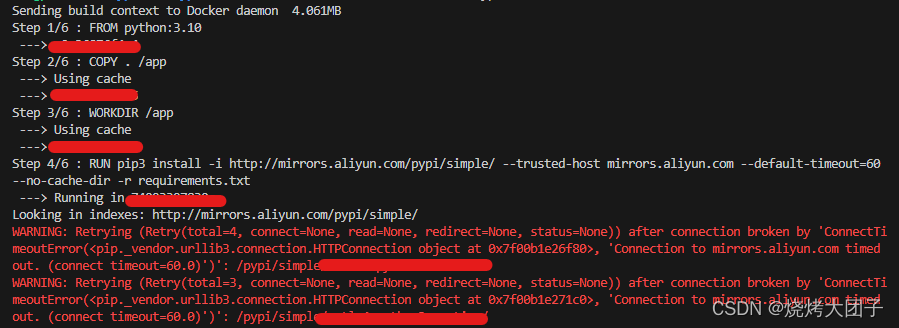
报错
Step 4/6 : RUN pip install  -i https://pypi.tuna.tsinghua.edu.cn/simple/  -r requirements.txt
 ---> Running in ece078308279
Looking in indexes: https://pypi.tuna.tsinghua.edu.cn/simple/
WARNING: Retrying (Retry(total=4, connect=None, read=None, redirect=None, status=None)) after connection broken by 'ConnectTimeoutError(<pip._vendor.urllib3.connection.HTTPSConnection object at 0x7f65fc6d4640>, 'Connection to pypi.tuna.tsinghua.edu.cn timed out. (connect timeout=15)')': /simple/
解决办法
1、换源。在Dockerfile中修改RUN命令:
RUN pip install -i https://pypi.tuna.tsinghua.edu.cn/simple/ -r requirements.txt
2、修改运行命令,注意加上--network=host
docker build --network=host -t your-name:tag .

腾讯云面向开发者汇聚海量精品云计算使用和开发经验,营造开放的云计算技术生态圈。
更多推荐
 11
11 0
0- 0


 已为社区贡献3条内容

所有评论(0)