Springboot3整合Swagger3时出现Type javax.servlet.http.HttpServletRequest not present
Springboot3整合Swagger3时出现Type javax.servlet.http.HttpServletRequest not present
·
1、错误详情

2、错误原因:
Springboot3.0和Swagger3版本不匹配
3、解决方法:
用springdoc代替原先的springfox,具体步骤如下:
(1)在pom.xml文件中加入
        <dependency>
            <groupId>org.springdoc</groupId>
            <artifactId>springdoc-openapi-starter-webmvc-ui</artifactId>
            <version>2.0.2</version>
        </dependency>
        <dependency>
            <groupId>org.springdoc</groupId>
            <artifactId>springdoc-openapi-starter-webmvc-api</artifactId>
            <version>2.0.2</version>
        </dependency>
(2)在application.yml中加入
springdoc:
  swagger-ui.path: /swagger-ui.html
(3)新建一个SwaggerConfig.java文件,并加入
import io.swagger.v3.oas.models.OpenAPI;
import io.swagger.v3.oas.models.info.Info;
import org.springframework.context.annotation.Bean;
import org.springframework.context.annotation.Configuration;

@Configuration
public class SwaggerConfig {
    @Bean
    public OpenAPI springShopOpenAPI() {
        return new OpenAPI()
                .info(new Info().title("SpringBoot Vue Test")
                        .description("SpringBoot+Vue Test Swagger debugging")
                        .version("v1"));
    }
}
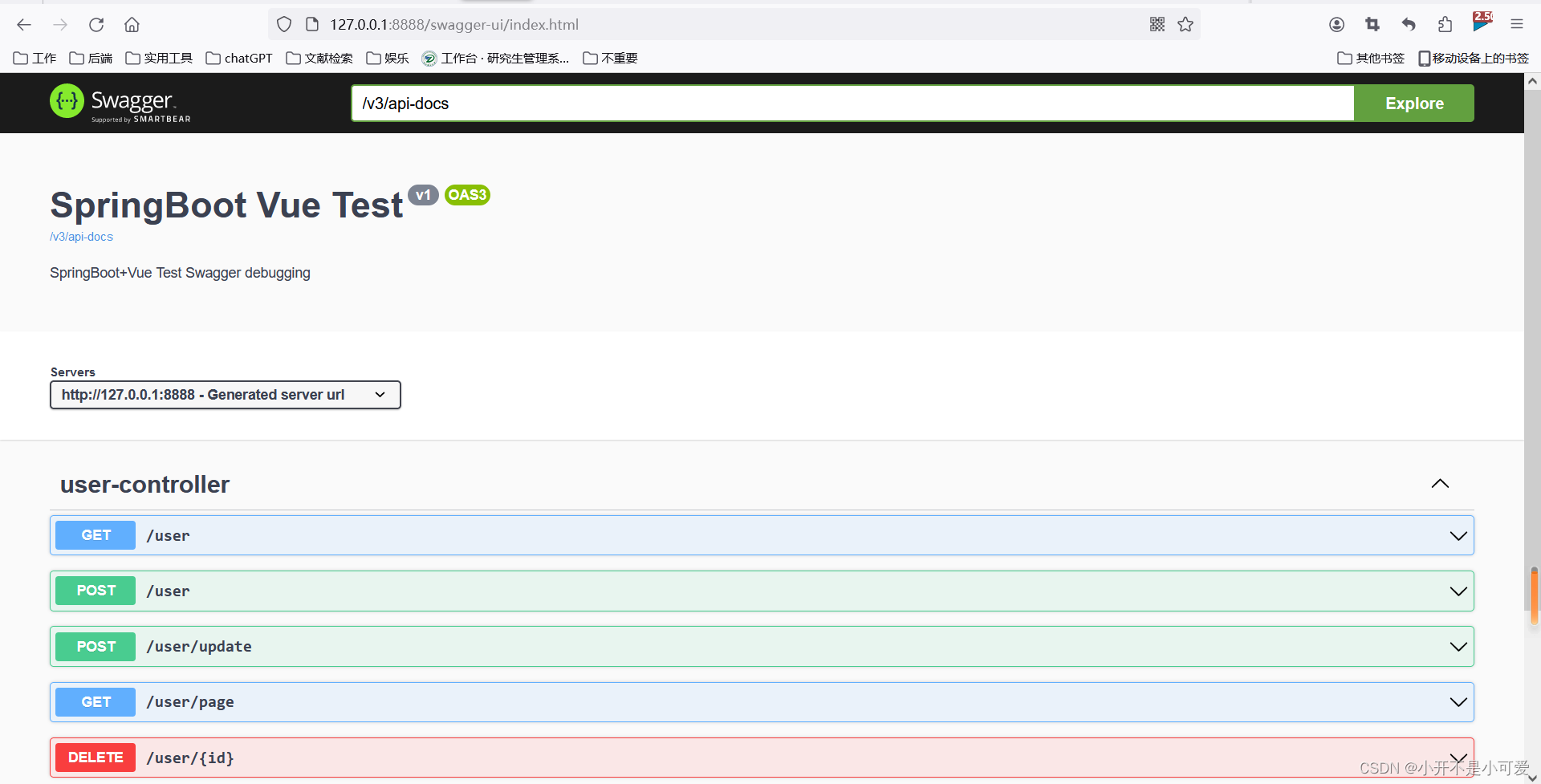
(4)启动项目,并在浏览器中输入http://127.0.0.1:8888/swagger-ui/index.html
注意:这里的8888代表的是我的端口号,需要根据你自己的端口号进行修改
出现下图,就代表成功了!

腾讯云面向开发者汇聚海量精品云计算使用和开发经验,营造开放的云计算技术生态圈。
更多推荐
 18
18 0
0- 0


 已为社区贡献1条内容

所有评论(0)