Sourcetree添加 ssh key 到克隆git项目
·
目录
1.使用 git 客户的生成公私钥:id_rsa、id_rsa.pub
1.2 检查是不是已经存在密钥(能进去说明已经存在,就删掉文件夹,重新创建)
3.添加 ~/.ssh/id_rsa.pub 文件内容到 git 服务器里面去
1.使用 git 客户的生成公私钥:id_rsa、id_rsa.pub
1.1 设置Git的user name 和 email:
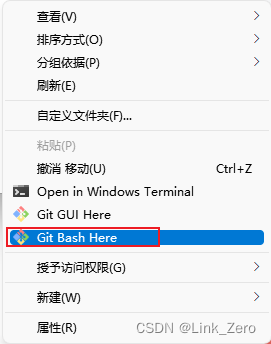
$ git config --global user.name "xxx"
$ git config --global user.email "xxx.mail@xxx.com"
1.2 检查是不是已经存在密钥(能进去说明已经存在,就删掉文件夹,重新创建)
Windows默认是在:C:\Users\你的用户名 下面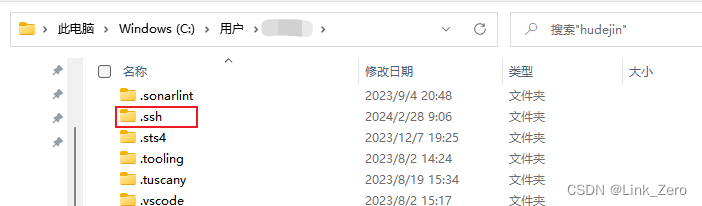
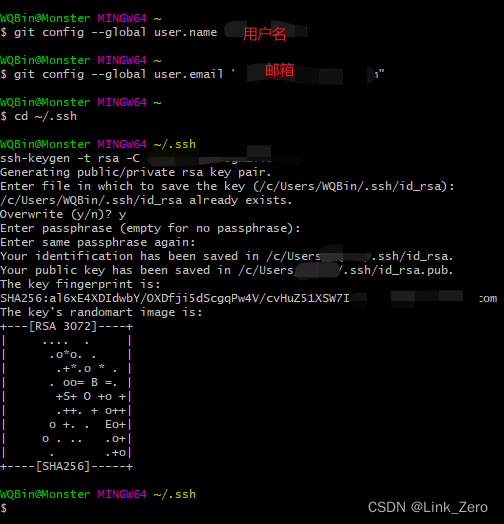
用命令进入:
cd ~/.ssh1.3.生成 SSH 密钥:
$ ssh-keygen -t rsa -C "xxx.mail@xxx.com"直接敲3个回车,密码为空
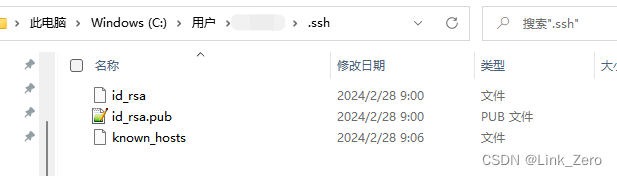
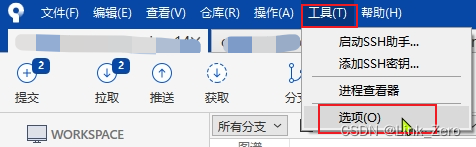
2.设置 SourceTree 的 SSH客户端
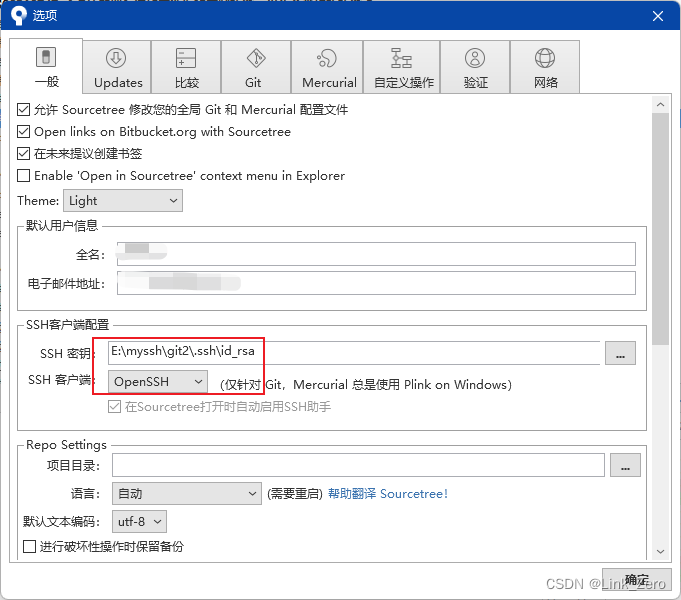
配置SourceTree 的 SSH 客户的为:OpenSSH
SSH 密钥这一栏会自动去选择当前用户下的 .ssh 目录下的 id_rsa 这个私钥,我是更改过的。
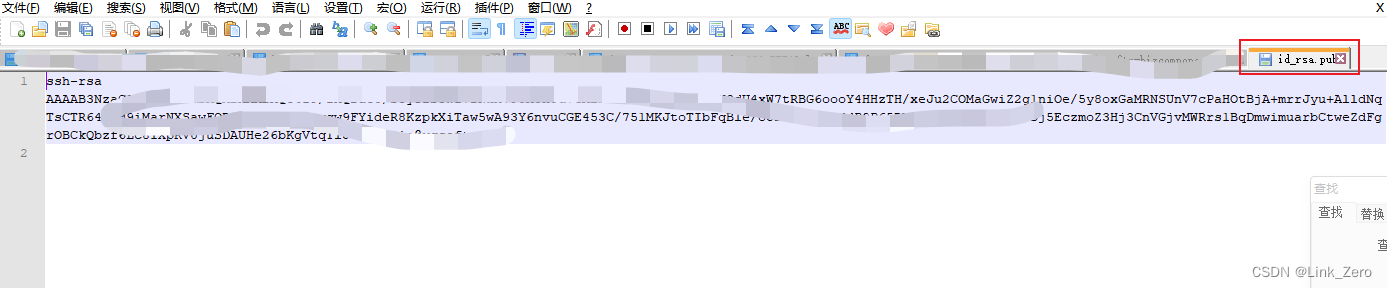
3.添加 ~/.ssh/id_rsa.pub 文件内容到 git 服务器里面去
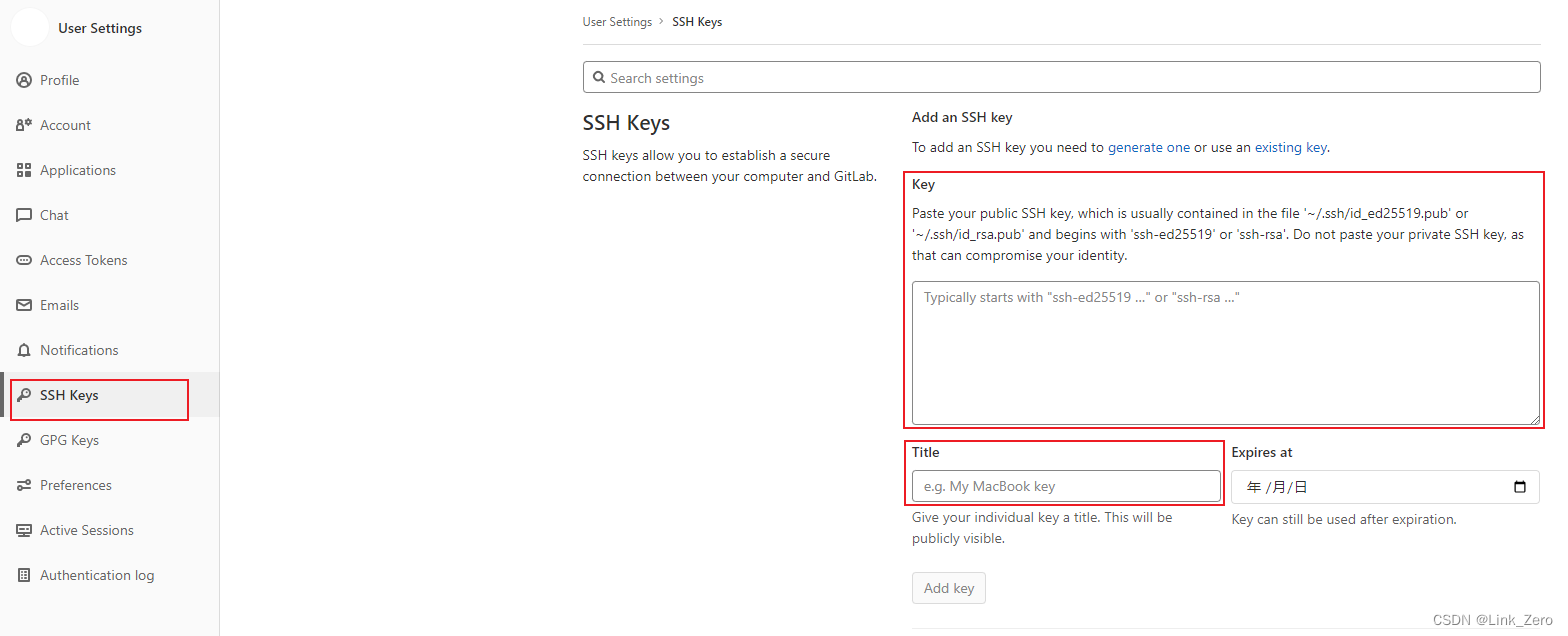
粘贴id_rsa.pub的内容到 git 服务器中 SSH Keys 里面的 Key,
Title随便命名,Expires at 到期时间我这不选。
4.Sourcetree 克隆 git 项目
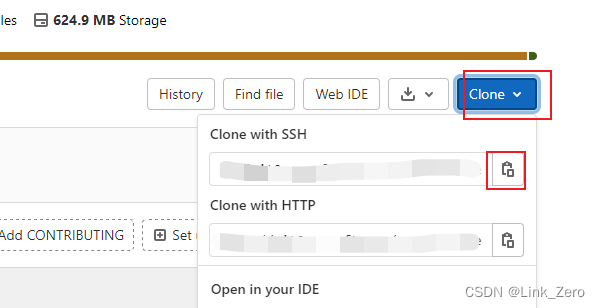
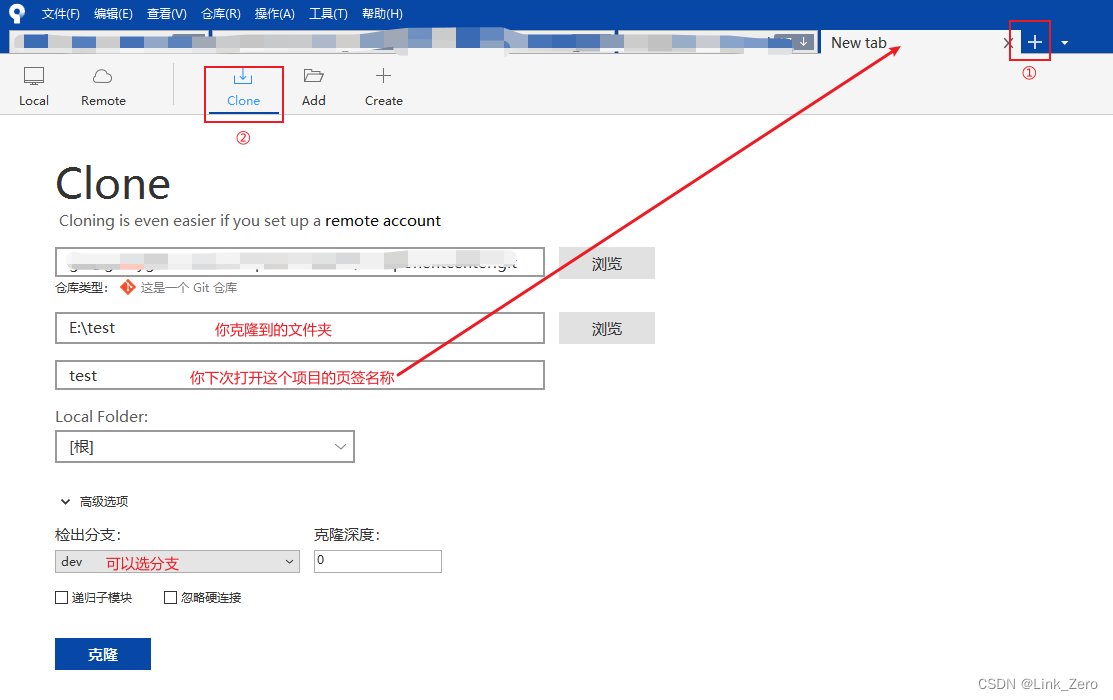
复制 git 地址到 Sourcetree的克隆中

腾讯云面向开发者汇聚海量精品云计算使用和开发经验,营造开放的云计算技术生态圈。
更多推荐
 18
18 0
0- 0


 已为社区贡献1条内容

所有评论(0)