自己动手用Springboot实现仿百度网盘
return b;
}
@Override
public String download(String fileName, String userName, String path) {
// 服务器下载的文件所在的本地路径的文件夹
String saveFilePath = fileRootPath + userName + “/” + path;
logger.warn(“1 saveFilePath:” + saveFilePath);
// 判断文件夹是否存在-建立文件夹
File filePathDir = new File(saveFilePath);
if (!filePathDir.exists()) {
filePathDir.mkdir();
}
// 本地路径
saveFilePath = saveFilePath + “/” + fileName;
String link = saveFilePath.replace(fileRootPath, “/data/”);
link = StringUtil.stringSlashToOne(link);
logger.warn(“返回的路径:” + link);
return link;
}
@Override
public List userFileList(String userName, String path) {
logger.warn(“执行userFileList函数!”);
List fileMsgList = new ArrayList<>();
// 拉取文件列表-本地磁盘
String webSaveFilePath = fileRootPath + userName + “/” + path;
File files = new File(webSaveFilePath);
if (!files.exists()) {
return fileMsgList;
}
File[] tempList = files.listFiles();
if (tempList == null) {
return fileMsgList;
}
for (File file : tempList) {
if (file.isFile()) {
FileMsg fileMsg = new FileMsg();
// 获取文件名和下载地址
String link = file.toString().replace(“\”, “/”);
String[] nameArr = link.split(“/”);
String name = nameArr[nameArr.length - 1];
link = link.replace(fileRootPath, “/data/”);
link = link.replace(“/root/pan/”, “/data/”);
String size = FileUtil.fileSizeToString(file.length());
SimpleDateFormat formatter = new SimpleDateFormat(“yyyy-MM-dd HH:mm:ss”);
String lastModTime = formatter.format(file.lastModified());
// 赋值到json
fileMsg.setName(name);
fileMsg.setLink(link);
fileMsg.setSize(size);
fileMsg.setTime(lastModTime);
if (FileUtil.isMp4(name)) {
fileMsg.setType(“mp4”);
} else if (FileUtil.isVideo(name)) {
fileMsg.setType(“video”);
} else {
fileMsg.setType(“file”);
}
fileMsgList.add(fileMsg);
} else {
FileMsg fileMsg = new FileMsg();
String link = file.toString().replace(“\”, “/”);
String[] nameArr = link.split(“/”);
String name = nameArr[nameArr.length - 1];
String dirPath = link.replace(fileRootPath + userName, “”);
if (!name.equals(“userIcon”)) {
fileMsg.setName(name);
fileMsg.setSize(“Directory”);
fileMsg.setType(“dir”);
fileMsg.setLink(dirPath);
SimpleDateFormat formatter = new SimpleDateFormat(“yyyy-MM-dd HH:mm:ss”);
String lastModTime = formatter.format(file.lastModified());
fileMsg.setTime(lastModTime);
fileMsgList.add(fileMsg);
}
}
}
//排序
ListUtil.listSort(fileMsgList);
return fileMsgList;
}
/**
-
展示path目录下的全部文件信息
-
@param path 文件完全路径
-
@param userName 用户名
-
@return FileMsg List
*/
@Override
public List list(String path, String userName) {
List fileMsgList = new ArrayList<>();
File files = new File(path);
if (!files.exists()) {
return fileMsgList;
}
File[] tempList = files.listFiles();
if (tempList == null) {
return fileMsgList;
}
// 遍历每个文件转json对象
for (File file : tempList) {
fileMsgList.add(FileUtil.fileToFileMsg(file, userName, fileRootPath, “/data/”));
}
// 排序规则:文件夹在前,文件在后,更新时间最近的在前
ListUtil.listSort(fileMsgList);
return fileMsgList;
}
@Override
public Boolean[] userFileDelete(String fileName, String userName, String path) {
//解析fileName: 以$$符号分割
String[] fileNames = null;
if (fileName.contains(“$$”)) {
fileNames = fileName.split(“\$\$”);
} else {
fileNames = new String[1];
fileNames[0] = fileName;
}
Boolean[] b = new Boolean[fileNames.length];
for (int i = 0; i < fileNames.length; i++) {
// 删除-本地文件
String saveFilePath = fileRootPath + userName + “/” + path;
File file = new File(saveFilePath);
File[] listFiles = file.listFiles();
boolean b1 = false;
//判断是否是文件夹
if (fileName.equals(“@dir@”)) {
//是文件夹
b1 = FileUtil.delete(saveFilePath);
} else {
b1 = FileUtil.delete(saveFilePath + “/” + fileNames[i]);
}
// if (!b1){
// FileSave fileSave=saveService.findFileSaveByUserNameAndFileName(userName,
// fileNames[i]);
// saveService.delete(fileSave);
// b1=true;
// }
b[i] = b1;
}
return b;
}
@Override
public boolean userFileRename(String oldName, String newName, String userName, String path) {
// 重命名-本地磁盘文件
String oldNameWithPath;
String newNameWithPath;
if (“@dir@”.equals(oldName)) {
oldNameWithPath = StringUtil.stringSlashToOne(fileRootPath + userName + “/” + path);
newNameWithPath =
oldNameWithPath.substring(0, (int) StringUtil.getfilesuffix(oldNameWithPath, true, “/”)) + “/” + newName;
newNameWithPath = StringUtil.stringSlashToOne(newNameWithPath);
} else {
oldNameWithPath = StringUtil.stringSlashToOne(fileRootPath + userName + “/” + path + “/” + oldName);
newNameWithPath = StringUtil.stringSlashToOne(fileRootPath + userName + “/” + path + “/” + newName);
}
return FileUtil.renameFile(oldNameWithPath, newNameWithPath);
}
@Override
public boolean userDirCreate(String dirName, String path) {
File file = new File(path + “/” + dirName);
return file.mkdir();
}
@Override
public String fileShareCodeEncode(String filePathAndName) {
EncryptUtil des;
try {
des = new EncryptUtil(key, “utf-8”);
return des.encode(filePathAndName);
} catch (Exception e) {
logger.error(“Exception:”, e);
}
return “null”;
}
@Override
public String fileShareCodeDecode(String code) {
EncryptUtil des;
try {
des = new EncryptUtil(key, “utf-8”);
logger.warn(“00 code:” + code);
String filePathAndName = des.decode(code);
logger.warn(“00 filePathAndName:” + filePathAndName);
String[] arr = filePathAndName.split(“/”);
LinkSecret linkSecret = linkSecretService.findLinkSecretBysecretLink(code);
String[] localLink = linkSecret.getLocalLink().split(“/”);
String userName = localLink[3];
// String userName = arr[0];
String fileName = arr[arr.length - 1];
arr[arr.length - 1] = “”;
// String path = StringUtils.join(arr, “/”);
String path = userName + “/”;
if (localLink.length > 5) {
for (int k = 4; k < localLink.length - 1; k++) {
path = path + localLink[k] + “/”;
}
}
logger.warn(“0 userName:” + userName);
logger.warn(“1 filePathAndName:” + filePathAndName);
logger.warn(“2 fileName:” + fileName);
logger.warn(“3 path:” + path);
// 服务器下载的文件所在的本地路径的文件夹
String saveFilePath = fileRootPath + “share” + “/” + path;
// String saveFilePath = fileRootPath + “/” + path;
logger.warn(“1 saveFilePath:” + saveFilePath);
// 判断文件夹是否存在-建立文件夹
File filePathDir = new File(saveFilePath);
if (!filePathDir.exists()) {
// mkdirs递归创建父目录
boolean b = filePathDir.mkdirs();
logger.warn(“递归创建父目录:” + b);
}
saveFilePath = fileRootPath + “/” + path + “/” + fileName;
String link = saveFilePath.replace(fileRootPath, “/data/”);
link = StringUtil.stringSlashToOne(link);
logger.warn(“4 link:” + link);
// 返回下载路径
return link;
} catch (Exception e) {
logger.error(“Exception:”, e);
return “null”;
}
}
@Override
public boolean userFileDirMove(String fileName, String oldPath, String newPath, String userName) {
// 移动-本地磁盘文件
String saveFilePath = fileRootPath + userName + “/”;
String lfilename = (“@dir@”.equals(fileName) ? “” : “/” + fileName);
String oldNameWithPath = StringUtil.stringSlashToOne(saveFilePath + oldPath + lfilename);
String tmpnewfilename = “@dir@”.equals(fileName) ?
(String) StringUtil.getfilesuffix(oldNameWithPath, false, “/”, false) : “”;
String newNameWithPath = StringUtil.stringSlashToOne(saveFilePath + newPath + lfilename + tmpnewfilename);
return FileUtil.renameFile(oldNameWithPath, newNameWithPath);
}
@Override
public List search(String key, String userName, String path) {
List fileMsgList = new ArrayList<>();
// 拉取文件列表-本地磁盘
String webSaveFilePath = fileRootPath + userName + “/” + path;
File files = new File(webSaveFilePath);
if (!files.exists()) {
files.mkdir();
}
// File[] tempList = files.listFiles();
List tempList = new ArrayList<>();
tempList = SearchFileByKey.searchFile(webSaveFilePath, key, false, tempList);
for (int i = 0; i < tempList.size(); i++) {
if (tempList.get(i).isFile()) {
// logger.warn(“用户:” + userName + " 文件:" + tempList[i]);
FileMsg fileMsg = new FileMsg();
// 获取文件名和下载地址
String link = tempList.get(i).toString().replace(“\”, “/”);
String[] nameArr = link.split(“/”);
String name = nameArr[nameArr.length - 1];
link = link.replace(fileRootPath, “/data/”);
link = link.replace(“/root/pan/”, “/data/”);
String size = FileUtil.fileSizeToString(tempList.get(i).length());
SimpleDateFormat formatter = new SimpleDateFormat(“yyyy-MM-dd HH:mm:ss”);
String lastModTime = formatter.format(tempList.get(i).lastModified());
// 赋值到json
fileMsg.setName(name);
fileMsg.setLink(link);
fileMsg.setSize(size);
fileMsg.setTime(lastModTime);
fileMsgList.add(fileMsg);
} else {
FileMsg fileMsg = new FileMsg();
String link = tempList.get(i).toString().replace(“\”, “/”);
String[] nameArr = link.split(“/”);
String name = nameArr[nameArr.length - 1];
if (!name.equals(“userIcon”)) {
fileMsg.setLink(link);
fileMsg.setName(name);
fileMsg.setSize(“Directory”);
SimpleDateFormat formatter = new SimpleDateFormat(“yyyy-MM-dd HH:mm:ss”);
String lastModTime = formatter.format(tempList.get(i).lastModified());
fileMsg.setTime(lastModTime);
fileMsgList.add(fileMsg);
}
}
}
return fileMsgList;
}
@Override
public boolean merge(String fileName, String userName, String path) throws InterruptedException {
boolean b = false;
String savePath = fileRootPath + userName + “/” + path;
File saveDir = new File(savePath);
if (!saveDir.exists()) {
saveDir.mkdirs();
}
String tempDirPath = FileUtil.getTempDir(tempPath, userName, fileName);
File tempDir = new File(tempDirPath);
// 获得分片文件列表
File[] fileArray = tempDir.listFiles(new FileFilter() {
// 只需要文件
@Override
public boolean accept(File pathname) {
if (pathname.isDirectory()) {
return false;
} else {
return true;
}
}
});
// logger.warn(“【要合成的文件有】:”+fileArray);
// while (fileArray==null){
// }
// 转成集合进行排序后合并文件
List fileList = new ArrayList(Arrays.asList(fileArray));
自我介绍一下,小编13年上海交大毕业,曾经在小公司待过,也去过华为、OPPO等大厂,18年进入阿里一直到现在。
深知大多数Java工程师,想要提升技能,往往是自己摸索成长或者是报班学习,但对于培训机构动则几千的学费,着实压力不小。自己不成体系的自学效果低效又漫长,而且极易碰到天花板技术停滞不前!
因此收集整理了一份《2024年Java开发全套学习资料》,初衷也很简单,就是希望能够帮助到想自学提升又不知道该从何学起的朋友,同时减轻大家的负担。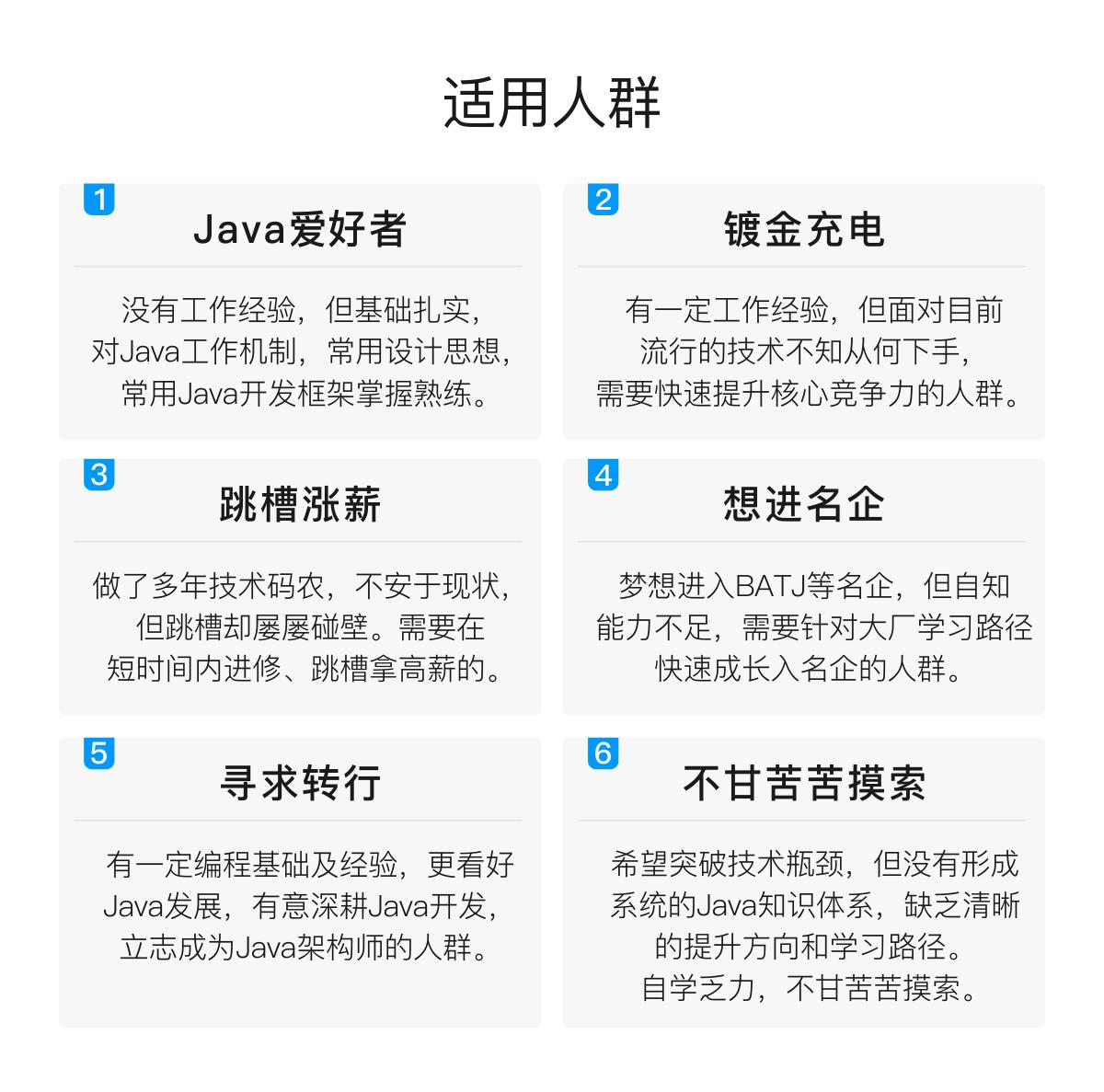
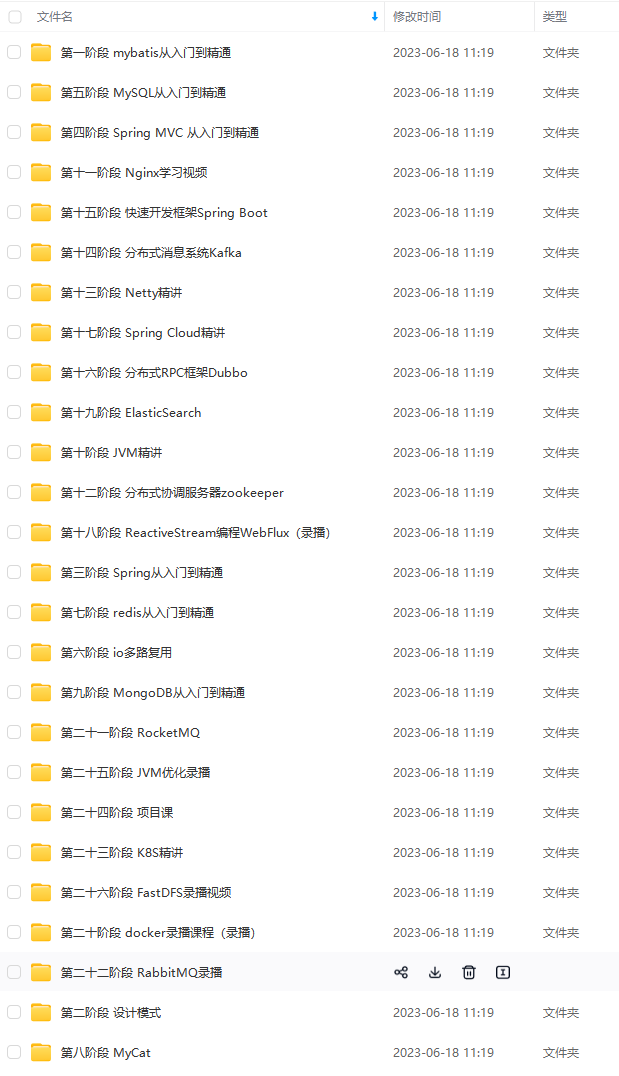
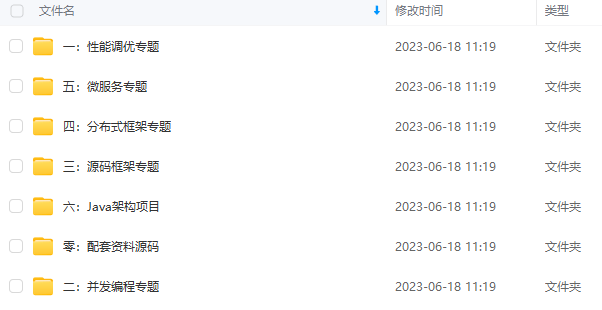
既有适合小白学习的零基础资料,也有适合3年以上经验的小伙伴深入学习提升的进阶课程,基本涵盖了95%以上Java开发知识点,真正体系化!
由于文件比较大,这里只是将部分目录截图出来,每个节点里面都包含大厂面经、学习笔记、源码讲义、实战项目、讲解视频,并且会持续更新!
如果你觉得这些内容对你有帮助,可以扫码获取!!(备注Java获取)

最后
我还通过一些渠道整理了一些大厂真实面试主要有:蚂蚁金服、拼多多、阿里云、百度、唯品会、携程、丰巢科技、乐信、软通动力、OPPO、银盛支付、中国平安等初,中级,高级Java面试题集合,附带超详细答案,希望能帮助到大家。
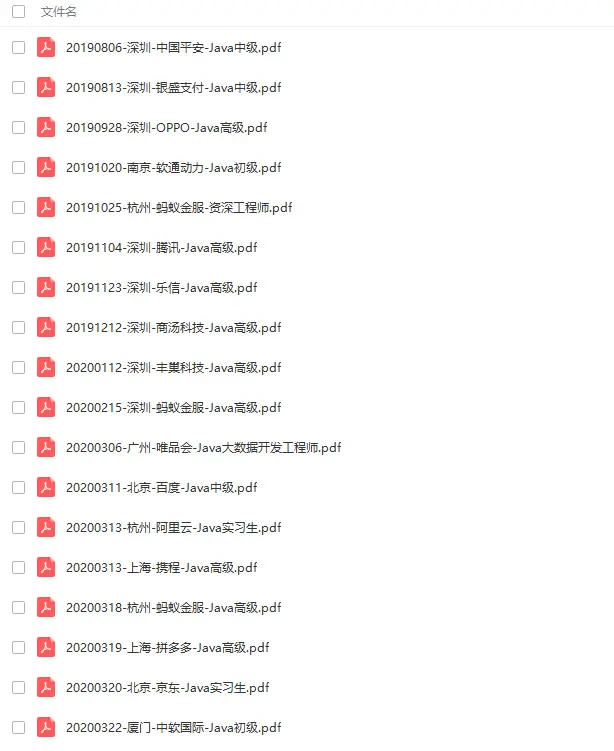
还有专门针对JVM、SPringBoot、SpringCloud、数据库、Linux、缓存、消息中间件、源码等相关面试题。
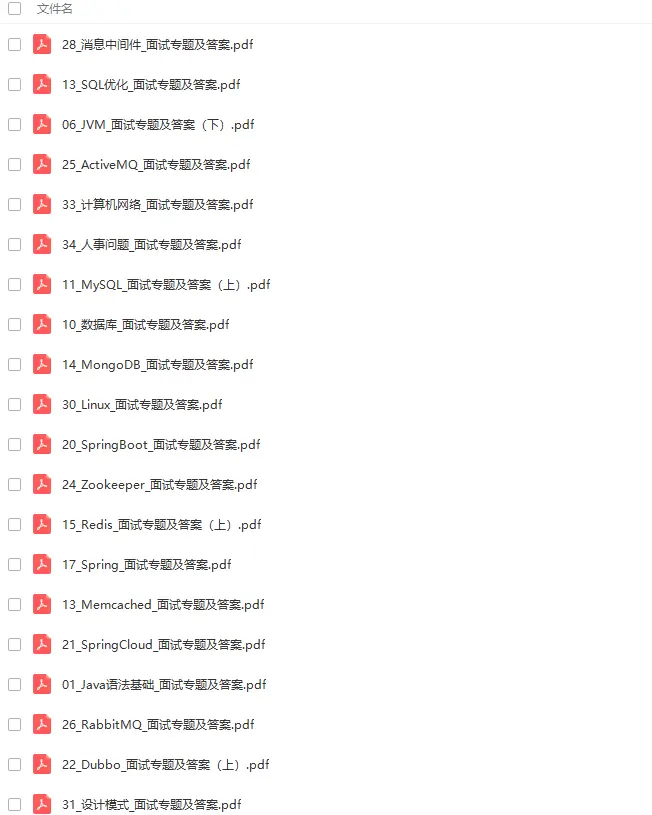
《一线大厂Java面试题解析+核心总结学习笔记+最新讲解视频+实战项目源码》,点击传送门即可获取!
上经验的小伙伴深入学习提升的进阶课程,基本涵盖了95%以上Java开发知识点,真正体系化!**
由于文件比较大,这里只是将部分目录截图出来,每个节点里面都包含大厂面经、学习笔记、源码讲义、实战项目、讲解视频,并且会持续更新!
如果你觉得这些内容对你有帮助,可以扫码获取!!(备注Java获取)
最后
我还通过一些渠道整理了一些大厂真实面试主要有:蚂蚁金服、拼多多、阿里云、百度、唯品会、携程、丰巢科技、乐信、软通动力、OPPO、银盛支付、中国平安等初,中级,高级Java面试题集合,附带超详细答案,希望能帮助到大家。
[外链图片转存中…(img-EyUWNlKR-1712509664026)]
还有专门针对JVM、SPringBoot、SpringCloud、数据库、Linux、缓存、消息中间件、源码等相关面试题。
[外链图片转存中…(img-nreWkWLc-1712509664026)]
《一线大厂Java面试题解析+核心总结学习笔记+最新讲解视频+实战项目源码》,点击传送门即可获取!

腾讯云面向开发者汇聚海量精品云计算使用和开发经验,营造开放的云计算技术生态圈。
更多推荐
 3
3 0
0- 0


 已为社区贡献2条内容

所有评论(0)