C语言、c++史上最全最全爱心代码大全,彩色闪动、字符填充,附源码,有多个爱心代码,可保存等功能(狂肝全网50+篇文章总结,精选12个代码并改进)
·
详解第一个爱心
定义窗口大小
system("mode con cols=100 lines=50");
调颜色
system("color f4");
爱心结构(实心)
 for(i=20;i>=-16;i--)
    {
    	for(j=-20;j<=20;j++)
  		{
		  	y=i/15;
		  	x=j/15;
		  	if(pow(x*x+y*y-1,3)-x*x*y*y*y<=0)
		  	{
		  		cout<<"██";
			}
		  	else cout<<"  ";
  		}
  		cout<<endl;
    }
爱心结构(可变内容)
for(i=20;i>=-20;i--)
    {
    	for(j=-20;j<=20;j++)
  		{
		  	y=i/15;
		  	x=j/15;
		  	if(pow(x*x+y*y-1,3)-x*x*y*y*y<=0)
		  	{
		  		cout<<"爱";
			}
		  	else cout<<"  ";
  		}
  		cout<<endl;
    }
更复杂的爱心结构
    for(i=20;i>=-20;i--)
    {
    	for(j=-20;j<=20;j++)
  		{
		  	y=i/15;
		  	x=j/15;
		  	if(pow(x*x+y*y-1,3)-x*x*y*y*y<=-0.8)
		  		cout<<"康";
		  	else if(pow(x*x+y*y-1,3)-x*x*y*y*y<=-0.6)
		  		cout<<"喜";
		  	else if(pow(x*x+y*y-1,3)-x*x*y*y*y<=-0.48)
		  		cout<<"吉";
		  	else if(pow(x*x+y*y-1,3)-x*x*y*y*y<=-0.32)
		  		cout<<"寿";
		  	else if(pow(x*x+y*y-1,3)-x*x*y*y*y<=-0.18)
		  		cout<<"顺";
		  	else if(pow(x*x+y*y-1,3)-x*x*y*y*y<=-0.1)
		  		cout<<"安";
		  	else if(pow(x*x+y*y-1,3)-x*x*y*y*y<=-0.06)
		  		cout<<"乐";
		  	else if(pow(x*x+y*y-1,3)-x*x*y*y*y<=-0.03)
		  		cout<<"贵";
			else if(pow(x*x+y*y-1,3)-x*x*y*y*y<=0)
		  		cout<<"福";
		  	else cout<<"  ";
  		}
  		cout<<endl;
    }
直接上代码
#include<bits/stdc++.h>
#include<windows.h>
#include<stdlib.h>
#include<stdio.h>
#include<string.h>
using namespace std;
double q,w,e,r,t,u,o,p,s,d,f,g,h,j,l,z,c,v,b,n,m,i;
double k,x,y;
long long a[1000][1000];
int main()
{
	system("mode con cols=100 lines=50");
	system("color f4");
    for(i=20;i>=-16;i--)
    {
    	for(j=-20;j<=20;j++)
  		{
		  	y=i/15;
		  	x=j/15;
		  	if(pow(x*x+y*y-1,3)-x*x*y*y*y<=0)
		  	{
		  		cout<<"██";
			}
		  	else cout<<"  ";
  		}
  		cout<<endl;
    }
    Sleep(5000);
    system("cls");
    for(i=20;i>=-20;i--)
    {
    	for(j=-20;j<=20;j++)
  		{
		  	y=i/15;
		  	x=j/15;
		  	if(pow(x*x+y*y-1,3)-x*x*y*y*y<=0)
		  	{
		  		cout<<"爱";
			}
		  	else cout<<"  ";
  		}
  		cout<<endl;
    }
    Sleep(5000);
    system("cls");
    for(i=20;i>=-20;i--)
    {
    	for(j=-20;j<=20;j++)
  		{
		  	y=i/15;
		  	x=j/15;
		  	if(pow(x*x+y*y-1,3)-x*x*y*y*y<=-0.8)
		  		cout<<"康";
		  	else if(pow(x*x+y*y-1,3)-x*x*y*y*y<=-0.6)
		  		cout<<"喜";
		  	else if(pow(x*x+y*y-1,3)-x*x*y*y*y<=-0.48)
		  		cout<<"吉";
		  	else if(pow(x*x+y*y-1,3)-x*x*y*y*y<=-0.32)
		  		cout<<"寿";
		  	else if(pow(x*x+y*y-1,3)-x*x*y*y*y<=-0.18)
		  		cout<<"顺";
		  	else if(pow(x*x+y*y-1,3)-x*x*y*y*y<=-0.1)
		  		cout<<"安";
		  	else if(pow(x*x+y*y-1,3)-x*x*y*y*y<=-0.06)
		  		cout<<"乐";
		  	else if(pow(x*x+y*y-1,3)-x*x*y*y*y<=-0.03)
		  		cout<<"贵";
			else if(pow(x*x+y*y-1,3)-x*x*y*y*y<=0)
		  		cout<<"福";
		  	else cout<<"  ";
  		}
  		cout<<endl;
    }
    return 0;
}
绘制一个简易爱心
#include <stdio.h>
#include <Windows.h>

int main()
{
    for (float y = 1.5f; y > -1.5f; y -= 0.1f)
    {
        for (float x = -1.5f; x < 1.5f; x += 0.05f)
        {
            float z = x * x + y * y - 1;
            float f = z * z * z - x * x * y * y * y;
            putchar(f <= 0.0f ? ".:-=+*#%@"[(int)(f * -8.0f)] : ' ');
        }

        putchar('\n');
    }

    system("pause");
    return 0;
}
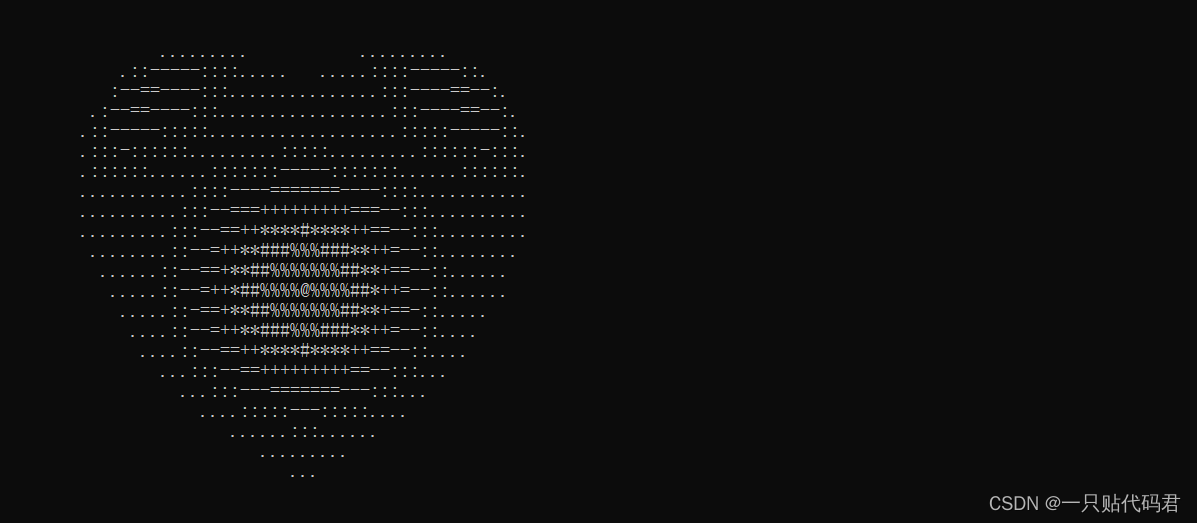
绘制一个精致爱心
#include <stdio.h>
#include <Windows.h>
#include <math.h>

float f(float x, float y, float z)
{
    float a = x * x + 9.0f / 4.0f * y * y + z * z - 1;

    return a * a * a - x * x * z * z * z - 9.0f / 80.0f * y * y * z * z * z;
}

float h(float x, float z)
{
    for (float y = 1.0f; y >= 0.0f; y -= 0.001f)
    if (f(x, y, z) <= 0.0f)
        return y;

    return 0.0f;
}

int main()
{
    for (float z = 1.5f; z > -1.5f; z -= 0.05f)
    {
        for (float x = -1.5f; x < 1.5f; x += 0.025f)
        {
            float v = f(x, 0.0f, z);
            if (v <= 0.0f)
            {
                float y0 = h(x, z);
                float ny = 0.01f;
                float nx = h(x + ny, z) - y0;
                float nz = h(x, z + ny) - y0;
                float nd = 1.0f / sqrtf(nx * nx + ny * ny + nz * nz);
                float d = (nx + ny - nz) * nd * 0.5f + 0.5f;
                putchar(".:-=+*#%@"[(int)(d * 5.0f)]);
            }
            else
                putchar(' ');
        }
        putchar('\n');
    }

    system("pause");
    return 0;
}

另一个好的版本
#include<bits/stdc++.h>
#include<windows.h>
#include<stdlib.h>
#include<stdio.h>
#include<string.h>
using namespace std;
double q,w,e,r,t,u,o,p,s,d,f,g,h,j,l,z,c,v,b,n,m,i;
double k,x,y;
long long a[1000][1000];
int main (int argc,char argv[])
{
	Sleep(1000);
	HWND hwnd=NULL;
	RECT rect;
	hwnd=GetForegroundWindow();
	GetClientRect(hwnd,&rect);
	if(hwnd!=NULL)
	{
		MoveWindow(hwnd,0,0,0,0,true);Sleep(20);
	}
	system("mode con cols=300 lines=150");
	system("color f4");
    for(i=40;i>=-32;i--)
    {
    	for(j=-40;j<=40;j++)
  		{
		  	y=i/30;
		  	x=j/30;
		  	if(pow(x*x+y*y-1,3)-x*x*y*y*y<=0)
		  	{
		  		cout<<"██";
			}
		  	else cout<<"  ";
  		}
  		cout<<endl;
    }
	return 0;
}
绘制红心并保存到文件
#include <stdio.h>
#include <Windows.h>
#include <math.h>

float f(float x, float y, float z)
{
    float a = x * x + 9.0f / 4.0f * y * y + z * z - 1;

    return a * a * a - x * x * z * z * z - 9.0f / 80.0f * y * y * z * z * z;
}

float h(float x, float z)
{
    for (float y = 1.0f; y >= 0.0f; y -= 0.001f)
    if (f(x, y, z) <= 0.0f)
        return y;
    return 0.0f;
}

int main()
{
    FILE* fp = fopen("heart.ppm", "w");
    int sw = 512, sh = 512;
    fprintf(fp, "P3\n%d %d\n255\n", sw, sh);

    for (int sy = 0; sy < sh; sy++)
    {
        float z = 1.5f - sy * 3.0f / sh;
        for (int sx = 0; sx < sw; sx++)
        {
            float x = sx * 3.0f / sw - 1.5f;
            float v = f(x, 0.0f, z);
            int r = 0;
            if (v <= 0.0f)
            {
                float y0 = h(x, z);
                float ny = 0.001f;
                float nx = h(x + ny, z) - y0;
                float nz = h(x, z + ny) - y0;
                float nd = 1.0f / sqrtf(nx * nx + ny * ny + nz * nz);
                float d = (nx + ny - nz) / sqrtf(3) * nd * 0.5f + 0.5f;
                r = (int)(d * 255.0f);
            }

            fprintf(fp, "%d 0 0 ", r);
        }

        fputc('\n', fp);
    }
    fclose(fp);
    system("pause");
}
绘制跳动的心脏:注此版本只能在Windows系统下编译运行。
#include <stdio.h>
#include <math.h>
#include <windows.h>
#include <tchar.h>

float f(float x, float y, float z)
{
    float a = x * x + 9.0f / 4.0f * y * y + z * z - 1;

    return a * a * a - x * x * z * z * z - 9.0f / 80.0f * y * y * z * z * z;
}

float h(float x, float z)
{
    for (float y = 1.0f; y >= 0.0f; y -= 0.001f)
    if (f(x, y, z) <= 0.0f)
        return y;
    return 0.0f;
}

int main()
{
    HANDLE o = GetStdHandle(STD_OUTPUT_HANDLE);
    _TCHAR buffer[25][80] = { _T(' ') };
    _TCHAR ramp[] = _T(".:-=+*#%@");

    for (float t = 0.0f;; t += 0.1f)
    {
        int sy = 0;
        float s = sinf(t);
        float a = s * s * s * s * 0.2f;
        for (float z = 1.3f; z > -1.2f; z -= 0.1f)
        {
            _TCHAR* p = &buffer[sy++][0];
            float tz = z * (1.2f - a);
            for (float x = -1.5f; x < 1.5f; x += 0.05f)
            {
                float tx = x * (1.2f + a);
                float v = f(tx, 0.0f, tz);
                if (v <= 0.0f)
                {
                    float y0 = h(tx, tz);
                    float ny = 0.01f;
                    float nx = h(tx + ny, tz) - y0;
                    float nz = h(tx, tz + ny) - y0;
                    float nd = 1.0f / sqrtf(nx * nx + ny * ny + nz * nz);
                    float d = (nx + ny - nz) * nd * 0.5f + 0.5f;
                    *p++ = ramp[(int)(d * 5.0f)];
                }
                else
                    *p++ = ' ';
            }
        }


        for (sy = 0; sy < 25; sy++)
        {
            COORD coord = { 0, sy };
            SetConsoleCursorPosition(o, coord);
            WriteConsole(o, buffer[sy], 79, NULL, 0);
        }
        Sleep(33);
    }
}
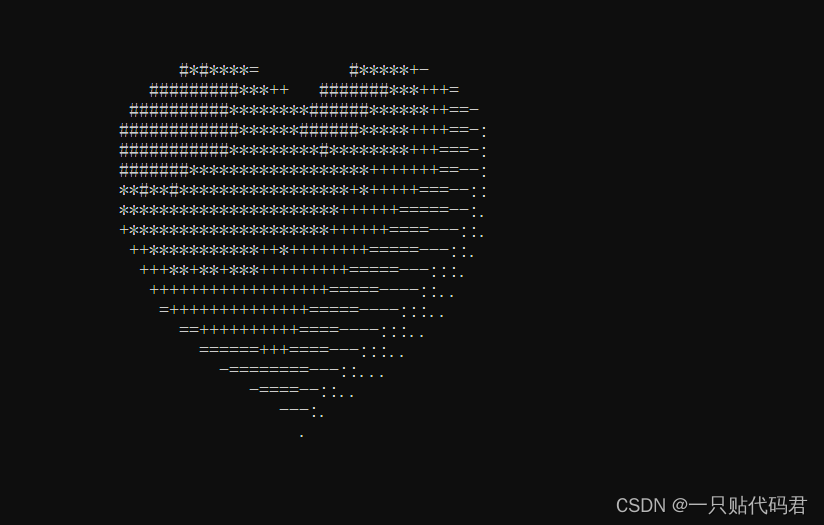
升级版
    #include <stdio.h>
    #include <math.h>
    #include <windows.h>
    #include <tchar.h>

    float f(float x, float y, float z) {
        float a = x * x + 9.0f / 4.0f * y * y + z * z - 1;
        return a * a * a - x * x * z * z * z - 9.0f / 80.0f * y * y * z * z * z;
    }

    float h(float x, float z) {
        for (float y = 1.0f; y >= 0.0f; y -= 0.001f)
            if (f(x, y, z) <= 0.0f)
                return y;
        return 0.0f;
    }

    int main() {
        SetConsoleTextAttribute(GetStdHandle(STD_OUTPUT_HANDLE),0x0C);
        HANDLE o = GetStdHandle(STD_OUTPUT_HANDLE);
        _TCHAR buffer[25][80] = { _T(' ') };
        _TCHAR ramp[] = _T(".:-=+*#%@");
        int count= 0;
        int count1=0;
        //system("color F4");
        for (float t = 0.0f;; t += 0.1f) {
            int sy = 0;
            float s = sinf(t);
            float a = s * s * s * s * 0.2f;

            for (float z = 1.3f; z > -1.2f; z -= 0.1f) {
                _TCHAR* p = &buffer[sy++][0];
                float tz = z * (1.2f - a);
                for (float x = -1.5f; x < 1.5f; x += 0.05f) {
                    float tx = x * (1.2f + a);
                    float v = f(tx, 0.0f, tz);
                    if (v <= 0.0f) {
                        float y0 = h(tx, tz);
                        float ny = 0.01f;
                        float nx = h(tx + ny, tz) - y0;
                        float nz = h(tx, tz + ny) - y0;
                        float nd = 1.0f / sqrtf(nx * nx + ny * ny + nz * nz);
                        float d = (nx + ny - nz) * nd * 0.5f + 0.5f;
                        *p++ = ramp[(int)(d * 5.0f)];
                    }
                    else
                        *p++ = ' ';
                }
            }

            for (sy = 0; sy < 25; sy++) {
                COORD coord = { 0, sy };
                SetConsoleCursorPosition(o, coord);
                WriteConsole(o, buffer[sy], 79, NULL, 0);
            }
            if(count <= 10){
                printf("I Love You ———.Mua~\n") ;//表白内容
                printf("            By 编程爱我");// 表白者的名字
                count++;
            } else{
                printf("You Are My Best Lover.\n");
                printf("            Stephen Ge");
                count++;
                if(count>=20){
                    count =0;
                }
            }
            Sleep(33);
        }
        }
其他做法html
<!doctype html>
<html lang="en">
 <head>
  <meta charset="UTF-8">
 </head>
 <body>
    <canvas width="400" height="400"></canvas>

    <script>
        var canvas = document.querySelector('canvas');
        var context = canvas.getContext('2d');
        context.lineWidth = 3;
        // 将画布的原点(0,0),移动到(200,200)
        // 移动原点是为了能让整个心形显示出来
        context.translate(200,200);

        // t 代表弧度
        var t=0;
        // maxt 代表 t 的最大值
        var maxt = 2*Math.PI;
        // vt 代表 t 的增量
        var vt = 0.01;
        // 需要循环的次数
        var maxi = Math.ceil(maxt/vt);
        // 保存所有点的坐标的数组
        var pointArr=[];
        // x 用来暂时保存每次循环得到的 x 坐标
        var x=0;
        // y 用来暂时保存每次循环得到的 y 坐标
        var y=0;

        // 根据方程得到所有点的坐标
        for(var i=0;i<=maxi;i++){
            // x=a*(2*sin(t)+sin(2*t))
            x=50*(2*Math.sin(t)+Math.sin(2*t));

            // y=a*(2*cos(t)+cos(2*t))
            y=50*(2*Math.cos(t)+Math.cos(2*t));
            t+=vt;
            pointArr.push([x,y]);
        }

        // 根据点的坐标,画出心形线
		context.moveTo(pointArr[0][0],pointArr[0][1]);
        draw();
        function draw(){
            context.fillStyle='#c00';
            // 把每个点连接起来
            for(var i=1;i<pointArr.length;i++){
                x = pointArr[i][0];
                y = pointArr[i][1];
                context.lineTo(x,y);
            }
            context.fill();
        }
    </script>
 </body>
</html>

<!doctype html>
<html lang="en">

<head>
  <meta charset="UTF-8">
</head>

<body>
  <canvas width="400" height="400"></canvas>

  <script>
    var canvas = document.querySelector('canvas');
    var context = canvas.getContext('2d');
    // 将画布的原点(0,0),移动到(200,100)
    // 移动原点是为了能让整个心形显示出来
    context.translate(200, 100);

	// 画心形
	draw();
    function draw() {
      // 画圆弧时,圆的半径
      var r = 0;
	  //  start 代表画弧线时的 起始角
      var start = 0;
	  //  end 代表画弧线时的 结束角
      var end = 0;
	  //  一个常数,用来控制心形的大小
      var a = 100;

      context.fillStyle = '#e21f27';
	  //连续的画圆弧
      for (var q = 0; q < 500; q++) {
        start += Math.PI * 2 / 500;
		// 当 结束角 是 Math.PI * 2 时也就是已经画了一圈了,心形就出来了
        end = start + Math.PI * 2 / 500;
		// 根据极坐标方程 r=a(1+sinθ),得到 r(半径)
        r = a * (1 + Math.sin(start));
		// 画弧线
        context.arc(0, 0, r, start, end, false);
      }
      context.fill();
    }
  </script>
</body>
</html>

<!doctype html>
<html lang="en">
 <head>
  <meta charset="UTF-8">
 </head>
 <body>
    <canvas width="400" height="400"></canvas>

	<script>
		var canvas = document.querySelector('canvas');
		var context = canvas.getContext('2d');
		context.lineWidth = 3;
		// 将画布的原点(0,0),移动到(200,200)
		// 移动原点是为了能让整个心形显示出来
		context.translate(200,200);

		// t 代表弧度
		var t=0;
		// vt 代表 t 的增量
		var vt = 0.01;
		// maxt 代表 t 的最大值
		var maxt = 2*Math.PI;
		// 需要循环的次数
		var maxi = Math.ceil(maxt/vt);
		// 保存所有点的坐标的数组
		var pointArr=[];
		// 控制心形大小
		var size = 10;
		// x 用来暂时保存每次循环得到的 x 坐标
		var x=0;
		// y 用来暂时保存每次循环得到的 y 坐标
		var y=0;

		// 根据方程得到所有点的坐标
		for(var i=0;i<=maxi;i++){
			// x=16 * (sin(t)) ^ 3;
			var x = 16 * Math.pow(Math.sin(t),3);
			// y=13 * cos(t) - 5 * cos(2 * t) - 2 * cos(3 * t) - cos(4 * t)
			var y = 13 * Math.cos(t) - 5 * Math.cos(2 * t) -2 * Math.cos(3 * t)- Math.cos(4 * t);
			t+=vt;
			pointArr.push([x*size,-y*size]);
		}

		// 根据点的坐标,画出心形线
		context.moveTo(pointArr[0][0],pointArr[0][1]);
		draw();
		function draw(){
			context.fillStyle='#c00';
			// 把每个点连接起来
			for(var i=1;i<pointArr.length;i++){
				x = pointArr[i][0];
				y = pointArr[i][1];
				context.lineTo(x,y);
			}
			context.fill();
		}
	</script>
 </body>
</html>

彩色动态变换
/*爱心代码:*/
#include<stdio.h>
#include<math.h>
#include<windows.h>
#include<time.h>
#define U 0.1
#define V 0.053
void SetColor(unsigned short ForeColor,unsigned short BackGroundColor)
{
    HANDLE hCon=GetStdHandle(STD_OUTPUT_HANDLE);
    SetConsoleTextAttribute(hCon,(ForeColor%16)|(BackGroundColor%16*16));
}
int main()
{
    int i,s=0,t,a=10,b=11,c=12,d=13,e=14;
    int z[] = {32,32,206,210,176,174,209,197,209,197,33,32,32};
    /*
    用两位ASCⅡ码表示汉字,中间用“,”分隔;
    32,32--表示空格
    206,210--我
    176,174--爱
    209,197--雅

      (想找ASCⅡ码对应的汉字,可以下载“中英文字符编码查询”小软件,可以点击我的头像到我发布的资源中查找)
    */
    float x,y;
    srand(time(NULL));
    for(y=1.3;y>=-1.1;y-=U)
    {
        for(x=-2;x<1.4;x+=V)
        {
            if((((x*x+y*y-1)*(x*x+y*y-1)*(x*x+y*y-1)-x*x*y*y*y)<=0))
            {
                if(y>=1.3-10*U||y<=1.3-11*U)
                {
                s++;
                if(s%4==1){SetColor(a,0);printf("l");}
                if(s%4==2){SetColor(e,0);printf("o");}
                if(s%4==3){SetColor(c,0);printf("v");}
                if(s%4==0){SetColor(d,0);printf("e");}
                }
                else
                {
                    for(i = 0;i < 42;i++)
                    {
                        if(i<=14||i>=28)
                        {
                            s++;
                            if(s%4==1){SetColor(a,0);printf("l");}
                            if(s%4==2){SetColor(e,0);printf("o");}
                            if(s%4==3){SetColor(c,0);printf("v");}
                            if(s%4==0){SetColor(d,0);printf("e");}
                        }
                        else
                        {
                            SetColor(b,0);
                            printf("%c", z[i-15]);
                            Sleep(50);
                        }
                    }
                    break;
                }
            }
                else
                    printf(" ");
                    Sleep(1);
        }
    printf("\n");
    }
    printf("l love you");
    getchar();
    while(1)
    {
                system("cls");
            t=a;a=b;b=c;c=d;d=e;e=t;
            for(y=1.3;y>=-1.1;y-=U)
        {
            for(x=-2;x<1.4;x+=V)
            {
                if((((x*x+y*y-1)*(x*x+y*y-1)*(x*x+y*y-1)-x*x*y*y*y)<=0))
                {
                    if(y>=1.3-10*U||y<=1.3-11*U)
                    {
                    s++;
                    if(s%4==1){SetColor(a,0);printf("l");}
                    if(s%4==2){SetColor(b,0);printf("o");}
                    if(s%4==3){SetColor(c,0);printf("v");}
                    if(s%4==0){SetColor(d,0);printf("e");}
                    }
                    else
                    {
                        for(i = 0;i < 42;i++)
                        {
                            if(i<=14||i>=28)
                            {
                                s++;
                                if(s%4==1){SetColor(a,0);printf("l");}
                                if(s%4==2){SetColor(b,0);printf("o");}
                                if(s%4==3){SetColor(c,0);printf("v");}
                                if(s%4==0){SetColor(d,0);printf("e");}
                            }
                            else
                            {
                                SetColor(e,0);
                                printf("%c", z[i-15]);
                            }
                        }
                        break;
                    }
                }
                    else
                        printf(" ");
            }
                printf("\n");
        }
            Sleep(1000);
            system("cls");

    }
}
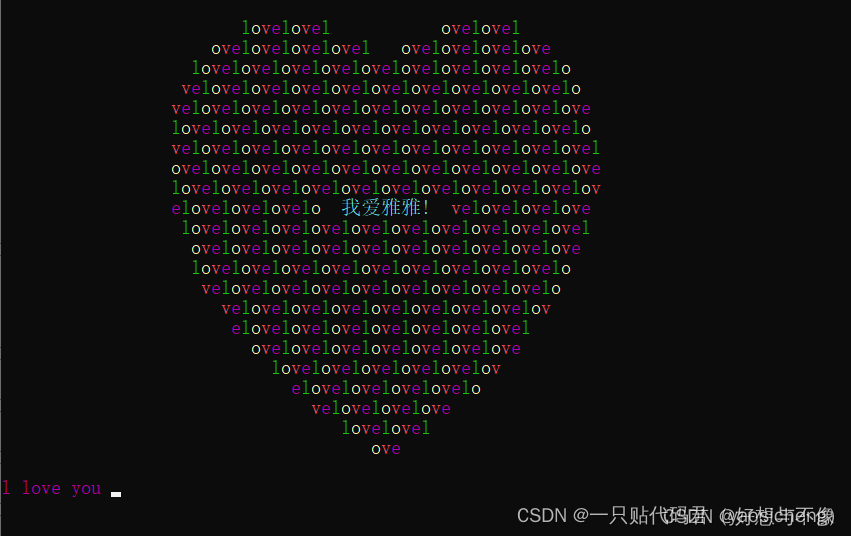
按过回车之后,会动态变换颜色
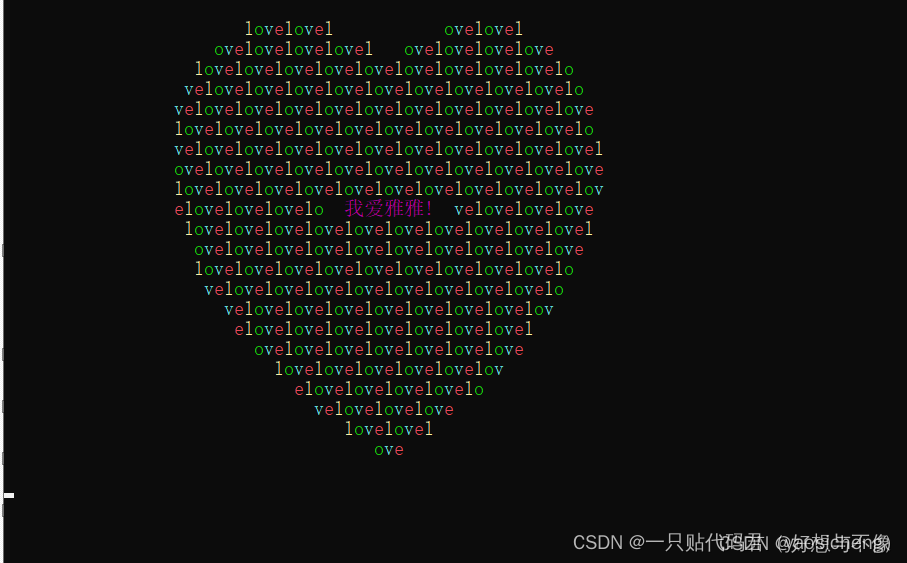
李峋爱心代码升级版
代码优化:评论区有好多小伙伴想要文字,于是添加了文字功能,大家可以重新下载运行!
温馨提示:此代码涉及Tkinter库,小伙伴们运行前需确保Tkinter库函数有安装
windows下安装python tkinter,如果使用pip install tkinter或conda install tkinter都出错:
ERROR: Could not find a version that satisfies the requirement tkinter (from versions: none)
ERROR: No matching distribution found for tkinter
可尝试方法:
conda install -c anaconda tk
运行结果

import random
from math import sin, cos, pi, log
from tkinter import *
import pygame

CANVAS_WIDTH = 640
CANVAS_HEIGHT = 480
CANVAS_CENTER_X = CANVAS_WIDTH / 2
CANVAS_CENTER_Y = CANVAS_HEIGHT / 2
IMAGE_ENLARGE = 11
HEART_COLOR = "#FF99CC"


def center_window(root, width, height):
    screenwidth = root.winfo_screenwidth()  # 获取显示屏宽度
    screenheight = root.winfo_screenheight()  # 获取显示屏高度
    size = '%dx%d+%d+%d' % (width, height, (screenwidth - width) /
                            2, (screenheight - height) / 2)  # 设置窗口居中参数
    root.geometry(size)  # 让窗口居中显示


def heart_function(t, shrink_ratio: float = IMAGE_ENLARGE):
    x = 16 * (sin(t) ** 3)
    y = -(13 * cos(t) - 5 * cos(2 * t) - 2 * cos(3 * t) - cos(4 * t))
    # 放大
    x *= shrink_ratio
    y *= shrink_ratio
    # 移到画布中央
    x += CANVAS_CENTER_X
    y += CANVAS_CENTER_Y
    return int(x), int(y)


def scatter_inside(x, y, beta=0.15):
    ratio_x = - beta * log(random.random())
    ratio_y = - beta * log(random.random())
    dx = ratio_x * (x - CANVAS_CENTER_X)
    dy = ratio_y * (y - CANVAS_CENTER_Y)
    return x - dx, y - dy


def shrink(x, y, ratio):
    force = -1 / (((x - CANVAS_CENTER_X) ** 2 +
                  (y - CANVAS_CENTER_Y) ** 2) ** 0.6)
    dx = ratio * force * (x - CANVAS_CENTER_X)
    dy = ratio * force * (y - CANVAS_CENTER_Y)
    return x - dx, y - dy


def curve(p):
    return 2 * (2 * sin(4 * p)) / (2 * pi)


class Heart:
    def __init__(self, generate_frame=20):
        self._points = set()  # 原始爱心坐标集合
        self._edge_diffusion_points = set()  # 边缘扩散效果点坐标集合
        self._center_diffusion_points = set()  # 中心扩散效果点坐标集合
        self.all_points = {}  # 每帧动态点坐标
        self.build(2000)
        self.random_halo = 1000
        self.generate_frame = generate_frame
        for frame in range(generate_frame):
            self.calc(frame)

    def build(self, number):
        for _ in range(number):
            t = random.uniform(0, 2 * pi)
            x, y = heart_function(t)
            self._points.add((x, y))
        # 爱心内扩散
        for _x, _y in list(self._points):
            for _ in range(3):
                x, y = scatter_inside(_x, _y, 0.05)
                self._edge_diffusion_points.add((x, y))
        # 爱心内再次扩散
        point_list = list(self._points)
        for _ in range(4000):
            x, y = random.choice(point_list)
            x, y = scatter_inside(x, y, 0.17)
            self._center_diffusion_points.add((x, y))

    @staticmethod
    def calc_position(x, y, ratio):
        force = 1 / (((x - CANVAS_CENTER_X) ** 2 +
                      (y - CANVAS_CENTER_Y) ** 2) ** 0.520)
        dx = ratio * force * (x - CANVAS_CENTER_X) + random.randint(-1, 1)
        dy = ratio * force * (y - CANVAS_CENTER_Y) + random.randint(-1, 1)
        return x - dx, y - dy

    def calc(self, generate_frame):
        ratio = 10 * curve(generate_frame / 10 * pi)
        halo_radius = int(4 + 6 * (1 + curve(generate_frame / 10 * pi)))
        halo_number = int(
            3000 + 4000 * abs(curve(generate_frame / 10 * pi) ** 2))
        all_points = []
        # 光环
        heart_halo_point = set()
        for _ in range(halo_number):
            t = random.uniform(0, 2 * pi)
            x, y = heart_function(t, shrink_ratio=11.6)
            x, y = shrink(x, y, halo_radius)
            if (x, y) not in heart_halo_point:
                heart_halo_point.add((x, y))
                x += random.randint(-14, 14)
                y += random.randint(-14, 14)
                size = random.choice((1, 2, 2))
                all_points.append((x, y, size))
        # 轮廓
        for x, y in self._points:
            x, y = self.calc_position(x, y, ratio)
            size = random.randint(1, 3)
            all_points.append((x, y, size))
        # 内容
        for x, y in self._edge_diffusion_points:
            x, y = self.calc_position(x, y, ratio)
            size = random.randint(1, 2)
            all_points.append((x, y, size))
        self.all_points[generate_frame] = all_points
        for x, y in self._center_diffusion_points:
            x, y = self.calc_position(x, y, ratio)
            size = random.randint(1, 2)
            all_points.append((x, y, size))
        self.all_points[generate_frame] = all_points

    def render(self, render_canvas, render_frame):
        for x, y, size in self.all_points[render_frame % self.generate_frame]:
            render_canvas.create_rectangle(
                x, y, x + size, y + size, width=0, fill=HEART_COLOR)


def draw(main: Tk, render_canvas: Canvas, render_heart: Heart, render_frame=0):
    render_canvas.delete('all')
    render_heart.render(render_canvas, render_frame)
    main.after(160, draw, main, render_canvas, render_heart, render_frame + 1)


if __name__ == '__main__':
    root = Tk()
    root.title("爱心")
    root.iconbitmap('1.ico')
    center_window(root, CANVAS_WIDTH, CANVAS_HEIGHT)  # 窗口居中显示
    canvas = Canvas(root, bg='black', height=CANVAS_HEIGHT, width=CANVAS_WIDTH)
    canvas.pack()
    heart = Heart()
    draw(root, canvas, heart)

    # 初始化音乐播放器
    pygame.mixer.init()
    pygame.mixer.music.load("所念皆星河.mp3")  # 替换为你的音乐文件路径
    pygame.mixer.music.play(-1)  # 循环播放

    Label(root, text="需要替换的文字", bg="black", fg="#FF99CC",
          font="Helvetic 20 bold").place(relx=.5, rely=.5, anchor=CENTER)
    root.mainloop()
另一版本
编译环境:VS2019+easyx图形库插件
#include<graphics.h>
#include<conio.h>
#include<time.h>
#include<math.h>
#include<sys/timeb.h>

struct MyLove
{
    int NUMS;  //  编号
    double m;
    double n;
    double size;
    bool Is_show;
    int x;
    int y;
};

MyLove mylove[400];
int CenterX = 320;
int CenterY = 180;
double Size = 60;
void initdata();  // 初始化数据
void updata();    // 更新
void movedata();  // 平移
void showdata();  // 显示
int* GetRand(int* buf, int count, int range);  // 随机数的生成
void heart(int x0, int y0, int size, COLORREF C);
void HpSleep(int ms);

int main()
{
    initgraph(640, 480);
    initdata();
    BeginBatchDraw();
    while (true)
    {
        updata();
        showdata();
        HpSleep(30);    // 改为精确延时
        FlushBatchDraw();
        cleardevice();
    }
    EndBatchDraw();
    _getch();
    return 0;
}

void updata()
{
    int* buf = (int*)malloc(sizeof(int) * 20);
    buf = GetRand(buf, 20, (int)(2 * Size / 0.01));
    movedata();
    for (int i = 0; i < 20; i++)
    {
        mylove[i].m = buf[i] * 0.01;
        mylove[i].n = (((sin(buf[(int)i] * 0.01) * sqrt(fabs(cos(buf[(int)i] * 0.01)))) / (sin(buf[(int)i] * 0.01) + 1.4142)) - 2 * sin(buf[(int)i] * 0.01) + 2);
        mylove[i].size = Size;
        mylove[i].NUMS = i / 20;
        mylove[i].Is_show = true;
        mylove[i].x = (int)(-Size * mylove[i].n * cos(mylove[i].m) + CenterX);
        mylove[i].y = (int)(-Size * mylove[i].n * sin(mylove[i].m) + CenterY - mylove[i].size);
    }
    for (int i = 20; i < 400; i++)
    {
        mylove[i].size = mylove[i].size + 1;
        if (mylove[i].size > 80)
        {
            mylove[i].size = 80;
        }
        mylove[i].NUMS = i / 20;
        mylove[i].x = (int)(-mylove[i].size * mylove[i].n * cos(mylove[i].m) + CenterX);
        mylove[i].y = (int)(-mylove[i].size * mylove[i].n * sin(mylove[i].m) + CenterY - mylove[i].size);
    }
}

void movedata()
{
    for (int i = 399; i > 19; i--)
    {
        mylove[i] = mylove[i - 20];
    }
}

void showdata()
{
    settextcolor(RED);
    wchar_t c = 0x59;    // 0x28 是电话机在 Wingdings 字体中的对应编码
    for (int i = 0; i < 400; i++)
    {
        settextstyle(mylove[i].NUMS + 10, 0, "Webdings");
        setbkmode(TRANSPARENT);
        outtextxy(mylove[i].x + 20, mylove[i].y + 20, c);
    }
}

int* GetRand(int* buf, int count, int range)
{
    struct timeb timeSeed;
    ftime(&timeSeed);
    srand(timeSeed.time * 1000 + timeSeed.millitm);  // milli time
    for (int i = 0; i < count; i++)
    {
        int randTmp = rand() % range;
        for (int j = 0; j < i; j++)
        {
            if (buf[j] == randTmp)
            {
                break;//检查重复。
            }
        }
        buf[i] = randTmp;
    }
    return buf;
}

void initdata()
{
    for (int i = 0; i < 400; i++)
    {
        mylove[i].NUMS = 0;
        mylove[i].m = 0;
        mylove[i].n = 0;
        mylove[i].size = 0;
        mylove[i].Is_show = false;
        mylove[i].x = 0;
        mylove[i].y = 0;
    }
}

// 精确延时函数(可以精确到 1ms,精度 ±1ms)
// by yangw80<yw80@qq.com>, 2011-5-4
void HpSleep(int ms)
{
    static clock_t oldclock = clock();    // 静态变量,记录上一次 tick
    oldclock += ms * CLOCKS_PER_SEC / 1000;  // 更新 tick
    if (clock() > oldclock)          // 如果已经超时,无需延时
        oldclock = clock();
    else
        while (clock() < oldclock)      // 延时
            Sleep(1);            // 释放 CPU 控制权,降低 CPU 占用率,精度 10~16ms
          //      Sleep(0);            // 更高精度、更高 CPU 占用率,精度 1ms
}
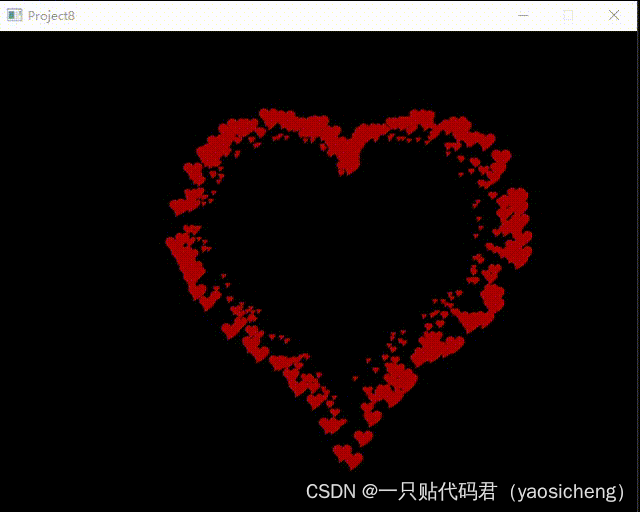
线性爱心
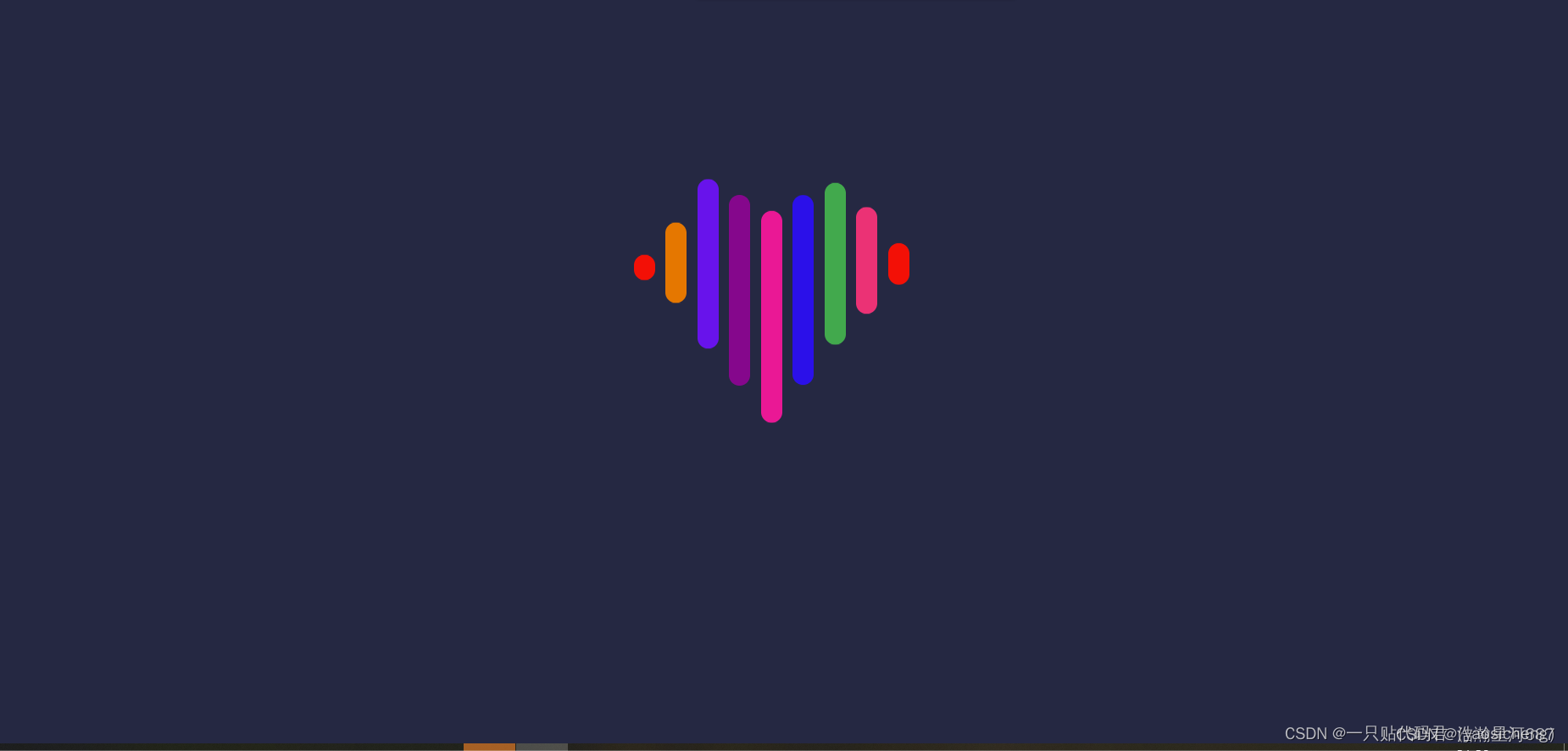
<!DOCTYPE html>
<html lang="en">

<head>
    <meta charset="UTF-8">
    <meta http-equiv="X-UA-Compatible" content="IE=edge">
    <meta name="viewport" content="width=device-width, initial-scale=1.0">
    <title>爱心跳动效果</title>
    <style>
        * {
            margin: 0;
            padding: 0;
        }

        .loveBox {
            display: flex;
            justify-content: center;
            align-items: center;
            height: 100vh;
            background-color: rgb(36, 40, 66);
        }

        .loveLine {
            height: 200px;
        }

        .loveLine li {
            float: left;
            list-style: none;
            width: 20px;
            height: 20px;
            border-radius: 10px;
            margin-right: 10px;
        }

        .loveLine li:nth-child(1) {
            background-color: red;
            animation: jump1 3s infinite;
        }

        .loveLine li:nth-child(2) {
            background-color: rgb(238, 118, 5);
            animation: jump2 3s 0.2s infinite;
        }

        .loveLine li:nth-child(3) {
            background-color: rgb(106, 10, 233);
            animation: jump3 3s 0.4s infinite;
        }

        .loveLine li:nth-child(4) {
            background-color: darkmagenta;
            animation: jump4 3s 0.6s infinite;
        }

        .loveLine li:nth-child(5) {
            background-color: rgb(245, 11, 147);
            animation: jump5 3s 0.8s infinite;
        }

        .loveLine li:nth-child(6) {
            background-color: rgb(32, 9, 231);
            animation: jump4 3s 1.0s infinite;
        }

        .loveLine li:nth-child(7) {
            background-color: rgb(36, 170, 81);
            animation: jump3 3s 1.2s infinite;
        }

        .loveLine li:nth-child(8) {
            background-color: #f62e74;
            animation: jump2 3s 1.4s infinite;
        }

        .loveLine li:nth-child(9) {
            background-color: red;
            animation: jump1 3s 1.6s infinite;
        }

        @keyframes jump1 {

            30%,
            50% {
                height: 60px;
                transform: translateY(-30px);
            }

            70%,
            100% {
                height: 20px;
                transform: translateY(0px);
            }
        }

        @keyframes jump2 {

            30%,
            50% {
                height: 120px;
                transform: translateY(-60px);
            }

            70%,
            100% {
                height: 20px;
                transform: translateY(0px);
            }
        }

        @keyframes jump3 {

            30%,
            50% {
                height: 160px;
                transform: translateY(-75px);
            }

            70%,
            100% {
                height: 20px;
                transform: translateY(0px);
            }
        }

        @keyframes jump4 {

            30%,
            50% {
                height: 180px;
                transform: translateY(-60px);
            }

            70%,
            100% {
                height: 20px;
                transform: translateY(0px);
            }
        }

        @keyframes jump5 {

            30%,
            50% {
                height: 200px;
                transform: translateY(-45px);
            }

            70%,
            100% {
                height: 20px;
                transform: translateY(0px);
            }
        }
    </style>
</head>

<body>
    <div class="loveBox">
        <ul class="loveLine">
            <li></li>
            <li></li>
            <li></li>
            <li></li>
            <li></li>
            <li></li>
            <li></li>
            <li></li>
            <li></li>
        </ul>
    </div>
</body>

</html>
————————————————

                            版权声明:本文为博主原创文章,遵循 CC 4.0 BY-SA 版权协议,转载请附上原文出处链接和本声明。

原文链接:https://blog.csdn.net/yaosichengalpha/article/details/138390785


腾讯云面向开发者汇聚海量精品云计算使用和开发经验,营造开放的云计算技术生态圈。
更多推荐
 52
52 0
0- 0


 已为社区贡献3条内容

所有评论(0)